
Veise VE06-H
Veise VE06-H Smart Front Door Lock Set User Manual
Model: VE06-H
1. Introduction
The Veise VE06-H Smart Front Door Lock Set offers advanced security and convenience for your home or property. This smart lock integrates multiple access methods, including app control, keypad codes, key fobs, and traditional mechanical keys, providing flexible entry solutions. It is designed for easy installation and features robust security protocols to ensure peace of mind.
This manual provides detailed instructions for the installation, operation, and maintenance of your Veise VE06-H Smart Front Door Lock Set. Please read it thoroughly before installation and use to ensure proper functionality and safety.
2. Product Overview and Components
The Veise VE06-H Smart Front Door Lock Set includes a comprehensive set of components for a complete smart lock solution. Below is an overview of the main parts and their functions.

Figure 2.1: Overview of the Veise VE06-H Smart Front Door Lock Set components. This image displays the exterior keypad deadbolt, the interior thumb-turn unit, the lever handle, the pull handle, two key fobs, and two mechanical keys. A smartphone screen showing the DD Lock app interface is also visible, indicating app control capabilities.

Figure 2.2: A closer look at the individual components of the smart lock system. This image highlights the handleset, the smart deadbolt with keypad, the interior lock mechanism, two physical keys, and two key fobs, along with a smartphone displaying the lock management application.
Included Components:
- Handleset
- Handle Lever
- Smart Door Lock (Keypad Deadbolt and Interior Unit)
- Latch
- Strike Plate
- Mounting Plate
- Screws
- 2 Backup Keys
- 2 Fobs (IC Cards)
- User Manual (this document)
3. Setup and Installation
The Veise VE06-H Smart Door Lock is designed for easy installation on most US standard left-handed and right-handed doors. It fits doors between 1-3/8" and 2" thick and is adjustable to fit pre-drilled or existing holes.
3.1 Door Compatibility Check
Before beginning installation, ensure your door meets the required specifications:
- Door Thickness: 1-3/8" to 2" (35mm - 50mm)
- Hole Diameter (Deadbolt): 1-1/2" or 2-1/8" (38mm or 54mm)
- Hole Diameter (Latch): 3/8" (10mm)
- Backset: 2-3/8" or 2-3/4" (60mm or 70mm)
- Minimum Distance between holes: 4" (101.6mm)
- Distance from bottom of door to lower handleset hole: 7-7/8" to 8-7/8" (200mm-225mm)

Figure 3.1: Detailed diagram illustrating the necessary door measurements and hole requirements for proper installation of the Veise smart lock. This includes dimensions for the deadbolt and latch holes, backset, and the distance between the deadbolt and handleset. It also shows compatibility for left-handed and right-handed doors, and clarifies that the lock is suitable for single cylinder deadbolts, not mortise or integrated systems.
3.2 Installation Steps (Summary)
For detailed step-by-step instructions, please refer to the included user manual booklet. A general overview of the process is as follows:
- Prepare the door: Ensure all measurements are correct and holes are drilled if necessary.
- Install the latch and strike plate.
- Install the exterior keypad assembly.
- Install the interior mounting plate.
- Connect the cables and install the interior assembly.
- Install the handleset.
- Test the lock's mechanical function.
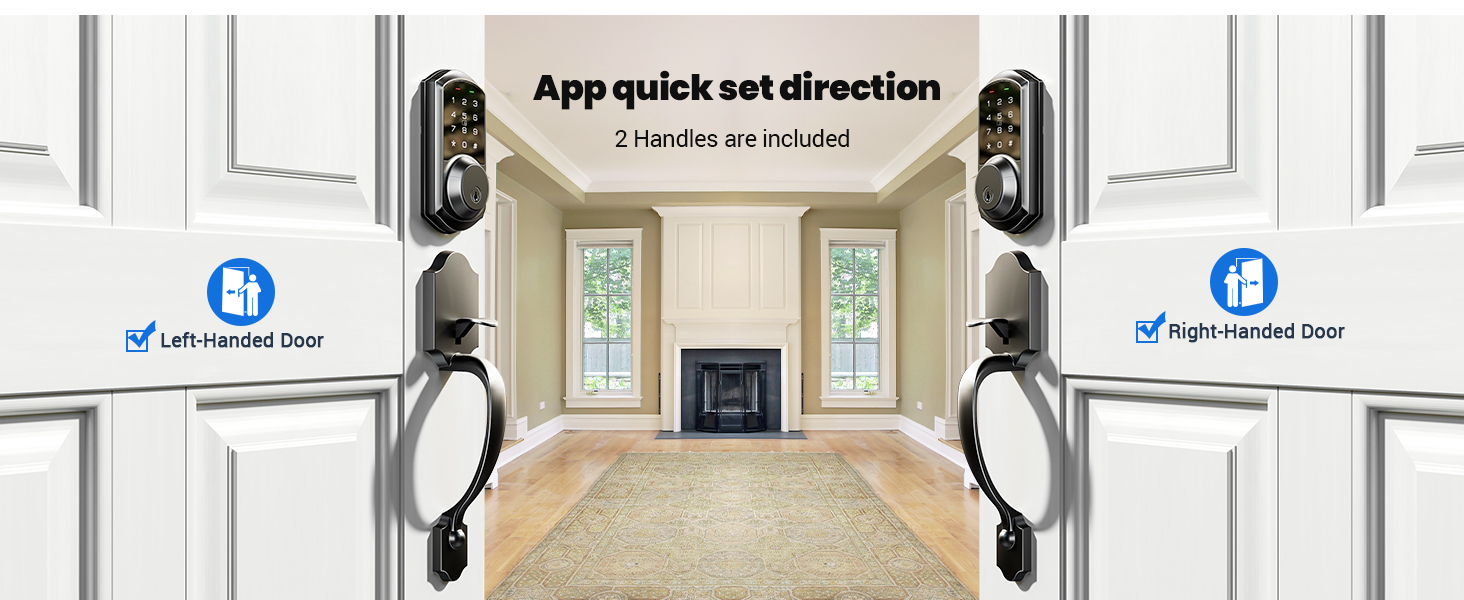
Figure 3.2: This image demonstrates the flexibility of the Veise smart lock, showing how it can be quickly set up for both left-handed and right-handed doors. Two handles are included to accommodate different door orientations.
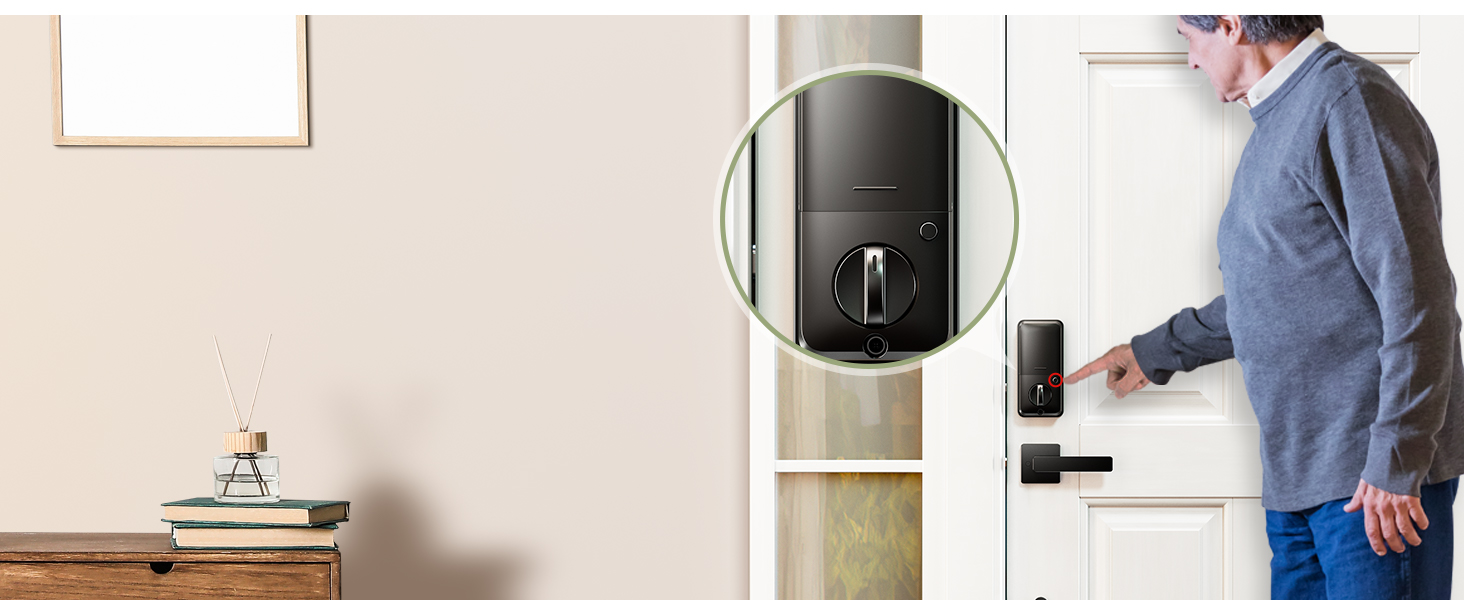
Figure 3.3: This diagram illustrates the adjustable nature of the latch, which can be set between 7-7/8 inches and 8-7/8 inches to fit various door configurations, simplifying the installation process.
NOTE: Do not use the keypad to change the Master Password before pairing the lock in the APP. Before pairing, you may need to touch the keypad to activate the lock. If the app does not find the lock or cannot connect, please reset the lock.
4. Operating Instructions
The Veise VE06-H Smart Lock offers five convenient ways to access your door:
4.1 Access Methods
- App Control: Manage and unlock your door remotely via the smartphone application.
- Keypad Code: Enter a personalized code on the touchscreen keypad.
- Key Fobs (IC Cards): Tap the included key fobs to unlock.
- Mechanical Key: Use the traditional backup key for manual access.
- Thumb Turn: Manually lock or unlock from the interior.

Figure 4.1: This image visually demonstrates the multiple access methods available for the Veise smart lock, including entry via keypad code, mechanical key, smartphone app, and key fobs.

Figure 4.2: A visual representation of the Veise Smart Front Door Lock Set highlighting its various access methods: App, Code, Fobs, and Keys.

Figure 4.3: A person using a smartphone to remotely send an eKey, granting access to the smart lock. This feature allows for convenient remote management of access permissions.
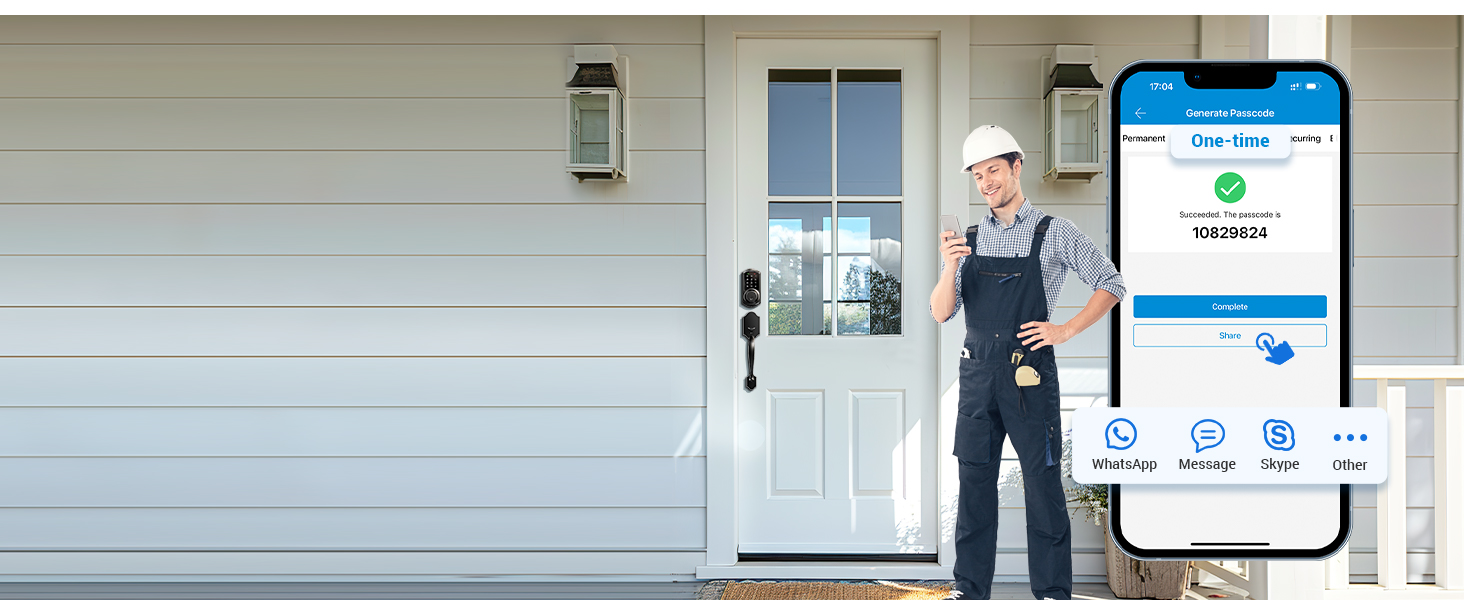
Figure 4.4: A person generating a one-time passcode on their smartphone for the smart lock, with options to share via various messaging apps. This is useful for temporary access.
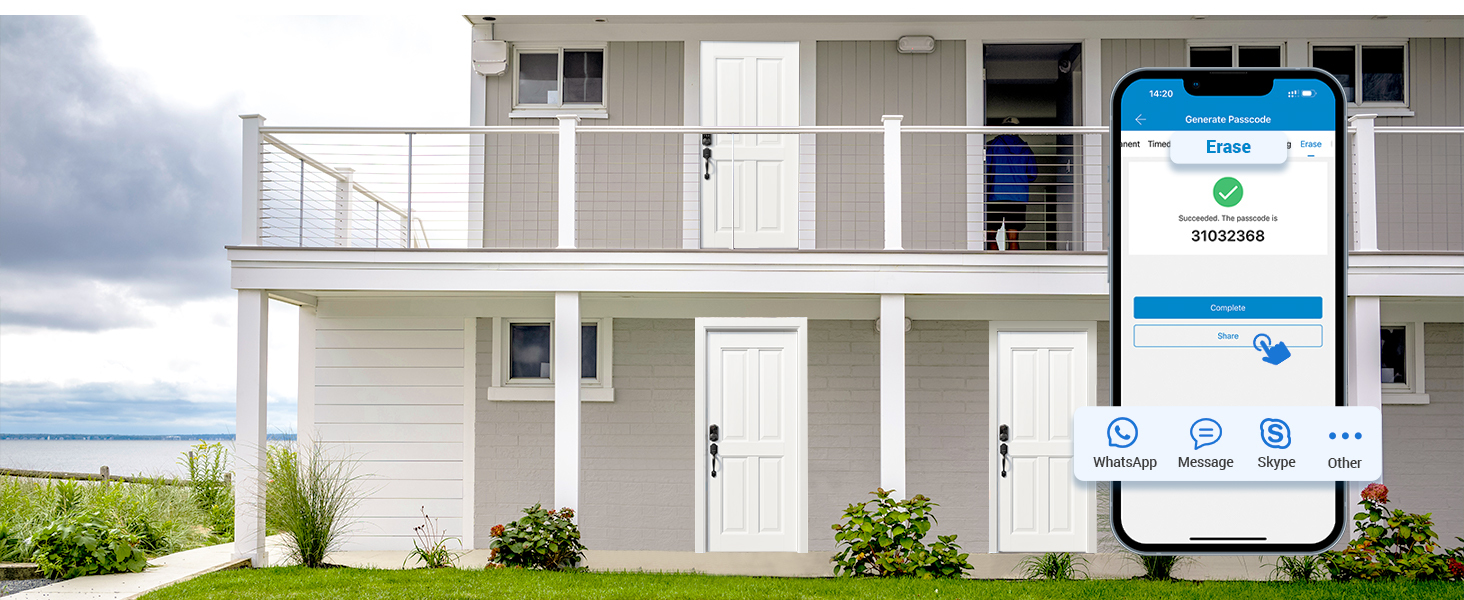
Figure 4.5: A person erasing a passcode on their smartphone for the smart lock, with options to share via various messaging apps. This allows for easy removal of access.
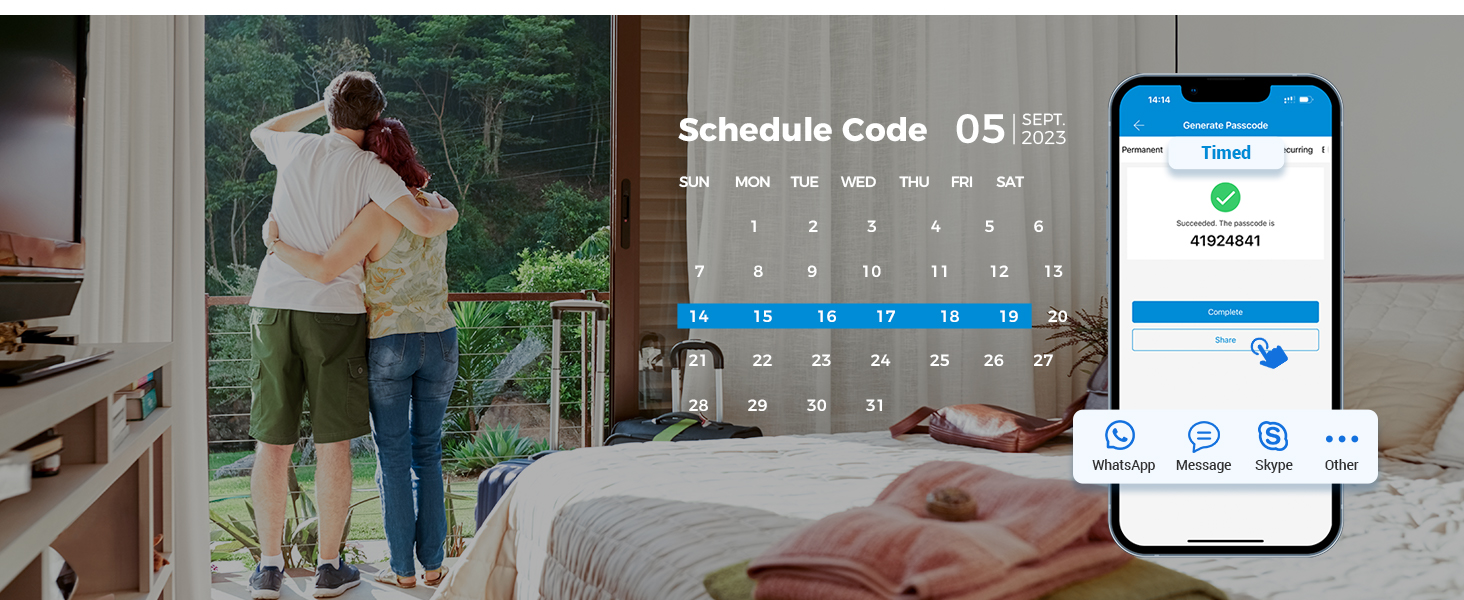
Figure 4.6: A person setting a scheduled code on their smartphone for the smart lock, with a calendar view to select specific dates. This is ideal for recurring visitors or service providers.
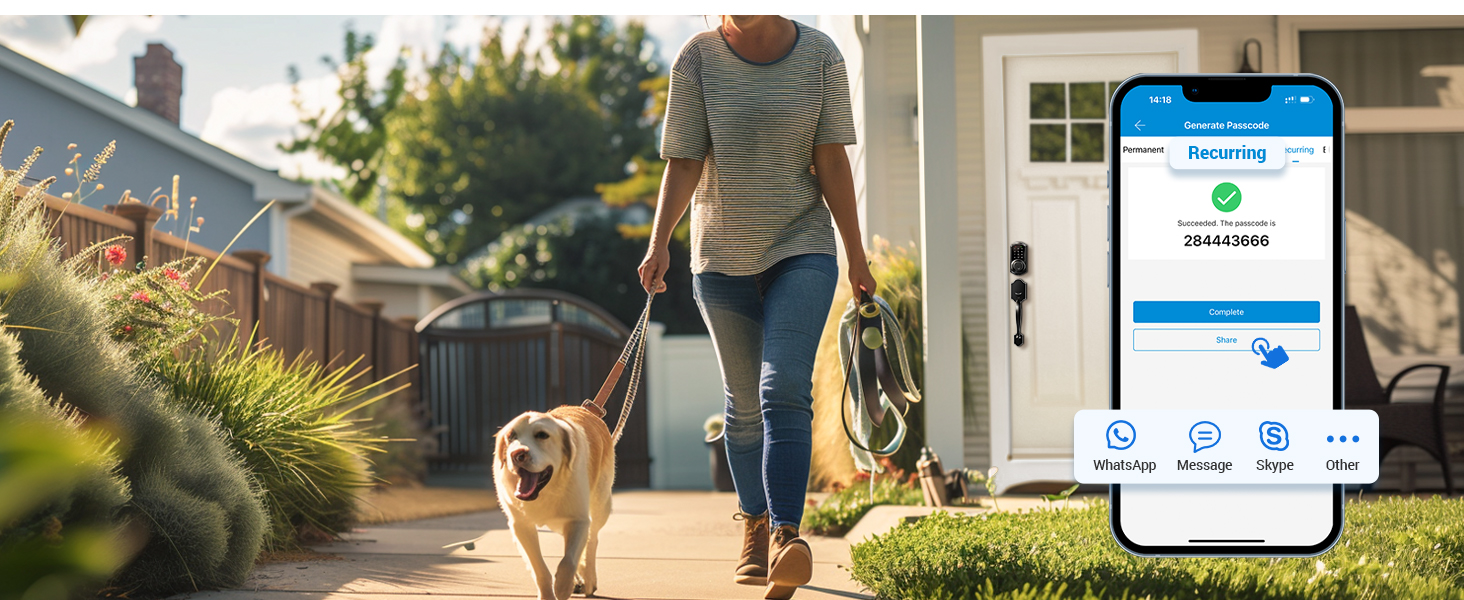
Figure 4.7: A person setting a recurring code on their smartphone for the smart lock, with options to share via various messaging apps. This is useful for regular access for family or staff.
Figure 4.8: A person setting a custom code on their smartphone for the smart lock, with options to share via various messaging apps. This allows for personalized access codes.
4.2 Auto-Lock and One-Touch Locking
The smart deadbolt features an auto-lock function for enhanced security and convenience. You can customize the delay time for auto-locking within 5-900 seconds via the app. For immediate locking, simply long-press the '#' key on the keypad.

Figure 4.9: This image illustrates the auto-lock and one-touch locking features. A child is shown interacting with the lock, and an inset displays the customizable delay settings (5-900 seconds) and the action for one-touch locking (long press #).

Figure 4.10: A woman walking her dog as the smart lock automatically engages. The image also shows the customizable delay settings for auto-lock (5-900 seconds) and the long-press '#' action for immediate locking.
4.3 Privacy Mode
Activate privacy mode from the interior to prevent external access via keypad codes or key fobs. This is ideal for ensuring privacy when you are home.

Figure 4.11: A man activating the privacy mode from the interior side of the smart lock, ensuring no external access.
4.4 Passage Mode
You can customize the time setting for passage mode in the app. During the specified time period, the lock will remain unlocked, allowing free entry and exit without needing to enter codes or use credentials. This is useful for gatherings or when frequent access is needed.
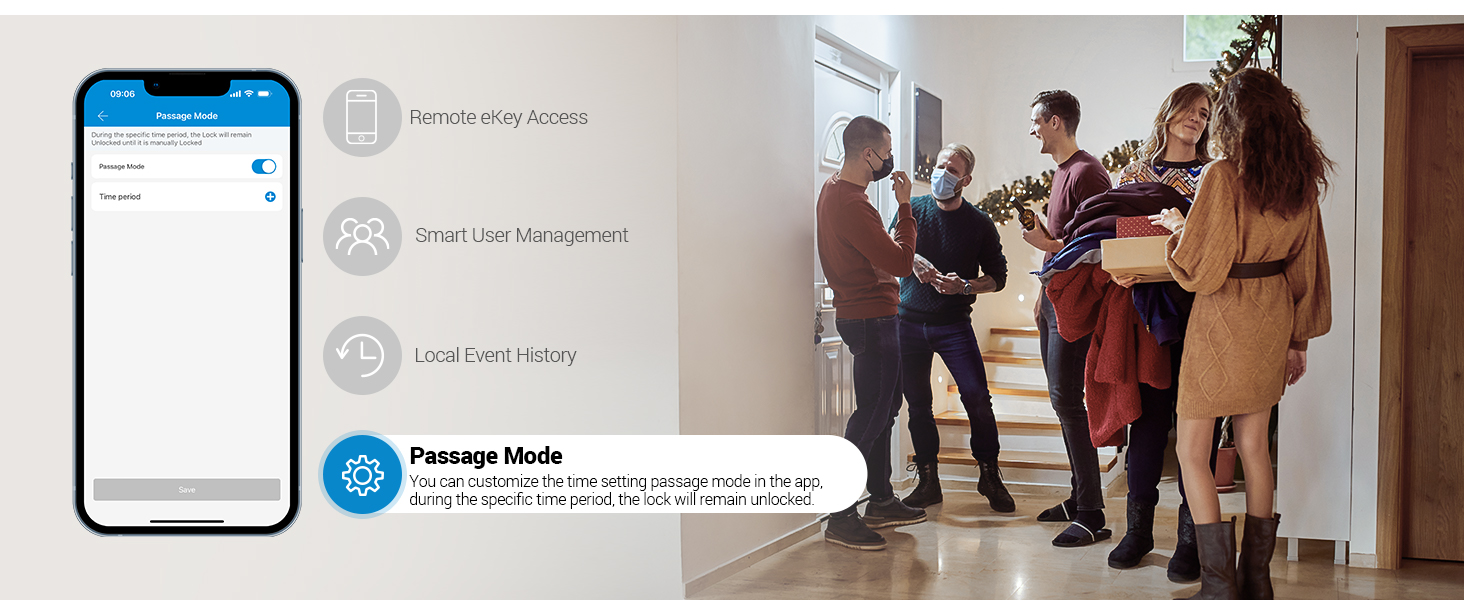
Figure 4.12: This image displays the Passage Mode settings within the app, allowing users to set specific time periods for the lock to remain unlocked. It also shows people freely entering a home, illustrating the convenience of this mode.
5. Smart Home Integration and Management
Enhance your smart lock experience with advanced management features and smart home compatibility.
5.1 App Control and eKeys
The Veise smart lock can be controlled via a smartphone application (DD Lock APP or TT Lock APP). You can remotely generate eKeys, grant access, manage users, and view access records directly from your smartphone.
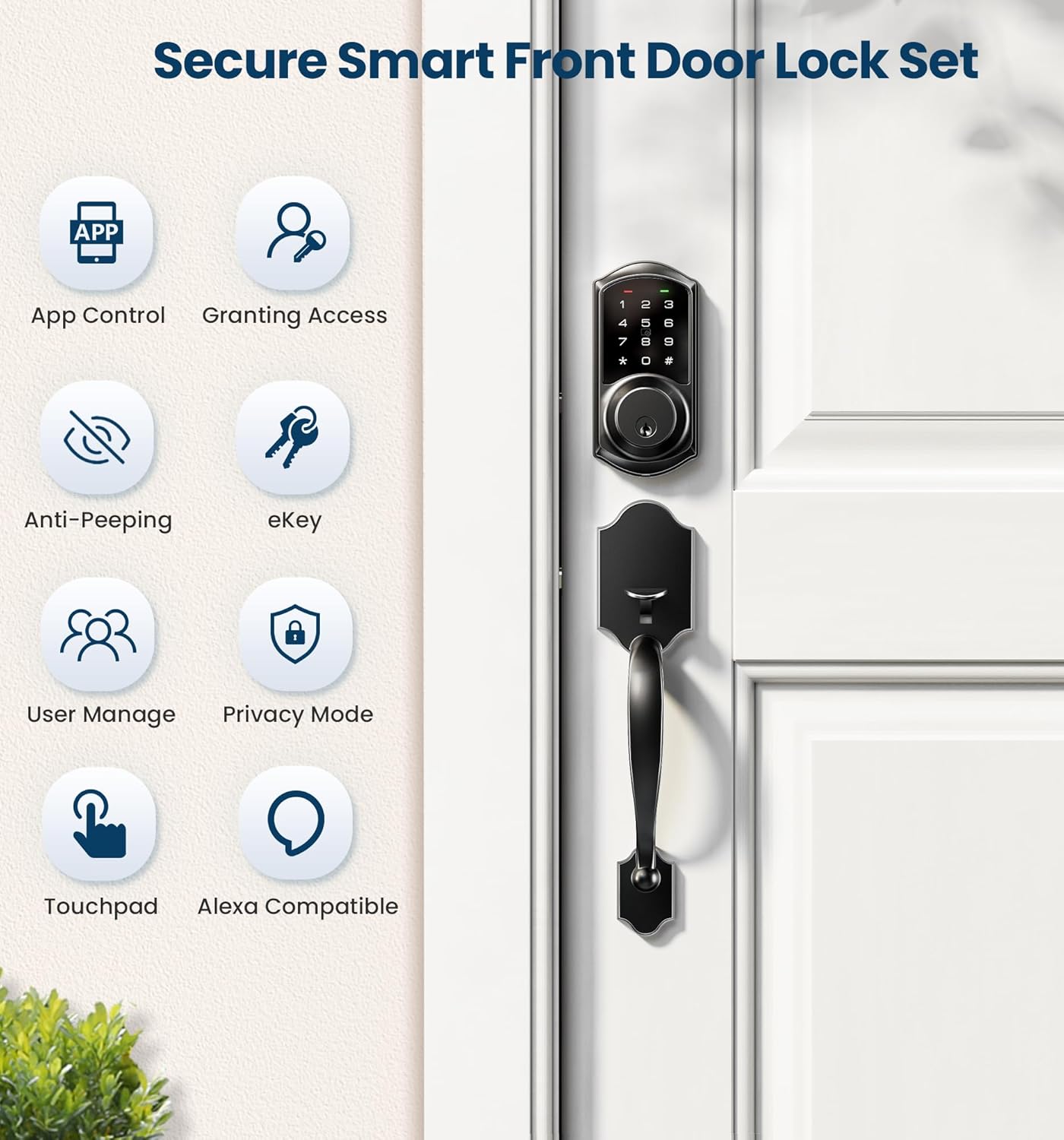
Figure 5.1: This image highlights the secure features of the Veise Smart Front Door Lock Set, including App Control, Granting Access, Anti-Peeping, eKey functionality, User Management, Privacy Mode, Touchpad, and Alexa compatibility.

Figure 5.2: A woman managing smart lock users through the smartphone app, demonstrating the ease of remotely authorizing and managing access.
5.2 Intelligent Management (PIN Codes)
With over 250 user codes, you can remotely generate and share various types of codes:
- One-time codes: For single use access.
- Permanent codes: For continuous access.
- Scheduled codes: For access during specific times.
- Recurring codes: For repeated access on a set schedule.
- Custom codes: Personalized codes for specific users.
These features are ideal for managing access for house sitters, guests, or service personnel in homes, apartments, offices, and hotels.

Figure 5.3: This image illustrates the flexibility of the Veise smart lock with over 250 multiple PIN codes, including options for one-time, timed, recurring, permanent, custom, and erase codes. Note that custom codes require the Veise G2 Gateway.
5.3 Local Event History
View the daily smart lock activity history directly in the app when your phone is connected to the lock and within its range. This provides a detailed log of who accessed the lock and when.

Figure 5.4: A man viewing the local event history of his smart lock on his smartphone, showing a log of unlock activities.
5.4 Web Portal Management
Utilize the free web portal to control and manage your smart locks from a computer. This offers a broader interface for comprehensive management.
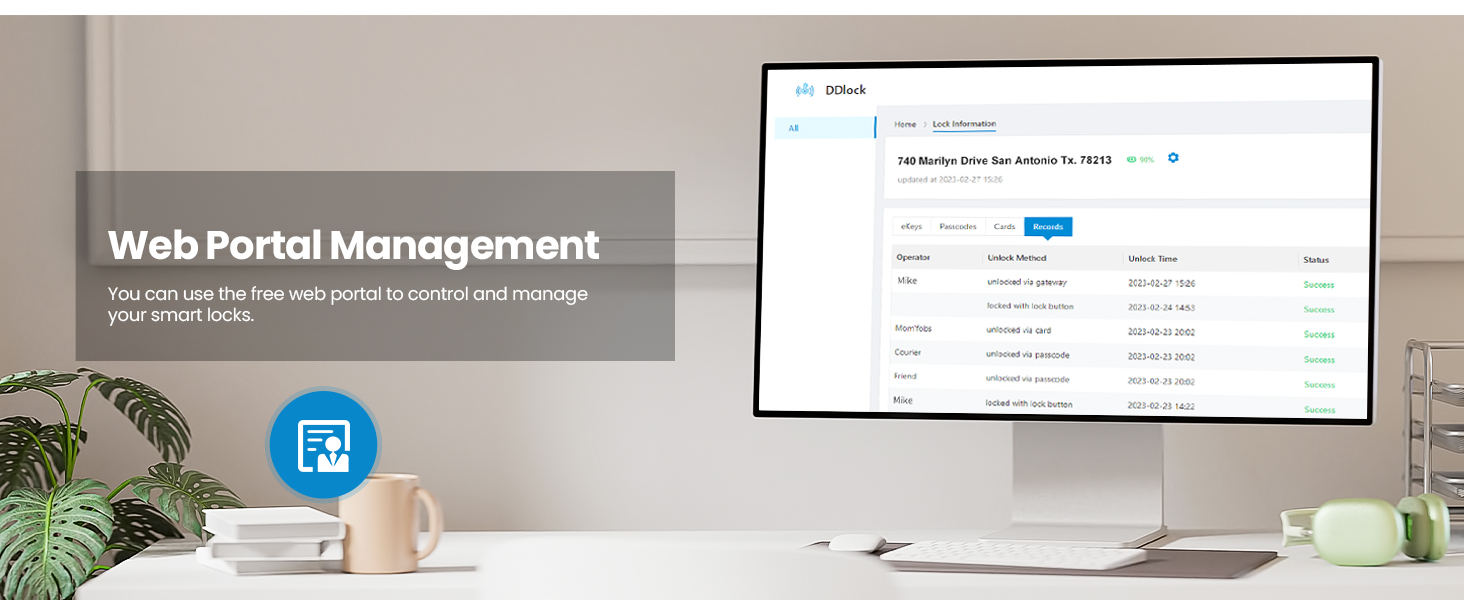
Figure 5.5: A desktop computer displaying the web portal management interface, allowing users to control and manage their smart locks from a larger screen.
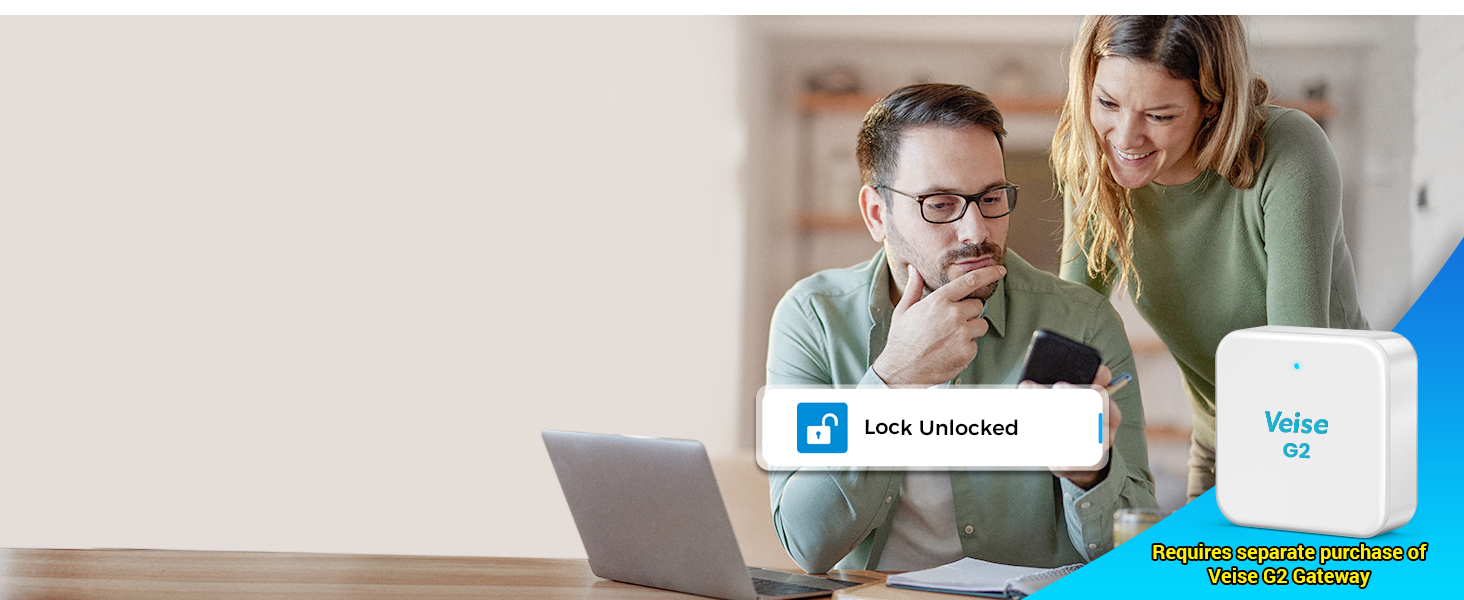
Figure 5.6: This image shows the Veise G2 Gateway, a smartphone, and a desktop computer, illustrating the comprehensive web portal management system for the smart lock.
5.5 Smart Home Integration (G2 Gateway Required)
With the Veise G2 gateway (sold separately), you can unlock additional smart home features:
- Remote Access: Control your smart deadbolt from anywhere.
- Voice Control: Compatible with Alexa and Google Home.
- Real-time Push Notifications: Receive instant alerts on lock status.
- Monitor Smart Lock Status: Keep track of your lock's activity.
Figure 5.7: A couple in a kitchen interacting with Alexa and Google Home devices to voice control the smart lock. The Veise G2 Gateway, required for this functionality, is prominently displayed.
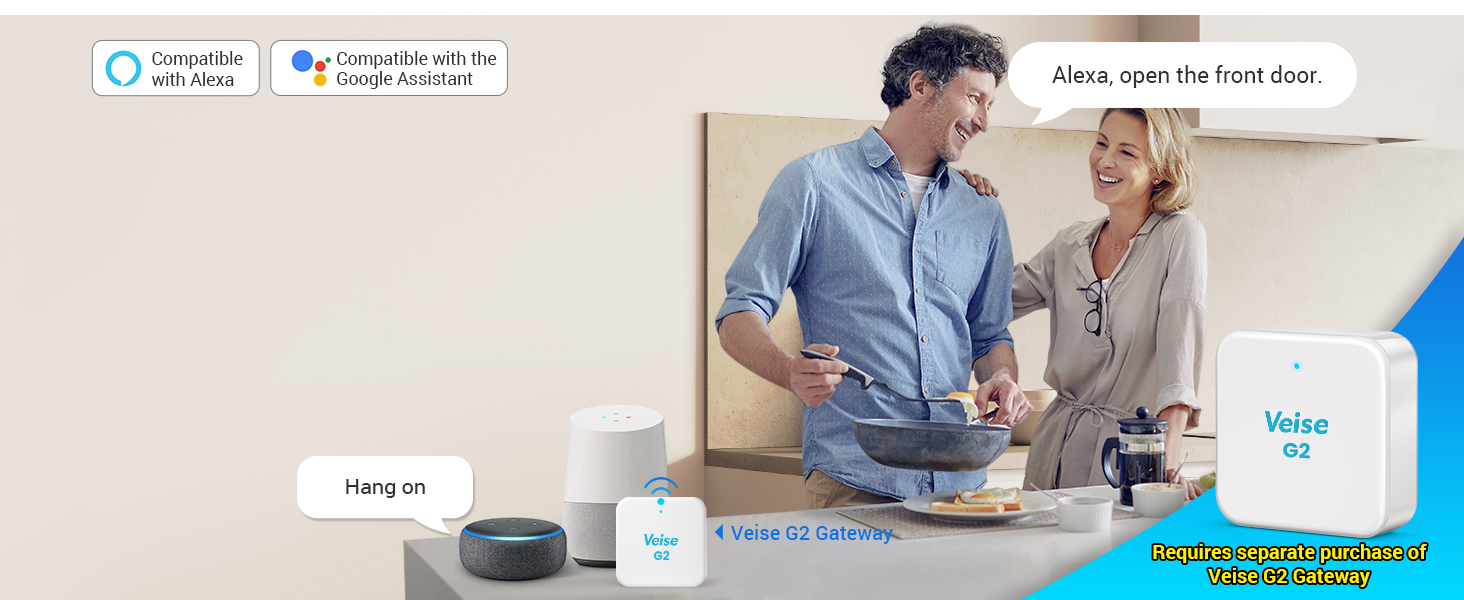
Figure 5.8: An elderly woman receiving a remote unlock notification on her smartphone, enabled by the Veise G2 Gateway, which is shown in the foreground.
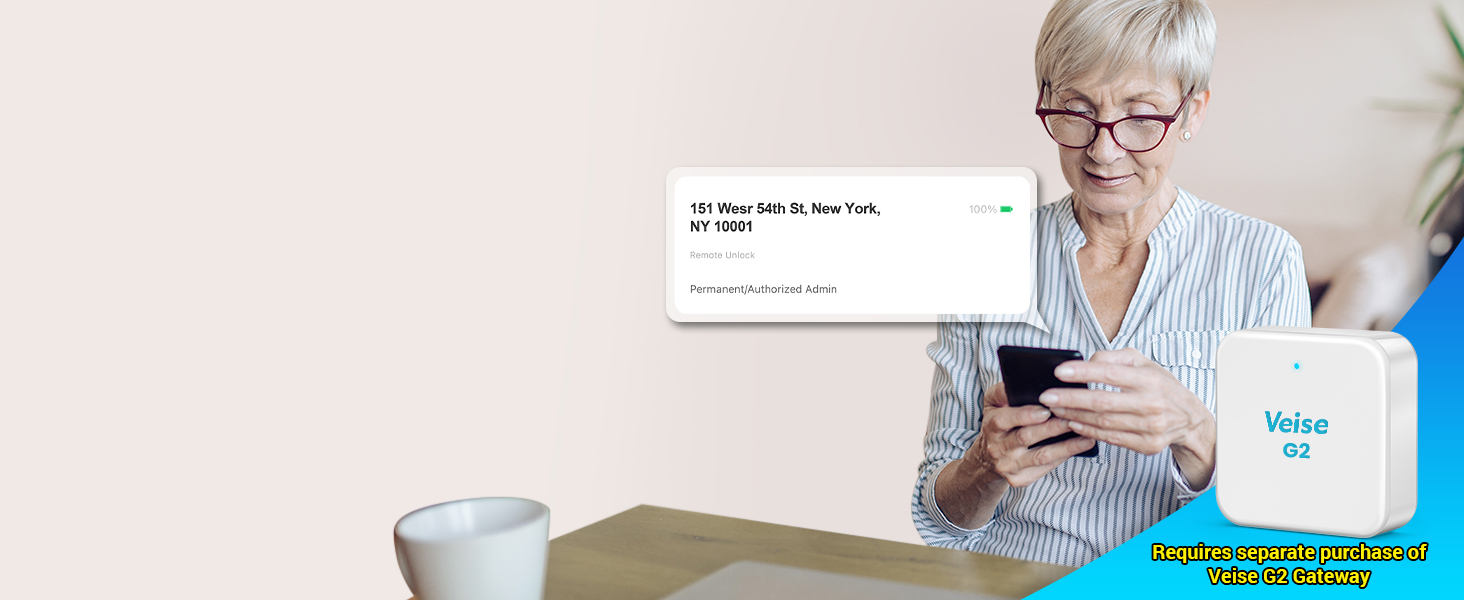
Figure 5.9: A woman receiving a real-time push notification on her smartphone regarding the smart lock's activity, facilitated by the Veise G2 Gateway.
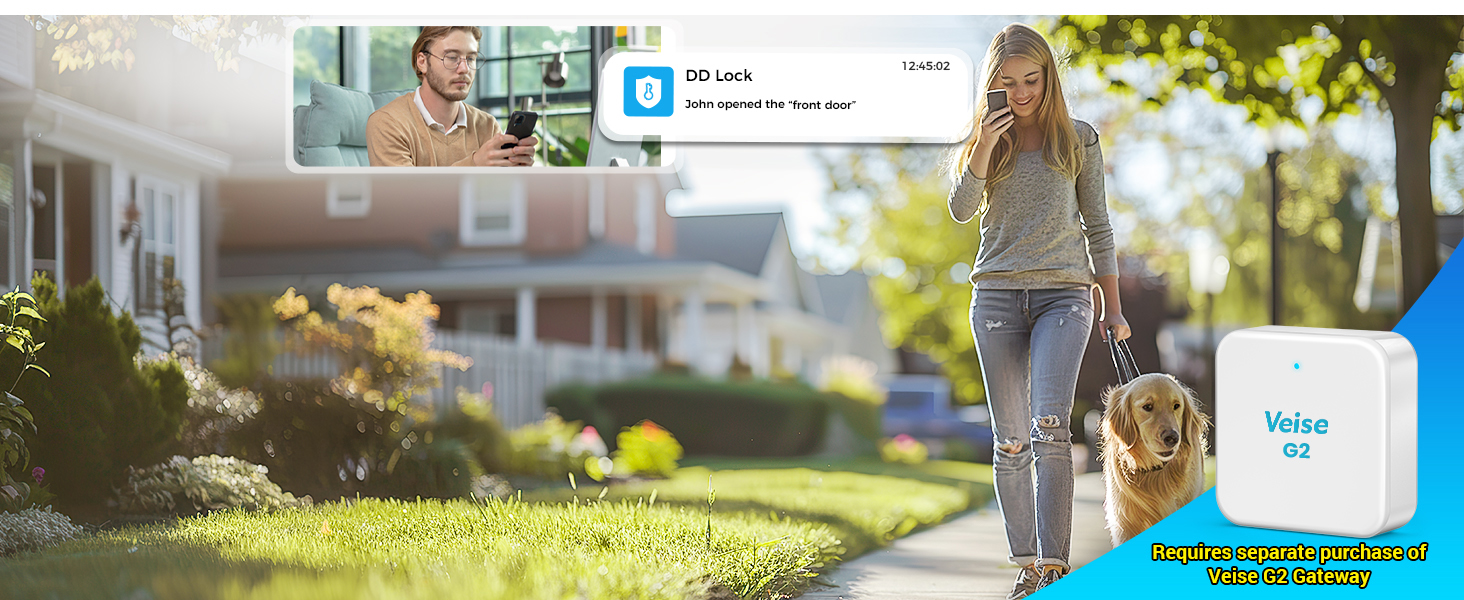
Figure 5.10: A couple viewing the 'Lock Unlocked' status on a laptop, demonstrating remote monitoring capabilities with the Veise G2 Gateway.
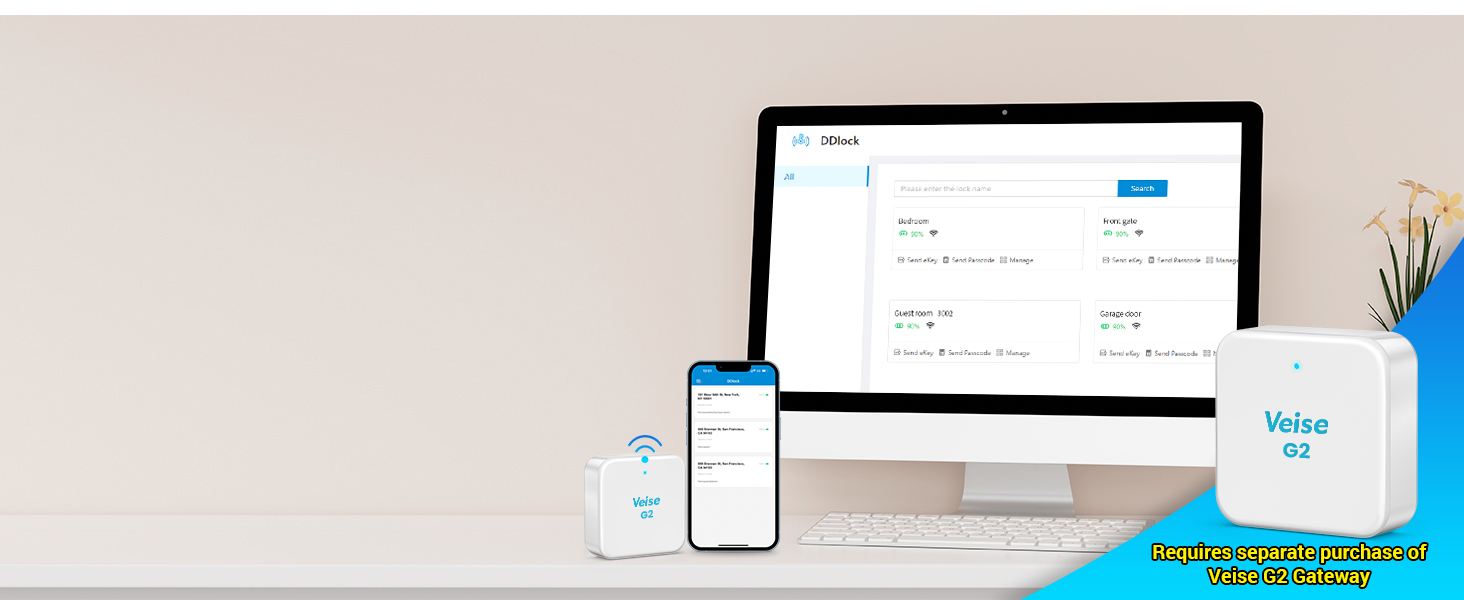
Figure 5.11: A table summarizing the features of the VE06-H Smart Lock and indicating which features require the separate purchase of a Veise G2 Wi-Fi Gateway for full functionality.
6. Maintenance
To ensure the longevity and optimal performance of your Veise VE06-H Smart Front Door Lock Set, follow these maintenance guidelines:
- Cleaning: Wipe the keypad and handleset with a soft, damp cloth. Avoid abrasive cleaners or solvents that could damage the finish or electronic components.
- Battery Replacement: The smart deadbolt features a low battery alert. Replace batteries promptly when indicated to avoid loss of functionality. The lock requires batteries for operation.
- Mechanical Check: Periodically check the screws and mounting to ensure they are secure. Ensure the latch operates smoothly without obstruction.
- Keypad Protection: The touchscreen keypad is designed with anti-peeping and anti-hacking features. Keep the surface clean to ensure accurate touch response.
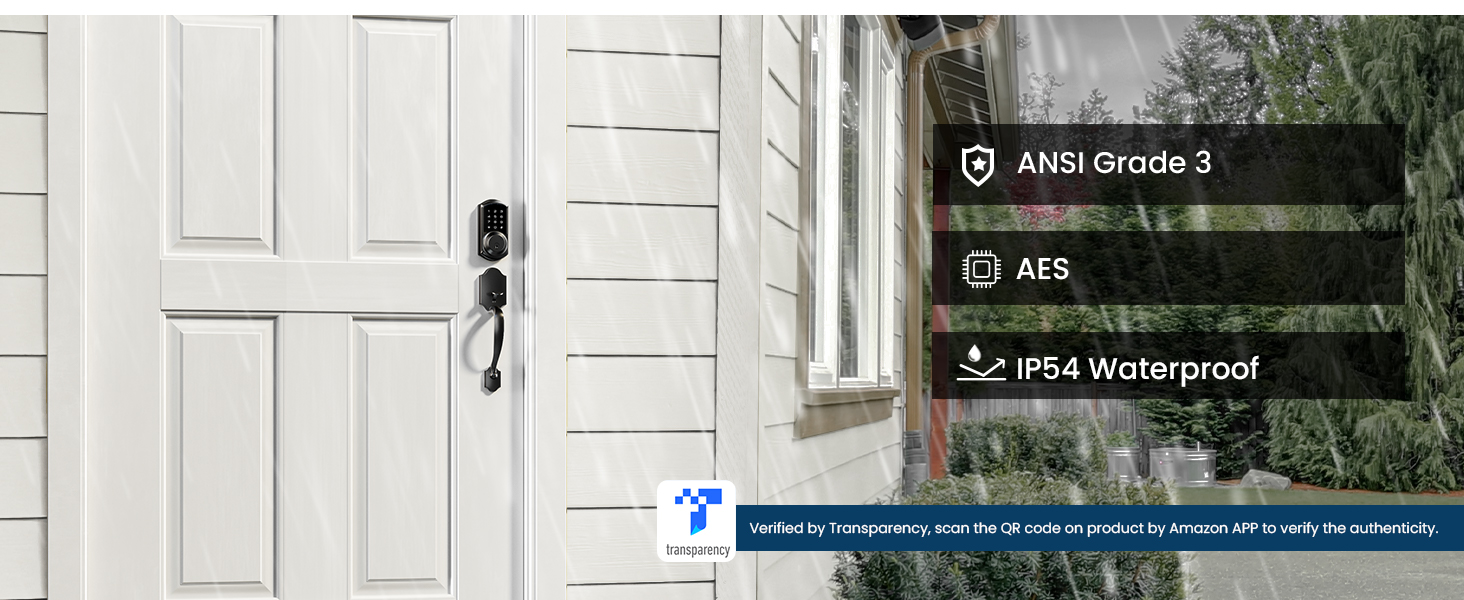
Figure 6.1: The smart lock keypad displaying a low battery indicator (15%), accompanied by a corresponding alert on the smartphone app, prompting the user to replace batteries.
7. Troubleshooting
If you encounter issues with your Veise VE06-H Smart Front Door Lock Set, please refer to the following common solutions:
- App does not find the lock or cannot connect: Reset the lock and ensure Bluetooth is enabled on your smartphone. Try activating the lock by touching the keypad before pairing.
- Cannot change Master Password via keypad: The Master Password should be set and managed through the app after initial pairing. Do not attempt to change it directly on the keypad before app pairing.
- Lock not responding: Check battery levels. If batteries are low, replace them. Ensure the lock is properly installed and all connections are secure.
- Keypad unresponsive: Clean the touchscreen surface. Ensure there is no physical obstruction or damage.
- Mechanical key not working: Ensure the key is fully inserted and turned correctly. Check for any debris in the keyhole.
For more complex issues, please contact Veise customer support.
8. Specifications
| Feature | Specification |
|---|---|
| Brand | Veise |
| Model Number | VE06-H |
| Lock Type | Combination Lock, Deadbolt, Keypad |
| Material | Aluminum, Metal |
| Color | Matte Black |
| Style | Handle Pull |
| Item Dimensions L x W x H | 17.99 x 7 x 4 inches |
| Item Weight | 5.96 pounds |
| Controller Type | Android, iOS |
| Control Method | App, Touch |
| Connectivity Protocol | Bluetooth, WiFi (Veise G2 WiFi Gateway Required) |
| Recommended Uses | Front door, Home, House, Hotel, Apartment, Rental, etc. |
| Security Rating | ANSI Grade 3 |
| Waterproof Rating | IP54 |
| Batteries Required? | Yes |

Figure 8.1: This image highlights the robust security features of the Veise smart lock, including ANSI Grade 3 certification for durability, AES encryption for data security, and an IP54 waterproof rating for weather resistance.
9. Warranty and Support
Veise is committed to providing excellent customer service and product reliability.
9.1 Warranty Information
Veise offers at least a 1-year warranty on the VE06-H Smart Front Door Lock Set.
9.2 Customer Support
For any questions, technical assistance, or support, please utilize the following resources:
- Lifetime Online Phone Support: Available Monday to Friday, 9 AM to 5 PM PST.
- 24/7 After-Sales Email Service: For inquiries outside of phone support hours.
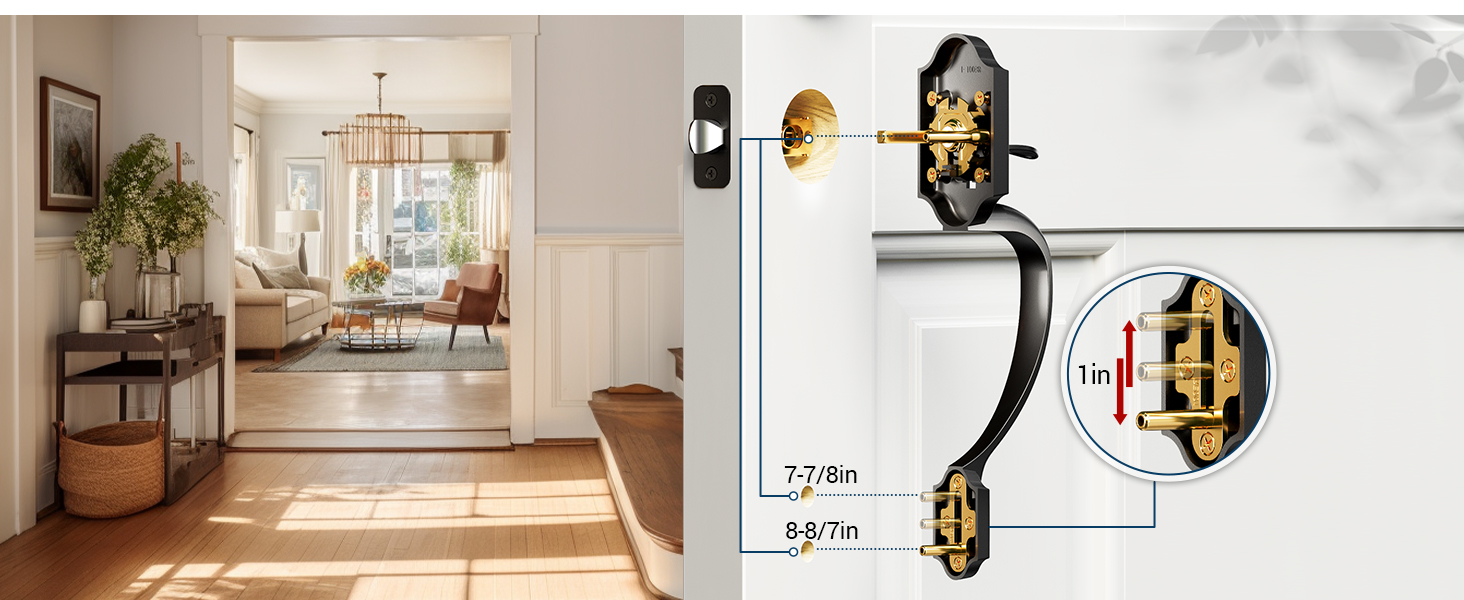
Figure 9.1: A customer service representative with a headset, symbolizing the availability of US-based support for the product, including lifetime phone support and 24/7 email assistance.
Related documentsVE06-H


Ask a question about this manual
Ask about setup, troubleshooting, compatibility, parts, safety, or missing instructions. Manuals+ will review the question and use this page’s manual context to help answer it.