
SONICAKE QAM-50
Sonicake Mini Guitar Combo Amplifier QAM-50 User Manual
Model: QAM-50 | Brand: SONICAKE
1. Introduction
Welcome to the user manual for the Sonicake Mini Guitar Combo Amplifier QAM-50. This portable, all-in-one amplifier is designed to provide a versatile and high-quality practice experience for guitarists. It combines multiple amplifier models, effects, a drum machine, and Bluetooth connectivity in a compact and lightweight design.

Image: The Sonicake Mini Guitar Combo Amplifier QAM-50, a compact and portable guitar amplifier.
2. Key Features
The Sonicake Amp Toast offers a range of features to enhance your practice and playing experience:
- Dual 2.5-inch stereo speakers with passive bass diaphragms for rich sound.
- 9-watt single-channel amplifier suitable for bedroom practice.
- 6 Classic Amplifier models: Clean (x2), Overdrive (x2), and Higain (x2).
- 6 Built-in Effects: Modulation (Chorus/Tremolo), Delay (Analog/Digital), and Reverb (Room/Plate).
- 40 high-quality drum patterns with Tap tempo control for practice.
- Versatile power options: 9V battery power or AC adapter.
- Built-in tuner for accurate instrument tuning.
- Bluetooth audio connectivity for streaming backing tracks.
- Auxiliary input (Aux In) for connecting external audio devices.
3. Product Overview and Controls
Familiarize yourself with the various controls and connections on your Sonicake Amp Toast to maximize its functionality.
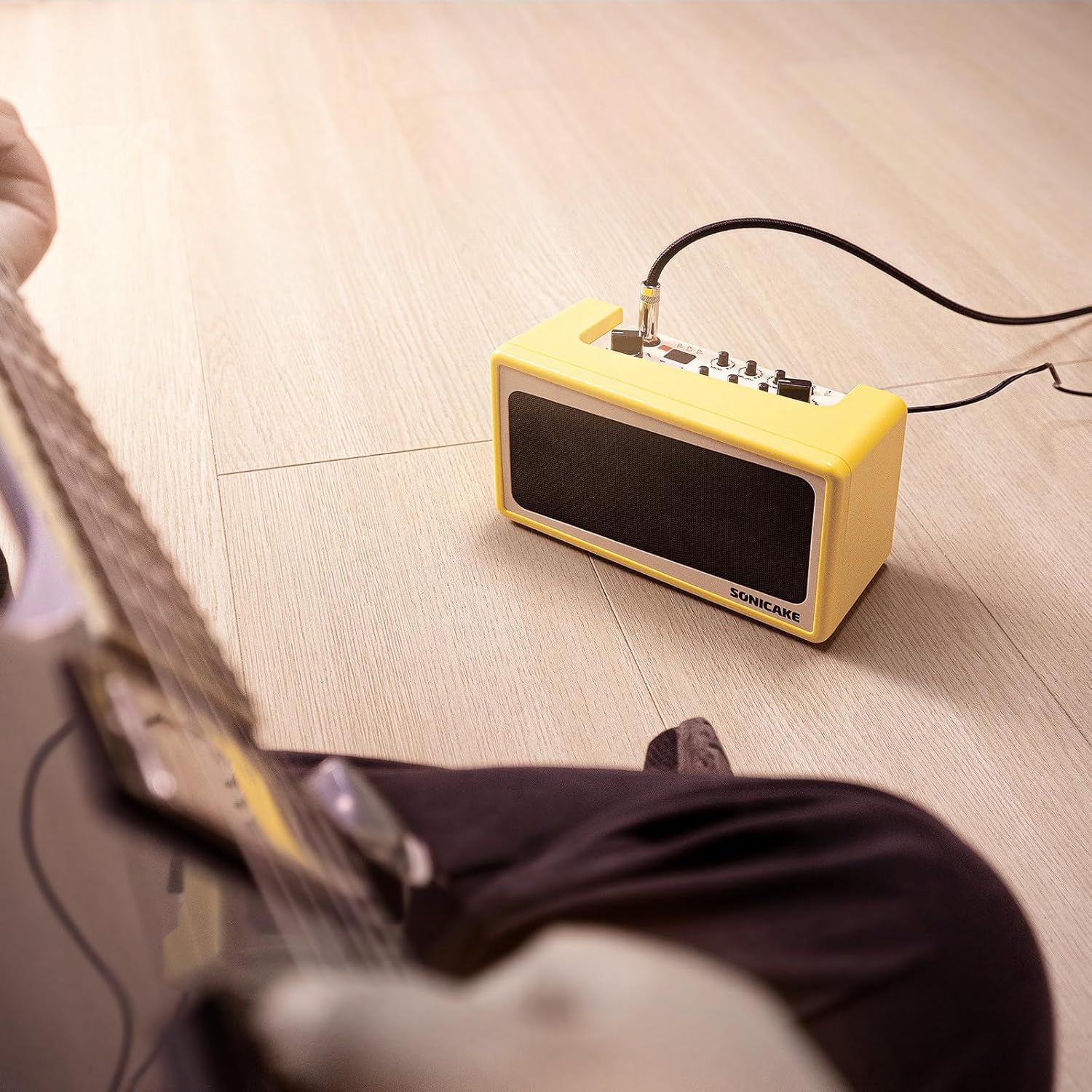
Image: Top-down view of the Sonicake Amp Toast showing the labeled front panel controls.
3.1 Front Panel Controls
| No. | Control | Description |
|---|---|---|
| 1 | INPUT | 6.35mm jack for connecting your guitar. |
| 2 | TAP / ▶️ | Tap tempo for drum machine; Play/Pause for Bluetooth audio. |
| 3 | MOD | Controls the Modulation effect (Chorus/Tremolo). |
| 4 | DELAY | Controls the Delay effect (Analog/Digital). |
| 5 | REVERB | Controls the Reverb effect (Room/Plate). |
| 6 | Power Button | Turns the amplifier On/Off. |
| 7 | Bluetooth Indicator | Indicates Bluetooth connection status. |
| 8 | AMP Selector | Selects between 6 amplifier models (Clean 1, Clean 2, OD 1, OD 2, Higain 1, Higain 2). |
| 9 | HOLD (Tuner) | Press and hold to activate the built-in tuner. |
| 10 | HOLD (Style) | Press and hold to change drum pattern style. |
| 11 | DRUM VOL | Adjusts the volume of the drum machine. |
| 12 | GAIN | Controls the input gain/distortion level. |
| 13 | TONE | Adjusts the overall tonal character. |
| 14 | MASTER | Controls the overall output volume of the amplifier. |
Image: Rear view of the Sonicake Amp Toast showing the labeled connection ports.
3.2 Rear Panel Connections
| No. | Connection | Description |
|---|---|---|
| 15 | 9V DC IN | Power input for 9V DC adapter. |
| 16 | PHONES | 3.5mm headphone output for silent practice. |
| 17 | AUX IN | 3.5mm auxiliary input for connecting external audio sources. |
| 18 | USB | USB port for power supply. |
4. Setup
4.1 Powering On
The Amp Toast offers flexible power options:
- 9V DC Adapter: Connect a compatible 9V DC power adapter to the 9V DC IN port (15).
- USB Bus Power: Connect a USB cable to the USB port (18) and a power source (e.g., computer, USB wall adapter).
- AA Batteries: Open the battery compartment on the bottom of the unit and insert 6 AA batteries.

Image: Diagram illustrating the three power supply options: 9V DC adapter, USB cable, and 6 AA batteries.
Once powered, press the Power Button (6) to turn on the amplifier.
4.2 Connecting Your Guitar
Insert your guitar cable into the INPUT jack (1) on the front panel of the amplifier.
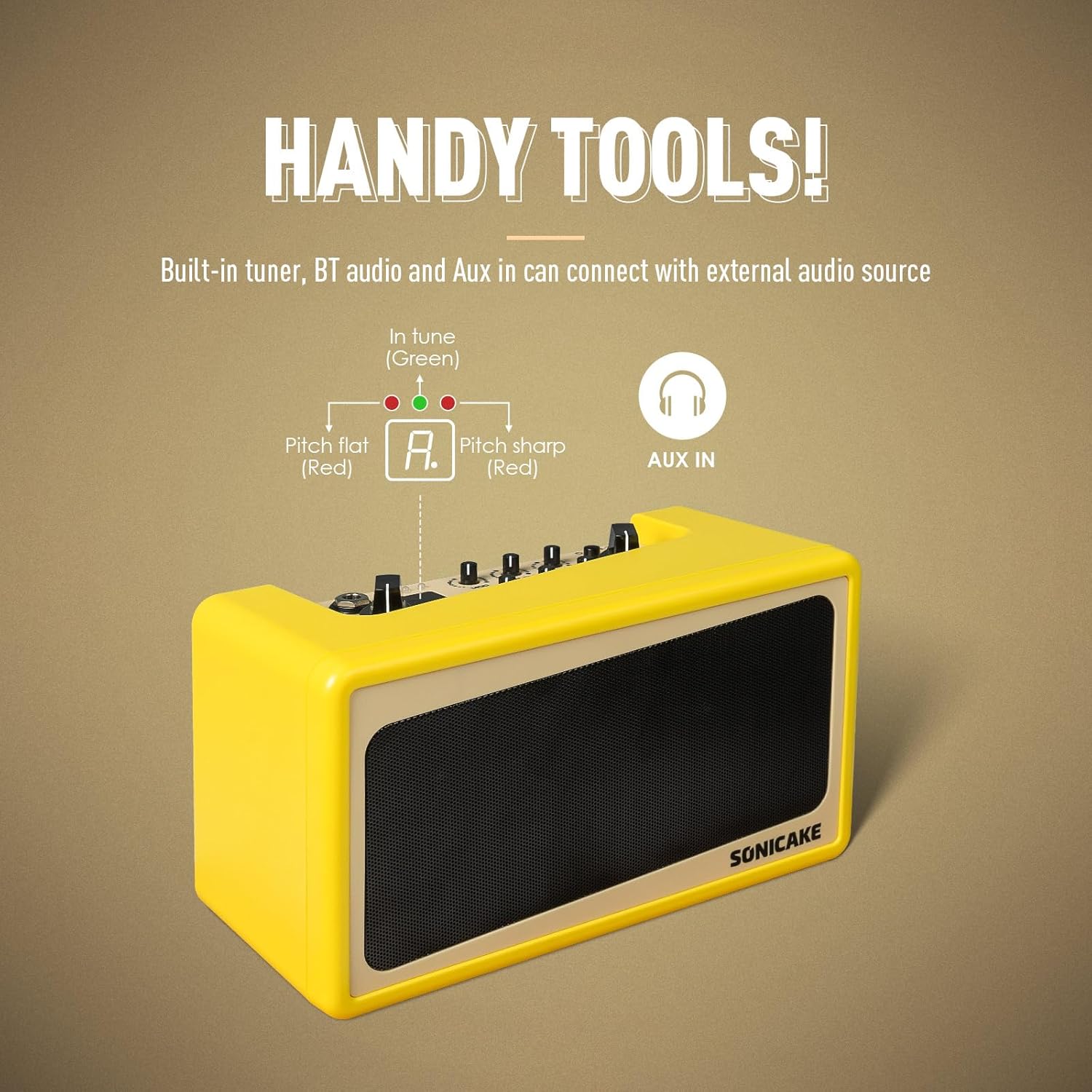
Image: A guitar connected to the Sonicake Amp Toast, ready for practice.
5. Operating Instructions
5.1 Amplifier Models and Effects
The Amp Toast features a variety of amplifier models and effects to shape your sound.

Image: Visual representation of the amplifier models and effects (Mod, Delay, Reverb) available on the Amp Toast.
5.1.1 Amplifier Models
Use the AMP Selector (8) to choose from six classic amplifier models:
- Clean 1 & 2: For pristine, uncolored guitar tones.
- Overdrive 1 & 2: For classic rock and blues tones with natural breakup.
- Higain 1 & 2: For modern, high-gain distortion suitable for heavier genres.
5.1.2 Effects
Adjust the dedicated knobs for each effect:
- MOD (3): Controls the intensity of Chorus or Tremolo.
- DELAY (4): Controls the level of Analog or Digital Delay.
- REVERB (5): Controls the amount of Room or Plate Reverb.
5.2 Drum Machine
The built-in drum machine provides 40 high-quality patterns for rhythm practice.
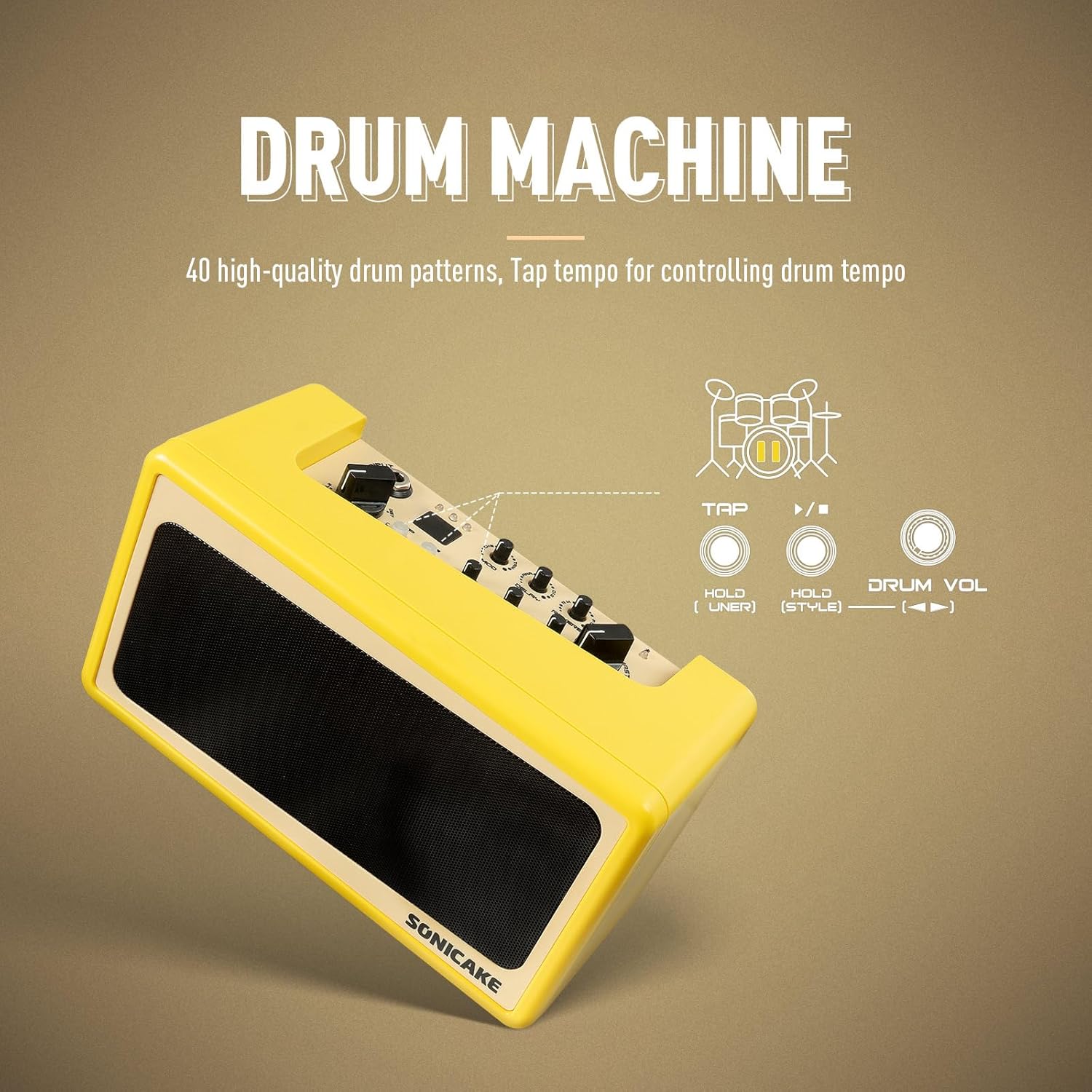
Image: Diagram showing the drum machine controls, including Tap tempo and Drum Volume.
- Press the TAP / ▶️ button (2) to start/stop the drum pattern.
- Tap the TAP / ▶️ button (2) multiple times to set the tempo.
- Adjust the DRUM VOL knob (11) to control the drum volume.
- Press and hold the HOLD (Style) button (10) to cycle through different drum pattern styles.
5.3 Bluetooth Audio and Aux In
Connect external audio devices to play along with your favorite music.

Image: A smartphone wirelessly connected to the Amp Toast via Bluetooth, indicating audio streaming capability.
- Bluetooth: Turn on Bluetooth on your audio device and pair with "SONICAKE AMP TOAST". The Bluetooth Indicator (7) will confirm connection. Use the TAP / ▶️ button (2) to play/pause.
- Aux In: Connect an audio cable from your external device's headphone output to the AUX IN port (17) on the rear panel.
5.4 Built-in Tuner
The integrated tuner allows for quick and accurate guitar tuning.

Image: Diagram showing the tuner indicator lights (red for flat/sharp, green for in tune) and the Aux In port.
Press and hold the HOLD (Tuner) button (9) to activate the tuner. The indicator lights will guide you to the correct pitch: red for flat/sharp, green for in tune.
6. Maintenance
To ensure the longevity and optimal performance of your Sonicake Amp Toast, follow these maintenance guidelines:
- Cleaning: Use a soft, dry cloth to clean the exterior of the amplifier. Avoid using abrasive cleaners, solvents, or waxes.
- Storage: Store the amplifier in a cool, dry place away from direct sunlight and extreme temperatures.
- Humidity: Protect the unit from high humidity and moisture, which can damage electronic components.
- Battery Care: If using batteries, remove them if the unit will not be used for an extended period to prevent leakage.
- Ventilation: Ensure proper ventilation around the amplifier to prevent overheating.
7. Troubleshooting
If you encounter issues with your Sonicake Amp Toast, refer to the following common problems and solutions:
7.1 No Sound Output
- Check Power: Ensure the amplifier is properly powered on and connected to a power source (AC adapter, USB, or charged batteries).
- Volume Levels: Verify that the MASTER volume knob (14) is turned up. Also check the GAIN (12) and TONE (13) knobs.
- Guitar Connection: Ensure your guitar cable is securely plugged into the INPUT jack (1).
- Headphones: If headphones are connected to the PHONES jack (16), sound will not come from the speakers. Disconnect headphones if you want speaker output.
- Cable Integrity: Test with a different guitar cable to rule out a faulty cable.
7.2 Poor Sound Quality / Distortion
- Gain Setting: If the sound is distorted when using a clean amp model, reduce the GAIN knob (12).
- Amp Model Selection: Ensure you have selected an appropriate amplifier model (8) for your desired tone.
- External Interference: Move the amplifier away from other electronic devices that might cause interference.
- Battery Level: If using batteries, low battery power can affect sound quality. Replace or recharge batteries.
7.3 Bluetooth Connection Issues
- Pairing Mode: Ensure the amplifier is in Bluetooth pairing mode (if applicable, usually indicated by a blinking Bluetooth LED).
- Device Proximity: Keep your Bluetooth device close to the amplifier.
- Forget Device: On your audio device, 'forget' the Amp Toast from your Bluetooth list and try pairing again.
- Restart Devices: Turn off and on both the amplifier and your Bluetooth audio device.
8. Specifications
Technical specifications for the Sonicake Mini Guitar Combo Amplifier QAM-50:
| Feature | Detail |
|---|---|
| Model Number | QAM-50 |
| Output Wattage | 9 Watts |
| Power Source | AC adapter, 9V battery, USB bus power |
| Item Weight | 2.84 pounds (approx. 1.29 kg) |
| Product Dimensions | 8.6 x 4.7 x 3.7 inches (21.8 x 11.9 x 9.4 cm) |
| Color | Yellow |
| Compatible Devices | Guitar |
| Connector Type | 3.5mm Jack, 6.35mm Jack |
| Amplifier Models | 6 (Clean x2, Overdrive x2, Higain x2) |
| Effects | Modulation (Chorus/Tremolo), Delay (Analog/Digital), Reverb (Room/Plate) |
| Drum Patterns | 40 high-quality patterns |
| Additional Features | Built-in tuner, Bluetooth audio, Aux In |
9. Warranty and Support
For detailed warranty information, product registration, and technical support, please refer to the official SONICAKE website or contact their customer service directly. Keep your purchase receipt as proof of purchase for any warranty claims.
Related documentsQAM-50


Ask a question about this manual
Ask about setup, troubleshooting, compatibility, parts, safety, or missing instructions. Manuals+ will review the question and use this page’s manual context to help answer it.