1. Introduction
Thank you for purchasing the XTREME XBS9-1068-BLK Wireless Bluetooth Rechargeable Multi-Color LED Light Sound Bar Speaker. This device combines high-quality audio with dynamic LED lighting to enhance your listening experience. It features Bluetooth connectivity for wireless audio streaming, a built-in rechargeable battery for portability, and an auxiliary input for wired connections. Please read this manual thoroughly to ensure proper use and care of your speaker.

Image 1.1: The XTREME XBS9-1068-BLK speaker, designed to complement various entertainment setups.
2. Important Safety Instructions
- Do not expose the speaker to water, moisture, or extreme temperatures.
- Avoid dropping or subjecting the speaker to strong impacts.
- Do not attempt to disassemble, repair, or modify the unit. This will void the warranty.
- Keep the speaker away from heat sources, direct sunlight, and flammable materials.
- Use only the provided charging cable or a certified equivalent.
- Clean the speaker with a soft, dry cloth. Do not use abrasive cleaners or solvents.
- Dispose of the battery and speaker according to local regulations.
3. Package Contents
Please check the package for the following items:
- XTREME XBS9-1068-BLK Sound Bar Speaker
- USB Charging Cable
- Auxiliary Audio Cable (3.5mm)
- User Manual
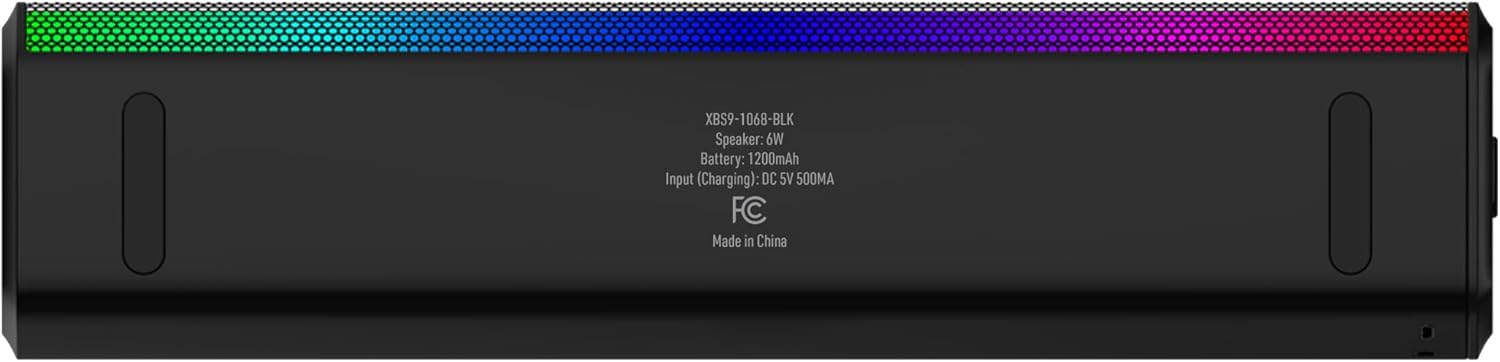
Image 3.1: The XTREME XBS9-1068-BLK speaker and its packaging, indicating included accessories.
4. Product Overview
Familiarize yourself with the speaker's controls and ports:
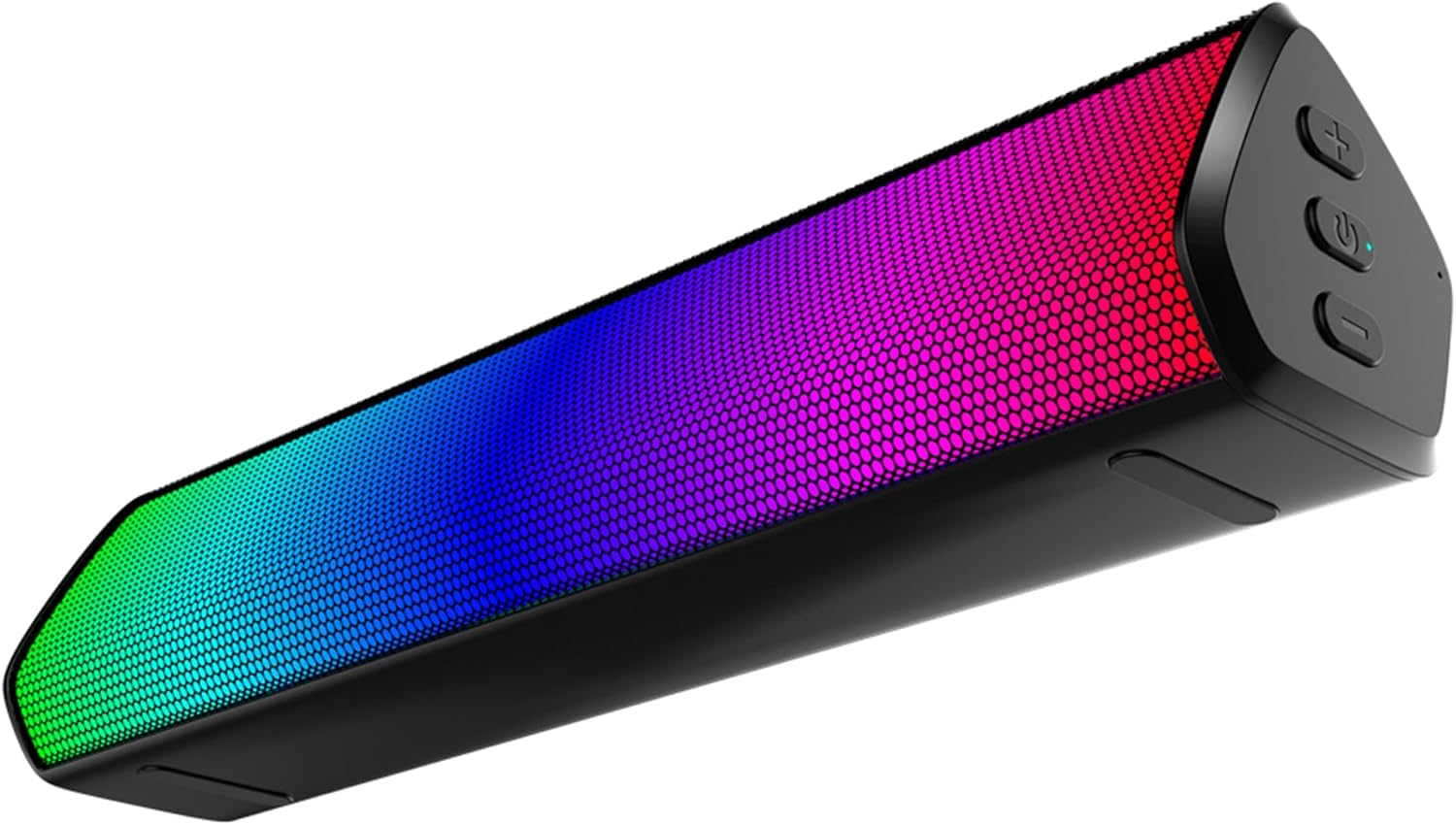
Image 4.1: Front and side view of the speaker, highlighting the LED light bar and control panel.
Controls and Ports:
- Volume Up (+) Button: Press to increase volume.
- Power Button (ⓘ): Press and hold to power on/off. Short press for play/pause in Bluetooth mode.
- Volume Down (-) Button: Press to decrease volume.
- Micro USB Charging Port: For connecting the USB charging cable.
- AUX Input: 3.5mm jack for wired audio connection.

Image 4.2: Rear view of the speaker, detailing the Micro USB charging port and AUX input.
For a visual demonstration of the speaker's features, you may refer to this product video.
5. Setup Instructions
5.1 Charging the Speaker
- Connect the small end of the USB charging cable to the Micro USB port on the speaker.
- Connect the larger end of the USB charging cable to a USB power adapter (not included) or a computer's USB port.
- The LED indicator will illuminate during charging and turn off when fully charged. A full charge typically takes 2-3 hours.

Image 5.1: Illustration of the rechargeable feature, showing the charging port.
5.2 Powering On/Off
- To power on, press and hold the Power button (ⓘ) for approximately 3 seconds until the LED lights activate.
- To power off, press and hold the Power button (ⓘ) for approximately 3 seconds until the LED lights turn off.
5.3 Bluetooth Pairing
- Ensure the speaker is charged and powered on. The LED lights will flash, indicating it's in pairing mode.
- On your Bluetooth-enabled device (smartphone, tablet, computer), go to the Bluetooth settings.
- Search for available devices and select "XBS9-1068-BLK" from the list.
- Once paired, the speaker will emit a confirmation tone, and the LED lights will change their pattern.
- The speaker will automatically attempt to reconnect to the last paired device when powered on.
5.4 Auxiliary (AUX) Connection
- Connect one end of the 3.5mm auxiliary audio cable to the AUX input port on the speaker.
- Connect the other end of the 3.5mm auxiliary audio cable to the headphone jack or audio output of your non-Bluetooth device.
- The speaker will automatically switch to AUX mode when a cable is detected.
6. Operating Instructions
6.1 Audio Playback
- Bluetooth Mode: After successful pairing, play audio from your connected device. Use the Power button (ⓘ) for play/pause.
- AUX Mode: Play audio directly from your wired device. Control playback from the source device.
6.2 Volume Control
- Press the Volume Up (+) button to increase the speaker's volume.
- Press the Volume Down (-) button to decrease the speaker's volume.
- You can also adjust the volume directly from your connected audio source.
6.3 LED Light Features
The XBS9-1068-BLK speaker features multi-color LED lights that are sound-reactive, meaning they will flash and change patterns in sync with your music. This creates a dynamic visual experience.

Image 6.1: The speaker's sound-reactive LED lights creating a visual display.
7. Maintenance
7.1 Cleaning
- Wipe the exterior of the speaker with a soft, dry, lint-free cloth.
- Do not use liquid cleaners, aerosols, or solvents, as these may damage the finish or internal components.
7.2 Battery Care
- To prolong battery life, fully charge the speaker before first use.
- Avoid completely draining the battery frequently.
- If storing the speaker for an extended period, charge it to about 50% every few months.
8. Troubleshooting
| Problem | Possible Cause | Solution |
|---|---|---|
| Speaker will not power on. | Battery is drained. | Charge the speaker using the provided USB cable. |
| No sound. | Volume is too low; device not connected; incorrect input mode. | Increase speaker and device volume; ensure Bluetooth is paired or AUX cable is connected properly. |
| Cannot pair via Bluetooth. | Speaker not in pairing mode; device Bluetooth off; too far from speaker. | Ensure speaker is on and flashing; enable Bluetooth on device; move device closer (within 10 meters). |
| Sound distortion. | Volume too high; weak Bluetooth signal. | Lower volume on speaker and device; move device closer to speaker. |
9. Specifications
| Model Name | XBS9-1068-BLK |
| Speaker Type | Soundbar |
| Special Feature | LED Light |
| Connectivity Technology | Bluetooth |
| Wireless Communication Technology | Bluetooth |
| Compatible Devices | Desktop, MP3 Player, Smartphone, Tablet |
| Power Source | Battery Powered |
| Speaker Maximum Output Power | 6 Watts |
| Audio Output Mode | Stereo |
| Control Method | Touch |
| Color | Multicolor |
| Product Dimensions | 3.1"D x 12.6"W x 3.22"H |
| Item Weight | 1.23 pounds |
| Is Waterproof | FALSE |
10. Warranty and Support
This XTREME XBS9-1068-BLK speaker comes with a Limited Warranty. Please refer to the warranty card included in your package or contact XTREME customer support for detailed information regarding warranty coverage and terms.
For technical support, troubleshooting assistance, or any questions regarding your product, please visit the official XTREME website or contact their customer service department. Contact information can typically be found on the product packaging or the brand's official website.


