
1. Safety Information
Always read and understand all safety warnings, instructions, illustrations, and specifications provided with this power tool. Failure to follow all instructions listed below may result in electric shock, fire, and/or serious injury.
- Work Area Safety: Keep your work area clean and well-lit. Cluttered or dark areas invite accidents. Do not operate power tools in explosive atmospheres, such as in the presence of flammable liquids, gases, or dust. Power tools create sparks which may ignite the dust or fumes. Keep children and bystanders away while operating a power tool. Distractions can cause you to lose control.
- Electrical Safety: Power tool plugs must match the outlet. Never modify the plug in any way. Do not use any adapter plugs with earthed (grounded) power tools. Unmodified plugs and matching outlets will reduce risk of electric shock. Avoid body contact with earthed or grounded surfaces, such as pipes, radiators, ranges, and refrigerators. There is an increased risk of electric shock if your body is earthed or grounded. Do not expose power tools to rain or wet conditions. Water entering a power tool will increase the risk of electric shock.
- Personal Safety: Stay alert, watch what you are doing, and use common sense when operating a power tool. Do not use a power tool while you are tired or under the influence of drugs, alcohol, or medication. A moment of inattention while operating power tools may result in serious personal injury. Use personal protective equipment. Always wear eye protection. Protective equipment such as a dust mask, non-skid safety shoes, hard hat, or hearing protection used for appropriate conditions will reduce personal injuries.
- Power Tool Use and Care: Do not force the power tool. Use the correct power tool for your application. The correct power tool will do the job better and safer at the rate for which it was designed. Do not use the power tool if the switch does not turn it on and off. Any power tool that cannot be controlled with the switch is dangerous and must be repaired. Disconnect the plug from the power source and/or remove the battery pack, if detachable, from the power tool before making any adjustments, changing accessories, or storing power tools. Such preventive safety measures reduce the risk of starting the power tool accidentally.
- Battery Tool Use and Care: Recharge only with the charger specified by the manufacturer. A charger that is suitable for one type of battery pack may create a risk of fire when used with another battery pack. Use power tools only with specifically designated battery packs. Use of any other battery packs may create a risk of injury and fire.
2. Product Overview
The Avhrit 700N.m Cordless Brushless Impact Wrench is a versatile and powerful tool designed for various fastening and loosening tasks. It features a high-efficiency brushless motor, multiple speed settings, and a robust design for durability and ease of use.
2.1. Key Features
- Powerful Brushless Motor: Delivers up to 700 N.m (516 Ft-lbs) of maximum torque and speeds up to 2700 RPM, ideal for heavy-duty applications like loosening car wheel nuts.
- Long-Lasting Batteries: Equipped with two 4.0 Ah Lithium-ion batteries for extended operation and a fast charger for quick turnaround.
- 3-in-1 Multifunctionality: Functions as an impact wrench, electric screwdriver, and percussion drill, suitable for a wide range of tasks from automotive repair to home DIY projects.
- 4 Variable Speed Modes: Adjustable speed settings (0-1000/1500/2100/2700 RPM) allow for precise control depending on the application.
- Integrated LED Light: Provides clear visibility in dark or confined workspaces.
- Ergonomic and Lightweight Design: Weighing only 4.3 lbs with the battery, it offers comfortable handling and reduces user fatigue.
- Comprehensive Accessory Kit: Includes 4 impact sockets (17mm, 19mm, 21mm, 24mm), 4 screw bits, 4 drill bits, a change head, belt clip, portable strap, and a custom storage case.
2.2. Package Contents
Upon opening your Avhrit 700N.m Cordless Brushless Impact Wrench kit, please ensure all items listed below are present and in good condition:
- 1 x Avhrit 700N.m Cordless Brushless Impact Wrench
- 2 x 4.0 Ah Lithium-ion Batteries
- 1 x Fast Charger
- 4 x Impact Sockets (17mm, 19mm, 21mm, 24mm)
- 4 x Screw Bits
- 4 x Drill Bits
- 1 x Change Head
- 1 x Belt Clip
- 1 x Portable Strap
- 1 x Instruction Guide (this manual)
- 1 x Custom Storage Case
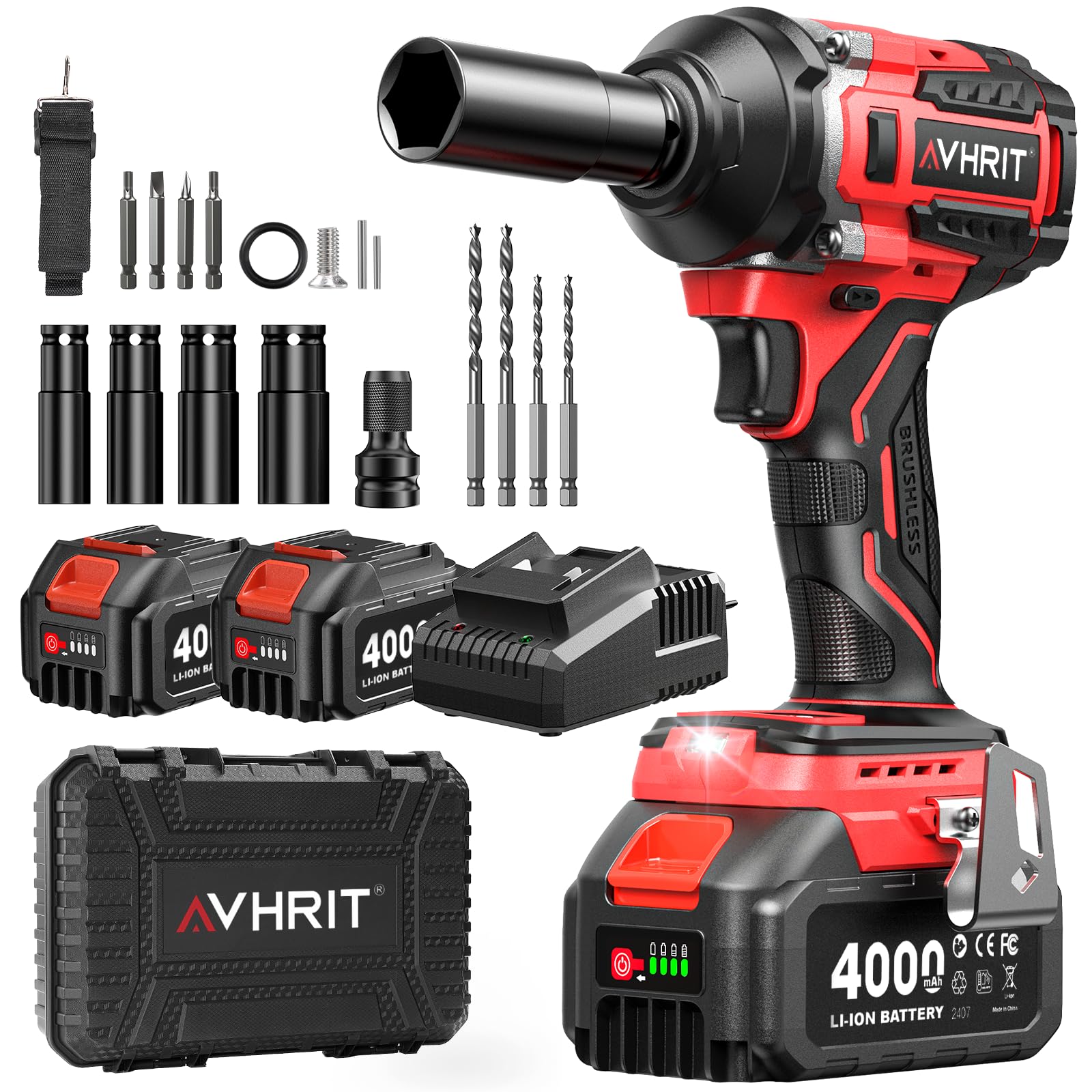
Figure 2.1: Avhrit 700N.m Cordless Brushless Impact Wrench with included battery and accessories.
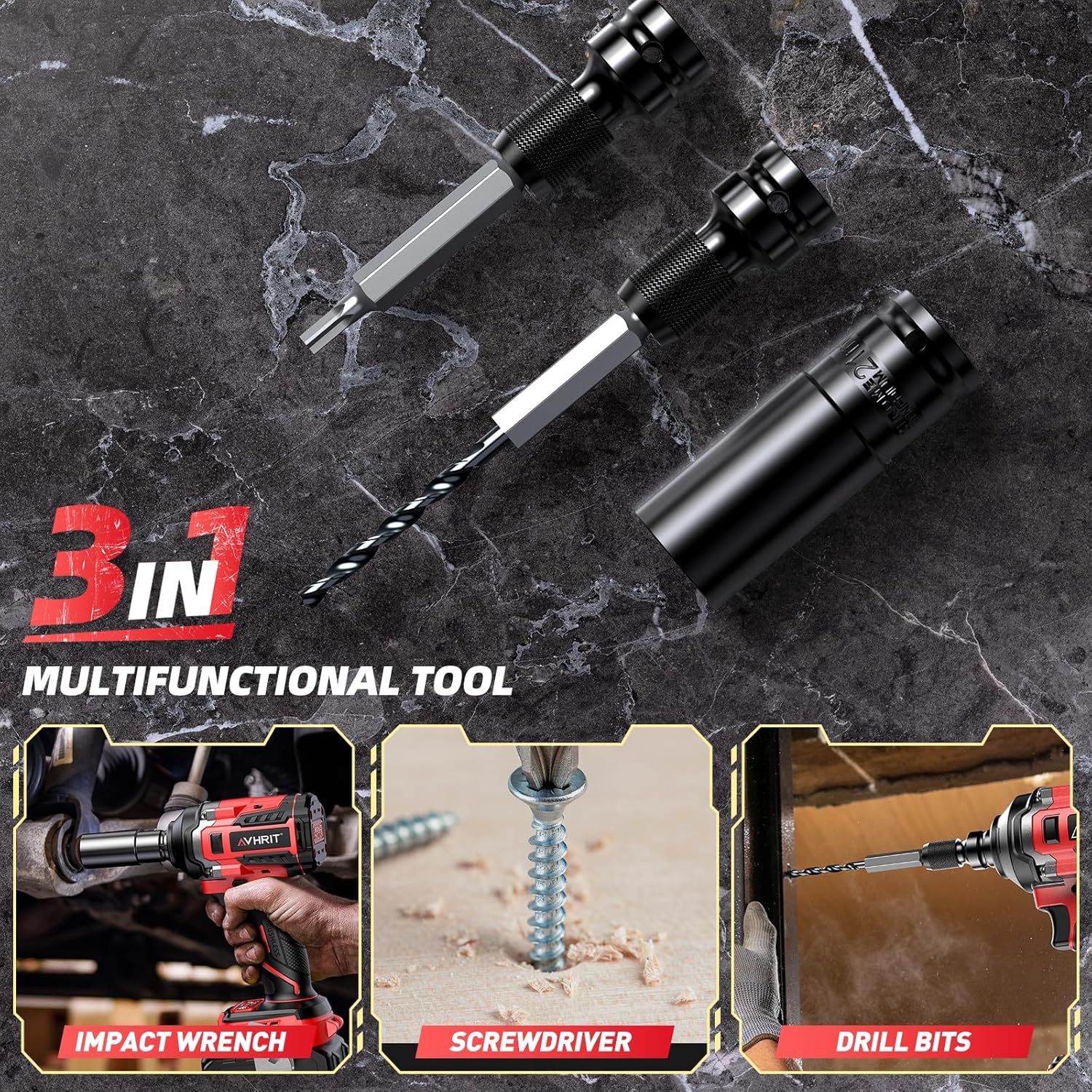
Figure 2.2: The 3-in-1 functionality of the Avhrit Impact Wrench, demonstrating its use as an impact wrench, screwdriver, and drill.
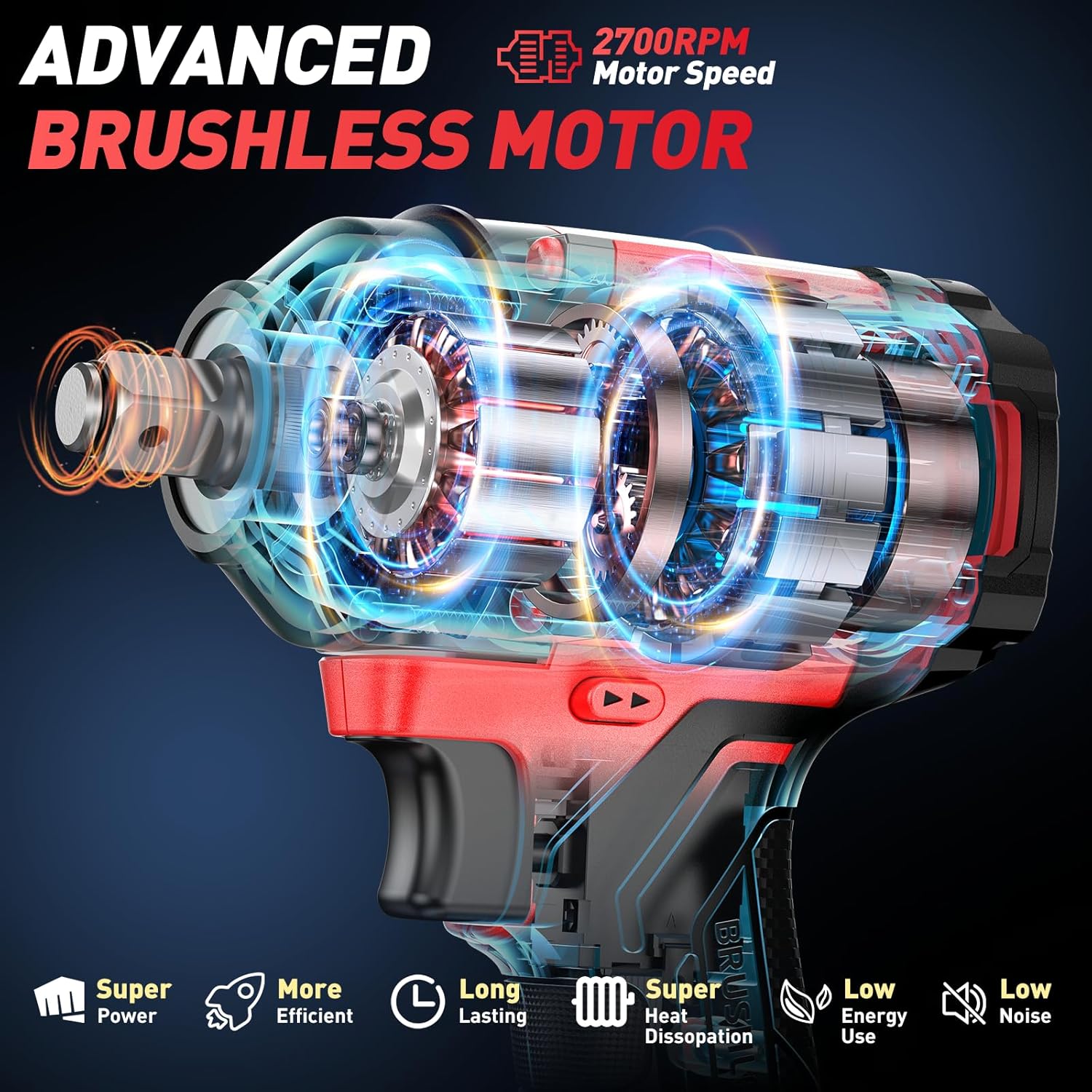
Figure 2.3: Advanced brushless motor design for enhanced power, efficiency, and durability.
3. Setup
3.1. Charging the Battery
Before first use, fully charge both 4.0 Ah Lithium-ion batteries. Ensure the charger is connected to a standard power outlet.
- Insert the battery pack into the fast charger.
- The charger indicator light will show the charging status (e.g., red for charging, green for fully charged).
- Once fully charged, remove the battery from the charger.

Figure 3.1: Charging the 4.0 Ah Lithium-ion battery using the fast charger.
3.2. Installing/Removing the Battery
- To Install: Align the battery pack with the base of the tool and slide it in until it clicks securely into place.
- To Remove: Press the battery release button (usually located on the front or sides of the battery) and slide the battery pack out.
3.3. Attaching Accessories (Sockets, Bits, Drills)
The impact wrench features a 1/2-inch square drive for sockets and can be adapted for screwdriver and drill bits using the included change head.
- Ensure the tool is switched off and the battery is removed before attaching or removing accessories.
- For Impact Sockets: Push the desired impact socket onto the 1/2-inch square drive until it locks into place. To remove, pull the socket firmly.
- For Screwdriver/Drill Bits: Attach the change head to the 1/2-inch square drive. Then, insert the desired screwdriver or drill bit into the change head. Ensure it is securely seated.
Video 3.1: Demonstration of attaching various accessories including sockets, screwdriver bits, and drill bits to the impact wrench.
4. Operating Instructions
4.1. Powering On/Off and Trigger Control
- To Power On: Press the trigger switch. The tool will start operating.
- To Power Off: Release the trigger switch.
- The tool features a variable speed trigger. The harder you press the trigger, the faster the tool operates.
4.2. Speed Control Modes
The Avhrit impact wrench offers four adjustable speed modes to match different applications. Press the "MODE" button to cycle through the speeds.
- Mode 1: 0-1000 RPM (200 N.m) - Ideal for delicate tasks or starting screws.
- Mode 2: 0-1500 RPM (350 N.m) - Suitable for general drilling or light fastening.
- Mode 3: 0-2150 RPM (500 N.m) - For medium-duty fastening and drilling.
- Mode 4: 0-2700 RPM (700 N.m) - Maximum power for heavy-duty impact wrench tasks like removing stubborn nuts.

Figure 4.1: The control panel displaying the four variable speed modes.
4.3. Forward/Reverse Switch
The forward/reverse switch allows you to change the direction of rotation for tightening or loosening. It also serves as a lock-off button.
- Forward (Tighten): Push the switch to the left (when viewed from the rear of the tool).
- Reverse (Loosen): Push the switch to the right.
- Lock-Off: Position the switch in the center to prevent accidental starting. Always engage the lock-off when not in use or when changing accessories.
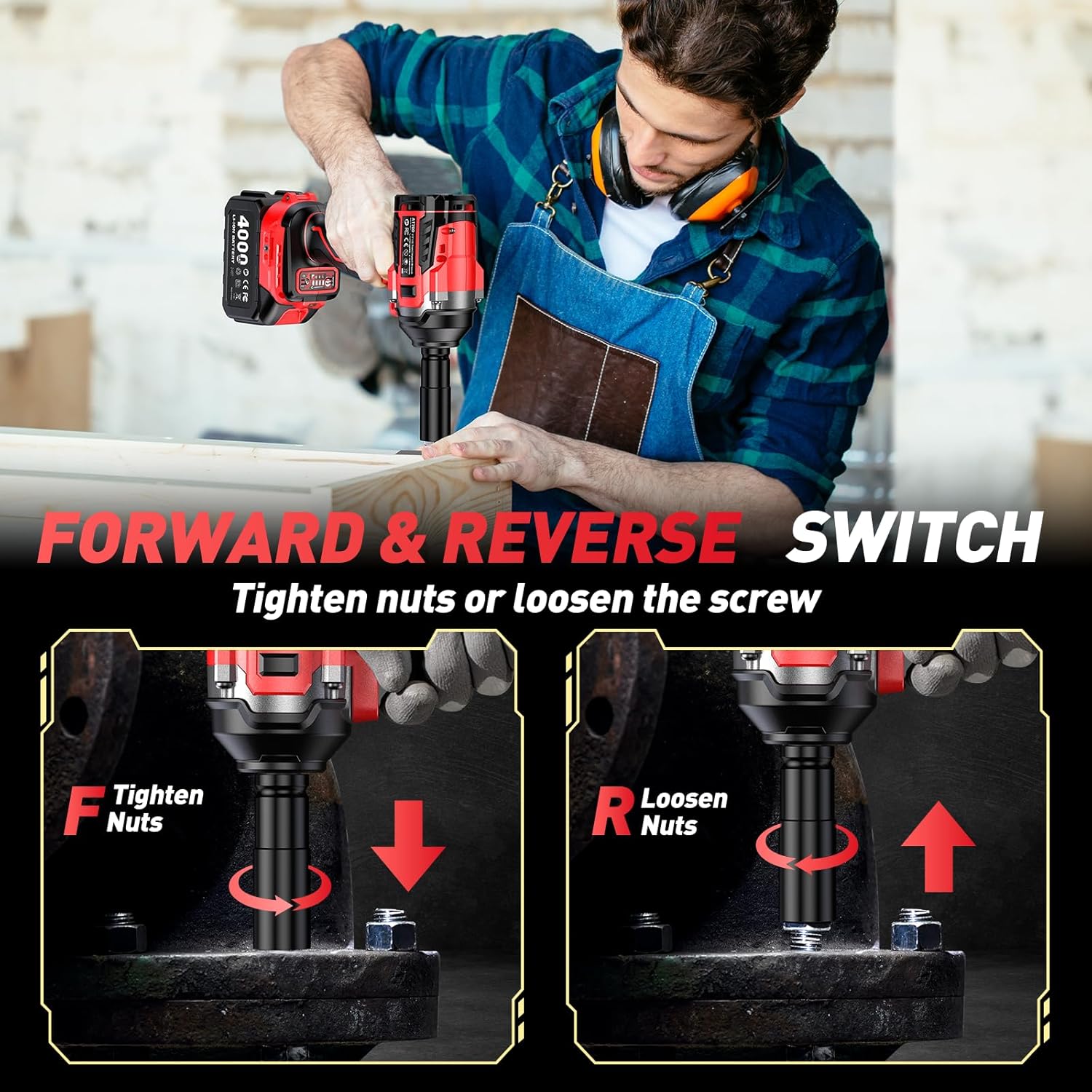
Figure 4.2: The forward/reverse switch for changing rotation direction and locking the tool.
4.4. LED Work Light
The integrated LED light illuminates the work area for better visibility in dimly lit conditions.
- To Turn On: Press and hold the "MODE" button for 3 seconds.
- To Turn Off: Press and hold the "MODE" button for another 3 seconds.

Figure 4.3: The integrated LED light providing illumination during operation.
4.5. Impact Wrench Use
When using the tool as an impact wrench, select the appropriate socket and speed mode for the task. For stubborn nuts, use Mode 4 for maximum torque.
Video 4.1: Demonstration of using the impact wrench to remove and install car wheel lug nuts.

Figure 4.4: The impact wrench in action, demonstrating its powerful torque for automotive applications.
4.6. Screwdriver and Drill Use
With the appropriate change head and bits, the tool can be used for driving screws or drilling holes. Select lower speed modes for precision and control.
- Screwdriver: Use a suitable screw bit and a lower speed mode (e.g., Mode 1 or 2) for driving screws into various materials.
- Drill: Attach a drill bit and select a speed mode appropriate for the material being drilled. Start with lower speeds and gradually increase as needed.
5. Maintenance
Regular maintenance ensures the longevity and optimal performance of your Avhrit impact wrench.
- Cleaning: Keep the tool's ventilation openings clean to prevent overheating. Use a soft, damp cloth to wipe down the exterior. Do not use harsh chemicals or abrasive cleaners.
- Battery Care: Store batteries in a cool, dry place away from direct sunlight. Do not store fully discharged batteries for extended periods. Recharge them periodically if not in use.
- Accessory Inspection: Regularly inspect sockets, bits, and drill bits for wear or damage. Replace worn accessories to ensure safe and effective operation.
- Storage: When not in use, store the tool, batteries, and accessories in the provided custom storage case in a dry, secure location out of reach of children.
6. Troubleshooting
If you encounter issues with your Avhrit impact wrench, refer to the following common problems and solutions:
| Problem | Possible Cause | Solution |
|---|---|---|
| Tool does not start. | Battery not installed correctly or discharged. Forward/reverse switch in lock-off position. | Ensure battery is fully charged and properly installed. Move the forward/reverse switch out of the center lock-off position. |
| Reduced power or performance. | Low battery charge. Incorrect speed mode selected. Worn or damaged accessory. | Recharge the battery. Select a higher speed mode. Replace worn accessories. |
| Tool overheats. | Continuous heavy use. Blocked ventilation openings. | Allow the tool to cool down. Clear any obstructions from the ventilation openings. Avoid prolonged heavy-duty operation. |
| Accessory difficult to attach/remove. | Debris in the drive. Incorrect accessory size. | Clean the drive mechanism. Ensure you are using the correct 1/2-inch drive accessories or the appropriate change head. |
7. Specifications
| Feature | Detail |
|---|---|
| Brand | Avhrit |
| Model | 700N.m |
| Motor Type | Brushless |
| Max Torque | 700 N.m (516 Ft-lbs) / 750 Newton-meters (as per some specifications) |
| No-Load Speed | Up to 2700 RPM (4 variable modes: 0-1000/1500/2100/2700 RPM) |
| Voltage | 21 Volts |
| Wattage | 800 Watts (Max 850 Watts) |
| Drive Size | 1/2 inch Square Drive |
| Battery Type | Lithium-ion |
| Battery Capacity | 4000 mAh (2 included) |
| Product Dimensions (L x W x H) | 10 x 6 x 14 cm |
| Weight (with battery) | 1.3 Kilograms (approx. 4.3 lbs) |
| Material | Aluminum |
| Special Features | Cordless, Built-in LED Light, 4 Speed Modes, Forward/Reverse Switch |
| Included Components | Impact Wrench, 2x 4.0Ah Batteries, Fast Charger, 4x Impact Sockets (17/19/21/24mm), 4x Screw Bits, 4x Drill Bits, Change Head, Belt Clip, Portable Strap, Storage Case |
8. Warranty & Support
Avhrit products are manufactured to high-quality standards and are warranted against defects in materials and workmanship. Please refer to the warranty card included in your package for specific terms and conditions.
For technical support, troubleshooting assistance, or to inquire about replacement parts, please contact Avhrit customer service through the retailer where the product was purchased or visit the official Avhrit website.

