
1. Product Overview
The IRONCK Vanity Makeup Desk Set is designed to provide a functional and stylish space for your daily beauty routine. It features a large LED lighted mirror with adjustable lighting modes, ample storage, and a convenient built-in power outlet with USB ports.

Figure 1: Complete IRONCK Vanity Makeup Desk Set
Key Features:
- LED Lighted Mirror: Features an extra-large mirror with three adjustable lighting modes (warm, natural, cold) and brightness control.
- Ample Storage: Includes seven drawers for organizing makeup, hair tools, and other essentials.
- Integrated Charging Station: Equipped with two standard plug sockets and two USB ports for convenient charging of devices.
- Comfortable Stool with Storage: A matching stool provides comfortable seating and additional hidden storage space.
- Durable Construction: Made from sturdy wood for long-lasting use.
2. Setup and Assembly
Assembly is required for this vanity desk set. Please follow the detailed instructions provided in the packaging for proper and safe assembly. Ensure all components are present before beginning.
2.1 Unpacking
Carefully unpack all components from the packaging. Lay them out on a clean, soft surface to prevent scratches. Verify all parts are accounted for against the included parts list.

Figure 2: Product Dimensions for Assembly Reference
2.2 Assembly Instructions
Refer to the step-by-step assembly manual included in your product packaging. It is recommended to have a second person assist with the assembly, especially when attaching the mirror to the desk base, due to the weight and size of the mirror.
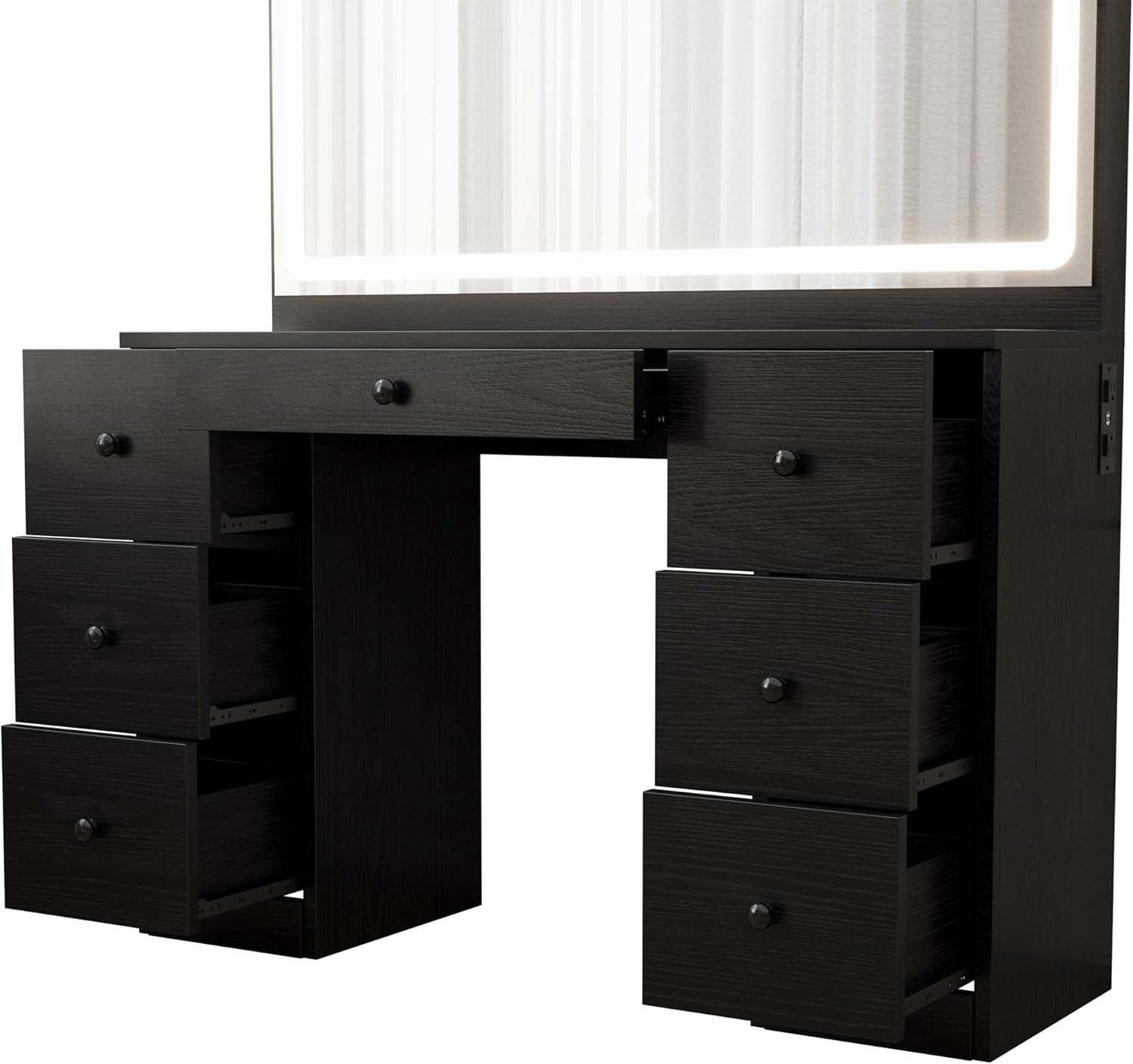
Figure 3: Vanity Drawers and Structure
3. Operating Instructions
3.1 LED Lighted Mirror
The mirror features a touch-sensitive control for the LED lighting. Long press the power icon on the mirror surface to adjust the brightness. Tap the power icon to cycle through the three lighting modes: warm, natural, and cold.

Figure 4: Using the LED Lighted Mirror
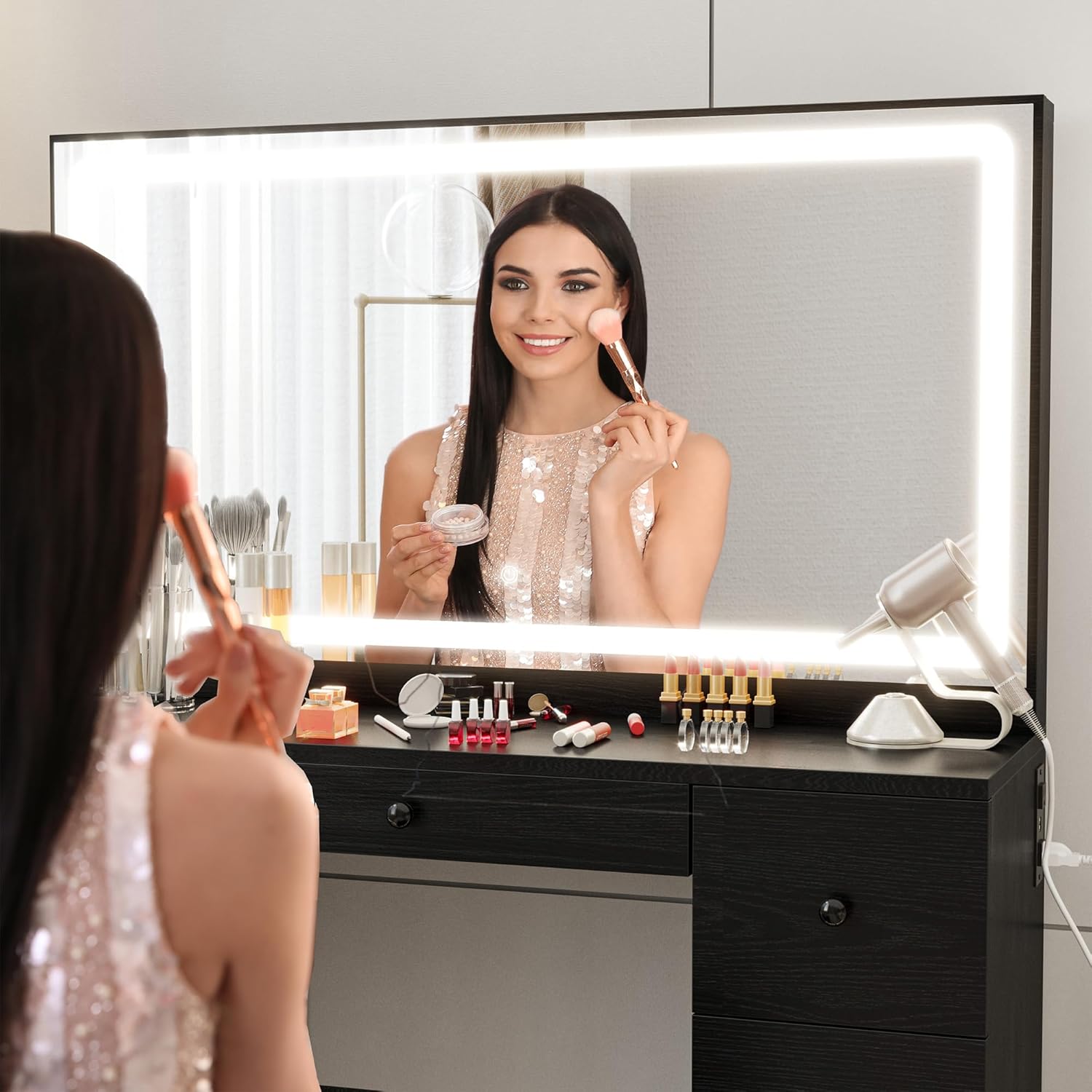
Figure 5: Adjustable Lighting Modes
3.2 Charging Station
The vanity includes a built-in charging station with two 110V/12A AC outlets and two 5V/2A USB ports. This allows you to conveniently power and charge your electronic devices, such as hair dryers, curling irons, phones, and tablets, directly from your vanity.

Figure 6: Integrated Power Outlet and USB Ports
3.3 Storage Drawers and Stool
The vanity features seven spacious drawers (three on each side and one central drawer) for organizing your cosmetics, accessories, and other items. The included stool also has a lift-top design, revealing additional hidden storage for larger items like hair tools.

Figure 7: Stool with Hidden Storage
4. Maintenance
To ensure the longevity and appearance of your IRONCK Vanity Makeup Desk Set, follow these simple care instructions:
- Cleaning: Wipe surfaces with a dry cloth for general dusting. For spills or stains, wipe with a damp cloth immediately. Avoid harsh chemicals or abrasive cleaners.
- Mirror Care: Use a soft, lint-free cloth and a glass cleaner specifically designed for mirrors. Do not spray cleaner directly onto the mirror surface; instead, spray onto the cloth first.
- Drawer Maintenance: Periodically check drawer slides for smooth operation. Clean any dust or debris that may accumulate in the tracks.
- General Care: Avoid placing hot items directly on the surface. Use coasters or protective pads when necessary.
5. Troubleshooting
If you encounter any issues with your vanity desk set, please refer to the following common troubleshooting tips:
- LED Mirror Lights Not Working:
- Ensure the vanity is properly plugged into a working power outlet.
- Check the connection of the mirror's power cable to the vanity's power adapter.
- Verify that the power outlet itself is functional by plugging in another device.
- Drawers Sticking or Not Closing Smoothly:
- Check if the drawers are overloaded or if items are obstructing the slides.
- Ensure the vanity is placed on a level surface. Uneven surfaces can affect drawer alignment.
- Inspect the drawer slides for any debris or damage. Clean or lubricate if necessary.
- Power Outlets/USB Ports Not Functioning:
- Confirm the main power cord of the vanity is securely plugged into a wall outlet.
- Test with different devices to rule out device-specific issues.
If the problem persists after attempting these steps, please contact IRONCK customer support for further assistance.
6. Product Specifications
| Feature | Specification |
|---|---|
| Brand | IRONCK |
| Model Number | HK-JCS-06 |
| Color | Black |
| Product Dimensions | 29.9 x 52.76 x 7.28 inches |
| Item Weight | 127.6 pounds |
| Frame Material | Wood |
| Seat Material Type | Wood |
| Seat Height | 16 Inches |
| Assembly Required | Yes |
| Power Outlet | 2 Standard AC, 2 USB Ports |
| Mirror Lighting | LED, 3 Modes (Warm, Natural, Cold) |
7. Important Safety Information
- Ensure the vanity is placed on a stable surface to prevent tipping.
- Avoid overloading drawers to maintain stability and prevent damage to slides.
- Keep electrical components (power outlets, mirror wiring) away from water or excessive moisture.
- Do not attempt to modify the electrical components or wiring.
- Keep small children and pets away from open drawers and electrical outlets.
- Avoid placing hot items directly on the vanity surface without protective padding.
8. Warranty and Support
For warranty information, product support, or to inquire about replacement parts, please refer to the documentation included with your purchase or visit the official IRONCK website. You may also contact IRONCK customer service directly for assistance with any issues not covered in this manual.
Contact Information: Please refer to your product packaging or the IRONCK official website for the most up-to-date customer support contact details.
