1. Product Overview
The Auxmir LED Night Light Bedside Lamp M4 is a versatile and portable lighting solution designed for various environments. It features intuitive touch and remote controls, offering 13 RGB colors, 5 adjustable brightness levels, and multiple dynamic lighting modes. Its rechargeable battery ensures portability and convenience, making it suitable for nurseries, bedrooms, bathrooms, camping, and more.
2. What's in the Box
- 1 x Auxmir Bedside LED Lamp
- 1 x Auxmir Night Light Lamp Remote Control
- 1 x Auxmir Table Lamp User Manual
- 1 x Auxmir Nursery Night Light Lamp USB Port (USB-C Charging Cable)
3. Product Components
Familiarize yourself with the key components of your Auxmir LED Night Light.

- Sensing Area: Located on the top of the lamp for touch control.
- USB Charging Port: USB-C port for recharging the internal battery.
- On/Off Button: Physical switch located at the base to power the lamp.
- Anti-Slip Foot Pad: Provides stability and prevents the lamp from sliding.
4. Charging the Lamp
The Auxmir LED Night Light is equipped with a 2500mAh rechargeable Lithium Polymer battery, providing up to 13 hours of continuous use on a single charge. Charging typically takes 3-4 hours.
- Locate the USB-C charging port at the base of the lamp.
- Connect the provided USB-C charging cable to the lamp and a compatible USB power adapter (not included).
- The charging indicator light will illuminate during charging and turn off when fully charged.

5. Operating Instructions
5.1 Power On/Off
- Physical Switch: Flip the On/Off switch located at the base of the lamp.
- Touch Control: Long press the sensing area on the top of the lamp to turn it on or off.
- Remote Control: Press the 'ON' or 'OFF' button on the remote control.
5.2 Adjusting Brightness
The lamp offers 5 levels of brightness to suit your needs.
- Remote Control: Use the brightness adjustment buttons (sun icon with + or -) on the remote control to cycle through the 5 brightness levels.

5.3 Changing Colors and Modes
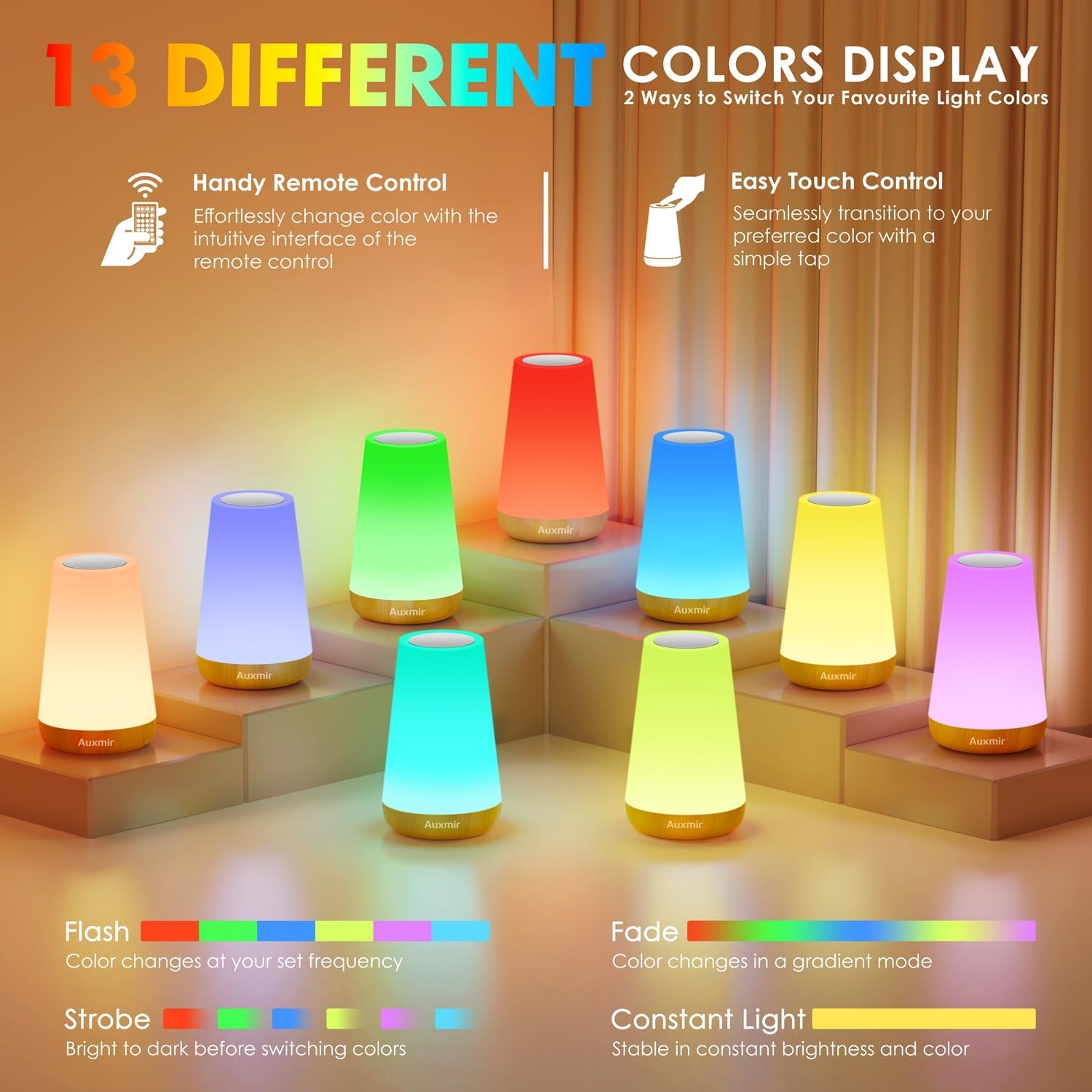
Choose from 13 light colors and 4 dynamic lighting modes.
- Touch Control: Short tap the sensing area on the top of the lamp to cycle through the 13 available colors.
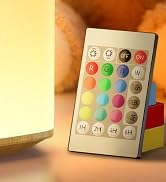
- Remote Control: Use the dedicated color buttons (R, G, B, W, and other color dots) on the remote control to select a specific color. Use the 'FLASH', 'STROBE', 'FADE', or 'SMOOTH' buttons to activate dynamic lighting modes.
5.4 Timer Function
Set the lamp to automatically turn off after a specified duration.
- Remote Control: Press the '1H', '2H', '4H', or '6H' buttons on the remote control to set the timer for 1, 2, 4, or 6 hours respectively. The lamp will blink twice to confirm the timer setting.
5.5 Official Product Video: Auxmir Night Light Overview
Video: This official product video from AuxmirDirect demonstrates the various features and uses of the Auxmir LED Night Light, including color changing, brightness adjustment, and portability.
6. Maintenance and Care
- Cleaning: Wipe the lamp with a soft, dry cloth. Do not use abrasive cleaners or solvents.
- Water Resistance: The lamp is not water-resistant. Avoid exposure to water or high humidity.
- Storage: Store the lamp in a cool, dry place when not in use for extended periods.
- Battery Care: To prolong battery life, avoid fully discharging the battery frequently. Charge the lamp regularly, even if not in constant use.
7. Troubleshooting
| Problem | Possible Cause | Solution |
|---|---|---|
| Lamp does not turn on. | Battery is depleted. | Charge the lamp using the provided USB-C cable. |
| Remote control is not working. | Battery in remote is dead or remote is out of range. | Replace the remote control battery. Ensure remote is within effective range of the lamp. |
| Touch control is unresponsive. | Lamp may be in remote-only mode or a temporary software glitch. | Ensure the physical switch is ON. Try turning the lamp off and on again using the physical switch. |
| Light flickers or is inconsistent. | Low battery or internal issue. | Charge the lamp fully. If the problem persists, contact customer support. |
8. Specifications
| Feature | Detail |
|---|---|
| Model Name | M4 Night Light |
| Brand | Auxmir |
| Dimensions | 3.6"D x 3.6"W x 5.9"H |
| Item Weight | 6.1 ounces (172.5 Grams) |
| Light Source Type | LED |
| Wattage | 3 watts |
| Brightness | 500 Lumen (Max) |
| Voltage | 5 Volts (DC) |
| Battery | 1 Lithium Polymer (2500mAh) |
| Battery Life | Up to 13 Hours |
| Control Method | Remote, Touch |
| Special Features | Adjustable Color Temperature, Color Changing, Dimmable, Memory Function, Portable |
| Material | ABS Plastic |
| Indoor/Outdoor Usage | Indoor, Outdoor |
| Water Resistance Level | Not Water Resistant |
9. Warranty and Support
Auxmir offers a 36-month warranty for this product, ensuring peace of mind regarding manufacturing defects and performance issues. Additionally, lifetime technical support is provided to assist with any questions or concerns you may have during the product's lifespan.
For warranty claims or technical assistance, please refer to the contact information provided in your product packaging or visit the official Auxmir website.


