
1. Introduction
Thank you for choosing the iSetchi 4-in-1 Wireless Charger. This device is designed to provide a convenient and efficient charging solution for your mobile phone, smartwatch, and wireless earbuds simultaneously. It also features an integrated LED clock and an adjustable LED lamp for added functionality. Please read this manual carefully before use to ensure proper operation and to maximize the lifespan of your product.
2. Product Overview
The iSetchi 4-in-1 Wireless Charger is a versatile charging station that combines multiple functions into one compact unit. It offers:
- Wireless Charging: Dedicated charging areas for your smartphone, smartwatch, and wireless earbuds.
- 15W Fast Charging: Supports fast wireless charging for compatible devices.
- Integrated LED Clock: Displays time digitally.
- Adjustable LED Lamp: Provides ambient lighting.
- Quick Charge 3.0 Adapter: Included for optimal performance.
The charger can be used in both a standing position, providing a good viewing angle for your phone, or laid flat for a more compact setup.
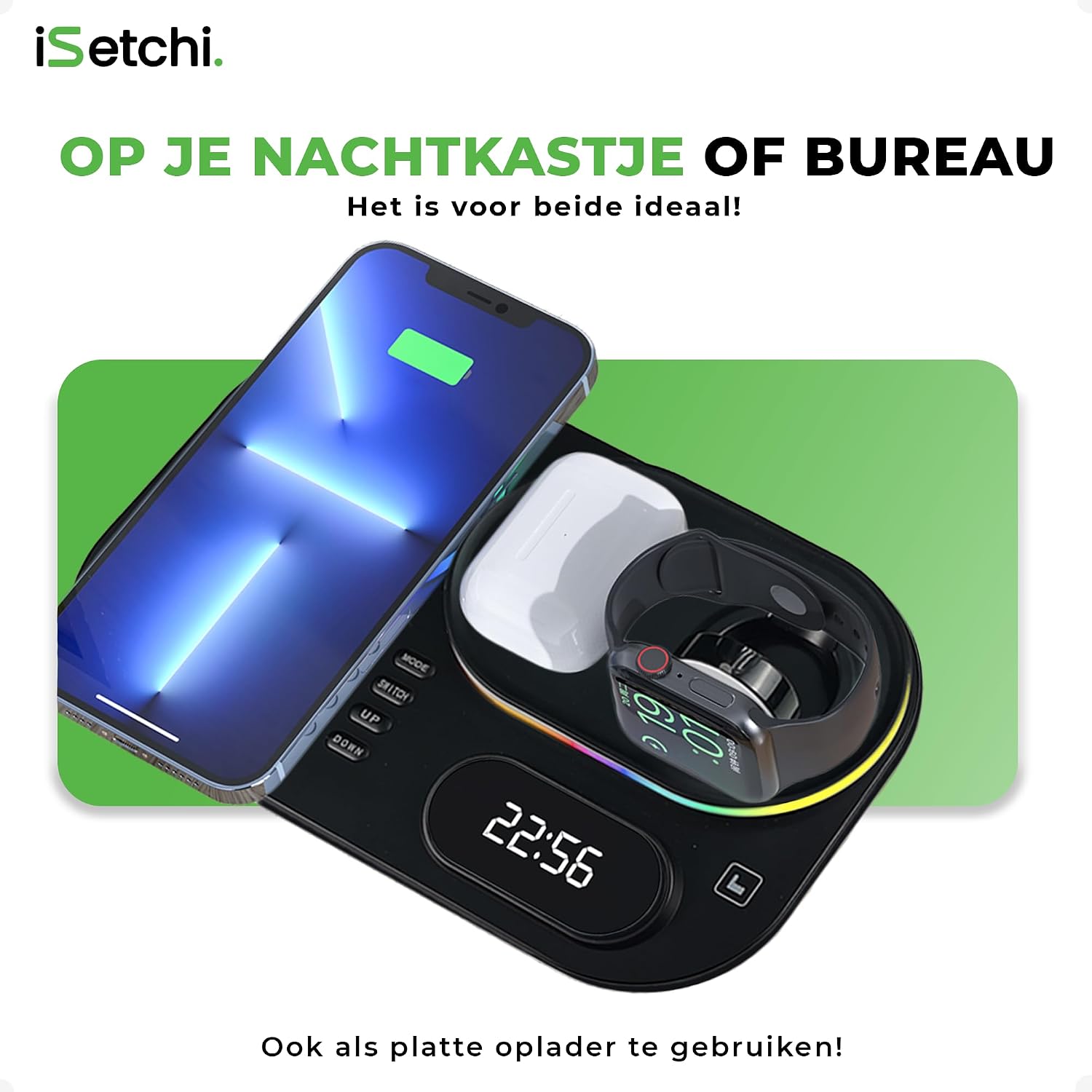
Image: The iSetchi 4-in-1 Wireless Charger in use, demonstrating its multi-device charging capability and integrated LED clock. It is suitable for placement on a nightstand or desk.
3. Package Contents
Please check the package for the following items:
- 1 x iSetchi 4-in-1 Wireless Charger
- 1 x Quick Charge 3.0 Power Adapter
- 1 x USB Type-C Charging Cable
- 1 x User Manual (this document)

Image: The Quick Charge 3.0 power adapter, which is included with the wireless charger to ensure optimal charging performance.
4. Setup
- Connect Power: Insert the USB Type-C cable into the charging port on the back of the wireless charger. Connect the other end of the cable to the included Quick Charge 3.0 power adapter. Plug the power adapter into a wall outlet.
- Power On: The LED clock display will light up, indicating the charger is powered on and ready for use.
- Positioning: The charger can be used in two main configurations:
- Standing Mode: Lift the phone charging pad to an upright position. This allows your phone to be charged vertically, providing a convenient viewing angle.
- Flat Mode: Fold the phone charging pad down to lay flat. This creates a more compact charging surface.

Image: The iSetchi 4-in-1 Wireless Charger configured in standing mode, allowing a smartphone to charge vertically for easy viewing.
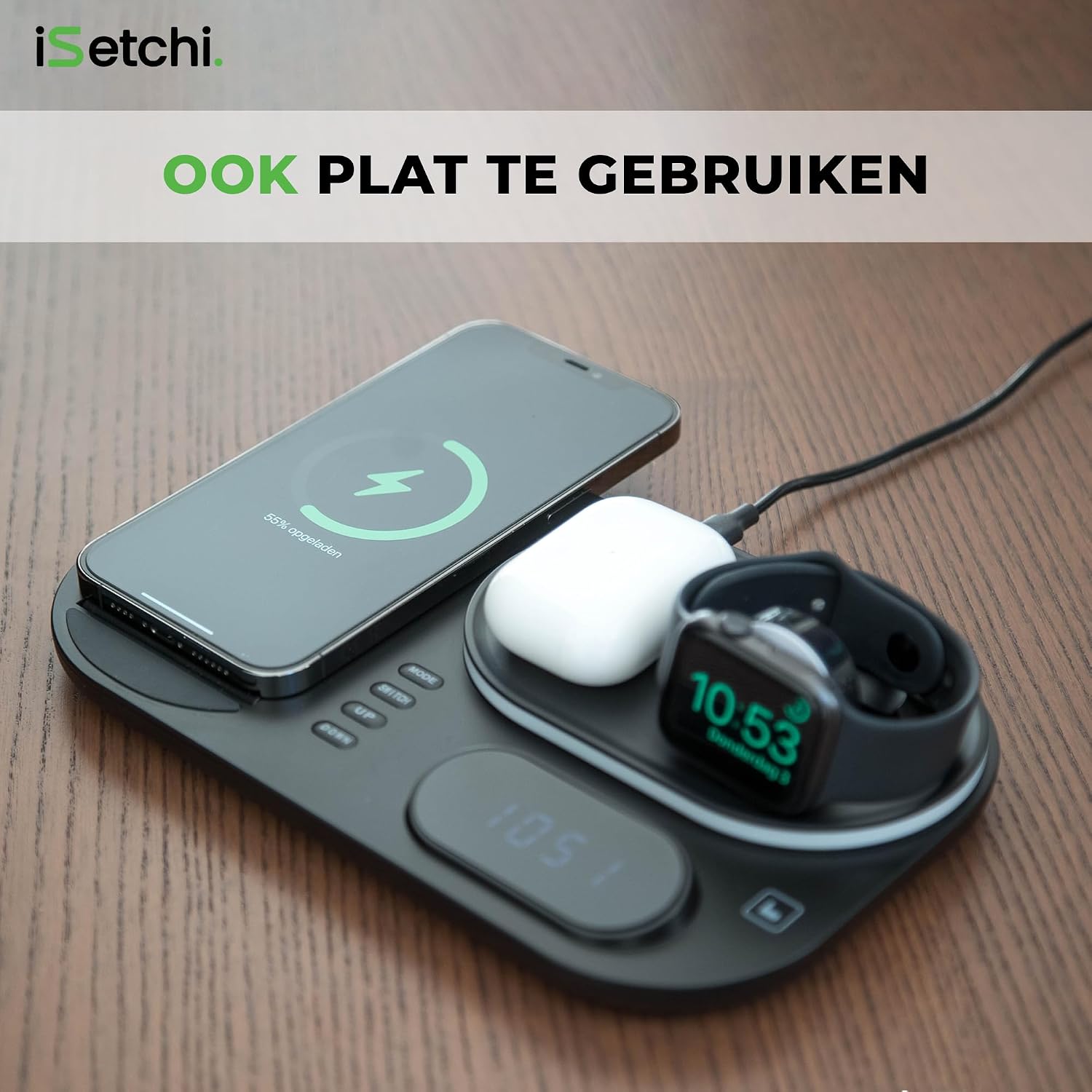
Image: The iSetchi 4-in-1 Wireless Charger configured in flat mode, providing a compact charging surface for multiple devices.
5. Operating Instructions
5.1 Wireless Charging
Place your Qi-compatible devices on their respective charging areas:
- Smartphone: Place your smartphone on the adjustable phone charging pad. Ensure it is centered for optimal charging. The phone's screen will indicate charging status.
- Smartwatch: Place your smartwatch on the dedicated magnetic charging module. It will automatically align and begin charging.
- Wireless Earbuds: Place your wireless earbud case on the designated flat charging area. Ensure the case is centered.
Note:
- Remove any metal objects, credit cards, or thick cases from your phone before charging, as these can interfere with wireless charging.
- Ensure your devices are Qi-compatible for wireless charging.
5.2 LED Clock Function
The integrated LED clock displays the current time. Use the buttons on the charger to adjust the time:
- MODE Button: Press to switch between 12-hour and 24-hour formats, or to enter time setting mode.
- UP Button: In time setting mode, press to increase the hour or minute value.
- DOWN Button: In time setting mode, press to decrease the hour or minute value.
5.3 LED Lamp Function
The charger features an LED lamp that can be used for ambient lighting. The lamp is located around the smartwatch charging area.
- Turn On/Off: Locate the touch-sensitive area or button for the LED lamp (refer to product diagram if available). Tap to turn the lamp on or off.
- Adjust Brightness/Color: Some models may offer adjustable brightness or color modes. Tap and hold, or repeatedly tap, the lamp control to cycle through settings.

Image: A detailed view of the iSetchi 4-in-1 Wireless Charger highlighting the illuminated LED lamp function, which can serve as mood lighting or a night light.
6. Compatibility
This iSetchi 4-in-1 Wireless Charger is compatible with a wide range of devices:
- Smartphones: Compatible with iPhone models and Android smartphones that support Qi wireless charging functionality.
- Smartwatches: Compatible with smartwatches that use magnetic wireless charging (e.g., Apple Watch series).
- Wireless Earbuds: Compatible with wireless earbud cases that support Qi wireless charging.

Image: The iSetchi 4-in-1 Wireless Charger demonstrating compatibility with an Android smartphone, in addition to smartwatches and wireless earbuds.
7. Maintenance
To ensure the longevity and optimal performance of your wireless charger, follow these maintenance guidelines:
- Cleaning: Disconnect the power before cleaning. Use a soft, dry cloth to wipe the surface of the charger. Do not use abrasive cleaners, solvents, or harsh chemicals.
- Storage: Store the charger in a cool, dry place away from direct sunlight and extreme temperatures when not in use for extended periods.
- Handling: Avoid dropping the charger or subjecting it to strong impacts.
8. Troubleshooting
If you encounter any issues with your iSetchi 4-in-1 Wireless Charger, please refer to the following common problems and solutions:
- Device not charging:
- Ensure the charger is properly connected to the Quick Charge 3.0 adapter and a working power outlet.
- Verify your device is Qi-compatible.
- Check if your device is correctly aligned on the charging pad. Remove and re-place it.
- Remove any thick phone cases or metal objects from your device.
- Try charging a different compatible device to rule out an issue with the charger.
- Slow charging:
- Ensure you are using the included Quick Charge 3.0 adapter and cable. Using a standard adapter may result in slower charging speeds.
- Check for proper alignment of the device on the charging pad.
- Ensure no background apps are consuming excessive power on your device during charging.
- LED Clock not displaying or incorrect time:
- Ensure the charger is powered on.
- Use the MODE, UP, and DOWN buttons to set the correct time as described in Section 5.2.
- LED Lamp not working:
- Ensure the charger is powered on.
- Tap the lamp control area to turn it on. If it has brightness settings, try tapping multiple times.
If the problem persists after trying these solutions, please contact customer support.
9. Specifications
| Feature | Specification |
|---|---|
| Brand | iSetchi |
| Model | 4-in-1 Wireless Charger |
| Wattage | 15 Watt (Max) |
| Power Source | Corded Electric |
| Connector Type | USB Type C |
| Number of USB Ports | 1 (for power input) |
| Special Features | Fast Charging, LED Clock, LED Lamp |
| Compatible Devices | Mobile Phones (Qi-compatible), Smartwatches, Wireless Earbuds |
| Material | Plastic |
| Item Weight | 144 g |
| Color | Black |
10. Warranty and Support
This iSetchi product comes with a standard manufacturer's warranty. For specific warranty details, including duration and coverage, please refer to the product packaging or contact your retailer. If you experience any issues or require technical assistance, please contact iSetchi customer support through the retailer's platform or the official iSetchi website.


