
1. Introduction
This manual provides essential information for the safe and efficient installation, operation, and maintenance of your RWRAPS AC Servo Motor 2.3KW 130ST-M15015 and its matched A1-SVD30 Driver. Please read this manual thoroughly before using the product to ensure proper functionality and to prevent damage or injury.
The RWRAPS AC Servo Motor system is designed for industrial applications requiring precise position, speed, and torque control, such as industrial manipulators, semiconductor equipment, engraving machines, and other automated systems.

Figure 1.1: The RWRAPS AC Servo Motor 130ST-M15015 shown alongside its A1-SVD30 driver unit. The motor features a black finned housing for heat dissipation and a robust shaft, while the driver is a compact black unit with a digital display and connection ports.
2. Safety Information
WARNING: Improper installation or operation can lead to serious injury or equipment damage. Always follow safety guidelines.
- Ensure all power is disconnected before installation, wiring, or maintenance.
- Only qualified personnel should perform installation and wiring.
- Verify correct voltage and current ratings before connecting power. The motor operates at 220V.
- Do not touch electrical components while power is applied.
- Ensure proper grounding to prevent electrical shock.
- Protect the motor and driver from moisture, dust, and extreme temperatures.
- Avoid placing heavy objects on cables or allowing them to be pinched.
3. Package Contents
Carefully unpack the product and verify that all items listed below are present and undamaged. If any items are missing or damaged, please contact your supplier immediately.
- 1 x YC/130-15015/15N Servo Motor
- 1 x A1-SVD30 Driver
- 1 x 3-Meter Motor Cable
- 1 x 3-Meter Encoder Cable
- 1 x 25 Core Parallel Connection Cable
Note: If a servo motor with a brake or extension cables are required, these may be purchased separately.
4. Setup and Installation
Proper installation is crucial for the performance and longevity of the servo system. Refer to the detailed wiring diagrams provided with the A1-SVD30 Driver manual for specific connection instructions.
4.1 Motor Mounting
Mount the 130ST-M15015 servo motor securely to a stable, vibration-free surface using appropriate fasteners. Ensure adequate ventilation around the motor for heat dissipation.

Figure 4.1: Front view of the RWRAPS AC Servo Motor 130ST-M15015, showing the output shaft and mounting holes. The shaft is keyed for secure coupling.
4.2 Driver Mounting
Mount the A1-SVD30 driver in a control cabinet or enclosure that provides protection from environmental factors and allows for proper cooling. Ensure easy access to the display and connection terminals.

Figure 4.2: Rear view of the RWRAPS A1-SVD30 AC Servo Driver, displaying its model number, input voltage (AC220V/50-60HZ), and output current (30A) specifications on a label. This side typically houses the main power and motor connections.
4.3 Wiring Connections
- Power Connection: Connect the main power supply (220V AC) to the A1-SVD30 driver. Ensure proper grounding.
- Motor Connection: Connect the 3-meter motor cable from the driver to the servo motor.
- Encoder Connection: Connect the 3-meter encoder cable from the driver to the servo motor's encoder port.
- Control Signal Connection: Use the 25 Core Parallel Connection cable to connect control signals from your host controller to the A1-SVD30 driver. Refer to the driver manual for pin assignments and signal types.
All input/output ports on the A1-SVD30 driver are freely definable, offering strong applicability for various control systems. Consult the driver's specific manual for detailed configuration and debugging procedures.
5. Operating Instructions
The RWRAPS AC Servo Motor system supports position control, speed control, and torque control, allowing it to meet a wide range of application requirements. The A1-SVD30 driver manages these control modes.
5.1 Initial Power-Up
After completing all wiring, perform a final check of all connections. Apply power to the A1-SVD30 driver. The driver's digital display will illuminate, indicating its status. Refer to the A1-SVD30 driver manual for specific power-up sequences and display codes.
5.2 Parameter Configuration
The A1-SVD30 driver requires parameter configuration to match your specific application. This includes setting control modes (position, speed, torque), gain values, limits, and I/O assignments. Detailed instructions for parameter setup are provided in the A1-SVD30 driver's dedicated manual.
5.3 Control Modes
- Position Control: For applications requiring precise movement to specific locations.
- Speed Control: For applications requiring constant or variable rotational speed.
- Torque Control: For applications requiring a specific output torque from the motor.
Switching between these control modes is done via the driver's settings, as detailed in its manual.
6. Maintenance
Regular maintenance ensures the optimal performance and extends the lifespan of your servo system.
6.1 Routine Checks
- Visual Inspection: Periodically inspect the motor and driver for any signs of physical damage, loose connections, or excessive dust accumulation.
- Cleaning: Keep the motor and driver clean. Use a soft, dry cloth to wipe down surfaces. For the driver's cooling fan, use compressed air to remove dust buildup.
- Cable Integrity: Check all cables (motor, encoder, power, control) for wear, fraying, or damage. Replace damaged cables immediately.
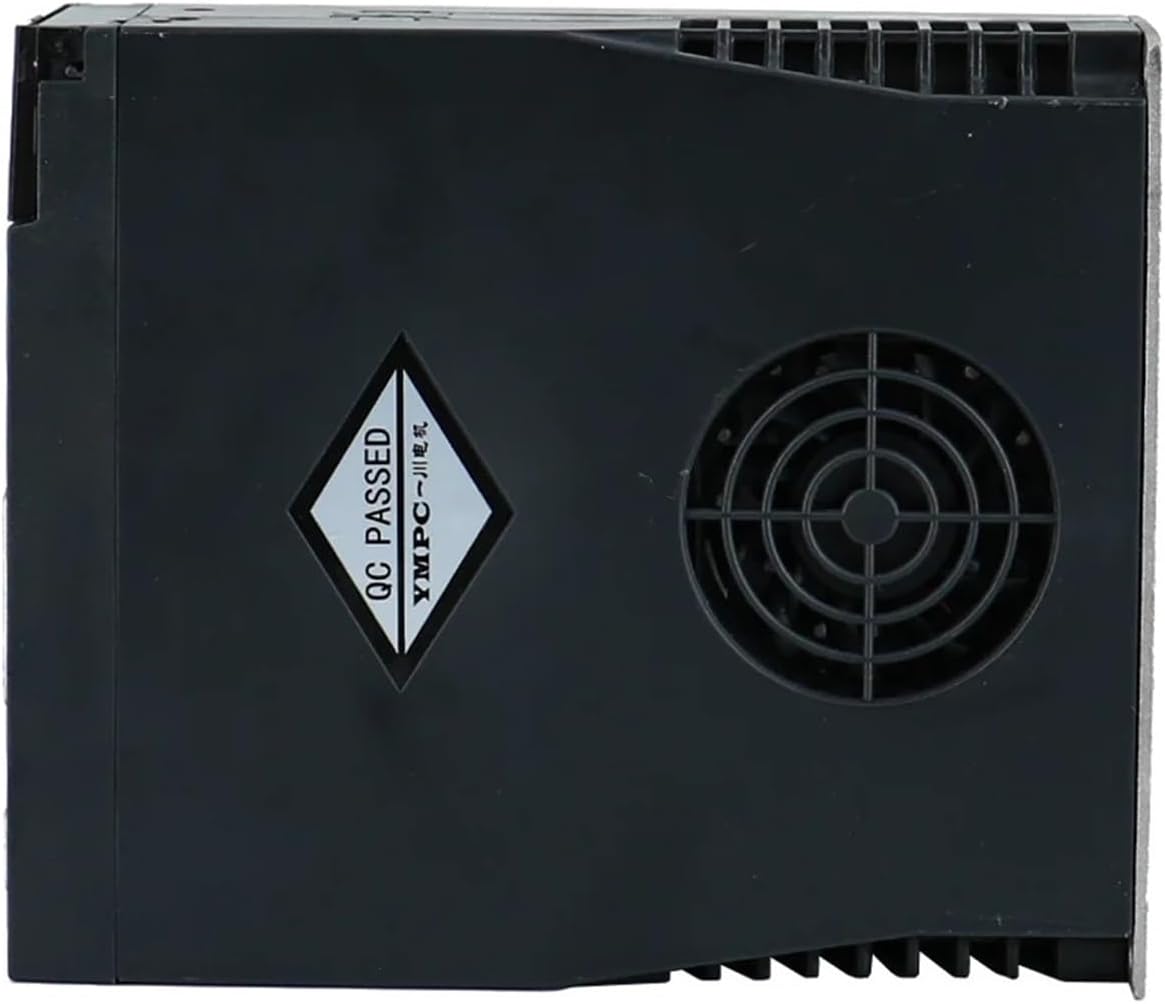
Figure 6.1: Side view of the RWRAPS A1-SVD30 AC Servo Driver, highlighting the integrated cooling fan. Regular cleaning of this fan is essential for maintaining optimal operating temperature and preventing overheating.
6.2 Environmental Conditions
Ensure the operating environment remains within the specified temperature and humidity ranges. Avoid exposure to corrosive gases, excessive vibration, or strong electromagnetic interference.
7. Troubleshooting
This section outlines common issues and potential solutions. For detailed error codes and advanced troubleshooting, refer to the A1-SVD30 driver's manual.
| Problem | Possible Cause | Solution |
|---|---|---|
| Motor not responding | No power to driver; loose motor/encoder cable; incorrect control signal. | Check power supply; verify all cable connections; confirm control signals from host. |
| Under Voltage / Over Voltage Error | Input power supply outside specified range. | Verify input voltage (220V AC) is stable and within tolerance. |
| Over Load / Over Current Error | Motor load exceeds capacity; short circuit in motor wiring. | Reduce mechanical load; check motor wiring for shorts; verify motor sizing. |
| Encoder Exception / Position Error | Encoder cable damage; encoder malfunction; incorrect encoder settings. | Check encoder cable for damage; verify encoder connections; consult driver manual for encoder settings. |
| Motor overheating | Excessive load; insufficient ventilation; high ambient temperature. | Reduce load; ensure proper airflow around motor; check ambient temperature. |
8. Specifications
Below are the key specifications for the RWRAPS AC Servo Motor 130ST-M15015 and A1-SVD30 Driver system.
8.1 Servo Motor (130ST-M15015)
- Power: 2.3 KW (2300W)
- Rated Torque: 15 N.m
- Rated Voltage: 220V
- Applicability: Strong, with freely definable input/output ports.
- Control Modes: Position control, speed control, torque control.

Figure 8.1: Angled view of the RWRAPS AC Servo Motor 130ST-M15015, showcasing its robust construction, finned housing for thermal management, and the motor's identification label with key electrical specifications.
8.2 Servo Driver (A1-SVD30)
- Model: A1-SVD30
- Input Voltage: AC220V / 50-60Hz
- Output Current: 30A
- Protection Features: Under voltage, over voltage, over load, over current, encoder exception, position error.
8.3 General
- Package Dimensions: 1.18 x 0.79 x 0.39 inches (Note: This appears to be for a small component, not the full package. Refer to actual product dimensions for accurate sizing.)
- Item Weight: 7.72 pounds (for the motor and driver combined)
- Assembly Required: No (for the main components, but installation is required)
9. Warranty and Support
For warranty information, technical support, or service inquiries, please contact your original point of purchase or the RWRAPS manufacturer directly. Ensure you have your product model number (130ST-M15015) and purchase details available when contacting support.