
Introduction
The OUPES B2 Smart Extra Battery is designed to expand the capacity of your OUPES Mega 1, Mega 2, or Mega 3 portable power station. This 2048Wh LiFePO4 battery provides additional power for extended use, featuring smart control via a mobile application and versatile charging options, including up to 2100W solar input. It can also function as a standalone DC power source.
Key Features
- Massive Capacity Expansion: Adds 2048Wh LiFePO4 capacity to OUPES Mega 1 (up to 5120Wh with 2 B2s), Mega 2 (up to 10.24kWh with 6 B2s), or Mega 3 (up to 15.36kWh with 6 B2s) for scalable off-grid energy.
- Efficient Solar Charging: Supports up to 2100W solar input via the Anderson port for rapid energy replenishment under sunlight.
- Smart Remote Control: Manage battery status, output settings, and firmware updates using the WiFi/Bluetooth-enabled OUPES APP from your smartphone.
- Versatile Power Outputs: Features 10 outputs including 1x Anderson (12V/30A), 2x DC5521 (12V/10A), 1x Car Lighter, 2x USB-C (100W PD), and 4x USB-A (18W QC3.0).
- Built for Compatibility: Stackable design seamlessly connects to Mega 1/2/3 power stations, allowing customization of power capacity for various needs.
- Reliable & Long-Lasting: LiFePO4 battery chemistry ensures 3,500+ cycles at 80% capacity, offering superior longevity compared to standard lithium-ion batteries.
What's in the Box
- 1x OUPES B2 Smart Extra Battery
- 1x Extra Battery Connection Cable
- 1x User Manual
- 1x MC4 Connector to Anderson Cable (for solar input)
Setup
The OUPES B2 Smart Extra Battery is designed for easy integration with your OUPES Mega 1, Mega 2, or Mega 3 power station. It can be stacked directly on top of the main unit or placed alongside it.
Connecting the B2 Extra Battery to a Mega Power Station
- Ensure both the B2 Extra Battery and the Mega power station are powered off before connecting.
- Locate the expansion ports on the side of both the B2 Extra Battery and your Mega power station.
- Use the provided Extra Battery Connection Cable to securely connect the B2 Extra Battery to the Mega power station. The cable clicks into place.
- Once connected, you can power on the Mega power station. The B2 Extra Battery will be recognized and integrated.
Video Description: This video demonstrates the physical connection of the OUPES B2 Smart Extra Battery to an OUPES Mega 2 power station using the provided power cable. It shows how the units stack and connect via the side ports, highlighting the secure click-in mechanism. The video also briefly covers the solar input port on the side of the B2 battery and the various DC output ports on the front panel.
Operating Instructions
Powering On/Off
- When the B2 Extra Battery is connected to a Mega power station via the cable, you must turn off the Mega power station using its power button to power off both units.
- To power on both units, press the power button on the Mega power station.
- If the B2 Extra Battery is disconnected from the Mega power station, you can power it on or off using the power button on the B2 unit itself.
Video Description: This video segment demonstrates how to power on and off the OUPES B2 Smart Extra Battery when it is connected to a Mega power station. It shows that the main power station's button controls both units when connected, but the B2's power button can control it independently when disconnected.
DC Outputs
The B2 Extra Battery features multiple DC outputs for various devices:
- Car Lighter Socket: 12V/10A output.
- DC5521 Barrel Ports (x2): 12V/10A output each.
- Anderson Output Port: 12V/30A output for larger DC appliances. Warning: Do not connect solar panels to this Anderson output port.
To activate these DC ports, press the dedicated DC button located near the car lighter socket on the front panel. The display will indicate when the DC ports are active.

Image Description: A close-up view of the OUPES B2 Smart Extra Battery's front panel, highlighting the various output ports. These include USB-A, USB-C, AC sockets, an Anderson output port, DC5521 ports, and a car output port. The image visually represents the 10 versatile outputs available on the unit.
USB Outputs
The B2 Extra Battery includes several USB ports for charging smaller electronic devices:
- USB-A Ports (x4): Each provides up to 18W (QC3.0) output.
- USB-C Ports (x2): Each provides up to 100W (PD) output.
To activate these USB ports, press the dedicated DC button located near the USB ports on the front panel. The display will indicate when the USB ports are active.
Solar Charging
The B2 Extra Battery can be charged independently using solar panels. Connect your solar panels to the dedicated solar/car input port on the side of the battery using the provided MC4 to Anderson cable. The battery supports up to 2100W solar input.
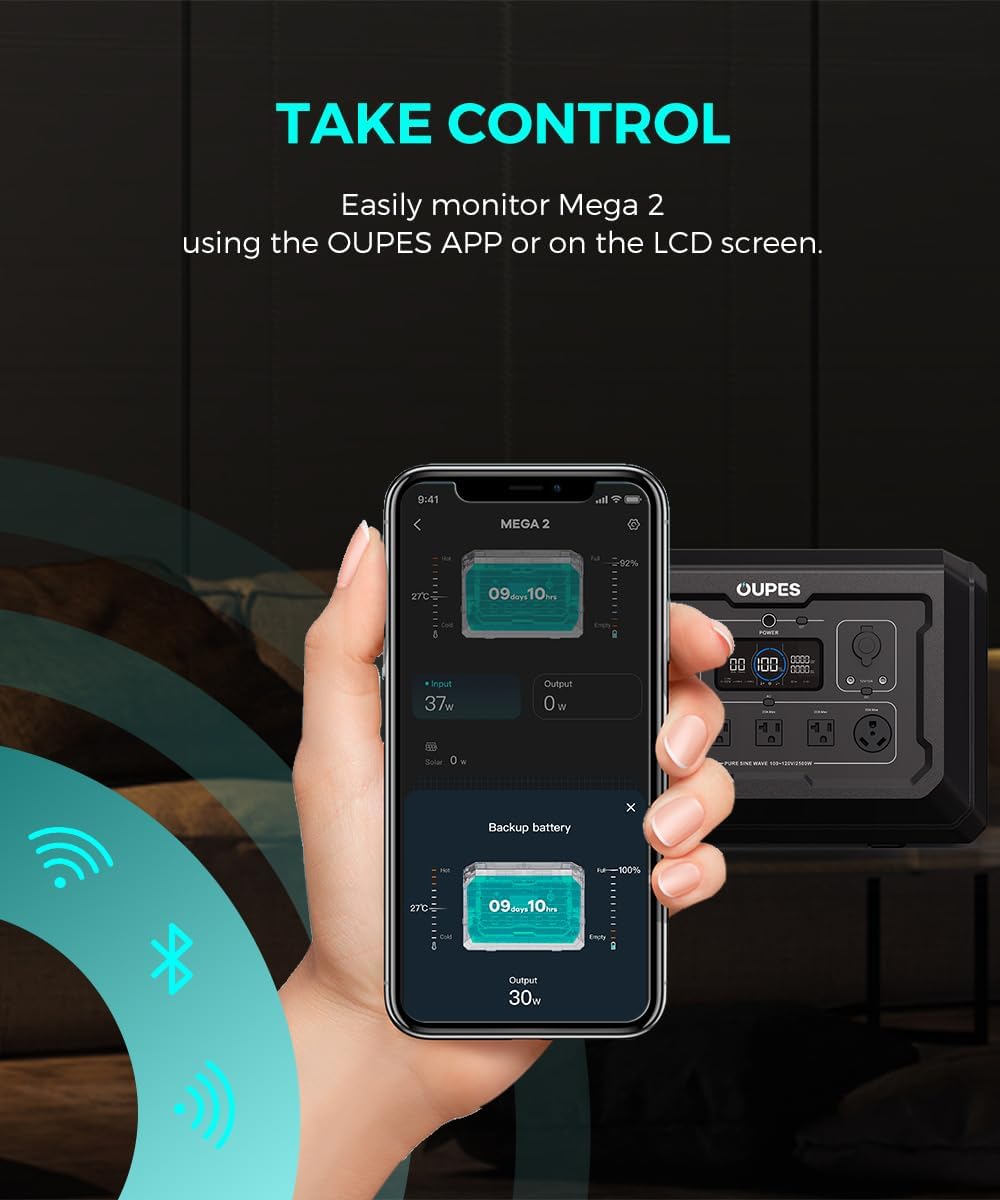
Image Description: An OUPES power station is shown connected to a large solar panel in an outdoor setting, illustrating the solar charging capability. Text overlays indicate various charging speeds: 1600W AC Charging (1.3 Hours), 2100W Solar Panel (1.0 Hours), and 3700W AC + Solar (0.6 Hours).
App Control
Monitor real-time statistics, adjust output modes, and troubleshoot your B2 Extra Battery via the OUPES APP. The battery features WiFi/Bluetooth connectivity for seamless remote control without needing a host device.

Image Description: A hand holding a smartphone displays the OUPES app interface, showing real-time monitoring of a Mega 2 power station and a connected backup battery. The app provides details on input, output, and battery levels, demonstrating remote control capabilities via WiFi and Bluetooth.
Expandable Capacity
The OUPES B2 Smart Extra Battery allows you to significantly expand the energy storage of your compatible OUPES Mega power stations. You can connect multiple B2 units to achieve higher capacities, providing extended power for various applications.
- Mega 1: Up to 5120Wh with 2 B2 units.
- Mega 2: Up to 10.24kWh with 6 B2 units.
- Mega 3: Up to 15.36kWh with 6 B2 units.

Image Description: This image illustrates the expandable capacity of the OUPES Mega 2 power station when combined with B2 Extra Batteries. It shows a single Mega 2 (2048Wh), a Mega 2 with one B2 battery (4096Wh), and a Mega 2 with four B2 batteries (10240Wh), demonstrating how capacity increases with additional units.
Dimensions and Weight
- Product Dimensions: 18.1"L x 10.6"W x 10"H
- Item Weight: 41.8 Pounds
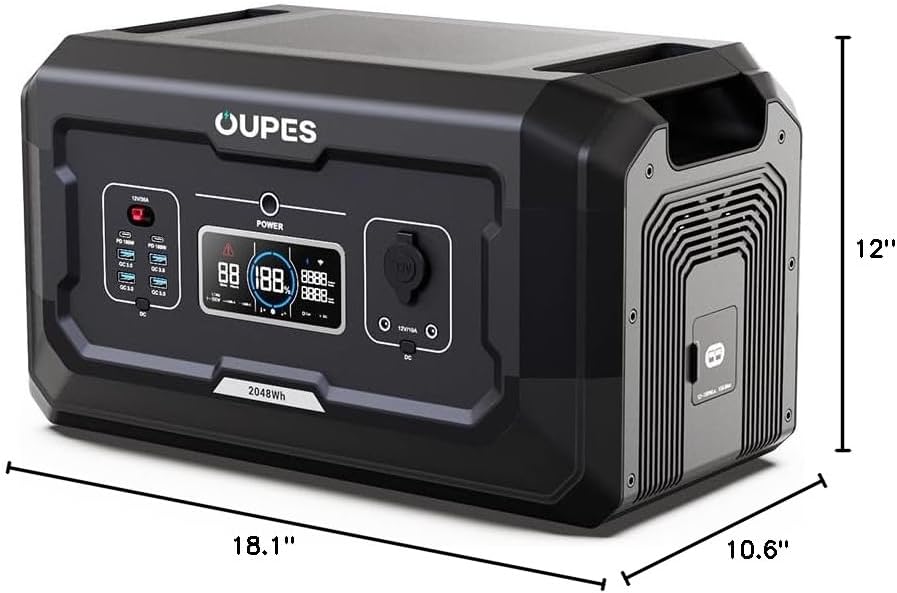
Image Description: A perspective view of the OUPES B2 Smart Extra Battery with its length (18.1"), width (10.6"), and height (10") clearly labeled with measurement lines.
Operating Environment
For optimal performance and longevity, operate and store the OUPES B2 Smart Extra Battery within the following temperature ranges:
- Operating Temperature: 32°F to 104°F (0°C to 40°C)
- Storage Temperature: 32°F to 104°F (0°C to 40°C)
Maintenance
To ensure the long-term performance and safety of your OUPES B2 Smart Extra Battery, follow these maintenance guidelines:
- Regular Cleaning: Keep the battery clean and free from dust and debris. Use a dry, soft cloth for cleaning.
- Proper Storage: When not in use for extended periods, store the battery in a cool, dry place within the recommended temperature range. Ensure it is charged to approximately 50-80% before storage.
- Avoid Extreme Temperatures: Do not expose the battery to direct sunlight, heat sources, or extremely cold environments for prolonged periods.
- Check Connections: Periodically inspect all cables and ports for any signs of damage or wear. Ensure connections are secure when in use.
- Software Updates: Utilize the OUPES APP to check for and install any available firmware updates to ensure optimal performance and access to new features.
Troubleshooting
If you encounter issues with your OUPES B2 Smart Extra Battery, consider the following common troubleshooting steps:
- Battery Not Powering On: Ensure the battery is adequately charged. If connected to a Mega power station, ensure the main unit is powered on. If disconnected, press the power button on the B2 unit.
- No Output from Ports: Verify that the specific output section (DC, USB) is activated by pressing its corresponding button on the front panel. Check that the connected device is within the power limits of the port.
- Charging Issues: Ensure all charging cables (AC, solar) are securely connected. For solar charging, confirm that solar panels are receiving sufficient sunlight and are connected to the correct input port (not the Anderson output). Check the input wattage displayed on the screen.
- App Connectivity Problems: Ensure Bluetooth and/or WiFi are enabled on your smartphone and the B2 unit. Try restarting the app and the battery.
- Unusual Behavior: If the battery displays error codes or behaves unexpectedly, refer to the detailed troubleshooting section in the full user manual or contact OUPES customer support.
Specifications
| Feature | Detail |
|---|---|
| Brand | OUPES |
| Model Name | B2 |
| Item Model Number | S2-BAT |
| Wattage | 2048 Watt-hours |
| Fuel Type | Electric |
| Power Source | Battery Powered |
| Item Weight | 41.8 Pounds |
| Voltage | 120 Volts |
| Output Wattage | 2100W (Max Solar Input) |
| Battery Cell Type | Lithium Polymer (LiFePO4) |
| Product Dimensions | 18.1"L x 10.6"W x 10"H |
| Material | Lithium, Iron, Plastic, Copper |
| Special Features | APP control, Up to 2100W solar input (Anderson port), Works for Mega 1/2/3 |
Warranty and Support
The OUPES B2 Smart Extra Battery comes with a 3-Year Warranty, ensuring peace of mind for your investment. OUPES is committed to providing reliable energy solutions and offers 24/7 customer support for any inquiries or assistance you may need.
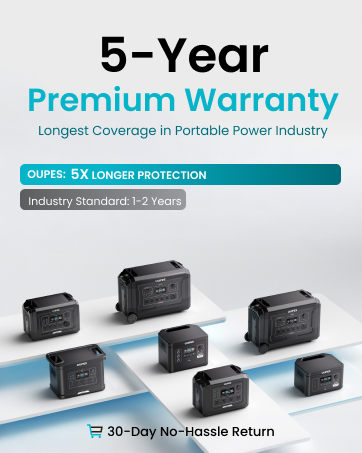
Image Description: A graphic highlighting OUPES's 5-Year Premium Warranty, stating it offers 'Longest Coverage in Portable Power Industry' and '5X Longer Protection' compared to the industry standard of 1-2 years. It also mentions a '30-Day No-Hassle Return'.
For further support, please visit the official OUPES website or contact their customer service team.


