
1. Introduction
Thank you for purchasing the ASHATA AK160BT Bluetooth 5.0 Stereo Audio Amplifier. This compact and versatile amplifier is designed to deliver clear and powerful sound for various applications, including home audio, karaoke, home theater, and car radio systems. Featuring Bluetooth 5.0 connectivity and independent bass and treble controls, it offers an enhanced audio experience. Please read this manual thoroughly before use to ensure proper operation and to maximize the performance of your device.
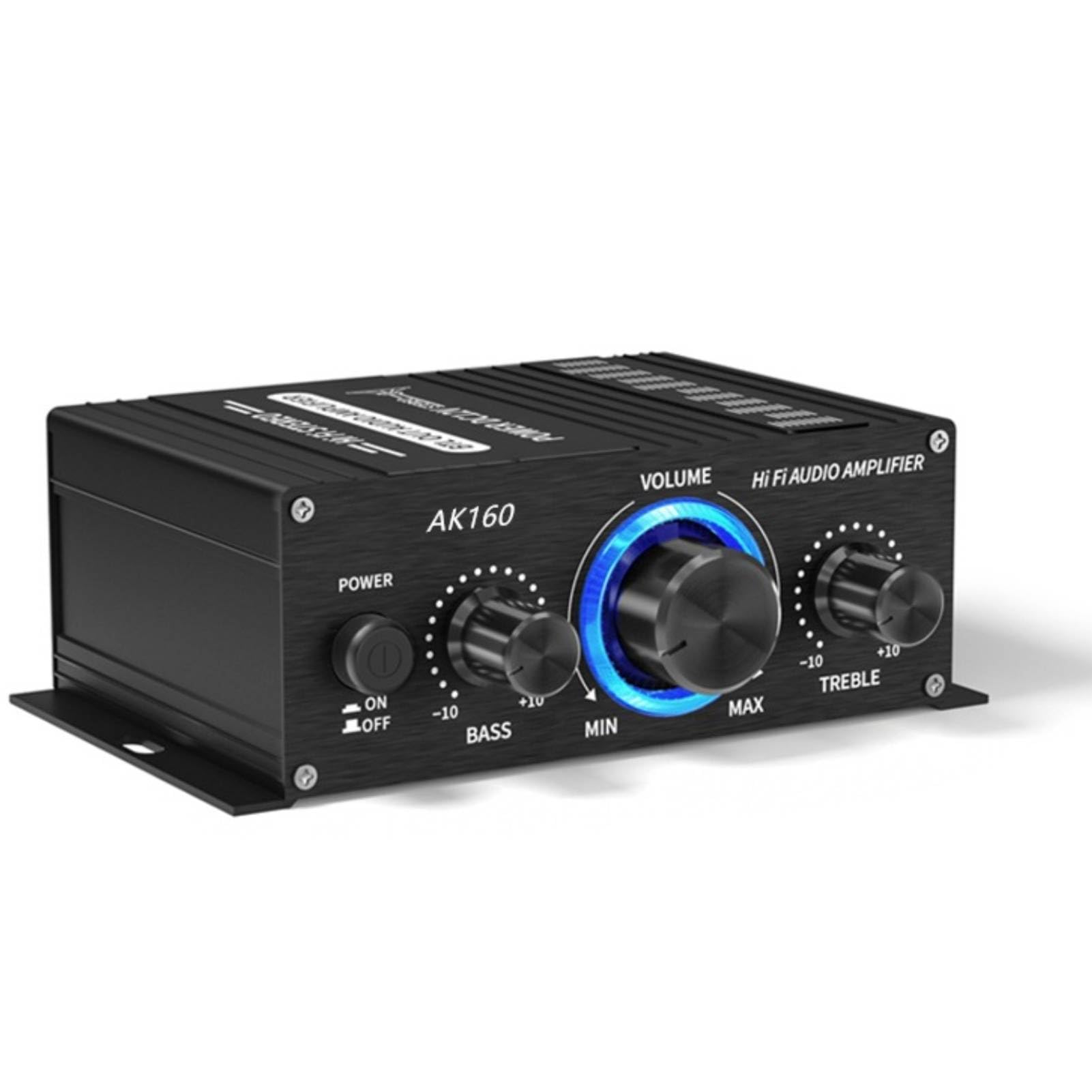
Image: The ASHATA AK160BT Bluetooth 5.0 Stereo Audio Amplifier, a compact black unit with control knobs, displayed in a home setting with a television in the background.
2. Safety Information
- Do not expose this device to rain, moisture, or extreme temperatures.
- Ensure proper ventilation around the amplifier to prevent overheating.
- Use only the specified power adapter (DC 12V, 2A-5A) to avoid damage.
- Do not open the amplifier casing. Refer all servicing to qualified personnel.
- Keep out of reach of children.
- Avoid placing the amplifier near strong magnetic fields.
3. Package Contents
Please check the package for the following items:
- ASHATA AK160BT Stereo Audio Amplifier
- User Manual (this document)
- Note: A DC 12V power adapter is required and sold separately.
4. Product Overview
4.1 Front Panel Controls

Image: Close-up view of the ASHATA AK160BT amplifier's front panel, showing the Mode button, BT/AUX switch, Power switch, Bass knob, Volume knob, and Treble knob.
- MODE Button: Press to switch between input modes (e.g., Bluetooth, AUX).
- BT/AUX Switch: Selects between Bluetooth and AUX input.
- POWER Switch: Turns the amplifier On or Off.
- BASS Knob: Adjusts the low-frequency output.
- VOLUME Knob: Controls the overall audio output level.
- TREBLE Knob: Adjusts the high-frequency output.
4.2 Rear Panel Connections

Image: Close-up view of the rear panel of the ASHATA AK160BT amplifier, showing the speaker wire terminals for left and right channels.

Image: Close-up view of the rear panel of the ASHATA AK160BT amplifier, showing the DC 12V power input port.
- Speaker Terminals (R+, R-, L+, L-): Connect your passive speakers here. Ensure correct polarity.
- AUX Input (RCA): Connect external audio sources (e.g., CD player, TV) using RCA cables.
- DC 12V Power Input: Connect the DC 12V power adapter (not included).
5. Setup
5.1 Connecting Speakers
- Ensure the amplifier is powered off.
- Connect your passive speakers (4-16 ohms) to the speaker terminals on the rear panel.
- Match the positive (+) terminal of the speaker to the positive (+) terminal on the amplifier, and the negative (-) to the negative (-).
- Ensure all connections are secure to prevent short circuits.
5.2 Connecting Audio Sources (AUX)
- Ensure the amplifier is powered off.
- Connect your audio source (e.g., smartphone, tablet, CD player) to the AUX input (RCA jacks) on the rear panel using appropriate audio cables.
5.3 Power Connection
- Ensure all audio and speaker connections are made.
- Connect a DC 12V (2A-5A) power adapter (not included) to the DC 12V power input on the rear panel.
- Plug the power adapter into a suitable wall outlet.
6. Operating Instructions
6.1 Powering On/Off
- To power on the amplifier, flip the POWER switch to the "ON" position.
- To power off, flip the POWER switch to the "OFF" position.
6.2 Adjusting Volume
- Rotate the VOLUME knob clockwise to increase the volume and counter-clockwise to decrease it.
6.3 Adjusting Bass and Treble
- Rotate the BASS knob to adjust the low-frequency response.
- Rotate the TREBLE knob to adjust the high-frequency response.
6.4 Switching Input Modes
- Use the MODE button or the BT/AUX switch on the front panel to select your desired audio input source (Bluetooth or AUX).
7. Bluetooth Connection

Image: The ASHATA AK160BT amplifier positioned in front of a television, with people watching content, illustrating its use in a home theater setup.
- Power on the ASHATA AK160BT amplifier.
- Set the input mode to Bluetooth using the MODE button or BT/AUX switch. The amplifier will enter pairing mode, indicated by a flashing light (if applicable, refer to device for specific indicator).
- On your Bluetooth-enabled device (smartphone, tablet, laptop), go to the Bluetooth settings.
- Search for available devices and select "AK160BT" from the list.
- Once connected, the indicator light on the amplifier will become solid, and you can play audio from your device through the amplifier.
- The amplifier supports connections up to 40 feet (approximately 12 meters) away.
8. Maintenance
- Cleaning: Use a soft, dry cloth to clean the exterior of the amplifier. Do not use liquid cleaners or aerosols.
- Storage: When not in use for extended periods, store the amplifier in a cool, dry place away from direct sunlight and moisture.
- Ventilation: Ensure the ventilation openings are not blocked to prevent heat buildup.
9. Troubleshooting
| Problem | Possible Cause | Solution |
|---|---|---|
| No power | Power adapter not connected or faulty. | Check power adapter connection and ensure it is plugged into a working outlet. Verify power adapter specifications (DC 12V, 2A-5A). |
| No sound | Incorrect input mode selected; speaker wires loose or incorrectly connected; volume too low; audio source issue. | Ensure correct input mode (BT/AUX) is selected. Check speaker wire connections and polarity. Increase volume. Verify audio source is playing and connected correctly. |
| Bluetooth not connecting | Amplifier not in pairing mode; device too far; incorrect device selected. | Ensure amplifier is in Bluetooth mode and pairing. Move device closer to amplifier. Select "AK160BT" from your device's Bluetooth list. |
| Distorted sound | Volume too high; incorrect bass/treble settings; faulty audio source or cables. | Reduce volume. Adjust bass and treble knobs. Test with a different audio source or cables. |
10. Specifications
- Model: AK160BT
- Brand: ASHATA
- Output Power: 20W x 2 (Maximum)
- Speaker Impedance: 4-16 Ohms
- Bluetooth Version: 5.0
- Bluetooth Range: Up to 40 feet (approx. 12 meters)
- Input: Bluetooth, AUX (RCA)
- Tone Control: Independent Bass and Treble adjustment
- Power Supply: DC 12V, 2A-5A (Adapter not included)
- Dimensions: Approximately 12.9 x 10.8 x 4.9 cm
- Weight: Approximately 200 g
11. Warranty and Support
This product is covered by a standard manufacturer's warranty. For specific warranty details, please refer to the documentation provided at the time of purchase or contact your retailer. For technical support or inquiries, please reach out to the ASHATA customer service team through your purchase platform or the official brand website.