
1. Introduction
This manual provides instructions for the ECONTROLLY NK1B replacement infrared remote control. This remote is designed to be compatible with the Nakamichi Sound Bar NK1B, offering a straightforward and easy-to-operate solution for controlling your sound system.
The remote control operates using infrared technology and does not require any programming or complex setup procedures. Simply insert the batteries, and it is ready for use.

Figure 1: Front view of the ECONTROLLY NK1B Replacement Remote Control.
2. Setup
2.1 Battery Installation
The ECONTROLLY NK1B remote control requires two (2) AAA ALKALINE batteries for operation. Please follow these steps to install the batteries:
- Locate the battery compartment on the back of the remote control.
- Slide open the battery compartment cover.
- Insert two AAA ALKALINE batteries, ensuring that the positive (+) and negative (-) terminals align correctly with the markings inside the compartment.
- Close the battery compartment cover securely.
Important: Do not use rechargeable batteries. Only AAA ALKALINE batteries are recommended for optimal performance and to prevent potential damage to the remote control.
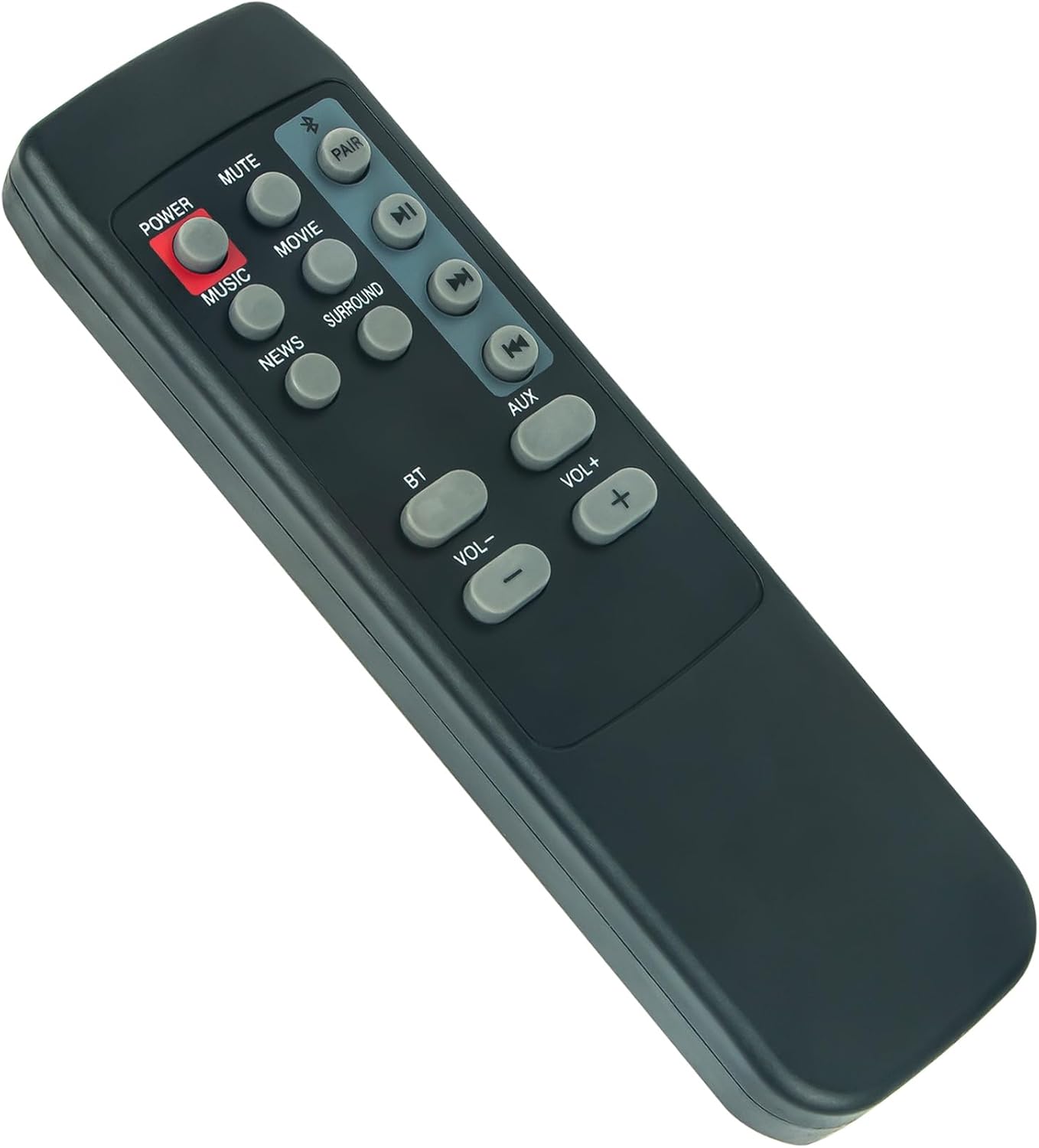
Figure 2: Angled view of the remote control, typically where the battery compartment is located on the back.
3. Operating Instructions
3.1 Basic Operation
This remote control is pre-programmed for the Nakamichi Sound Bar NK1B. No additional programming is required. Point the remote control directly at the infrared receiver on your sound bar for proper functionality.
3.2 Button Functions
The remote control features various buttons for controlling your Nakamichi Sound Bar NK1B. Refer to the image below for button layout and their corresponding functions:

Figure 3: Close-up view of the remote control buttons.
- POWER (Red Button): Turns the sound bar on or off.
- MUTE: Mutes or unmutes the sound.
- MUSIC: Selects the Music sound mode.
- MOVIE: Selects the Movie sound mode.
- NEWS: Selects the News sound mode.
- SURROUND: Activates or deactivates surround sound mode.
- BT: Selects Bluetooth input source.
- AUX: Selects Auxiliary input source.
- VOL-: Decreases the volume.
- VOL+: Increases the volume.
- PAIR: Initiates Bluetooth pairing mode.
- Play/Pause (►▮▮): Plays or pauses media playback.
- Skip Forward (►►): Skips to the next track or chapter.
- Skip Backward (◄◄): Skips to the previous track or chapter.
4. Maintenance
4.1 Cleaning
To clean the remote control, gently wipe it with a soft, dry cloth. Avoid using liquid cleaners, solvents, or abrasive materials, as these can damage the surface or internal components.
4.2 Storage
When not in use for extended periods, remove the batteries to prevent leakage and store the remote control in a cool, dry place away from direct sunlight and extreme temperatures.
5. Troubleshooting
5.1 Remote Not Responding
- Check Batteries: Ensure the batteries are inserted correctly with the correct polarity (+/-) and are not depleted. Replace with fresh AAA ALKALINE batteries if necessary.
- Line of Sight: Make sure there is a clear line of sight between the remote control and the infrared receiver on your Nakamichi Sound Bar NK1B. Obstructions can block the signal.
- Distance: Ensure you are within the effective operating range of the remote control.
- Interference: Strong light sources, such as direct sunlight or fluorescent lighting, can interfere with infrared signals. Try operating the remote in a different environment.
5.2 Buttons Not Functioning Correctly
- Clean Buttons: Ensure there is no dirt or debris lodged around the buttons.
- Battery Check: Low batteries can sometimes cause intermittent button functionality. Replace batteries.
6. Specifications
| Model | NK1B |
| Brand | ECONTROLLY |
| Compatibility | Nakamichi Sound Bar NK1B |
| Special Feature | Pre-Programmed (Infrared) |
| Color | Black |
| Batteries Required | 2 x AAA ALKALINE (not included) |
| Product Dimensions | 3.94 x 1.57 x 0.59 inches |
| Item Weight | 1.76 ounces |
| Max Number of Supported Devices | 1 |
| Compatible Devices | Home Theater (Nakamichi Sound Bar NK1B) |
7. Support
If you have any questions, encounter issues, or require further assistance with your ECONTROLLY NK1B replacement remote control, please feel free to contact the manufacturer or seller for support.
