
1. Product Overview
The OPTIMA QUAD12 ORANGETOP Lithium Battery is a high-performance powersports battery designed with advanced HYPERCORE LITHIUM Cell Technology. It features a built-in Engine Start Reserve (CPR) and a sophisticated Battery Management System (BMS) for optimal performance and longevity. The patented POWERLINK system provides convenient battery control, status monitoring, and charging capabilities.

Image 1.1: OPTIMA QUAD12 ORANGETOP Lithium Battery connected to its Powerlink cable.
This battery is engineered for broad fitment with quad terminals and includes necessary spacers for secure installation. It offers 380 Cranking Amps and a 4.5AH capacity, making it a reliable power source for various powersports applications.
2. Safety Information
Always prioritize safety when handling batteries. Failure to follow these instructions can result in serious injury or property damage.
- Eye Protection: Always wear appropriate eye protection when working with batteries.
- Gloves: Wear insulated gloves to prevent electrical shock and protect against chemical exposure.
- Ventilation: Ensure adequate ventilation in the work area.
- No Smoking/Open Flames: Keep sparks, flames, and smoking materials away from the battery.
- Short Circuits: Avoid short-circuiting battery terminals. Do not place metal objects on the battery.
- Charging: Use only chargers specifically designed for lithium iron phosphate (LiFePO4) batteries. Using an incompatible charger can cause damage or fire.
- Disposal: Dispose of batteries according to local regulations. Do not incinerate.
- Children: Keep batteries out of reach of children.
3. Package Contents
Verify that all components are present in the package before proceeding with installation.
- OPTIMA QUAD12 ORANGETOP Lithium Battery
- POWERLINK Cable with LED display
- Fitment Spacers (various sizes)
- Terminal Bolts and Nuts
- User Manual

Image 3.1: The complete package contents, including the battery, Powerlink cable, fitment spacers, and hardware.
4. Setup and Installation
Proper installation is crucial for the battery's performance and safety.
- Preparation: Ensure the vehicle's ignition is off and disconnect the negative (-) terminal of the old battery first, followed by the positive (+) terminal. Remove the old battery.
- Fitment: The QUAD12 features quad terminals for versatile installation. Use the provided fitment spacers to ensure a snug and secure fit in your battery tray. A loose battery can be damaged by vibration.
- Terminal Connection: Connect the positive (+) terminal of the OPTIMA QUAD12 battery first, then the negative (-) terminal. Ensure connections are tight and secure using the provided hardware.
- POWERLINK Cable Installation: Connect the POWERLINK cable to the designated port on the battery. This cable is essential for the battery's functionality, including the CPR feature and status display. Route the cable securely to an accessible location on your vehicle.
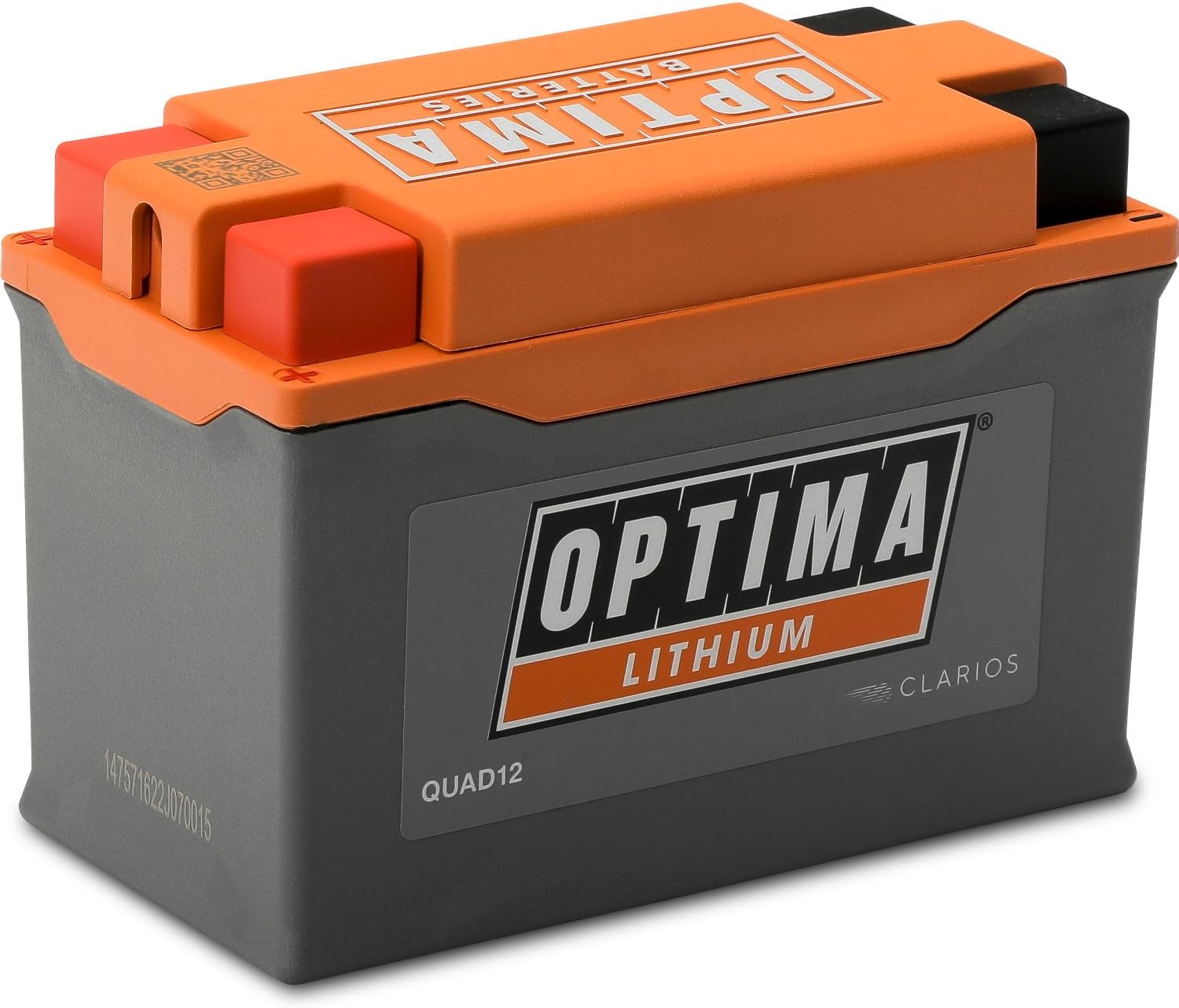
Image 4.1: The OPTIMA QUAD12 battery, designed with quad terminals for flexible installation.
5. Operation
The OPTIMA QUAD12 ORANGETOP Lithium Battery incorporates several advanced features for enhanced user experience.
5.1. POWERLINK System
The patented POWERLINK system provides a convenient connection for OPTIMA lithium-enabled maintainers and chargers. It also features a state-of-charge indicator, allowing you to monitor the battery's condition.

Image 5.1: The OPTIMA POWERLINK system provides convenient battery control, status, and charging.
5.2. OPTIMA CPR (Engine Start Reserve)
The OPTIMA CPR feature automatically disconnects the battery from parasitic key-off loads when the voltage drops below a critical level. This reserves enough power to start your vehicle, preventing you from being stranded. To activate the reserve, press the button on the POWERLINK cable.
5.3. Storage Mode
The POWERLINK system allows you to toggle the battery into storage mode. This feature helps prolong battery life by optimizing its state for long periods of inactivity. Consult the POWERLINK cable's instructions for specific steps to engage storage mode.
5.4. Battery Management System (BMS)
An advanced microprocessor-controlled BMS continuously monitors and controls all battery functions automatically. This includes balancing the state-of-charge of individual cells, protecting against overcharge, over-discharge, and over-current conditions, and managing temperature.

Image 5.2: Key advantages of the ORANGETOP battery, including its microprocessor-controlled management system and IP67 rating.
6. Maintenance
Proper maintenance ensures the longevity and optimal performance of your OPTIMA QUAD12 battery.
- Regular Inspection: Periodically check battery terminals for corrosion and ensure connections are tight.
- Cleaning: Keep the battery clean and dry. Use a damp cloth to wipe down the exterior. Do not use solvents or harsh chemicals.
- Charging: If the battery requires charging, use only a charger compatible with lithium iron phosphate (LiFePO4) batteries. The POWERLINK cable provides a convenient charging port.
- Storage: For extended periods of inactivity, engage the battery's storage mode via the POWERLINK cable. Store the battery in a cool, dry place.
7. Troubleshooting
This section addresses common issues you might encounter with your OPTIMA QUAD12 battery.
| Problem | Possible Cause | Solution |
|---|---|---|
| Vehicle does not start (no power) | Battery discharged below starting voltage. | Activate OPTIMA CPR via the POWERLINK cable button. If still no start, charge the battery. |
| POWERLINK LED display is off | POWERLINK cable not connected or faulty. Battery completely discharged. | Ensure POWERLINK cable is securely connected. If battery is completely discharged, it may require a specific recovery charge from a compatible charger. |
| Battery not holding charge | Parasitic draw from vehicle. Faulty charging system (regulator/rectifier). Battery fault. | Check vehicle for parasitic draws. Have vehicle's charging system inspected by a professional. Contact OPTIMA support if issues persist. |
| Battery appears physically damaged | Impact or improper handling. | Do not use a damaged battery. Contact OPTIMA support for assistance. |
If you encounter issues not listed here or if solutions do not resolve the problem, please contact OPTIMA customer support.
8. Specifications
| Feature | Specification |
|---|---|
| Brand | OPTIMA |
| Model Number | QUAD12 |
| Technology | Lithium Iron Phosphate (LiFePO4) |
| Cranking Amps | 380 CA |
| Capacity | 4.5 AH |
| Nominal Voltage | 12V |
| Item Weight | 2.4 pounds |
| Product Dimensions (L x W x H) | 5.24 x 2.72 x 3.66 inches |
| Terminals | Quad Terminal |
| Features | Built-in Engine Start Reserve (CPR), BMS, POWERLINK Cable, IP67 Rating |
| Replaces OEM Part Numbers | BTX9-BS, BTZ10S, BT12B-4, BT12A-BS, B14A-A2, B14L-A2, BT9B-4, BTX14AH, B14-A2, BTX14AH-BS, B14-B2, B12A-A, B9-B, B12AL-A, B14L-B2, B7C-A, B10L-B2, B10L-A2, B12AL-A2, BT12B-BS, B12C-A, B9L-B, 12N7D-3B, B10L-B, B14L-A1, B12A-B, B14A-A1, B10A-A2, B9A-A, BTX14AHL-BS, B7-A, 12N9-4B-1, SB14L-B2, B7L-B, BTX14AHL, 12N73BY, BTX9, YTX9-BS, YTZ10S, YT12B-4, YT12A-BS, YB14A-A2, YB14L-A2, YT9B-4, YTX14AH, YB14-A2, YTX14AH-BS, YB14-B2, YB12A-A, YB9-B, YB12AL-A, YB14L-B2, YB7C-A, YB10L-B2, YB10L-A2, YB12AL-A2, YT12B-BS, YB12C-A, YB9L-B, 12N7D-3B, YB10L-B, YB14L-A1, YB12A-B, YB14A-A1, YB10A-A2, YB9A-A, YTX14AHL-BS, YB7-A, 12N9-4B-1, YB14L-B2, YB7L-B, YTX14AHL, 12N7-3B, YTX9 |
| UPC | 721112916835 |

Image 8.1: Physical dimensions of the OPTIMA QUAD12 ORANGETOP Lithium Battery.
9. Warranty and Support
For warranty information and customer support, please refer to the official OPTIMA Batteries website or contact their customer service directly. Keep your proof of purchase for warranty claims.
OPTIMA Batteries Contact Information:
Please visit www.optimabatteries.com for the latest support resources and contact details.


