
1. Introduction
This manual provides instructions for the proper use and maintenance of your COOLHOOD Upgraded Wall Thermometer and Hygrometer. This device is designed for accurate measurement of both temperature and humidity in indoor and outdoor environments.
Please read this manual thoroughly before using the product to ensure optimal performance and longevity.
2. Key Features
- Dual scale display for temperature in both Fahrenheit (℉) and Celsius (℃).
- Integrated hygrometer for measuring relative humidity (%RH).
- Wide temperature measurement range: -20℉ to 120℉ (-30℃ to 50℃).
- Humidity measurement range: 1% to 99% RH.
- Transparent shell and clear scales for easy reading.
- Designed with a convenient bracket and hanging hole for versatile placement (tabletop or wall-mounted).
- Compact design suitable for various spaces including bedrooms, offices, and terraces.
3. Setup and Installation
The COOLHOOD Upgraded Wall Thermometer and Hygrometer is designed for simple setup. No batteries are required for operation.
3.1 Unpacking
Carefully remove the thermometer from its packaging. Inspect the device for any signs of damage. If any damage is observed, do not use the product and contact customer support.
3.2 Placement Options
The thermometer offers two primary placement methods:
- Wall Mounting: Use the integrated hanging hole located at the top of the device. Securely hang the thermometer on a nail or screw in your desired location.
- Tabletop Placement: Utilize the convenient bracket on the back of the device to stand it upright on a flat surface.
For accurate readings, place the thermometer in a location that is representative of the ambient temperature and humidity you wish to measure. Avoid direct sunlight, heat sources, or areas with strong drafts, as these can affect accuracy.

Figure 1: The COOLHOOD Wall Thermometer and Hygrometer displayed on a wall, illustrating its compact design and clear display. This image shows the device in an indoor setting, mounted on a light brick wall above a wooden desk with office supplies.

Figure 2: Dimensions of the COOLHOOD Wall Thermometer and Hygrometer. The image indicates a length of 23 cm (9.06 inches) and a width of 6.8 cm (2.68 inches), highlighting its compact size.
4. Operating Instructions
This thermometer and hygrometer operates mechanically and does not require any power source. Readings are displayed continuously.
4.1 Reading Temperature
The temperature is indicated by the red liquid column in the central tube. The scale on the left displays Celsius (℃) and the scale on the right displays Fahrenheit (℉). Read the temperature at the top of the red liquid column.
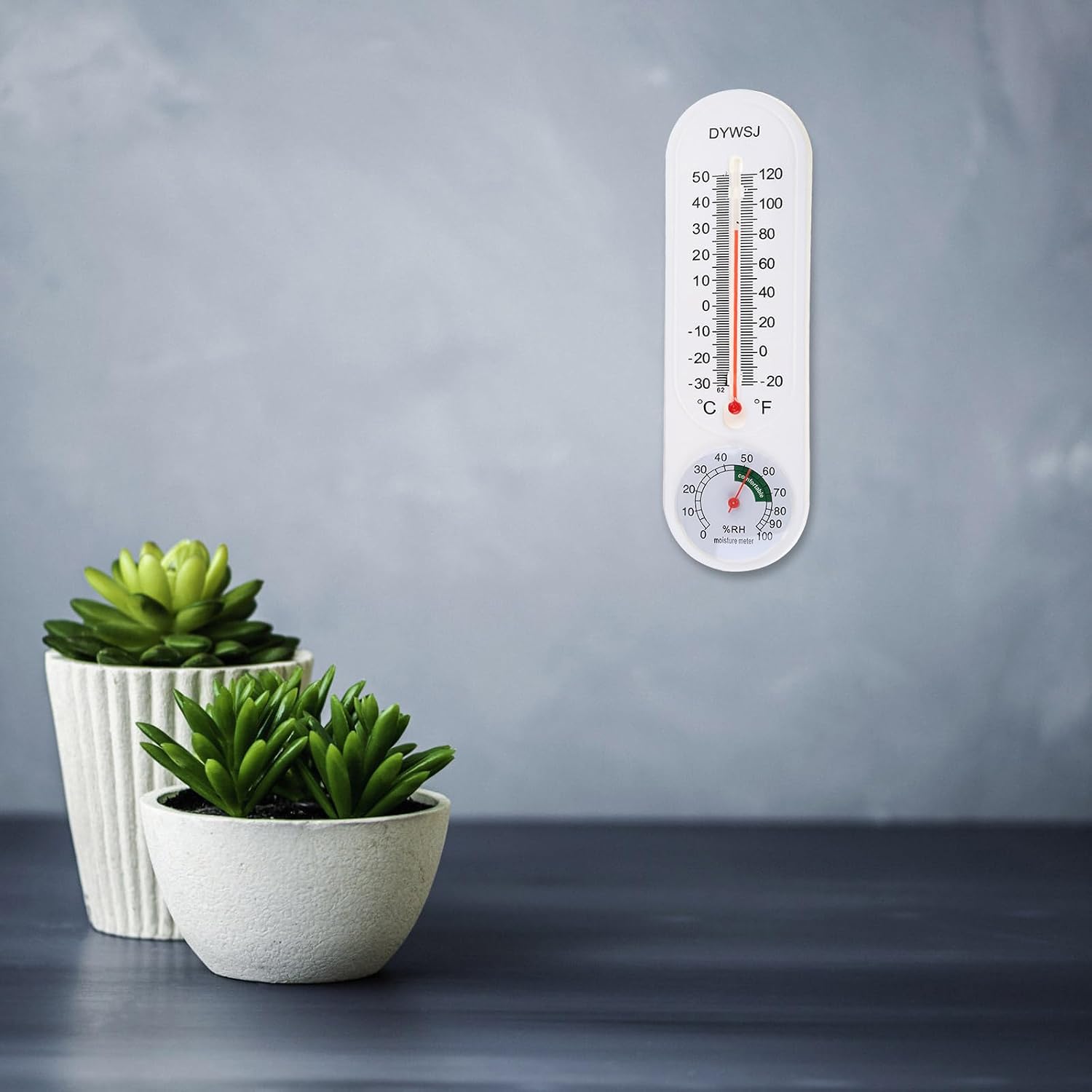
Figure 3: A close-up view of the thermometer's temperature scale, clearly showing the red liquid column indicating the current temperature. Both Celsius and Fahrenheit scales are visible.
4.2 Reading Humidity
The humidity is indicated by the needle on the circular dial at the bottom of the device. The scale displays relative humidity (%RH) from 1% to 99%. The green shaded area typically indicates a comfortable humidity range.

Figure 4: A detailed view of the hygrometer dial, showing the needle pointing to a humidity level within the "comfortable" green zone. The percentage relative humidity (%RH) scale is clearly visible.
5. Care and Maintenance
Proper care ensures the longevity and accuracy of your thermometer and hygrometer.
- Cleaning: Wipe the device clean with a soft, damp cloth. Do not use abrasive cleaners or solvents, as these can damage the plastic casing and scales.
- Protection: Avoid dropping the device or subjecting it to strong impacts, which can affect its internal mechanisms and accuracy.
- Storage: When not in use for extended periods, store the thermometer in a cool, dry place away from direct sunlight.
6. Troubleshooting
If you encounter issues with your COOLHOOD thermometer and hygrometer, refer to the following common problems and solutions:
| Problem | Possible Cause | Solution |
|---|---|---|
| Inaccurate Temperature Reading |
|
|
| Inaccurate Humidity Reading |
|
|
| Physical Damage | Dropped or impacted. | Discontinue use and consider replacement. Mechanical damage can permanently affect accuracy. |
7. Specifications
| Feature | Detail |
|---|---|
| Brand | COOLHOOD |
| Model Name | Upgraded |
| Model Number | cec1eeb3-14e7-489b-9e47-4c25431f1b13 |
| Temperature Measurement Range | -20℉ to 120℉ (-30℃ to 50℃) |
| Humidity Measurement Range | 1% to 99% RH |
| Display Type | Analog (Dual Scale for Temp, Dial for Humidity) |
| Outer Material | Plastic |
| Dimensions (Approx.) | 23 cm (9 inches) Length x 6.8 cm (2.7 inches) Width x 2.2 cm (0.9 inches) Depth |
| Power Source | None (Mechanical) |
| Special Features | High Accuracy, Wall Mountable, Tabletop Stand |
| Country of Origin | USA |
8. Warranty and Support
For warranty information or technical support, please contact COOLHOOD customer service through the retailer where the product was purchased. Please retain your proof of purchase for warranty claims.
Note: The product description mentions "10 days Replacement" as a buying option. This suggests a limited replacement policy. For detailed terms, refer to your purchase documentation or contact the seller.