
YABER V2
YABER V2 Mini Projector User Manual
Model: V2
1. Introduction
Thank you for purchasing the YABER V2 Mini Projector. This manual provides essential information for setting up, operating, and maintaining your projector to ensure optimal performance and longevity. Please read this manual thoroughly before using the product and keep it for future reference.
1.1 Product Overview
The YABER V2 is a portable 1080P Full HD mini projector designed for home cinema, professional presentations, and educational purposes. It features 5800 lumens brightness, wireless connectivity, and a compact design for easy portability.
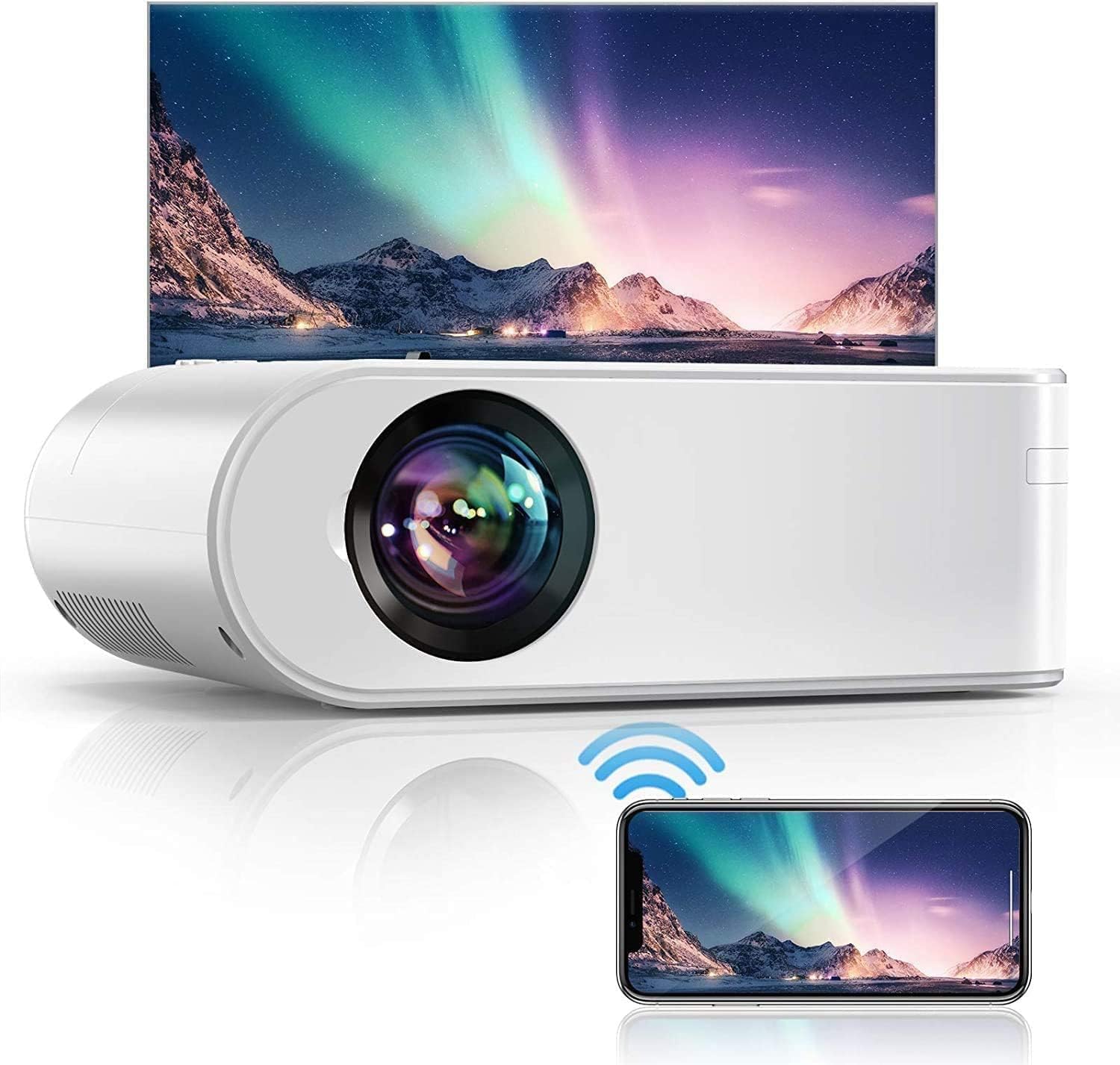
Image: The YABER V2 Mini Projector, a white compact device, projecting a vibrant image onto a screen, with a smartphone mirroring the projection below, illustrating its wireless capabilities.
1.2 What's in the Box
- YABER V2 Mini Projector
- Remote Control (batteries not included)
- Power Cable
- HDMI Cable
- AV Cable
- Lens Cap
- User Manual
- Projection Screen (included with some packages)
2. Safety Information
To prevent fire or electric shock, do not expose the projector to rain or moisture. To avoid electric shock, do not open the casing. Refer all servicing to qualified personnel.
- Ventilation: Ensure adequate ventilation around the projector. Do not block ventilation openings.
- Power Source: Use only the specified power adapter.
- Lens Care: Do not touch the lens directly. Use a soft cloth for cleaning.
- Placement: Place the projector on a stable, flat surface. Avoid placing it in direct sunlight or near heat sources.
- Cleaning: Unplug the projector before cleaning. Use a dry, soft cloth.
3. Setup
3.1 Projector Placement
The optimal projection distance for the YABER V2 is approximately 2.95 meters, which yields a 100-inch screen size. The projector can be placed on a table, mounted on a tripod, or ceiling-mounted.

Image: A diagram illustrating various projection distances and corresponding screen sizes for the YABER V2 projector, with an optimal distance of 2.95m for a 100-inch screen.
3.2 Power Connection
- Connect the power cable to the projector's power port.
- Plug the other end of the power cable into a power outlet.
3.3 Connecting Input Sources
The YABER V2 supports multiple input sources including HDMI and VGA.
- HDMI: Connect an HDMI cable from your device (laptop, game console, Blu-ray player) to the HDMI port on the projector.
- VGA: Connect a VGA cable from your computer to the VGA port on the projector.
- USB: Insert a USB drive into the USB port to play media files directly.
- AV: Use the provided AV cable to connect to older devices.
3.4 Wireless Connection
The YABER V2 supports wireless screen mirroring from smartphones and tablets, eliminating the need for additional cables or display dongles.

Image: Two individuals are comfortably seated on a couch, watching a movie projected onto a large screen by the YABER V2 projector, which is wirelessly connected to a tablet held by one of them.
- Navigate to the 'Wireless' input source on the projector.
- Follow the on-screen instructions to connect your smartphone or tablet via Wi-Fi.
3.5 Focus and Keystone Correction
- Focus Ring: Rotate the focus ring on the projector lens until the image is clear and sharp.
- Keystone Correction: Use the keystone correction dial or menu option to adjust the image shape if it appears trapezoidal.
4. Operating Instructions
4.1 Powering On/Off
- Power On: Press the power button on the projector or remote control.
- Power Off: Press the power button again. The projector will enter standby mode.
4.2 Menu Navigation
Use the arrow buttons on the remote control or projector to navigate through the on-screen menu. Press 'OK' or 'Enter' to confirm selections, and 'Back' or 'Exit' to return to the previous menu.
4.3 Input Source Selection
Press the 'Source' button on the remote control or projector to cycle through available input sources (HDMI, VGA, USB, AV, Wireless).
4.4 Audio Settings
The YABER V2 features built-in speakers with surround stereo sound for an immersive audio experience. You can adjust the volume using the remote control.

Image: A couple is relaxing on a couch, with sound waves emanating from the YABER V2 projector, illustrating its surround stereo sound capabilities for an immersive experience.
- Volume Control: Use the volume up/down buttons on the remote.
- External Audio: Connect external speakers or headphones to the 3.5mm audio output jack for enhanced sound.
5. Maintenance
5.1 Cleaning the Lens
Use a professional lens cleaning cloth or air blower to clean the projector lens. Do not use abrasive cleaners or solvents.
5.2 Cleaning the Projector Body
Wipe the projector's exterior with a soft, dry cloth. For stubborn dirt, use a slightly damp cloth and then dry thoroughly.
5.3 Storage
When not in use for extended periods, store the projector in a cool, dry place, away from dust and direct sunlight. Use the original packaging or a protective case if available.
6. Troubleshooting
- No Power:
- Check if the power cable is securely connected to the projector and the power outlet.
- Ensure the power outlet is working.
- Try a different power cable if available.
- No Image:
- Verify the input source is correctly selected (HDMI, VGA, USB, etc.).
- Check the connection cable between the projector and the source device.
- Ensure the source device is powered on and outputting a signal.
- Blurry Image:
- Adjust the focus ring on the projector lens.
- Ensure the projection distance is within the recommended range.
- Use keystone correction if the image is trapezoidal.
- No Sound:
- Check the volume level on the projector and the source device.
- Ensure the audio cable (if using AV) is properly connected.
- If using HDMI, ensure the source device is sending audio through HDMI.
- Remote Control Not Working:
- Check and replace the batteries in the remote control.
- Ensure there are no obstructions between the remote and the projector's IR receiver.
7. Specifications
Below are the technical specifications for the YABER V2 Mini Projector:

Image: A visual comparison demonstrating the superior 5000:1 contrast ratio of the YABER V2 projector compared to other projectors, showing a clearer and more vibrant image.
| Feature | Specification |
|---|---|
| Brand | YABER |
| Product Type | Portable Projector |
| Connections | HDMI, VGA, USB, AV |
| Display Resolution | 1920 x 1080 (Native) |
| Max Display Resolution | 1080p Full HD |
| Display Type | LCD or LED |
| Product Dimensions | 22L x 16W x 7H centimeters |
| Form Factor | Portable |
| Mounting Type | Tripod Mount |
| Power | 3 Watts (Speaker) |
| Brightness | 5800 Lumens |
| Contrast Ratio | 5000:1 |
8. Warranty and Support
YABER products typically come with a manufacturer's warranty. Please refer to the warranty card included with your product for specific terms and conditions. For technical support, troubleshooting assistance, or warranty claims, please contact YABER customer service through their official website or the retailer where you purchased the product.
Contact Information: Please visit the official YABER website for the most up-to-date support contact details.
Related documentsV2


Ask a question about this manual
Ask about setup, troubleshooting, compatibility, parts, safety, or missing instructions. Manuals+ will review the question and use this page’s manual context to help answer it.