
1. Introduction
The Renogy Battery Shunt 300 is a high-precision current sensor designed for remote battery monitoring. It provides real-time and historical data for various battery types, including lead acid (AGM, GEL), lithium iron phosphate (LFP), lithium-ion, and nickel-metal hybrid batteries. This device enables comprehensive battery management through the Renogy ONE system or the DC Home App via Bluetooth connectivity. It also includes a battery temperature sensor for enhanced safety and efficiency.
This manual provides essential information for the safe and efficient installation, operation, and maintenance of your Renogy Battery Shunt 300.
2. Safety Information
Please read all safety instructions carefully before installing or operating the Renogy Battery Shunt 300. Failure to follow these instructions may result in electric shock, fire, or serious injury.
- Always wear appropriate personal protective equipment (PPE), including safety glasses and insulated gloves, when working with batteries and electrical systems.
- Ensure all power sources are disconnected before installation or maintenance.
- Avoid short-circuiting battery terminals or wiring.
- Install the shunt in a well-ventilated area, away from flammable materials.
- Do not expose the device to moisture or extreme temperatures outside its operating range.
- Consult a qualified electrician if you are unsure about any installation steps.
3. Product Overview
3.1 Package Contents
Verify that all items are included in your package:
- 1x Renogy Battery Shunt 300
- 1x Temperature Sensor (1.5m / 4.92ft)
- 2x B+ Wires (22AWG, 1m / 3.28ft)
- 3x Mounting Screws
- 1x Quick Guide
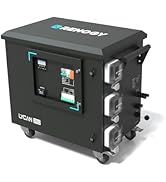
Figure 3.1: Contents of the Renogy Battery Shunt 300 package.
3.2 Component Identification

Figure 3.2: Renogy Battery Shunt 300 main unit.
- B- Terminal: Connects to the battery's negative terminal.
- P- Terminal: Connects to the negative terminal of the load/charger.
- B1/B2 Ports: For connecting the included B+ wires to monitor battery voltage.
- T1 Port: For connecting the temperature sensor.
- Power LED: Indicates power status.
- Bluetooth LED: Indicates Bluetooth connection status.
- RESET Button: Used for resetting the device.
4. Specifications
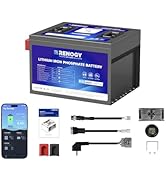
Figure 4.1: Product Dimensions.
| Feature | Specification |
|---|---|
| Brand | Renogy |
| Model Number | RSHST-B02P300-US |
| Operating Voltage Range | 8V - 120V DC |
| Max Continuous Current | 300A |
| Power Consumption | <8mA @12Vdc |
| Measurement Accuracy | ±1% |
| Operating Temperature | 14-122°F (-10-50°C) |
| Dimensions (L x W x H) | 5.31 x 3.82 x 1.22 inches (134 x 97 x 31 mm) |
| Item Weight | 0.57 lbs (260 g) |
| Certifications | CE, FCC, RoHS, UN38.3 |
| Measurement Type | Ammeter |
| Compatibility | Lead Acid (AGM, GEL), LFP, Li-ion, Ni-MH batteries |
5. Setup and Installation
5.1 Mounting the Shunt
The Renogy Battery Shunt 300 features pre-drilled mounting holes for easy installation. Choose a secure, dry, and well-ventilated location near your battery bank.
- Position the shunt in the desired location.
- Mark the positions for the mounting screws.
- Drill pilot holes if necessary.
- Secure the shunt using the provided mounting screws.

Figure 5.1: Shunt mounting process.
5.2 Wiring Diagram
The shunt must be installed on the negative side of your battery bank. All loads and charging sources must be connected to the 'P-' terminal of the shunt, and the battery's negative terminal must be connected to the 'B-' terminal.

Figure 5.2: Basic wiring diagram for the Battery Shunt 300.
- Connect the battery's negative terminal to the B- terminal of the shunt.
- Connect all negative loads and charging sources to the P- terminal of the shunt.
- Connect the included B+ wires from the B1 and B2 ports on the shunt to the positive terminals of your main battery and starter battery (if applicable) for voltage monitoring.
- Connect the temperature sensor to the T1 port on the shunt and place the sensor near the battery for accurate temperature readings.
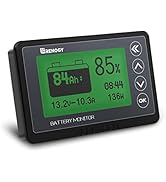
Figure 5.3: Temperature sensor connection.
6. Operation
6.1 Initial Power-Up
Once wired correctly, the shunt will power on. The Power LED will illuminate, and the Bluetooth LED will blink, indicating it's ready for connection.
6.2 Connecting to the DC Home App
The Renogy Battery Shunt 300 can be monitored and controlled remotely via the Renogy DC Home App (available for iOS and Android) or Renogy ONE.
- Download and install the Renogy DC Home App on your smartphone or tablet.
- Ensure Bluetooth is enabled on your device.
- Open the DC Home App and follow the on-screen instructions to add a new device.
- Select the Battery Shunt 300 from the list of available devices to establish a connection.

Figure 6.1: Fast connection to the DC Home App.
6.3 Monitoring Battery Data
Through the DC Home App or Renogy ONE, you can access various real-time and historical battery parameters:
- Voltage (V)
- Current (A)
- State of Charge (SOC)
- Nominal Capacity
- Runtime
- Charge Cycle Count
- Temperature
- Alarms and Alerts
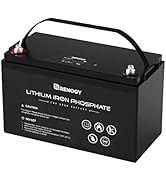
Figure 6.2: Tracking battery charging and operating status.
6.4 SOC Synchronization
To ensure accurate State of Charge (SOC) readings, it is recommended to synchronize the shunt's SOC with the actual battery capacity periodically, especially after a full charge.

Figure 6.3: SOC synchronization steps.
6.5 Historical Data and Alerts
The Shunt 300 records historical data, which can be stored for 30 days in the device and unlimited time in the cloud (via Renogy Cloud). The DC Home App also provides customizable settings for smart battery protection and issues alerts for abnormal conditions.
7. Maintenance
The Renogy Battery Shunt 300 requires minimal maintenance to ensure optimal performance.
- Regular Inspection: Periodically check all wiring connections to ensure they are secure and free from corrosion.
- Cleaning: Keep the shunt clean and free of dust and debris. Use a dry, soft cloth for cleaning. Do not use harsh chemicals or solvents.
- Firmware Updates: Check the Renogy DC Home App or Renogy website for any available firmware updates to ensure your device has the latest features and improvements.
8. Troubleshooting
If you encounter issues with your Renogy Battery Shunt 300, refer to the following common problems and solutions:
| Problem | Possible Cause | Solution |
|---|---|---|
| Shunt not powering on | Incorrect wiring; No power from battery. | Verify all connections, especially the B- and B+ wires. Ensure the battery has sufficient charge. |
| Cannot connect via Bluetooth | Bluetooth disabled; App issue; Shunt out of range. | Ensure Bluetooth is enabled on your device. Restart the DC Home App. Move closer to the shunt. Try resetting the shunt using the RESET button. |
| Inaccurate battery readings (SOC, current) | Incorrect initial setup; SOC not synchronized; Loose connections. | Perform SOC synchronization in the app. Check all wiring for secure connections. Ensure all loads/chargers pass through the shunt. |
| Temperature sensor not working | Sensor not connected; Faulty sensor. | Ensure the temperature sensor is securely plugged into the T1 port. If the issue persists, contact Renogy support. |
| Not compatible with Renogy ONE M1 | Known limitation. | The Renogy Battery Shunt 300 is currently not compatible with Renogy ONE M1. Use the DC Home App or other compatible Renogy ONE models. |
If the problem persists after attempting these solutions, please contact Renogy customer support.
9. Warranty & Support
9.1 Warranty Information
Renogy products are manufactured to the highest quality standards. For detailed warranty information, including terms, conditions, and duration, please refer to the warranty card included with your product or visit the official Renogy website.
9.2 Customer Support
For technical assistance, troubleshooting, or product inquiries, please contact Renogy customer support:
- Website: www.renogy.com
- Email: Refer to the Renogy website for contact email.
- Phone: Refer to the Renogy website for contact phone numbers.
Please have your product model number (RSHST-B02P300-US) and purchase information ready when contacting support.


