
Introduction
This manual provides detailed instructions for the Minolta XG-M 35mm SLR film camera. The Minolta XG-M offers both aperture priority autoexposure and full manual control, utilizing the Minolta MD mount lens system for manual focusing. This guide will help you understand its features and operate your camera effectively.
Setup
1. Battery Installation
The Minolta XG-M requires two LR44 batteries for operation. These batteries are not included with the camera. Ensure correct polarity when inserting the batteries.
- Locate the battery compartment, typically on the bottom or side of the camera body.
- Open the compartment cover.
- Insert two fresh LR44 batteries, observing the polarity markings (+/-).
- Close the battery compartment cover securely.
2. Lens Attachment
The camera uses the Minolta MD mount lens system. To attach a lens:
- Remove the body cap from the camera and the rear cap from the lens.
- Align the red dot (or similar marking) on the lens barrel with the corresponding mark on the camera body's lens mount.
- Gently insert the lens into the mount and rotate it clockwise until it clicks into place. Do not force the lens.
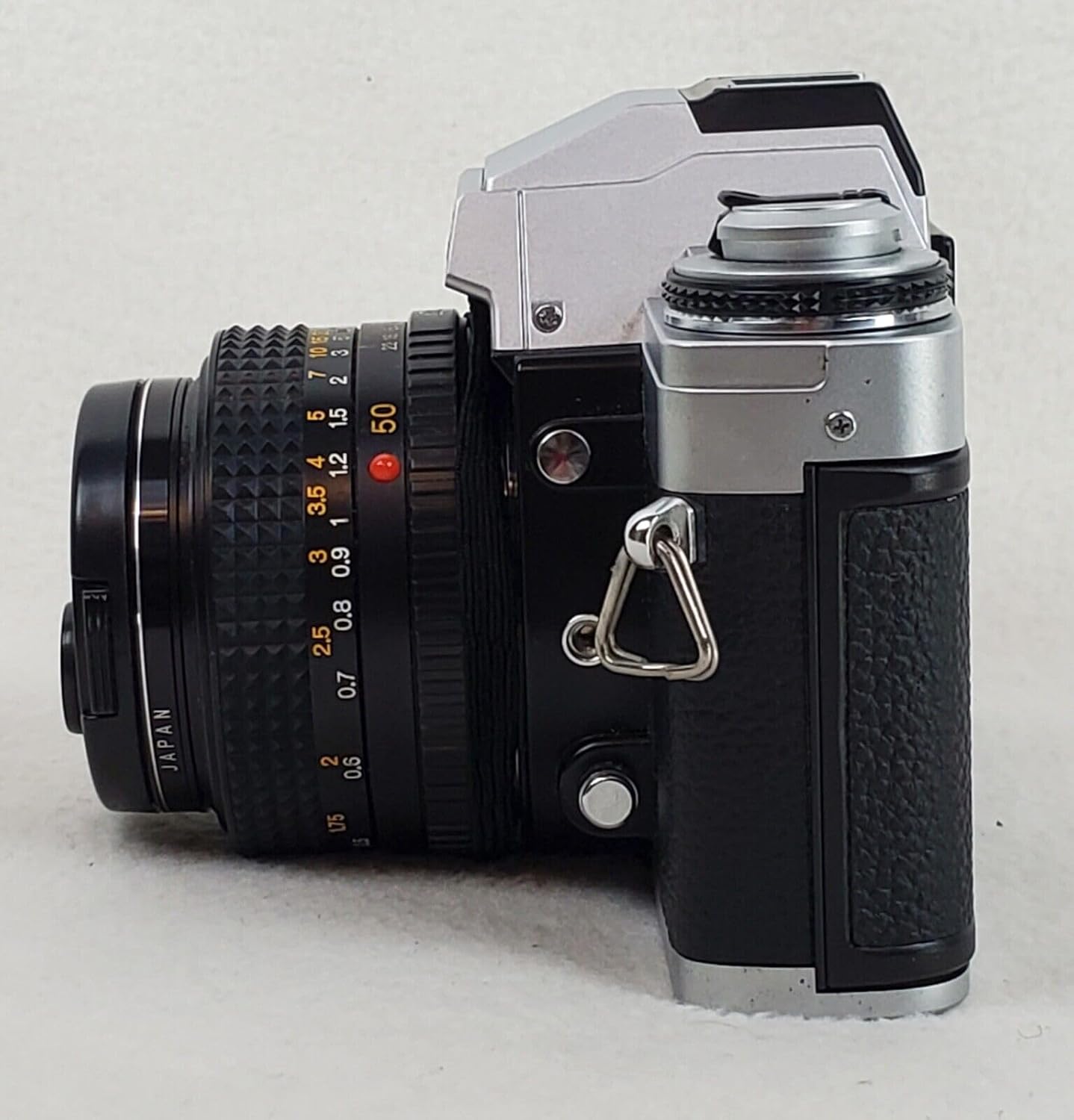
Figure 1: Front view of the Minolta XG-M camera with an MD mount lens attached and lens cap in place.
3. Film Loading
The Minolta XG-M uses 35mm film. Follow these general steps to load film:
- Open the camera back by pulling up the film rewind knob.
- Place a new 35mm film cartridge into the film chamber on the left side.
- Pull the film leader across to the take-up spool on the right and insert it into one of the slots.
- Advance the film slightly using the film advance lever to ensure it catches on the take-up spool's teeth.
- Close the camera back firmly.
- Advance the film two frames, pressing the shutter release button after each advance, until the frame counter shows '1'. This ensures the exposed leader is wound onto the take-up spool.

Figure 2: Rear view of the Minolta XG-M, showing the film door and an ISO/DIN conversion chart.
Set the film speed (ISO/ASA) on the camera's dial to match the film you are using. Refer to the ISO/DIN conversion chart on the camera back if needed.
Operating the Camera
1. Power On/Off
The camera's power is typically controlled by the main switch, often integrated with the shutter release button or film advance lever. Move the switch to the 'ON' position to activate the metering system.
2. Focusing
The Minolta XG-M features manual focusing. Look through the viewfinder and rotate the focusing ring on the lens until your subject appears sharp. The viewfinder typically includes a split-image or microprism collar to aid in precise focusing.

Figure 3: Side view of the Minolta XG-M, highlighting the lens focusing ring.
3. Exposure Modes
The XG-M offers two primary exposure modes:
A. Aperture Priority Autoexposure (A Mode)
- Set the shutter speed dial to the A (auto) position.
- Select your desired aperture on the lens. The chosen aperture will be visible in the viewfinder via a small periscope.
- The camera's center-weighted average metering system will automatically determine and set the correct shutter speed.
- The automatically selected shutter speed will be displayed in the viewfinder as an LED next to a column of shutter speeds.
- Exposure Compensation: Adjust the automatically selected exposure using the exposure compensation dial (typically on the left side of the camera). Compensation of ±2 stops can be selected in half-stop increments.
B. Manual Mode
- Set the shutter speed dial to a specific speed (e.g., 1/125, 1/500).
- The camera's LED in the viewfinder will indicate its recommended shutter speed, but you must manually set your desired speed. Note that the selected speed is not shown in the viewfinder; you must remove the camera from your eye to adjust the dial.
- Available shutter speeds range from 1 second to 1/1000 second.
- A BULB mode is available for long-duration exposures, where the shutter remains open as long as the release button is pressed.

Figure 4: Top view of the Minolta XG-M, illustrating the shutter speed dial (right) and exposure compensation dial (left).
4. Using a Flash
The Minolta XG-M is equipped with a hot shoe mount for external flash units. Attach a compatible flash unit to the hot shoe and refer to the flash unit's instructions for specific operation. The camera will synchronize with the flash at appropriate shutter speeds.
5. Film Rewinding and Removal
- Once all frames on the film roll have been exposed, press the film rewind release button (usually on the camera bottom).
- Rotate the film rewind knob clockwise until you feel the tension release, indicating the film is fully rewound into its cartridge.
- Open the camera back and remove the film cartridge.
Maintenance
Proper care will ensure the longevity and performance of your Minolta XG-M camera.
- Cleaning: Use a soft, lint-free cloth to clean the camera body. For lenses, use a specialized lens cleaning solution and cloth. Avoid touching lens elements directly. Use a blower brush to remove dust from the mirror and viewfinder.
- Storage: Store the camera in a cool, dry place, away from direct sunlight and extreme temperatures. If storing for extended periods, remove the batteries to prevent leakage.
- Handling: Always handle the camera with care. Avoid dropping or subjecting it to strong impacts.
Troubleshooting
If you encounter issues with your Minolta XG-M, consider the following common solutions:
- Camera not powering on: Check if the batteries are correctly installed and have sufficient charge. Replace them if necessary.
- Shutter not firing: Ensure the film advance lever is fully wound. If in manual mode, check that a valid shutter speed is selected. If in auto mode, ensure sufficient light for exposure.
- Light meter not working: Verify battery status. Ensure the camera is powered on.
- Film not advancing: Check that the film leader is properly engaged with the take-up spool. Ensure the film rewind release button is not pressed.
Specifications
| Brand | Minolta |
| Model Name | XG-M |
| Product Dimensions (L x W x H) | 5.5 x 2 x 3.5 inches |
| Item Weight | 1.9 pounds |
| Film Format Type | 35mm |
| Special Feature | Auto Exposure |
| Min Shutter Speed | 1 second |
| Max Shutter Speed | 1/1000 second (as per product description) |
| Compatible Devices | Camera (referring to accessories) |
| Included Components | Camera Body & Lens |
Warranty Information
Specific warranty details for this Minolta XG-M camera are not provided in the available product information. Please refer to your purchase documentation or contact the seller for warranty terms and conditions, especially as this is a renewed product.
Support
For further assistance or technical support regarding your Minolta XG-M camera, please contact the vendor from whom you purchased the product. As this is a renewed item, direct manufacturer support may vary.


