
1. Introduction
This manual provides essential information for the safe and efficient operation of your BLACK+DECKER 9-inch Dual Window Fan, Model BFW9M. Please read all instructions carefully before use and retain this manual for future reference.
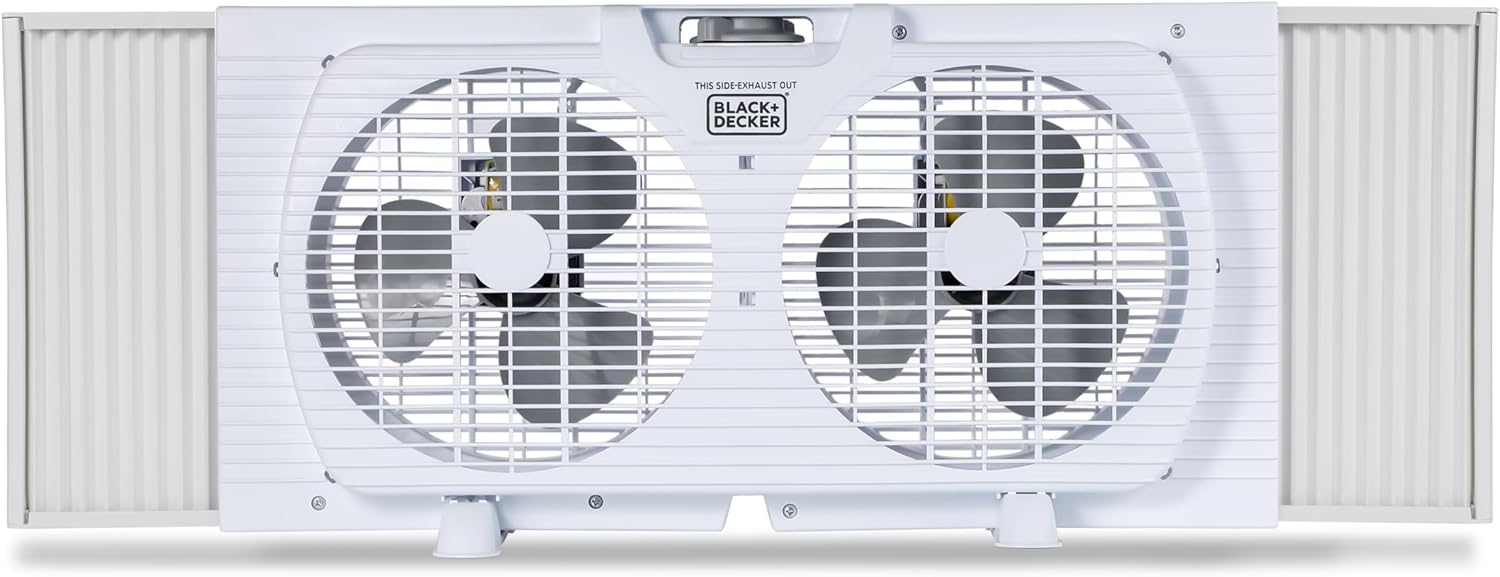
Figure 1: Front view of the BLACK+DECKER 9-inch Dual Window Fan.
2. Safety Information
Always follow basic safety precautions when using electrical appliances to reduce the risk of fire, electric shock, and injury to persons. This product contains chemicals known to the State of California to cause cancer and birth defects or other reproductive harm. Wash hands after handling.
- Do not operate any fan with a damaged cord or plug.
- Do not run cord under carpeting. Do not cover cord with throw rugs, runners, or similar coverings. Arrange cord away from traffic area and where it will not be tripped over.
- Use this fan only as described in this manual. Any other use not recommended by the manufacturer may cause fire, electric shock, or injury to persons.
3. Package Contents
Verify that all items are present in the package:
- 1 x BLACK+DECKER 9-inch Dual Window Fan (Model BFW9M)
- 1 x Power Cord
- 1 x Instruction Manual
- 2 x Removable Legs
4. Product Features
The BLACK+DECKER 9-inch Dual Window Fan is designed for efficient air circulation with user-friendly features.
- Dual Airflow: Two 9-inch fan heads provide powerful and adjustable airflow.
- 2 Speed Settings: Mechanical dial control for Low and High speed settings.
- Reversible Function: Can draw fresh air in or exhaust stale air out.
- Adjustable Expanders: Accordion expanders fit windows from 22.5 to 33 inches wide.
- Removable Legs: Allows for tabletop use or secure window mounting.
- Durable Construction: Made with rust-resistant materials for longevity.

Figure 2: Key features including rust-resistant construction and mechanical controls.

Figure 3: The fan is suitable for various indoor spaces such as homes, garages, and offices.
5. Setup
Follow these steps to install your window fan:
- Prepare the Window: Open the window to the desired height. Ensure the window sill is clean and clear of obstructions.
- Attach Removable Legs (Optional): If using the fan on a tabletop or for added stability in the window, attach the two removable legs to the designated slots on the bottom of the fan unit.
- Position the Fan: Place the fan unit into the window opening. Ensure the bottom edge of the fan rests securely on the window sill.
- Adjust Accordion Expanders: Extend the accordion expanders on both sides of the fan until they firmly press against the window frame. This secures the fan in place and minimizes gaps. The expanders accommodate windows from 22.5 to 33 inches wide.
- Lower the Window: Carefully lower the window sash until it rests on top of the fan unit, further securing it.

Figure 4: Adjustable accordion expanders ensure a snug fit in various window sizes.
Video 1: Official product video demonstrating the installation and features of the BLACK+DECKER 9-inch Dual Window Fan.
6. Operating Instructions
Your BLACK+DECKER Dual Window Fan features simple mechanical controls for ease of use.
- Power On/Off and Speed Selection: Locate the mechanical dial control on the top of the fan unit. Turn the dial to select between 'Low' and 'High' speed settings. Turn the dial to 'Off' to power down the unit.
- Reversible Airflow: The fan is manually reversible. To change the direction of airflow (intake or exhaust), remove the fan from the window, flip it 180 degrees, and re-install it. The fan is designed to either draw fresh air into the room or push stale air out.

Figure 5: Mechanical dial for selecting fan speeds.

Figure 6: Illustration of the fan's reversible function for intake or exhaust airflow.
7. Maintenance
Regular maintenance ensures optimal performance and longevity of your fan.
- Cleaning: Disconnect the fan from the power outlet before cleaning. Use a soft, damp cloth to wipe down the exterior surfaces. Do not use abrasive cleaners or solvents.
- Fan Blades: Periodically clean the fan blades to remove dust and debris. This can be done by carefully wiping them with a soft cloth.
- Storage: When not in use, store the fan in a cool, dry place, preferably in its original packaging.
8. Troubleshooting
If you encounter issues with your fan, refer to the following common problems and solutions:
- Fan does not turn on:
- Ensure the power cord is securely plugged into a working electrical outlet.
- Check if the mechanical dial control is set to 'Low' or 'High'.
- Verify that the circuit breaker has not tripped.
- Weak airflow:
- Ensure the fan blades are clean and free of obstructions.
- Check that the fan is set to the 'High' speed setting.
- Confirm that the accordion expanders are fully extended to prevent air leakage around the fan.
- Excessive noise:
- Ensure the fan is securely installed in the window and not vibrating against the frame.
- Check for any loose parts or debris inside the fan grilles.
9. Specifications
| Specification | Detail |
|---|---|
| Brand | BLACK+DECKER |
| Model Name | 9" Dual Window Fan with 2 Speed Settings, Twin Fan Heads with Mechanical Dial Control |
| Model Number | BFW9M |
| Color | White |
| Product Dimensions | 4"D x 22.5"W x 12.6"H |
| Item Weight | 4.5 Pounds |
| Power Source | Corded Electric |
| Wattage | 56 watts |
| Voltage | 120 Volts |
| Number of Power Levels | 2 |
| Control Method | Touch (Mechanical Dial) |
| Installation Type | Window Mount |
| UPC | 810064695308 |

Figure 7: Detailed dimensions of the fan unit.
10. Warranty and Support
For warranty information or technical support, please refer to the contact details provided on the product packaging or visit the official BLACK+DECKER website. Keep your purchase receipt as proof of purchase for warranty claims.