
Introduction
This manual provides essential information for the safe and efficient use of your Joyroom SA31-CL3 Pioneer Series Type-C to Lightning Cable. This cable is designed for high-quality charging and data transfer with compatible Apple devices.
Constructed with high-quality materials, this cable ensures durability and a long lifespan, providing a reliable solution for both charging and data transfer needs. With a robust 30W fast charging capacity, it supports efficient and rapid charging for various Apple devices, including iPhones, iPads, and iPods. Its Type-C to Lightning design is specifically tailored for Apple devices, ensuring seamless connectivity. The 1.2-meter length offers an optimal balance of convenience and flexibility, and its black color provides a sleek and modern aesthetic.
Product Overview
The Joyroom SA31-CL3 cable features a Type-C connector on one end and a Lightning connector on the other, enabling fast charging and data synchronization between compatible devices.
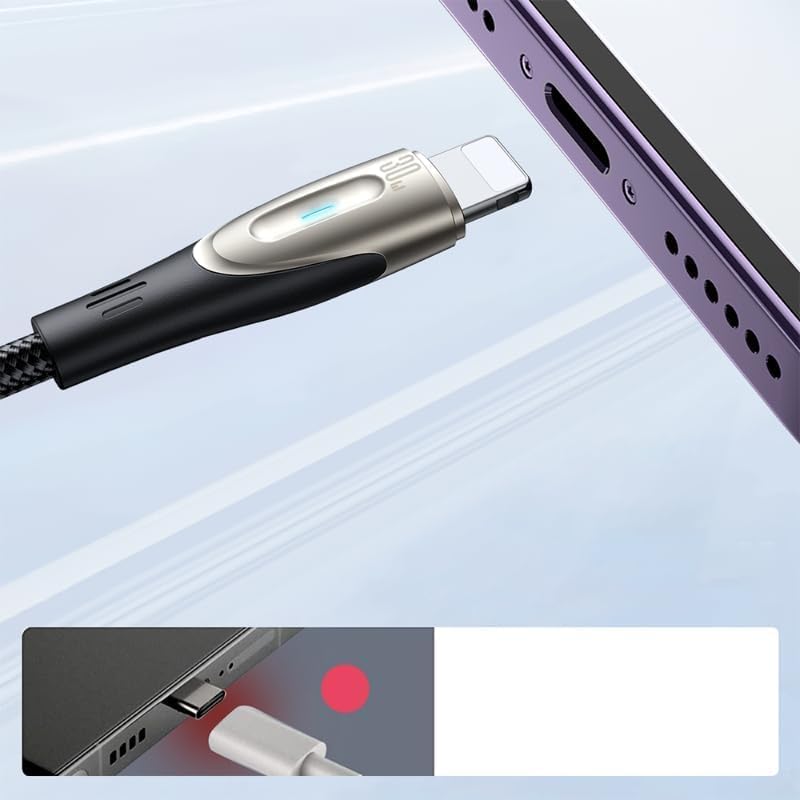
Image: Joyroom SA31-CL3 cable connected to a smartphone, showing the Lightning connector and a blue charging indicator light. This illustrates the cable in use for charging.
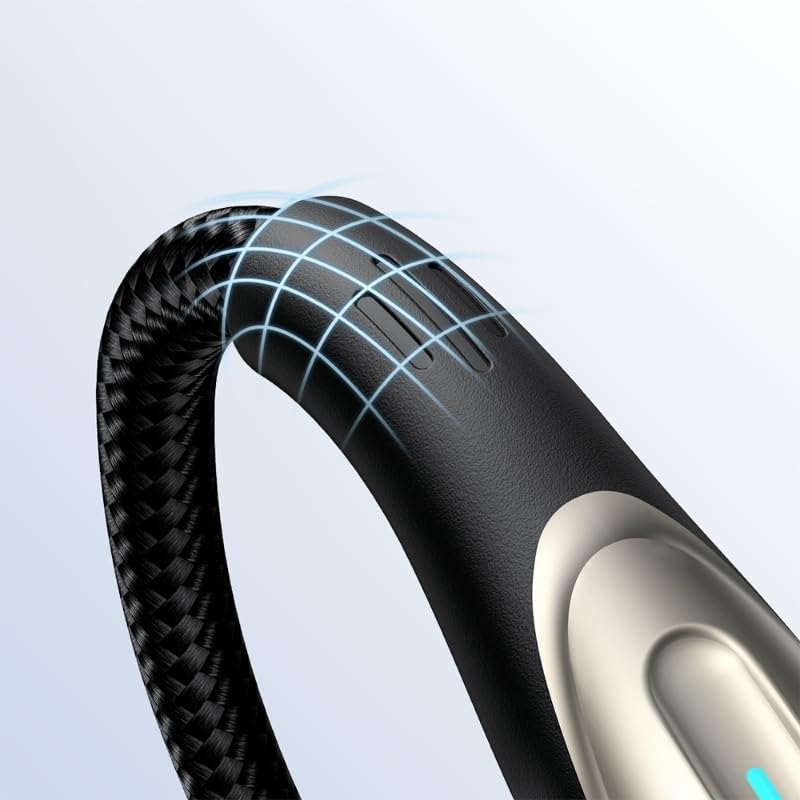
Image: Close-up of the Joyroom SA31-CL3 cable's braided exterior, highlighting its durable construction and flexible design.
Setup
- Connect to Power Source: Insert the USB Type-C end of the cable into a compatible power adapter (e.g., a 30W or higher USB-C power adapter) or a USB-C port on a computer.
- Connect to Device: Insert the Lightning end of the cable into the charging port of your Apple device (iPhone, iPad, or iPod).
- Verify Connection: Ensure both ends are securely connected. Your device should indicate that it is charging or connected for data transfer.
Operating Instructions
Charging Your Device
- Connect the Type-C end to a power adapter and the Lightning end to your Apple device.
- For fast charging, use a power adapter that supports 30W USB Power Delivery (PD).
- The device's battery icon will show a charging indicator.
Data Transfer
- Connect the Type-C end to a computer's USB-C port and the Lightning end to your Apple device.
- Your computer should recognize the connected device.
- Follow your device's instructions for syncing data, photos, or other files.
Maintenance and Care
- Storage: Store the cable in a clean, dry place away from direct sunlight and extreme temperatures.
- Cleaning: Gently wipe the cable and connectors with a soft, dry cloth. Do not use harsh chemicals or abrasive materials.
- Handling: Avoid excessive bending, twisting, or pulling on the cable, especially near the connectors, to prevent internal damage.
- Disconnection: Always grasp the connector head, not the cable itself, when unplugging from a device or power source.
Troubleshooting
- Problem: Device is not charging.
- Ensure both ends of the cable are securely plugged into the power adapter/computer and the device.
- Verify that the power adapter is functioning correctly and plugged into a live outlet.
- Test the cable with a different power adapter or device, if available, to isolate the issue.
- Check your device's charging port for any debris that might obstruct the connection.
- Problem: Charging is slow.
- Confirm that your power adapter supports 30W Power Delivery (PD) for fast charging. Lower wattage adapters will charge slower.
- Ensure your device supports fast charging.
- Avoid using the device heavily while charging, as this can slow down the charging process.
- Problem: Data transfer is not working.
- Ensure the Type-C end is connected to a data-enabled USB-C port on your computer.
- Check your computer's operating system for any prompts or driver installations required for the connected device.
- Try connecting to a different USB-C port on your computer.
- Restart both your computer and your Apple device.
Specifications
| Brand | Joyroom |
| Model Number | SA31-CL3 |
| Connector Type | USB Type-C to Lightning |
| Cable Type | Lightning |
| Power Delivery | Up to 30W Fast Charging |
| Compatible Devices | iPhones, iPads, iPods (with Lightning port) |
| Function | Charging and Data Transfer |
| Cable Length | 1.2 meters |
| Color | Black |
| Material | High-quality, durable construction (e.g., braided nylon) |
| Country of Origin | China |
Warranty and Support
For information regarding warranty coverage, technical support, or service inquiries, please refer to the official Joyroom website or contact their customer support directly. Keep your purchase receipt for warranty validation.
Official Joyroom Website: www.joyroom.com