1. Introduction
Thank you for choosing the Micool Y30 Open Ear Headphones. These wireless Bluetooth 5.3 earbuds are designed to provide a comfortable and safe listening experience by resting gently on your ears without blocking the ear canal. This design allows you to remain aware of your surroundings while enjoying high-quality audio, making them ideal for sports and daily activities.
2. What's in the Box
- Micool Y30 Open Ear Headphones (Left and Right)
- Wireless Charging Case
- USB-C Charging Cable
- User Manual
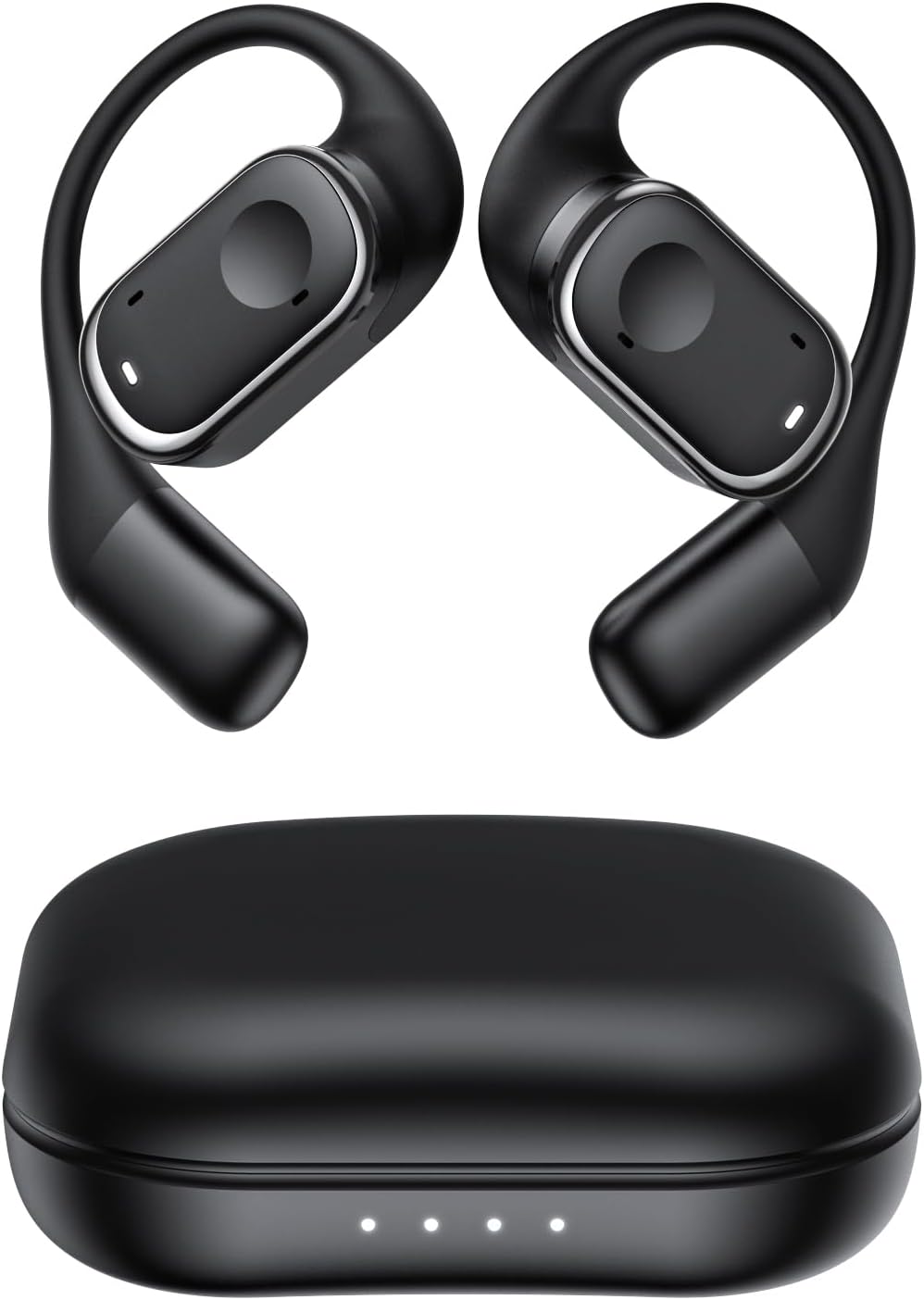
Figure 2.1: Micool Y30 Open Ear Headphones and their charging case. The image shows two black open-ear earbuds with ear hooks, positioned above a sleek black charging case with four LED indicator lights on the front.
3. Product Overview
3.1 Earbud Components
Each earbud features an ergonomic design with a soft silicone ear hook for secure and comfortable placement. The main body houses the speaker and touch control area.

Figure 3.1: Close-up view illustrating the ergonomic design of the Micool Y30 earbud. The image highlights the curved ear hook and the soft silicone material designed for comfort and secure fit, conforming to the ear's contour.
3.2 Charging Case
The charging case protects the earbuds and recharges them. It has a USB-C charging port and LED indicators to show battery status.

Figure 3.2: Internal view of the Micool Y30 charging case, showcasing the earbuds nestled inside. The image highlights the Bluetooth 5.3 technology and the digital display indicating battery levels, emphasizing fast response and stable connection.
4. Setup
4.1 Charging the Device
Before first use, fully charge the earbuds and the charging case.
- Charging the Case: Connect the provided USB-C cable to the charging port on the case and to a USB power adapter (not included). The LED indicators on the case will show the charging status. A full charge takes approximately 1-2 hours.
- Charging the Earbuds: Place the earbuds into the charging case. Ensure they are correctly seated. The earbuds will automatically begin charging. The case can charge the earbuds 4-5 times, providing up to 6 hours of playback per single earbud charge.
4.2 Bluetooth Pairing
To connect your Micool Y30 headphones to your device:
- Ensure the earbuds are charged.
- Open the charging case. The earbuds will automatically enter pairing mode.
- On your device (e.g., smartphone, tablet), go to Bluetooth settings and turn Bluetooth on.
- Search for available devices. Select "Micool Y30" from the list.
- Once connected, you will hear a confirmation tone, and the earbuds will be ready for use.
The headphones support Bluetooth 5.3 for stable and efficient connection.
5. Operating Instructions
5.1 Power On/Off
- Power On: Open the charging case, and the earbuds will automatically power on.
- Power Off: Place the earbuds back into the charging case and close the lid. They will automatically power off and begin charging.
5.2 Music Playback
The Micool Y30 headphones feature touch controls for media management.
- Play/Pause: Tap once on either earbud.
- Next Track: Double-tap the right earbud.
- Previous Track: Double-tap the left earbud.
- Volume Up: Triple-tap the right earbud.
- Volume Down: Triple-tap the left earbud.
5.3 Call Management
- Answer/End Call: Tap once on either earbud.
- Reject Call: Press and hold either earbud for 2 seconds.
5.4 Single and Dual Earbud Mode
The Micool Y30 headphones support seamless switching between using a single earbud or both earbuds.
- Single Earbud Mode: You can use either the left or right earbud independently. Simply take one earbud out of the case, and it will connect to your device.
- Dual Earbud Mode: Take both earbuds out of the case, and they will automatically connect to each other and then to your device for a stereo audio experience.

Figure 5.1: Illustration of the Micool Y30's flexible usage modes. The diagram shows how the earbuds can be used independently in "Single Earphone Mode" or together in "Dual Headphone Mode" for a synchronized connection.
6. Maintenance
6.1 Cleaning
- Use a soft, dry, lint-free cloth to clean the earbuds and charging case.
- Do not use harsh chemicals, cleaning solvents, or strong detergents.
- The earbuds have an IPX6 waterproof rating, meaning they are resistant to strong jets of water. However, they are not designed for submersion. Wipe them dry after exposure to sweat or water.
6.2 Storage
- Store the earbuds in their charging case when not in use to protect them and keep them charged.
- Avoid storing the device in extreme temperatures (hot or cold) or in highly humid environments.
7. Troubleshooting
| Problem | Solution |
|---|---|
| Earbuds not pairing with device. |
|
| No sound from one earbud. |
|
| Earbuds not charging. |
|
| Poor sound quality or connection drops. |
|
8. Specifications
| Feature | Detail |
|---|---|
| Model Name | Y30 |
| Connectivity Technology | Wireless (Bluetooth) |
| Bluetooth Version | 5.3 |
| Ear Placement | Open Ear |
| Earbud Battery Capacity | 100mAh (each) |
| Charging Case Battery Capacity | 450mAh |
| Playback Time (single charge) | Up to 6 hours |
| Total Playback Time (with case) | Up to 30 hours (4-5 full charges from case) |
| Charging Time (case) | 1-2 hours |
| Charging Port | USB Type-C |
| Waterproof Rating | IPX6 |
| Material | Plastic |
| UPC | 776584469303 |
9. Warranty and Support
Micool products are designed with quality and reliability in mind. For warranty information or technical support, please refer to the warranty card included in your product packaging or visit the official Micool website. You may also contact your retailer for assistance.
For further assistance, please visit the Micool Store on Amazon.


