
1. Important Safety Information
Please read all instructions carefully before assembly and use. Keep this manual for future reference.
- Weight Capacity: Do not exceed the maximum weight capacity of 275 pounds (125 kg). Exceeding this limit may result in product instability and potential injury.
- Assembly: Ensure all components are correctly assembled and tightened before use. Improper assembly can lead to instability.
- Children: Supervise children when they are using the recliner chair. Ensure fingers and limbs are clear of moving parts during reclining.
- Placement: Place the chair on a flat, stable surface. Avoid placing it near heat sources or in direct sunlight for prolonged periods.
- Cleaning: Follow care instructions to prevent damage to the material.
Warning: Exceeding the maximum weight capacity of 275 pounds and improper assembly may result in product instability and potential injury.
2. Package Contents
Verify that all parts are present before beginning assembly. If any parts are missing or damaged, please contact customer support.
- Recliner Chair Base
- Backrest
- Armrests (if separate)
- Footrest Assembly
- Remote Control (for massage function)
- Power Adapter (for massage function)
- Installation Instruction Manual
3. Assembly Instructions
The anwickjeff Recliner Chair is designed for quick and easy assembly, typically taking less than 5 minutes.
- Unpack Components: Carefully remove all parts from the packaging and lay them out on a clean, soft surface to prevent scratching.
- Attach Backrest: Slide the backrest onto the base until it clicks securely into place. Ensure the connection is firm.
- Connect Power (if applicable): If your model includes a massage function, connect the power adapter to the chair and then to a power outlet.
- Final Check: Ensure all parts are properly connected and stable before using the chair.

Figure 3.1: The recliner chair highlighting its easy assembly and sturdy construction.
4. Operating Instructions
4.1 Reclining Function
The recliner chair offers an adjustable reclining range from 90 to 160 degrees, allowing for various comfortable positions.
- To Recline: Gently push back on the backrest while applying slight pressure with your feet on the footrest. The chair will smoothly recline to your desired angle.
- To Return Upright: Lean forward and push down on the footrest with your legs. The chair will return to its upright position.
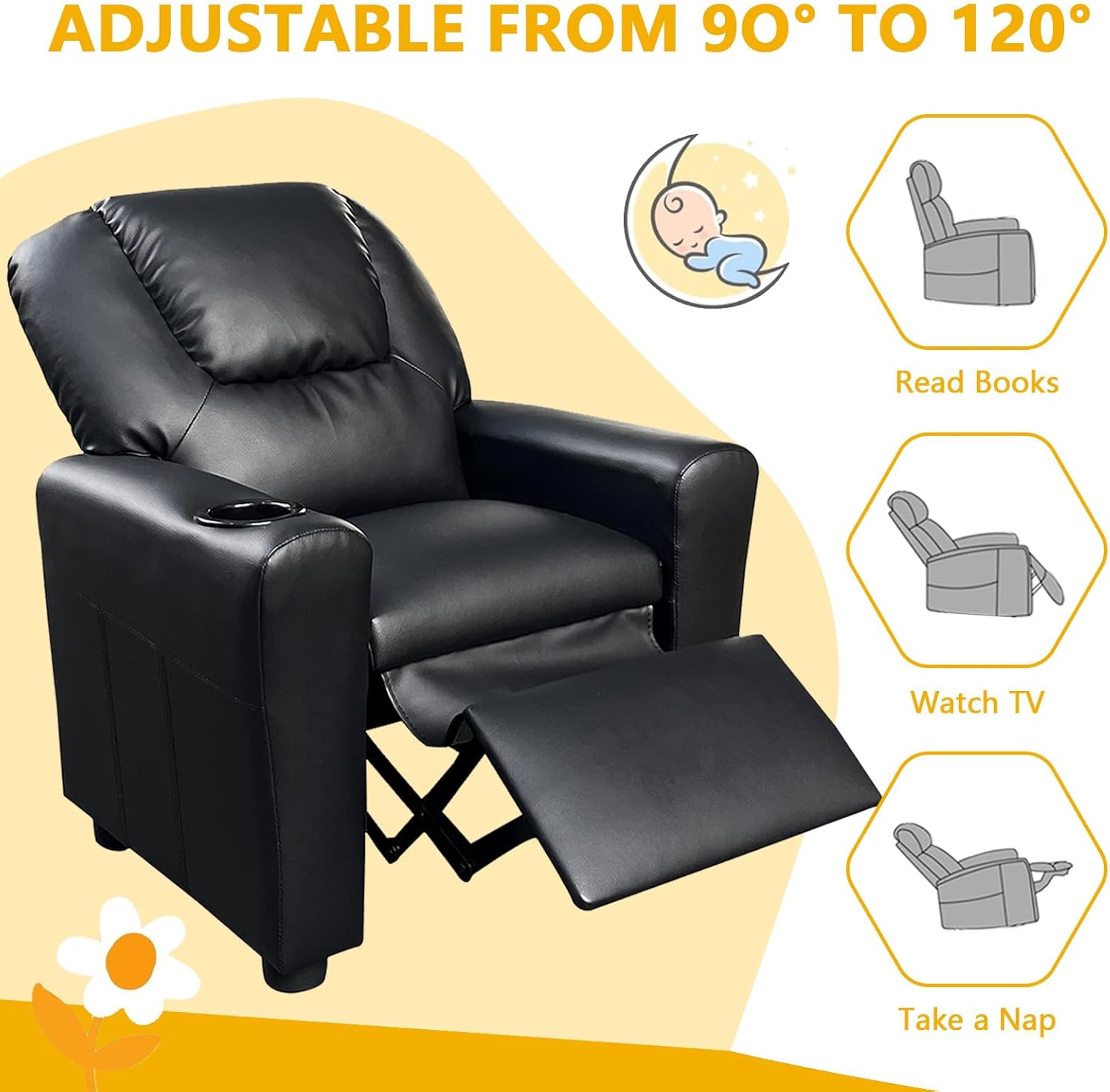
Figure 4.1: The recliner chair demonstrating its adjustable reclining positions for various activities.

Figure 4.2: Side view of the recliner chair illustrating the footrest extension mechanism.
4.2 Massage Function (if applicable)
This recliner chair features a massage function with 8 modes, 2 vibration choices, and adjustable intensity, controlled by a remote.
- Power On/Off: Use the power button on the remote control to activate or deactivate the massage function.
- Select Mode: Choose from 8 massage modes using the corresponding buttons on the remote.
- Adjust Intensity: Use the intensity controls to increase or decrease the massage strength.
- Vibration Choice: Select between 2 vibration options.
- Timer: The default massage duration is 15 minutes.

Figure 4.3: The recliner chair's massage function and remote control interface.
5. Care and Maintenance
Proper care will extend the life and appearance of your recliner chair.
- Cleaning: The PU leather surface is easily cleaned. For general cleaning, wipe with a soft, damp cloth. For deeper cleaning, dry clean only. Do not use harsh chemicals or abrasive cleaners.
- Spills: Blot spills immediately with a clean, dry cloth.
- Avoid Direct Sunlight: Prolonged exposure to direct sunlight can cause the PU leather to fade or crack.
- Inspection: Periodically check all bolts and connections to ensure they remain tight. Retighten if necessary.

Figure 5.1: Key materials and construction features of the recliner chair.
6. Troubleshooting
If you encounter any issues with your recliner chair, please refer to the following common solutions:
- Chair does not recline smoothly: Check for any obstructions around the reclining mechanism. Ensure all assembly bolts are securely tightened.
- Massage function not working: Verify that the power adapter is securely plugged into both the chair and a working electrical outlet. Check the remote control for battery issues if it's wireless (though this model uses a wired remote).
- Chair feels unstable: Recheck all assembly connections and ensure they are tightened. Make sure the chair is placed on a flat, even surface.
If the problem persists, please contact anwickjeff customer support for assistance.
7. Specifications
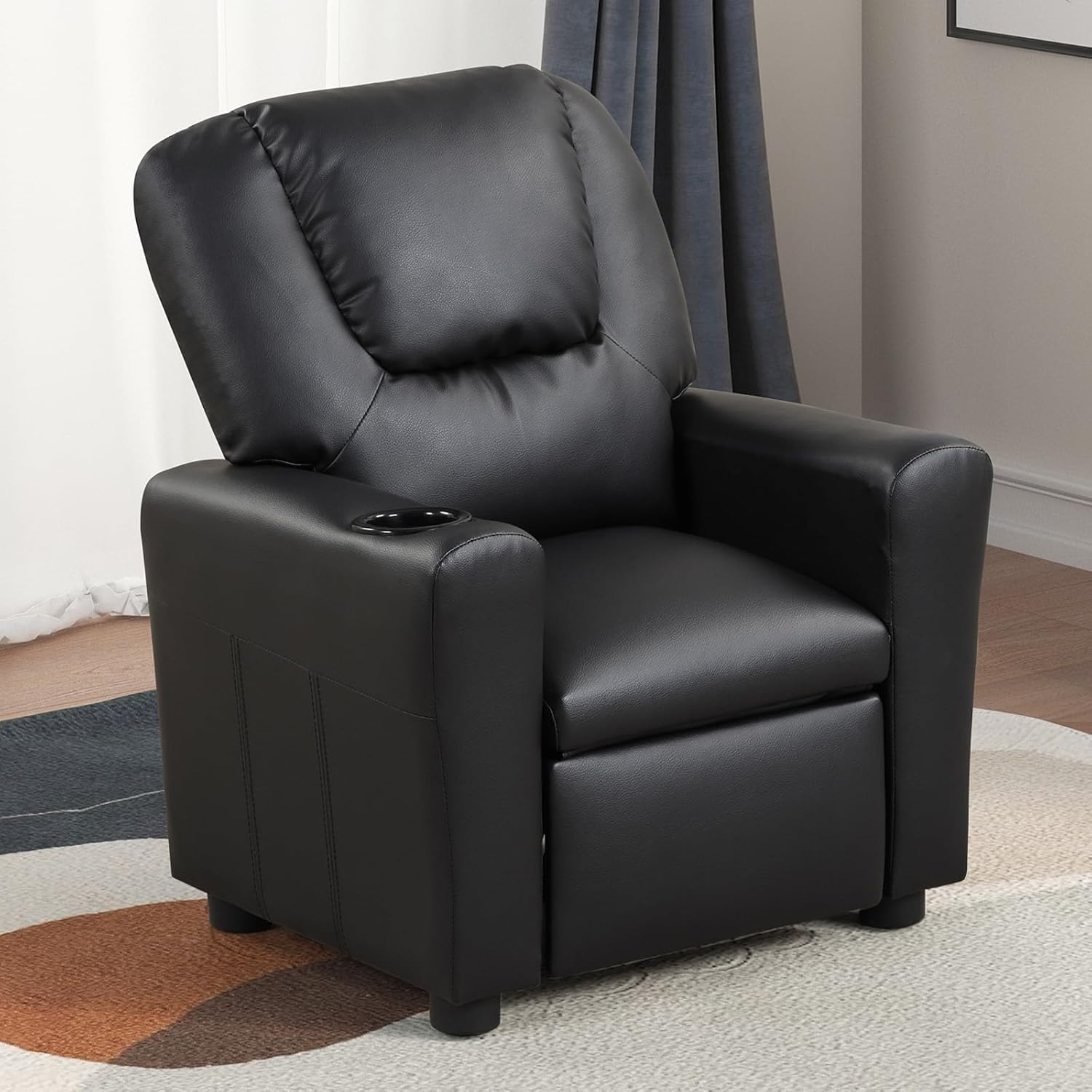
Figure 7.1: The anwickjeff Recliner Chair (Black).

Figure 7.2: Product dimensions. Note: The bearing capacity shown in the image (90 lbs) contradicts the product specification (275 lbs). Please refer to the table below for accurate weight capacity.

Figure 7.3: Features including cup holders and retractable footrest.

Figure 7.4: Enhanced comfort features of the recliner chair.
| Feature | Detail |
|---|---|
| Brand | anwickjeff |
| Model Name | Recliner Chair (GBI-S) |
| Color | Black |
| Product Dimensions | 21"D x 23"W x 26.96"H (53.34 cm D x 58.42 cm W x 68.48 cm H) |
| Seat Depth | 29.2 inches (74.17 cm) |
| Item Weight | 53 pounds (24.04 kg) |
| Maximum Weight Recommendation | 275 Pounds (125 kg) |
| Material | High-quality PU Leather, High-density Sponge, Solid Hardwood Frame |
| Reclining Positions | Adjustable from 90 to 160 degrees (3 positions) |
| Special Features | Massage Function (8 modes, 2 vibration choices, adjustable intensity, 15-minute timer), Retractable Footrest, Cup Holders, Anti-slip Feet |
| Product Care Instructions | Dry Clean |
| Room Type | Living Room, Bedroom, Home Theater, Office |
| UPC | 764003690704 |
8. Warranty and Support
anwickjeff is committed to providing high-quality products and customer satisfaction.
- Returns: This product is eligible for 30-day easy returns.
- Protection Plans: Extended protection plans are available for purchase, including 2-Year and 3-Year options. Please refer to your purchase details for more information.
- Customer Support: For any questions, concerns, or assistance with your product, please contact anwickjeff customer support.