
Introduction
Thank you for choosing the Hbada Ergonomic Office Chair. This manual provides detailed instructions for assembly, operation, maintenance, and troubleshooting to ensure you get the most comfortable and productive experience from your new chair. Designed for optimal support and adjustability, this chair features 3D adjustable armrests, adjustable lumbar support, a high back, and a breathable mesh seat cushion, making it ideal for long hours of computer work or home office use.
Safety Information
- Ensure all components are securely fastened before use.
- Do not stand on the chair or use it as a step stool.
- Avoid placing heavy objects on the chair that exceed its maximum weight recommendation (150 kg / 330 lbs).
- Keep hands and fingers clear of moving parts during adjustment.
- Use the chair on a flat, stable surface to prevent tipping.
- Regularly inspect the chair for loose screws or damaged parts and address them promptly.
Package Contents
Before assembly, please verify that all parts are present and undamaged. The package should contain:
- Chair Backrest
- Seat Cushion with Mechanism
- Armrests (2)
- Headrest
- Base (Star Base)
- Casters (5)
- Gas Lift Cylinder
- Footrest (if included with specific model variant)
- Hardware Kit (screws, Allen wrench)
- Instruction Manual (this document)
Setup and Assembly
Assembly typically takes about 30 minutes and requires only the included Allen wrench. All screws and pieces are clearly labeled for ease of installation.
- Assemble the Base: Start by attaching the legs to the central hub of the chair base.

Image: The chair's five-star base with casters being attached to each leg.
- Attach Casters: Insert the five casters (wheels) into the designated holes at the end of each leg of the base.
- Insert Gas Lift Cylinder: Place the air pneumatic cylinder into the center hole of the assembled base.
- Install Footrest (if applicable): If your model includes a footrest, it can be easily attached and slides under the seat cushion.
- Attach Armrests: Screw both armrests securely to the underside of the seat cushion.

Image: Underside of the chair seat showing attachment points for armrests.
- Connect Backrest to Seat: Screw the backrest support onto the back of the chair seat. Then, connect the entire backrest and seat assembly together.

Image: The chair's backrest being connected to the seat assembly.
- Assemble Chair: Carefully place the assembled seat and backrest onto the gas lift cylinder, ensuring it is firmly seated.
- Attach Headrest: Slide the headrest onto the top of the backrest until it clicks into place.

Image: The headrest being slid into position on top of the chair's backrest.
Operating Instructions
Your Hbada Ergonomic Office Chair offers multiple adjustment features to customize your seating experience for maximum comfort and support.
1. Chair Height Adjustment
To adjust the chair's height, locate the lever on the right side, beneath the seat. Pull the lever upwards while seated to lower the chair, or stand up and pull the lever upwards to raise the chair. Release the lever at your desired height.
2. Backrest Recline and Lock
The chair features a 135° reclining function. To recline, pull the lever on the left side, beneath the seat, outwards. Lean back to your desired angle. To lock the recline, push the lever inwards. To return to an upright position, pull the lever outwards again and lean forward.

Image: Visual representation of the chair's recline angles, from 90° to 135°.
3. Adjustable Backrest (Lumbar Support)
The ergonomic backrest can be adjusted vertically by 4.5 cm with 3 levels of adjustment to better fit your waist and back. To adjust the lumbar support, gently lift the backrest upwards. You will hear clicking sounds as it moves through the gears. To reset to the lowest gear, simply lift the backrest to its highest position, then allow it to drop down. Repeat the lifting process to select your desired gear.

Image: Diagram illustrating the four adjustable gears for the backrest's vertical movement.
4. 3D Adjustable Armrests
The armrests offer three-dimensional adjustment for optimal elbow pressure relief and comfort:
- Height Adjustment: Press the button on the side of the armrest to move it up and down by 2.95 inches.
- Forward/Backward Adjustment: Slide the armrest pad forward or backward by 1.97 inches.
- Rotation: Rotate the armrest pad up to 45 degrees left or right.
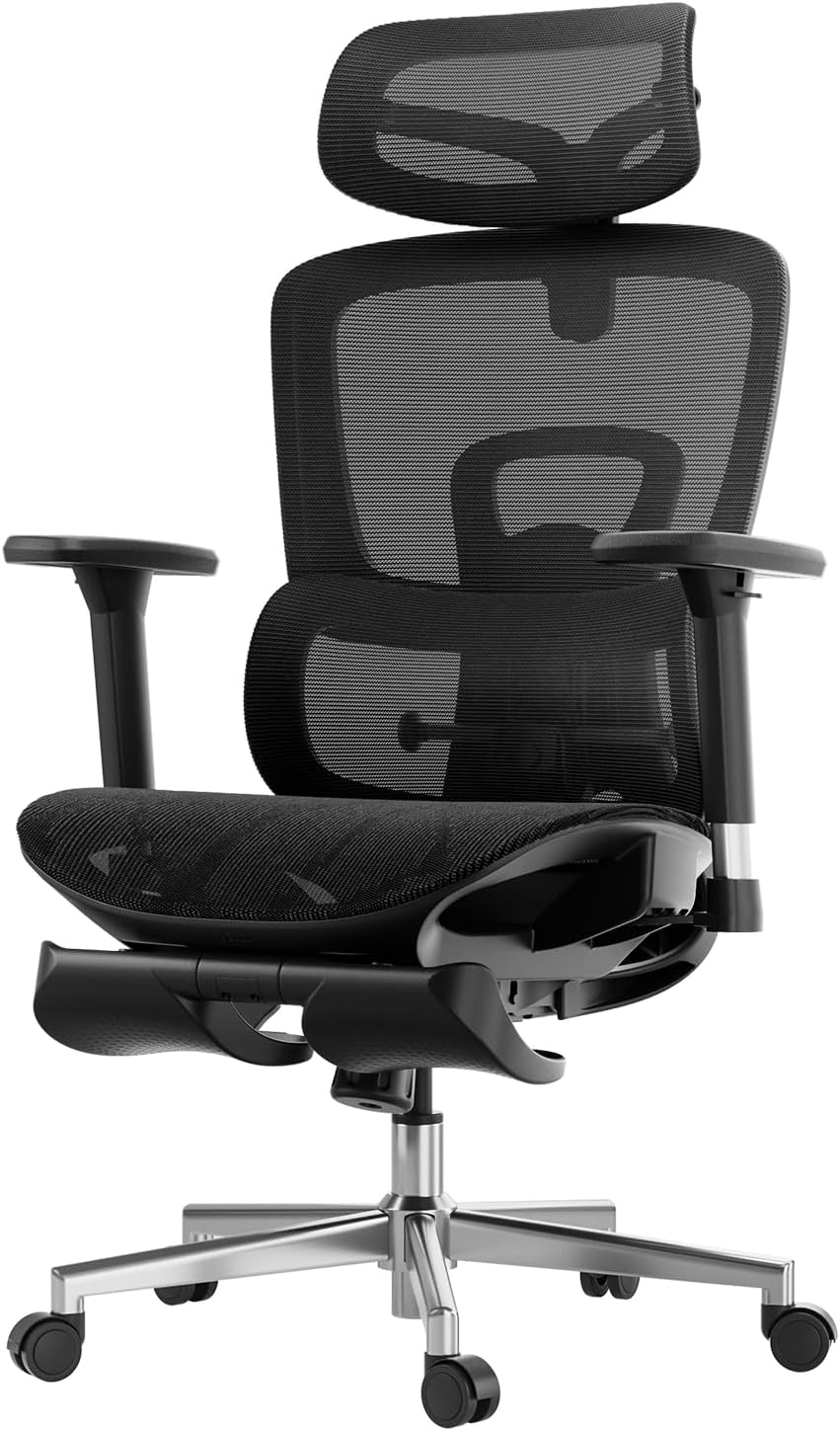
Image: Detailed view of the armrests highlighting their 3D adjustment capabilities.
5. 2D Adjustable Headrest
The headrest provides precise neck support and can be adjusted in two ways:
- Height Adjustment: Adjust up and down by 3.93 inches.
- Angle Adjustment: Rotate back and forth by 38 degrees.
Image: Diagram illustrating the headrest's adjustable height and rotation.
6. Footrest Operation (if applicable)
If your chair model includes a footrest, pull it out from beneath the seat. You can then flip it over to position it for leg support when reclining. Push it back under the seat when not in use.
Maintenance
Regular maintenance will extend the life and appearance of your Hbada office chair.
- Cleaning: For the mesh and plastic components, wipe with a soft, damp cloth. Avoid abrasive cleaners or harsh chemicals.
- Inspection: Periodically check all screws and bolts to ensure they are tight. Re-tighten if necessary.
- Casters: Clean casters regularly to remove dust and debris that may hinder smooth movement.
- Gas Lift: Do not attempt to disassemble the gas lift cylinder.
Troubleshooting
If you encounter any issues with your chair, refer to the following common problems and solutions:
| Problem | Possible Cause | Solution |
|---|---|---|
| Chair does not adjust height. | Gas lift cylinder malfunction or lever not engaged. | Ensure the height adjustment lever is fully pulled. If the issue persists, contact customer service for gas lift replacement. |
| Chair wobbles or feels unstable. | Loose screws or uneven floor. | Check and tighten all assembly screws. Ensure the chair is on a flat surface. |
| Casters do not roll smoothly. | Debris caught in casters or damaged casters. | Clean any hair or debris from the casters. If damaged, casters may need replacement. |
| Backrest recline mechanism is stuck. | Recline lock engaged or mechanism obstruction. | Ensure the recline lock lever is disengaged. Check for any obstructions around the mechanism. |
Specifications
| Brand | Hbada |
| Model Name | Hbada E208 |
| Item Model Number | E208BMA/CB |
| Color | Black |
| Product Dimensions | 23.74"D x 17.52"W x 22.64"H |
| Item Weight | 49.6 pounds |
| Maximum Weight Recommendation | 150 Kilograms (approx. 330 lbs) |
| Back Style | Solid Back |
| Special Feature | Adjustable Lumbar |
| Style | Modern |
| Finish Type | Nylon |
| Recommended Uses | Office |
| Seat Height | 18.25 Inches |
| Tilting | Yes |
Warranty and Support
Hbada is committed to providing high-quality products and excellent customer service.
- Warranty: Your Hbada E2 Ergonomic Office Chair comes with a worry-free 3-year warranty.
- Returns: Enjoy a 30-day free return policy.
- Price Match: A 15-day price match guarantee is offered.
- Damaged Upon Arrival: Repair and replacement are guaranteed for items damaged upon arrival.
- Customer Service: For any questions, concerns, or warranty claims, please contact Hbada customer service. Refer to the contact information provided with your purchase or visit the official Hbada website.
For more information and support, you may also refer to the official Installation Manual (PDF).
