
Retevis FC9257BX6
Retevis Covert Acoustic Tube Earpiece Instruction Manual
Model: FC9257BX6
Introduction
This manual provides detailed instructions for the proper use and maintenance of your Retevis Covert Acoustic Tube Earpiece. Designed for clear and discreet communication, this earpiece is compatible with various Motorola two-way radios. Please read this manual thoroughly before operating the device to ensure optimal performance and longevity.
Key Features
- Kevlar Reinforced Cable: Engineered for durability, providing extended service life and resistance to wear.
- Electromagnetic Speaker: Delivers clear sound quality and minimizes audio distortion, ensuring realistic reception even in noisy environments.
- Volume Adjustment: Features an integrated volume control for convenient adjustment of reception levels, ideal for varying ambient noise.
- Coiled Cable Design: Reduces tangling and offers flexibility in length, extending up to 88cm (35 inches) for comfortable use.
- M-Head 2-Pin Connector: Ensures broad compatibility with specified Motorola two-way radios.
- Push-to-Talk (PTT) Button: A full-size PTT button allows for accurate and easy operation, even when wearing gloves.
- Detachable Acoustic Tube: The 180° rotatable acoustic tube is easy to remove, clean, and replace, promoting hygiene and comfort.
Package Contents
The package includes the following items:
- 6 x Retevis Covert Acoustic Tube Earpieces
- 6 x Spare Earbuds

Figure 1: Package Contents - Six earpieces and six spare earbuds are included.
Device Compatibility
This earpiece is equipped with an M-head 2-pin connector and is compatible with a wide range of Motorola two-way radios, including but not limited to:
- Motorola CP185, CP100, CP100D, CP200, CP200D
- Motorola GP300, GP2000, BRP40, A8
- Motorola RMU2040, RMU2080, RMU2080D, RDU4100, RDU4160D, RDM2070D, RMV2080
- Motorola DTR550, DTR650, DTR700, DLR1020
- HYT TC610
- Motorola Mag One series
Note: This earpiece is not compatible with any Retevis brand walkie-talkies.

Figure 2: Earpiece with M-Head 2-Pin Connector.
Setup Instructions
- Prepare the Earpiece:
The acoustic tube is designed to be detachable for cleaning and replacement. To attach or detach, gently twist and pull the tube from the earpiece base. Ensure it is securely reattached before use.

Figure 3: Detaching and Reattaching the Acoustic Tube.
- Wear the Earpiece:
Place the acoustic tube into your ear. The earpiece is designed for comfortable wear on either the left or right ear. Adjust the clear acoustic tube for a secure and comfortable fit.

Figure 4: Comfortable Earpiece Fit.
- Connect to Radio:
Insert the M-head 2-pin connector firmly into the corresponding port on your compatible two-way radio. Ensure a snug connection for optimal audio transmission and reception.
Operating Instructions
- Adjust Volume:
Use the integrated volume adjustment switch on the earpiece cable to set the desired listening volume. This allows for clear reception in various environments without needing to access the radio's controls.

Figure 5: Volume Adjustment Control.
- Use Push-to-Talk (PTT):
To transmit, press and hold the large PTT button located on the earpiece cable. Speak clearly into the microphone. Release the button to stop transmitting and return to receive mode. The PTT button is designed for easy activation, even with gloved hands.

Figure 6: Push-to-Talk (PTT) Button.
Maintenance
- Cleaning the Acoustic Tube: Regularly detach and clean the acoustic tube with a mild soap and water solution. Rinse thoroughly and allow to air dry completely before reattaching.
- Replacing Earbuds: For hygiene and optimal comfort, replace the earbud periodically. Spare earbuds are included in the package.
- Cable Care: Avoid sharp bends or excessive pulling on the cable to prevent damage to the Kevlar reinforcement. The coiled section helps manage cable length and reduce stress.
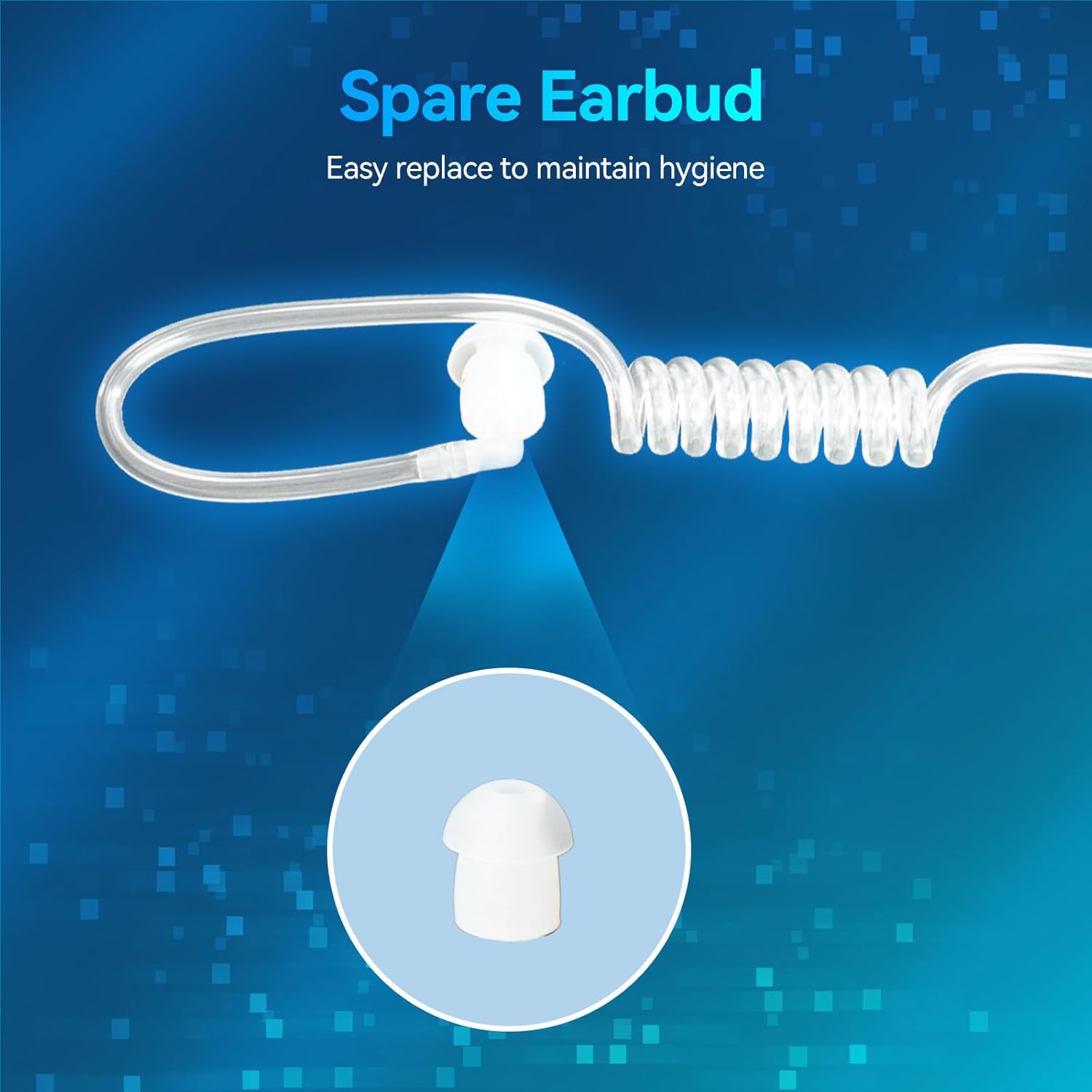
Figure 7: Replacing the Earbud.
Troubleshooting
| Problem | Possible Cause | Solution |
|---|---|---|
| No sound from earpiece. | Loose connection, radio volume too low, earpiece faulty. | Ensure the 2-pin connector is fully inserted. Increase radio volume. Test with another earpiece if available. |
| Unclear or distorted sound. | Acoustic tube blockage, loose connection, radio interference. | Clean the acoustic tube. Re-seat the connector. Move away from potential interference sources. |
| PTT button not transmitting. | Loose connection, PTT button malfunction. | Check the 2-pin connector. Ensure the PTT button is fully pressed. |
Specifications
| Feature | Detail |
|---|---|
| Model Number | FC9257BX6 |
| Connector Type | M-Head 2-Pin |
| Cable Material | Kevlar Reinforced |
| Cable Length (Coiled) | Up to 88 cm (35 inches) |
| Speaker Type | Electromagnetic |
| Special Features | Volume Adjustment, Detachable Acoustic Tube, Large PTT Button |
| Product Dimensions | 8.62 x 6.18 x 1.89 inches |
| Item Weight | 11.1 ounces |
Official Product Video
Video 1: Retevis Covert Acoustic Tube Earpiece Overview. This video demonstrates the features and usage of the earpiece, including its comfortable design, detachable tube, volume control, PTT key, M 2-pin connector, coiled cable, and Kevlar reinforced cable for durability.
Warranty and Support
For warranty information and technical support, please refer to the documentation included with your purchase or visit the official Retevis website. Keep your purchase receipt for warranty claims.
Ask a question about this manual
Ask about setup, troubleshooting, compatibility, parts, safety, or missing instructions. Manuals+ will review the question and use this page’s manual context to help answer it.