
1. Introduction and Product Overview
Thank you for choosing the Wintem Quiet and Portable Dehumidifier Model ND. This device is designed to effectively reduce excess moisture in your home, creating a healthier and more comfortable environment. Utilizing advanced Peltier technology, it operates quietly and efficiently, making it ideal for various spaces such as kitchens, bathrooms, bedrooms, and basements. The dehumidifier features an automatic shut-off function for safety and convenience, preventing water overflow.
Key Features:
- Peltier Technology: Compressor-free operation for quiet and energy-efficient performance.
- Automatic Shut-Off: Automatically turns off when the water tank is full to prevent overflow.
- Portable Design: Compact and lightweight for easy placement and movement.
- 750 ml Water Tank: Sufficient capacity for daily moisture collection.
- Mould and Moisture Control: Helps prevent mould growth and improves air quality.
2. Important Safety Instructions
Please read all safety instructions carefully before using the dehumidifier. Failure to follow these instructions may result in electric shock, fire, or injury.
- Always place the dehumidifier on a stable, level surface.
- Ensure the power cord is not damaged, pinched, or placed under heavy objects.
- Do not operate the unit with a damaged power cord or plug.
- Keep the unit away from water and other liquids. Do not immerse the unit in water.
- Do not block the air inlet or outlet vents. Maintain at least 10 cm (4 inches) clearance around the unit.
- Unplug the dehumidifier before cleaning, maintenance, or when not in use for extended periods.
- This appliance is not intended for use by persons (including children) with reduced physical, sensory, or mental capabilities, or lack of experience and knowledge, unless they have been given supervision or instruction concerning use of the appliance by a person responsible for their safety.
- Do not use the dehumidifier in areas where flammable liquids or gases are stored.
- Only use the provided power adapter.
3. Product Components
Familiarize yourself with the main parts of your Wintem Dehumidifier.

Figure 3.1: Front view of the Wintem Dehumidifier, showing the air outlet grille on top and the power button on the front panel.

Figure 3.2: Rear view of the Wintem Dehumidifier, displaying the air inlet vents and the product information label.
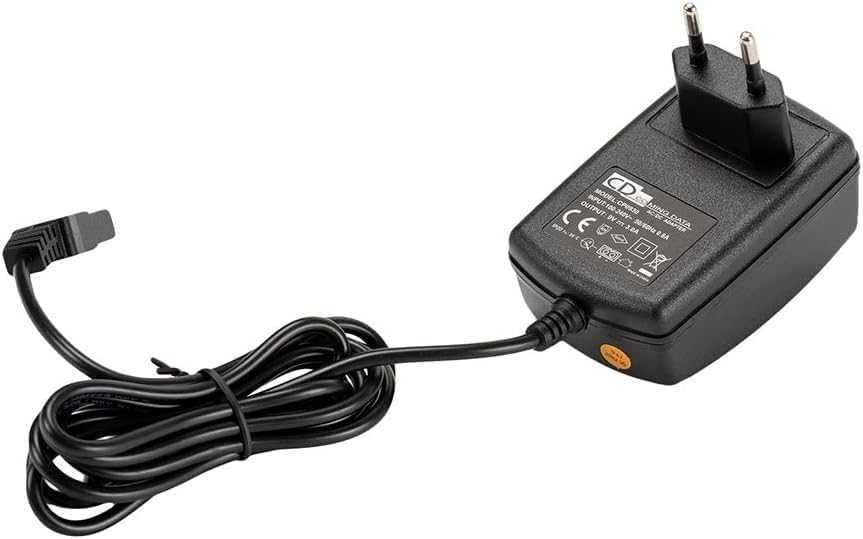
Figure 3.3: The power adapter supplied with the Wintem Dehumidifier.
4. Setup Instructions
Follow these steps to set up your dehumidifier for the first time.
- Unpack the Dehumidifier: Carefully remove the dehumidifier and all accessories from the packaging. Retain the packaging for future storage or transport.
- Choose a Location: Place the dehumidifier on a firm, level surface in the desired room. Ensure there is at least 10 cm (4 inches) of clear space around the air inlet (rear) and air outlet (top) to allow for proper airflow. Avoid placing it near heat sources or in direct sunlight.
- Connect Power: Insert the small end of the power adapter into the DC input port on the back of the dehumidifier. Plug the other end of the power adapter into a suitable electrical outlet.
- Water Tank: Ensure the water tank is correctly seated in the base of the unit. The dehumidifier will not operate if the tank is not properly installed.
- Optional Continuous Drainage (if desired):
For continuous operation without needing to empty the water tank, you can connect a drainage hose (not included) to the continuous drainage outlet. Locate the drainage port on the back of the unit, above the water tank. Connect a suitable hose and ensure it is routed downwards to a drain or larger container, allowing gravity to facilitate water flow.

Figure 4.1: View of the continuous drainage port on the dehumidifier.

Figure 4.2: The dehumidifier with a continuous drainage hose properly connected.
5. Operating Instructions
Operating your Wintem Dehumidifier is straightforward.
- Power On: After connecting the power, press the power button located on the front panel of the unit. The indicator light will illuminate, and the dehumidifier will begin operation.
- Automatic Shut-Off: The dehumidifier is equipped with an automatic shut-off feature. When the 750 ml water tank is full, the unit will automatically turn off, and the indicator light may change color or flash (refer to specific model indicator behavior if available). This prevents water overflow.
- Emptying the Water Tank:
- When the unit stops due to a full tank, carefully slide out the water tank from the base of the dehumidifier.
- Pour out the collected water.
- Slide the empty water tank back into the unit until it clicks securely into place.
- Press the power button again to resume operation.
- Power Off: To turn off the dehumidifier, press the power button again. The indicator light will turn off, and the unit will cease operation. Unplug the unit from the power outlet if it will not be used for an extended period.

Figure 5.1: Visual representation of key features: automatic shut-off when the tank is full, super quiet operation, and a 750ml water tank capacity.
6. Maintenance
Regular maintenance ensures optimal performance and extends the lifespan of your dehumidifier.
- Cleaning the Exterior: Wipe the exterior of the unit with a soft, damp cloth. Do not use abrasive cleaners, solvents, or harsh chemicals, as these can damage the surface.
- Cleaning the Water Tank: The water tank should be cleaned regularly to prevent mould and bacteria growth. Remove the tank, rinse it with clean water, and if necessary, use a mild detergent. Ensure it is thoroughly dry before reinserting.
- Cleaning Air Inlets/Outlets: Periodically check the air inlet (rear) and outlet (top) vents for dust accumulation. Use a soft brush or a vacuum cleaner with a brush attachment to gently remove any dust or debris. Do not insert any objects into the vents.
- Storage: If storing the dehumidifier for an extended period, ensure the water tank is empty and clean. Unplug the unit and store it in a cool, dry place, preferably in its original packaging.
7. Troubleshooting
If you encounter issues with your dehumidifier, refer to the following common problems and solutions.
| Problem | Possible Cause | Solution |
|---|---|---|
| Dehumidifier does not turn on. |
|
|
| No water is collected. |
|
|
| Unit turns off unexpectedly. |
|
|
| Unusual noise during operation. |
|
|
If the problem persists after trying these solutions, please contact customer support.
8. Specifications
| Feature | Specification |
|---|---|
| Brand | Wintem |
| Model Number | ND |
| Model Name | Deumidificatore Nettuno |
| Water Tank Capacity | 750 Milliliters |
| Product Dimensions (L x W x H) | 31.3 x 21.1 x 18.7 cm |
| Item Weight | 1.46 Kilograms |
| Special Features | Peltier Technology, Automatic Shut-Off, Quiet Operation, Energy Saving |
| Recommended Use | Residential (Kitchens, Bathrooms, Bedrooms, Basements) |
9. Warranty and Support
Wintem products are manufactured to high-quality standards. This product is covered by a standard manufacturer's warranty against defects in materials and workmanship from the date of purchase. Please retain your proof of purchase for warranty claims.
For technical support, warranty inquiries, or any questions regarding your Wintem Dehumidifier, please refer to the contact information provided with your purchase or visit the official Wintem website.