
Retevis FC9257AX4
Retevis Walkie Talkie Earpiece Instruction Manual
Model: FC9257AX4
Product Overview
The Retevis Walkie Talkie Earpiece (Model FC9257AX4) is designed for clear and reliable two-way radio communication. Featuring a durable Kevlar reinforced cable, an electromagnetic speaker for superior sound quality, and a convenient volume adjustment, this earpiece is suitable for various professional environments. Its coiled cord design offers flexibility, and the K-head 2-pin connector ensures broad compatibility with many popular walkie talkie models.

Image: Four Retevis walkie talkie earpieces, showing the K-head connector, PTT microphone, coiled acoustic tube, and earbud.
Setup Instructions
- Identify Connector: Ensure your walkie talkie has a K-head 2-pin connector. This earpiece is compatible with models such as Retevis RT22, RT21, RT68, RT68H, H777, H777H, RT27, RT86, RT86A, RT86S, and Baofeng BF-888S, BF-T26, Kenwood, and Pxton walkie talkies.
- Connect Earpiece: Align the two pins of the earpiece connector with the corresponding ports on your walkie talkie. Gently push the connector firmly into place until it is secure.
- Position Earpiece: Place the acoustic tube earbud comfortably into your ear. The earpiece is designed for comfortable wear in both the left and right ears.
- Clip Microphone: Attach the microphone unit to your collar or clothing using the integrated clip, ensuring it is positioned close to your mouth for clear voice transmission.

Image: Two images showing the earpiece worn in both the left and right ears, demonstrating its comfortable and versatile fit.
Operating Instructions
- Receiving Audio: Once connected, audio from your walkie talkie will be transmitted directly to the earpiece.
- Adjusting Volume: Use the volume adjustment slider located on the side of the microphone unit to increase or decrease the audio output to a comfortable listening level. This allows for quick adjustments without needing to access the radio's controls.
- Transmitting Audio (PTT): To speak, press and hold the Push-to-Talk (PTT) button on the microphone unit. Speak clearly into the microphone. Release the PTT button when you are finished speaking to return to receive mode.

Image: Close-up of the earpiece's PTT unit with a volume adjustment slider, indicating its functionality.

Image: Close-up of the PTT button on the earpiece, indicating its function for convenient communication.
Maintenance
- Cleaning: Regularly wipe the earpiece, microphone unit, and cables with a soft, damp cloth. Avoid using harsh chemicals or abrasive materials.
- Earbud Hygiene: For optimal hygiene and sound quality, the earbud should be cleaned regularly or replaced. The package includes spare earbuds for easy replacement.
- Acoustic Tube Care: The transparent acoustic tube can be removed, changed, and cleaned. Gently twist and pull to detach it from the earpiece base. Ensure it is dry before reattaching.
- Cable Care: While the Kevlar reinforced cable is designed for durability, avoid excessive pulling, twisting, or sharp bends to prolong its lifespan. Store the earpiece neatly to prevent tangling.
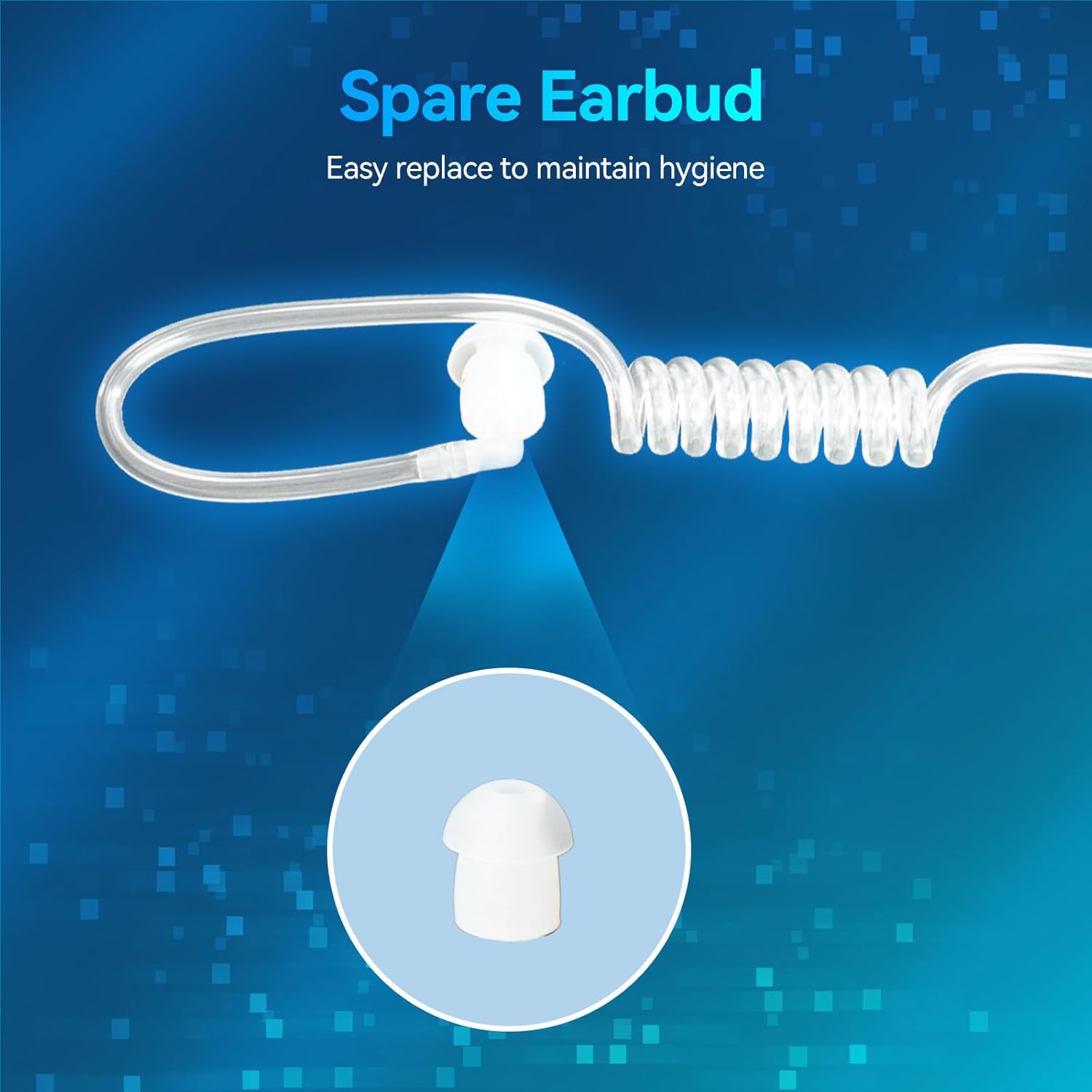
Image: Close-up of a spare earbud, emphasizing its easy replacement for hygiene.

Image: Diagram showing the 180° rotatable PU tube, highlighting its ease of removal, change, and cleaning.
Troubleshooting
| Problem | Possible Cause | Solution |
|---|---|---|
| No sound from earpiece. | Earpiece not fully connected; volume too low; radio not transmitting. | Ensure earpiece is securely plugged in. Increase volume using the earpiece's slider or radio's volume control. Check radio's power and transmission settings. |
| Sound is distorted or unclear. | Loose connection; damaged cable/speaker; interference. | Check connection. Inspect cable for visible damage. Move away from potential sources of electromagnetic interference. |
| Microphone not transmitting. | PTT button not pressed; microphone blocked; faulty microphone. | Ensure PTT button is fully pressed while speaking. Check if microphone is obstructed. Test with another earpiece if available. |
| Earpiece falls out easily. | Incorrect earbud size; improper placement. | Adjust earbud position. Ensure the acoustic tube is correctly shaped to fit your ear. |
Product Specifications
| Feature | Detail |
|---|---|
| Model Name | EAK007 |
| Item Model Number | FC9257AX4 |
| Connectivity Technology | Wired |
| Headphones Jack | K Head 2 Pin |
| Cable Feature | Retractable (Coiled Cord) |
| Control Type | Volume Control |
| Compatible Devices | Retevis RT21, H-777, H-777S, RB89; Baofeng BF-888S, F8HP; Pxton walkie talkies; and other devices with a compatible 2-pin connector. |
| Product Dimensions | 8.46 x 6.69 x 2.05 inches |
| Item Weight | 14.7 ounces |
| Color | Black |
| Unit Count | 4.0 Count (4 Pack) |
| Water Resistance Level | Not Water Resistant |
Warranty Information
For specific warranty details and terms, please refer to the product packaging or contact Retevis customer support directly. General return policies may apply as per the retailer's terms.
Customer Support
If you encounter any issues or have questions regarding your Retevis Walkie Talkie Earpiece, please contact Retevis customer support through their official website or the retailer where the product was purchased. Provide your model number (FC9257AX4) and a detailed description of your inquiry for efficient assistance.
You can visit the official Retevis store for more information: Retevis Store on Amazon
Related documentsFC9257AX4


Ask a question about this manual
Ask about setup, troubleshooting, compatibility, parts, safety, or missing instructions. Manuals+ will review the question and use this page’s manual context to help answer it.