
1. Introduction
This manual provides detailed instructions for the JSAUX 2-in-1 USB C to 3.5mm Headphone and Charger Adapter. This device allows simultaneous audio output through a 3.5mm jack and fast charging via a USB-C port from a single USB-C device port. Please read this manual thoroughly before use to ensure proper operation and longevity of the product.

Image 1: JSAUX 2-in-1 USB C to 3.5mm Headphone and Charger Adapter, showcasing its two output ports (3.5mm audio and USB-C charging) and the input USB-C connector.
2. Key Features
- 2-in-1 Functionality: Splits a single USB-C port into a 3.5mm audio jack and a USB-C charging port, enabling simultaneous audio listening and device charging.
- Fast Charging Support: Compatible with Power Delivery (PD) 3.0/2.0, supporting up to 60W fast charging. Note: Quick Charge (QC) may not be supported for some newer phone models. For optimal charging speed, use a PD-compatible wall charger.
- High-Fidelity Audio: Equipped with a Smart DAC chip for stable, high-quality audio transmission without current noise. The 3.5mm female port is compatible with CTIA standard plugs. Note: OMTP TS/TRS/TRRS microphone-only devices are not supported. Volume adjustment on Apple EarPods with 3.5mm plugs is not supported.
- Plug and Play: Requires no driver or app installation for immediate use.
- Compact Design: Features a mini and lightweight design with an approximate length of 18cm for portability.

Image 2: An internal diagram of the JSAUX adapter, highlighting the Smart DAC chip for audio processing and the Fast Charge chip for power delivery.
3. Compatibility
The JSAUX USB C to 3.5mm adapter is designed for broad compatibility with most USB-C devices. It is important to note that devices with an existing 3.5mm audio port may not support this adapter. Additionally, compatibility with all OnePlus models is not guaranteed.
Compatible Devices Include:
- Apple: iPhone 16 Pro / iPhone 16 Pro Max / iPhone 16 / iPhone 16 Plus / iPhone 15 / 15 Pro / 15 Plus / 15 Pro Max, iPad Pro 2021/2020, iPad Air 4, iPad mini 6, MacBook Pro 2023/2022/2021.
- Samsung: Galaxy S24 / S24+ / S24 Ultra / S23 / S23 Ultra / S23+ / S22 / S22 Ultra / S22+ / S21 / S21 Ultra / S21+ / S20 FE / S20 Plus / S20 Ultra / S10 Lite / Note10+ / Note20 Ultra / A90 / Tab S8 S7+ S6.
- Google: Pixel 7 / 7 Pro / 6 / 6 Pro / 5 / 4 / 4 XL / 3 / 3 XL / 2 / 2 XL.
- Other: Huawei (various models), PS5.
For specific functionality (Music, Call, Wire Control) with various brands and models, please refer to the manufacturer's compatibility chart.

Image 3: A compatibility chart detailing supported features (Music, Call, Wire Control) for various Apple, Samsung, Google, HTC, and Motorola devices when used with the JSAUX adapter.
4. Setup Instructions
The JSAUX 2-in-1 adapter is designed for simple plug-and-play operation.
- Connect to Device: Insert the USB-C male connector of the adapter into the USB-C port of your smartphone, tablet, or laptop.
- Connect Headphones: Plug your 3.5mm headphones or auxiliary cable into the 3.5mm audio jack on the adapter.
- Connect Charger: If charging is desired, connect your USB-C charging cable to the USB-C charging port on the adapter, and then connect the charging cable to a power source (e.g., wall adapter, power bank).

Image 4: A user connecting the JSAUX adapter to a smartphone, with headphones and a charging cable also connected, demonstrating simultaneous audio and charging.
5. Operating the Adapter
Once connected, the adapter functions automatically:
- Audio Output: Audio from your device will be routed through the 3.5mm jack to your connected headphones or audio system.
- Charging: Power will be delivered to your device through the USB-C charging port. The adapter supports PD 60W fast charging, allowing your device to charge efficiently while you use audio.
- Calls and Controls: For CTIA-compatible headphones with inline microphones and controls, these functions should operate normally. Note that volume control for Apple EarPods with 3.5mm plugs is not supported through this adapter.
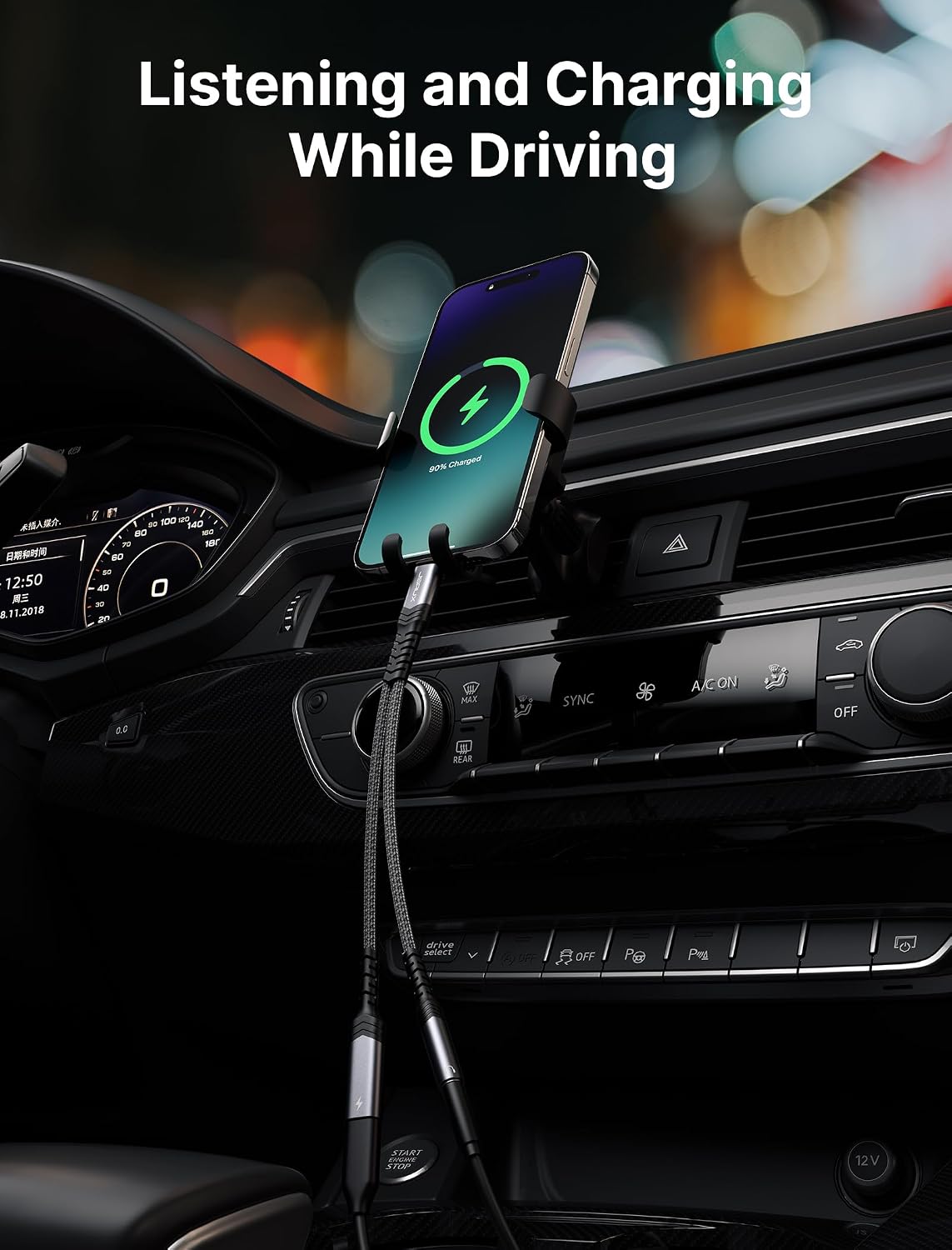
Image 5: The JSAUX adapter connected to a smartphone mounted in a car, with a charging cable and an auxiliary cable connected, illustrating its use for navigation, music, and charging while driving.
Official Product Video:
Video 1: An official product video from JSAUX (JS Digital US) demonstrating the features and usage of the 2-in-1 USB C to 3.5mm Headphone and Charger Adapter, including its ability to provide audio and charging simultaneously.
6. Care and Maintenance
To ensure the longevity and optimal performance of your JSAUX adapter, follow these guidelines:
- Storage: Store the adapter in a cool, dry place away from direct sunlight and extreme temperatures.
- Cleaning: Use a soft, dry cloth to clean the adapter. Avoid using harsh chemicals or abrasive materials.
- Handling: Avoid bending or twisting the cable excessively, especially near the connectors, to prevent internal damage. Do not pull on the cable to disconnect; always grasp the connector housing.
- Moisture: Keep the adapter away from water and other liquids. If it gets wet, disconnect it immediately and allow it to dry completely before reuse.
7. Troubleshooting
If you encounter issues with your JSAUX adapter, please refer to the following common solutions:
- No Audio Output:
- Ensure the adapter's USB-C connector is fully inserted into your device.
- Verify your headphones are fully plugged into the 3.5mm jack.
- Check your device's audio settings to ensure output is directed to the USB-C accessory.
- Confirm your headphones are CTIA compatible. OMTP standard headphones are not supported.
- Restart your device.
- No Charging:
- Ensure the charging cable is securely connected to both the adapter and the power source.
- Verify the power source (wall adapter) is functioning correctly.
- Confirm your charging cable and power source are compatible with PD 3.0/2.0 for fast charging.
- Note that some new phones may not support Quick Charge (QC) through this adapter; a PD wall charger is recommended for faster speeds.
- Audio Quality Issues (e.g., static, popping):
- Ensure all connections are secure and free from debris.
- Test with different headphones or audio cables to rule out external equipment issues.
- Avoid using the adapter in environments with strong electromagnetic interference.
- Volume Control Not Working (Apple EarPods):
- This adapter does not support the volume adjustment function of Apple EarPods Headphones with 3.5mm plugs. Volume must be controlled directly from your connected device.
- Adapter Not Recognized:
- Try connecting the adapter to a different USB-C port on your device, if available.
- Ensure your device's operating system is up to date.
8. Specifications
| Feature | Specification |
|---|---|
| Brand | JSAUX |
| Model Number | 2-IN-1-USB-C-TO-3-5MM-HEADPHO-c627a72921 |
| ASIN | B0CNBZN35Q |
| Color | Grey |
| Connector Type | USB Type C (Input), 3.5mm Auxiliary, USB Type C (Output) |
| Charging Power | Up to 60W PD (Power Delivery 3.0/2.0) |
| Audio Chip | Smart DAC Chip |
| 3.5mm Port Compatibility | CTIA standard (Note: Not compatible with OMTP TS/TRS/TRRS microphone-only devices) |
| Data Transfer | Not supported |
| Item Weight | 0.634 ounces (approx. 18 grams) |
| Package Dimensions | 4.84 x 3.39 x 0.35 inches |
| Manufacturer | Shenzhen Wuyishi Technology Co.,Ltd |
9. Warranty Information
JSAUX products are designed for reliability and performance. For specific warranty terms and conditions, please refer to the official JSAUX website or contact customer support. Typically, electronic accessories come with a limited manufacturer's warranty covering defects in materials and workmanship under normal use.
10. Customer Support
For further assistance, technical support, or inquiries regarding your JSAUX USB C to 3.5mm Headphone and Charger Adapter, please visit the official JSAUX website or contact their customer service department. Contact information can usually be found on the product packaging or the manufacturer's website.
Manufacturer: Shenzhen Wuyishi Technology Co.,Ltd
Brand Store: JSAUX Amazon Store


