
1. Introduction
This manual provides essential information for the proper use and maintenance of your CaseSack Open Ear Headphones Case. Designed for optimal protection and portability, this case is specifically tailored for Oladance OWS Pro, OWS 2, and OWS 1 Open Ear Headphones with their travel charging cases. Please read this manual thoroughly to ensure the longevity and effective use of your product.
2. Product Overview
The CaseSack Open Ear Headphones Case is a semi-hard, compact, and lightweight solution for organizing and protecting your headphones and their accessories. Its robust design ensures excellent protection against shocks, shakes, and scratches, making it ideal for both home storage and travel.

Figure 2.1: The CaseSack Open Ear Headphones Case shown both open, containing headphones and charging case, and closed. This illustrates the compact design and internal organization.

Figure 2.2: A top-down view of the CaseSack Open Ear Headphones Case in its closed state, highlighting its sleek, semi-hard exterior and zipper closure.
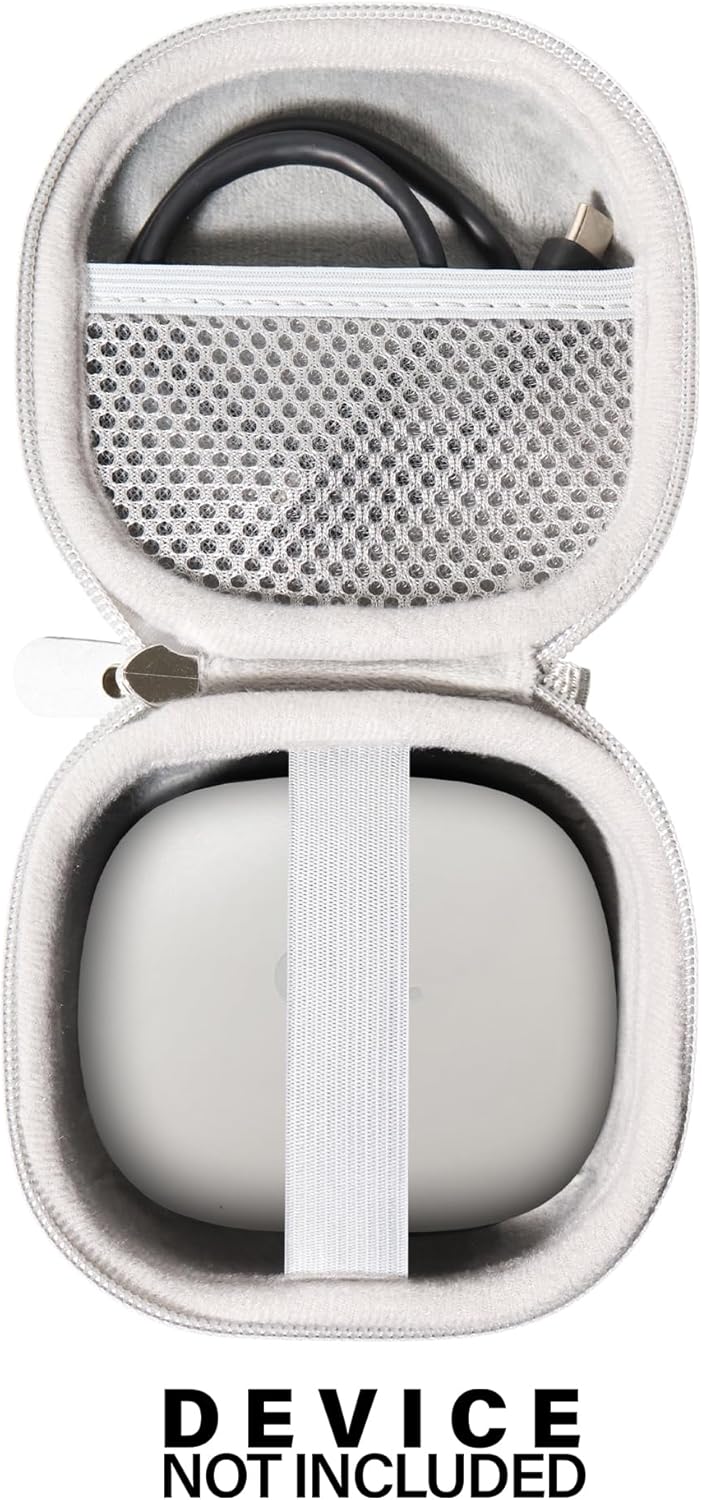
Figure 2.3: The interior of the open case, demonstrating the dedicated space for the charging case secured by an elastic strap, and a mesh pocket for cables. Note: Headphones and charging device are not included with the case.

Figure 2.4: A detailed view of the case's interior when empty, showcasing the soft lining, elastic strap for securing devices, and the mesh pocket for small accessories like charging cords.
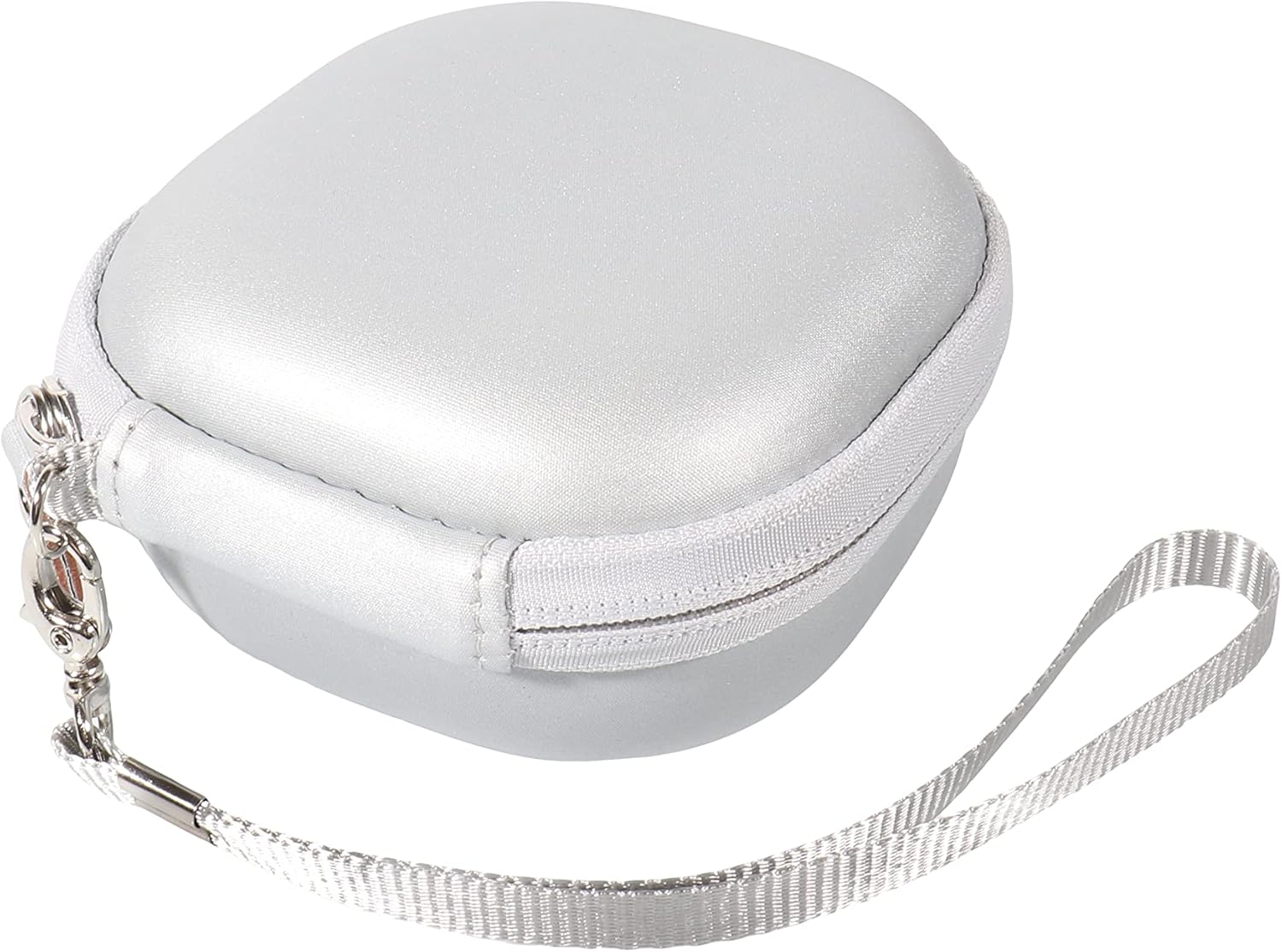
Figure 2.5: The closed case with the included carabiner attached, illustrating its portability and ease of attachment to bags or belts.
Key Features:
- Tailor-made for Oladance OWS Pro, OWS 2, and OWS 1 Open Ear Headphones with Travel Charging Case.
- Strong, compact, and lightweight design for easy storage and portability.
- Semi-hard shell construction with PEVA materials for shock, shake, and scratch protection.
- Internal organization with elastic strap and mesh pocket for charger case and cords.
- Includes a detachable wristband/carabiner for convenient carrying.
3. Setup
The CaseSack Open Ear Headphones Case requires minimal setup.
- Unpack: Remove the case from its packaging.
- Open: Unzip the case completely.
- Insert Headphones: Place your Oladance Open Ear Headphones charging case securely under the elastic strap inside the main compartment.
- Store Accessories: Utilize the mesh pocket in the lid for storing charging cables or other small accessories.
- Close: Zip the case closed to secure its contents.
- Attach Carabiner (Optional): If desired, attach the included carabiner to the loop on the case for easy carrying or attachment to a bag.
4. Operating Instructions
Using your CaseSack Open Ear Headphones Case is straightforward.
- Storage: When not in use, always store your headphones and charging case inside the CaseSack to protect them from dust, impacts, and scratches.
- Travel: The compact design allows the case to fit easily into purses, shoulder bags, backpacks, or suitcases, providing secure transport for your devices.
- Protection: The semi-hard shell and PEVA materials are designed to absorb pressure and impacts, safeguarding your valuable electronics. Ensure the zipper is fully closed for maximum protection.
- Accessibility: The internal layout ensures that your headphones and charging cable are easily accessible when you open the case.
5. Maintenance
Proper care will extend the life of your CaseSack Open Ear Headphones Case.
- Cleaning: Wipe the exterior of the case with a soft, damp cloth. For stubborn dirt, a mild soap solution can be used, followed by wiping with a clean, damp cloth. Allow to air dry completely before closing or storing.
- Interior Care: The soft interior lining can be gently vacuumed or wiped with a lint-free cloth to remove dust or debris.
- Avoid Harsh Chemicals: Do not use abrasive cleaners, solvents, or harsh chemicals, as these can damage the case's materials.
- Storage: Store the case in a cool, dry place away from direct sunlight and extreme temperatures when not in use.
- Zipper Care: Periodically check the zipper for any debris and ensure it operates smoothly. Do not force the zipper if it snags.
6. Troubleshooting
If you encounter any issues with your CaseSack Open Ear Headphones Case, refer to the following common solutions.
- Case does not close properly:
- Ensure that the headphones and charging case are correctly positioned within the elastic strap and that no items are obstructing the zipper path.
- Check the mesh pocket for overfilling, which might prevent the case from closing flat.
- Zipper is stiff or stuck:
- Check for any fabric or debris caught in the zipper teeth. Gently remove any obstructions.
- Apply a small amount of zipper lubricant (e.g., beeswax or a graphite pencil) to the teeth and gently work the zipper back and forth.
- Case appears dirty or stained:
- Refer to the "Maintenance" section for cleaning instructions. Prompt cleaning of spills can prevent permanent stains.
7. Specifications
| Feature | Detail |
|---|---|
| Product Dimensions | 4 x 3.5 x 1.75 inches |
| Item Weight | 1.82 ounces |
| Item Model Number | 630323 |
| Form Factor | Case |
| Color | White |
| Shell Type | Semi-hard |
| Compatible Devices | Oladance OWS Pro Open Ear Headphones, OWS 2, OWS 1 Open Ear Headphones with Travel Charging Case |
| Special Features | Handy compact strong case for better organizing and travelling with excellent protection |
| What's in the Box | Carabiner |
| Manufacturer | CaseSack |
8. Warranty Information
CaseSack stands behind the quality of its products. This product comes with a Worry-free Guarantee.
- CaseSack offers a 100% refund for any quality problems encountered with the product.
- This guarantee covers manufacturing defects and issues related to the product's quality.
- For claims or inquiries regarding the warranty, please contact CaseSack customer support.
Note: This warranty applies to the protective case only. Devices or accessories shown for illustration are sold separately and are not covered by this product's warranty.
9. Customer Support
For further assistance, questions, or to report any issues not covered in this manual, please contact CaseSack customer support.
- Online Support: Visit the official CaseSack store on Amazon for product information and support resources. CaseSack Amazon Store
- Product Page: For specific details about your purchase, refer to the product page where you bought the item. Product Page Link
When contacting support, please have your product model number (630323) and purchase details ready.