Introduction
This manual provides detailed instructions for the safe and efficient use of your UGREEN 100W Power Bank Bundle. This bundle includes a 20000mAh power bank with 100W fast charging capabilities and two 3.3FT USB C cables. Please read this manual thoroughly before operating the device.
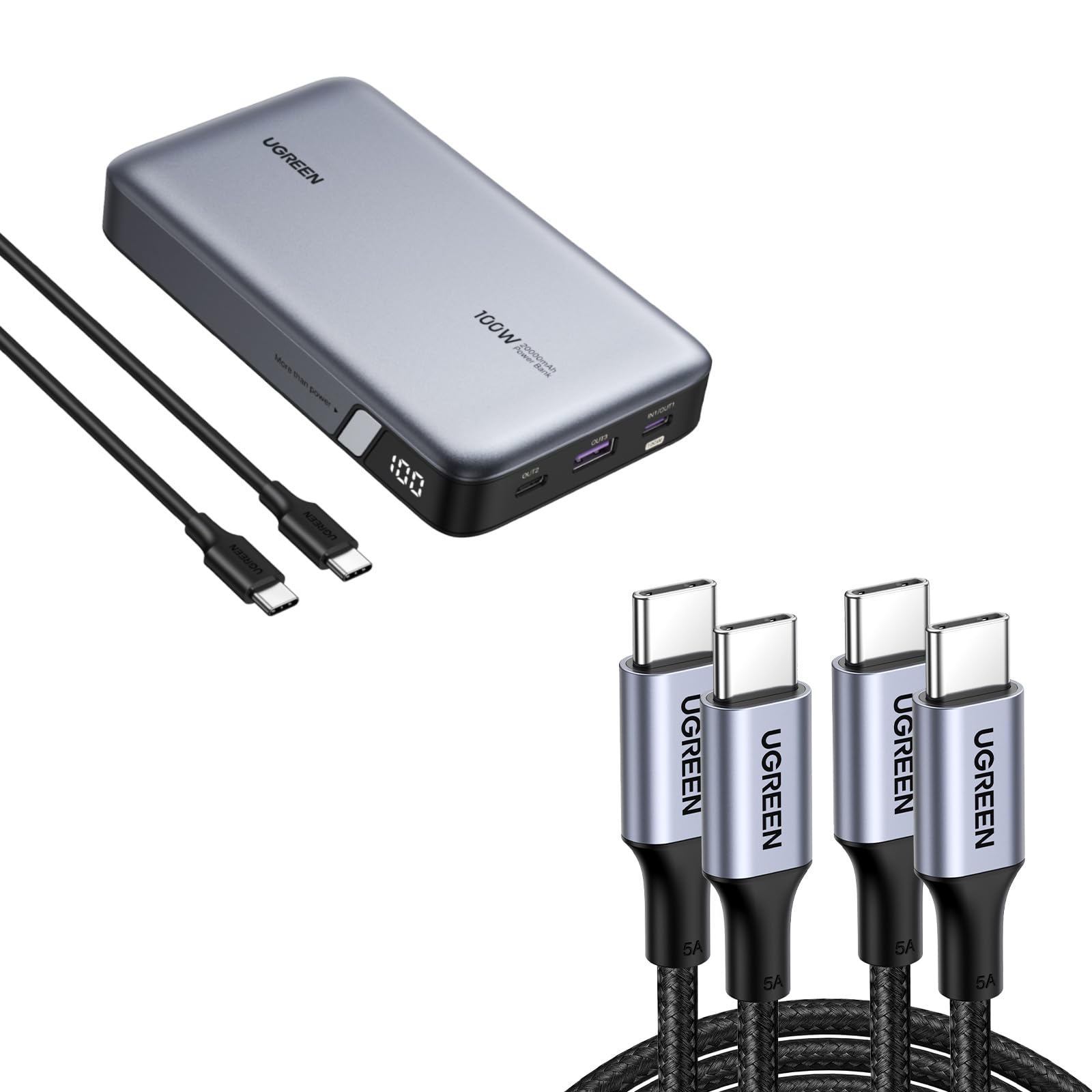
Image: The UGREEN 100W Power Bank with its included USB C cables, showcasing its compact design and digital display.
Setup
Initial Charge
Before first use, fully charge the power bank. For optimal battery level accuracy, fully discharge the power bank to 0% and then charge it to 100% without interruption.
- Connect a 65W (or higher) USB-C wall charger (not included) to the USB C1 port (IN/OUT1) of the power bank.
- The digital LED screen will display the charging progress. A full charge takes approximately 1.6 hours with a 65W charger.
Connecting Devices
The power bank features two USB-C ports (OUT1/IN1, OUT2) and one USB-A port (OUT3) for connecting your devices.

Image: Close-up view of the UGREEN Power Bank's three charging ports: USB-C1 (IN/OUT1) 100W Max, USB-C2 (OUT2) 30W Max, and USB-A (OUT3) 22.5W Max.
Operating Instructions
Charging Your Devices
Connect your device to one of the available output ports using a compatible cable. The power bank will automatically begin charging. The digital display shows the remaining battery percentage.
- USB C1 (IN/OUT1): Up to 100W output for fast charging laptops, tablets, and smartphones.
- USB C2 (OUT2): Up to 30W output for fast charging smartphones and smaller devices.
- USB A (OUT3): Up to 22.5W output for various USB-A compatible devices.
- The power bank can charge up to three devices simultaneously.

Image: The UGREEN Power Bank simultaneously charging a laptop, smartphone, and wireless earbuds, demonstrating its multi-device charging capability.
Trickle Charging Mode
For charging low-power devices like smartwatches or Bluetooth earbuds, activate Trickle Charging Mode to prevent overcharging and optimize battery health.
- To activate: Press and hold the power button for 3 seconds. The LED display may indicate a change (refer to product specific indicators if available).
- To deactivate: Press and hold the power button for 3 seconds again.

Image: The UGREEN Power Bank alongside a smartwatch and wireless earbuds, illustrating the use of Trickle Charging Mode for low-power devices.
Maintenance
General Care
- Keep the power bank away from extreme temperatures, direct sunlight, and liquids.
- Clean the device with a soft, dry cloth. Do not use abrasive cleaners or solvents.
- Avoid dropping or subjecting the power bank to strong impacts.
Battery Longevity
To maximize the lifespan of your power bank's battery, avoid fully discharging it frequently. Store the power bank with approximately 50% charge if not used for extended periods.

Image: Diagram illustrating the UGREEN Power Bank's battery retention, showing 80% capacity after 5 years compared to 50% for other power banks, highlighting its durability.
Troubleshooting
Common Issues and Solutions
- Power bank not charging:
Ensure the charging cable and wall adapter are functioning correctly and meet the required power output (e.g., 65W for fast recharge). Check the connection to the IN/OUT1 port.
- Device not charging from power bank:
Verify the power bank has sufficient charge. Ensure the cable connecting your device is compatible and properly inserted. Try a different port or cable.
- Power bank provides less power than expected:
During use, some energy is lost due to voltage conversion (3.7V -> 5V) and internal heat, typically 30-45%. For example, a 20000mAh power bank usually delivers 11,000-13,000mAh of usable capacity, which is standard across the industry.

Image: Frequently Asked Questions section, addressing common concerns such as actual power delivery and airline compatibility.
Specifications
| Feature | Detail |
|---|---|
| Model | B0CN9DGLDG |
| Capacity | 20000mAh |
| USB-C1 (IN/OUT1) Output | 100W Max |
| USB-C2 (OUT2) Output | 30W Max |
| USB-A (OUT3) Output | 22.5W Max |
| Total Output | 100W Max (shared across ports) |
| Recharge Time | Approx. 1.6 hours (with 65W PD charger) |
| Special Features | Digital Display, Fast Charging, Portable, Multiple Safety Protections |
| Airline Approved | Yes (UN38.3 certified) |

Image: The UGREEN Power Bank surrounded by various devices (laptop, smartphone, drone, gaming console), illustrating its 20000mAh massive capacity and compatibility.
Safety Information
The UGREEN 100W Power Bank is designed with multiple safety features to protect both the device and your connected electronics.
- Multiple Safety Protection: Includes over-voltage, over-current, over-charge, over-discharge, high-temperature, and short-circuit protection.
- Airline Approved: This power bank has passed the UN38.3 test, the safety standard required by ICAO and IATA for lithium batteries in air transport.
- Do not disassemble, modify, or repair the device yourself.
- Dispose of the power bank according to local regulations for lithium-ion batteries.

Image: A shield icon representing multiple safety protections, including over-voltage, over-current, over-charge, over-discharge, high-temperature, and short-circuit protection.

Image: The UGREEN Power Bank shown in an airplane window, indicating its approval for air travel.
Product Overview Video
Video: An official UGREEN product overview video demonstrating the features and usage of the 100W Power Bank. This video provides a visual guide to the product's capabilities and operation.
Warranty and Support
Warranty Information
UGREEN products typically come with a standard manufacturer's warranty. Please refer to the warranty card included with your product or visit the official UGREEN website for specific warranty terms and conditions.
Customer Support
For technical assistance, troubleshooting, or warranty claims, please contact UGREEN customer support through their official website or the contact information provided in your product packaging.
You can also visit the official UGREEN store on Amazon for more product information: UGREEN Store


