
ATUMTEK ATSS170
ATUMTEK 68.5" Selfie Stick Tripod User Manual
Model: ATSS170
1. Product Overview
The ATUMTEK 68.5" Selfie Stick Tripod (Model: ATSS170) is a versatile and portable accessory designed to enhance your mobile photography and videography experience. It functions as both an extendable selfie stick and a stable tripod, featuring a rechargeable Bluetooth remote for convenient control. Its durable aluminum alloy construction and adjustable angles make it suitable for various scenarios, from travel vlogging to group photos.

Figure 1.1: ATUMTEK 68.5" Selfie Stick Tripod in different modes.
2. What's in the Box
Please verify that all items are present and in good condition upon opening the package:
- 1 x ATUMTEK 68.5" Selfie Stick Tripod
- 1 x Rechargeable Bluetooth Remote Shutter
- 1 x USB-C Charging Cable
- 1 x User Manual

Figure 2.1: Product packaging.
3. Product Features
- Extended Reach: The tripod features a 9-section retractable aluminum alloy rod, extending up to 68.5 inches (172 cm) for wide-angle shots and large group photos.
- Durable Construction: Built with premium aluminum alloy and PC plastic, including a reinforced base with extended 22cm legs and a double triangle tripod structure for enhanced stability. The central zinc alloy base supports up to 15kg.
- Versatile Phone Holder: Securely clamps smartphones from 2.1 inches (5.3 cm) to 3.6 inches (9.15 cm) wide, compatible with a wide range of iPhone and Android models.
- Rechargeable Bluetooth Remote: A detachable Bluetooth remote shutter provides wireless control up to 33 feet (10 meters). It includes a 50mAh rechargeable battery for extended use.
- Adjustable Angles: Offers 360° rotation and 180° tilt for effortless switching between landscape and portrait modes, allowing for diverse shooting perspectives.
- Dual-Purpose Design: Functions as both a handheld selfie stick and a stable tripod, adapting to various shooting scenarios.
- Portable Design: Lightweight at only 12.3 ounces (350g) and folds down to a compact 12.2 inches (31 cm) for easy transport.
- Comfortable Grip: Ergonomically designed handle with non-slip silicone feet and a silicone pad on the phone holder for secure and comfortable use.

Figure 3.1: Adjustable Height and Portability.
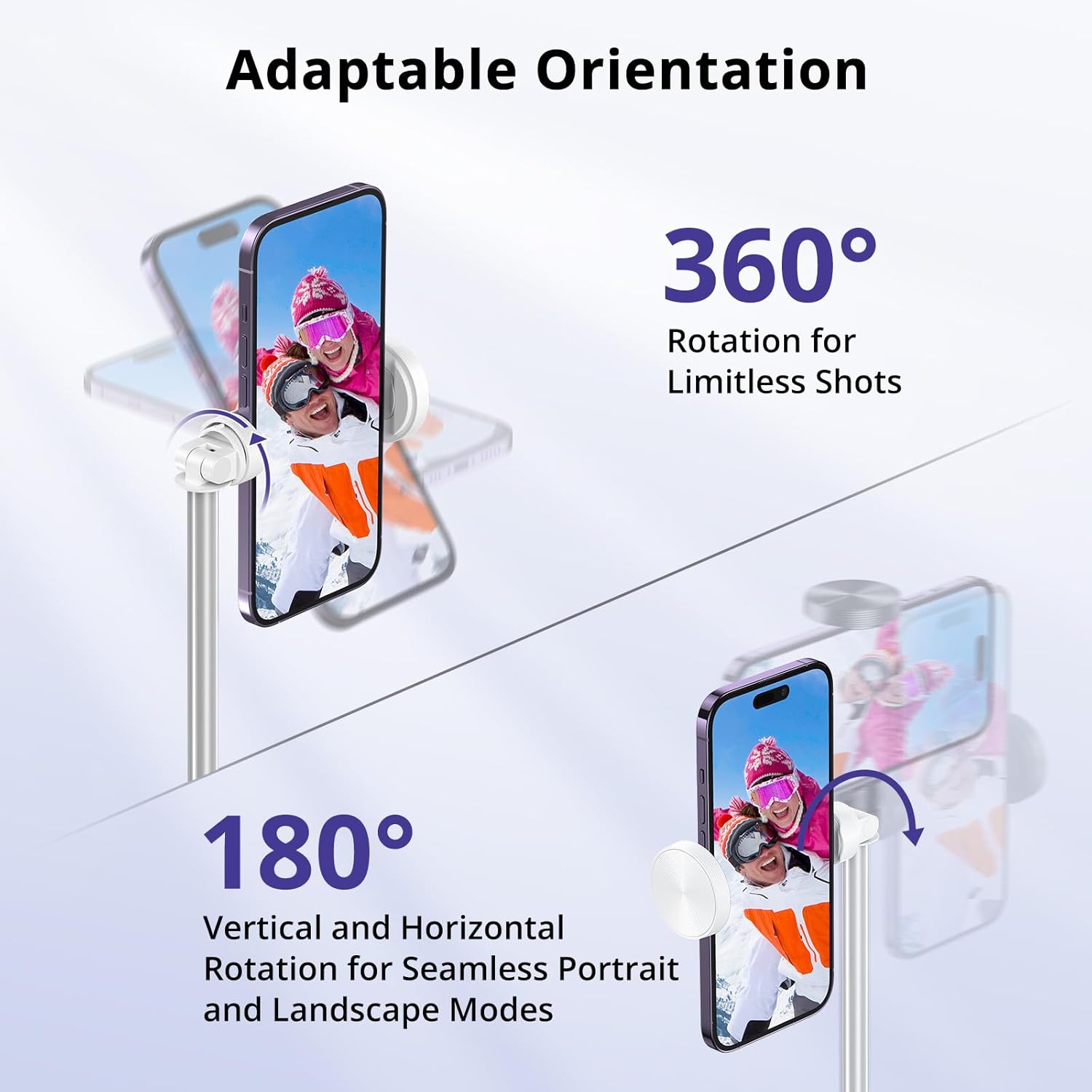
Figure 3.2: Adaptable Orientation for Photos and Videos.

Figure 3.3: Detachable Bluetooth Remote Control.

Figure 3.4: Versatile Phone Clamp Compatibility.
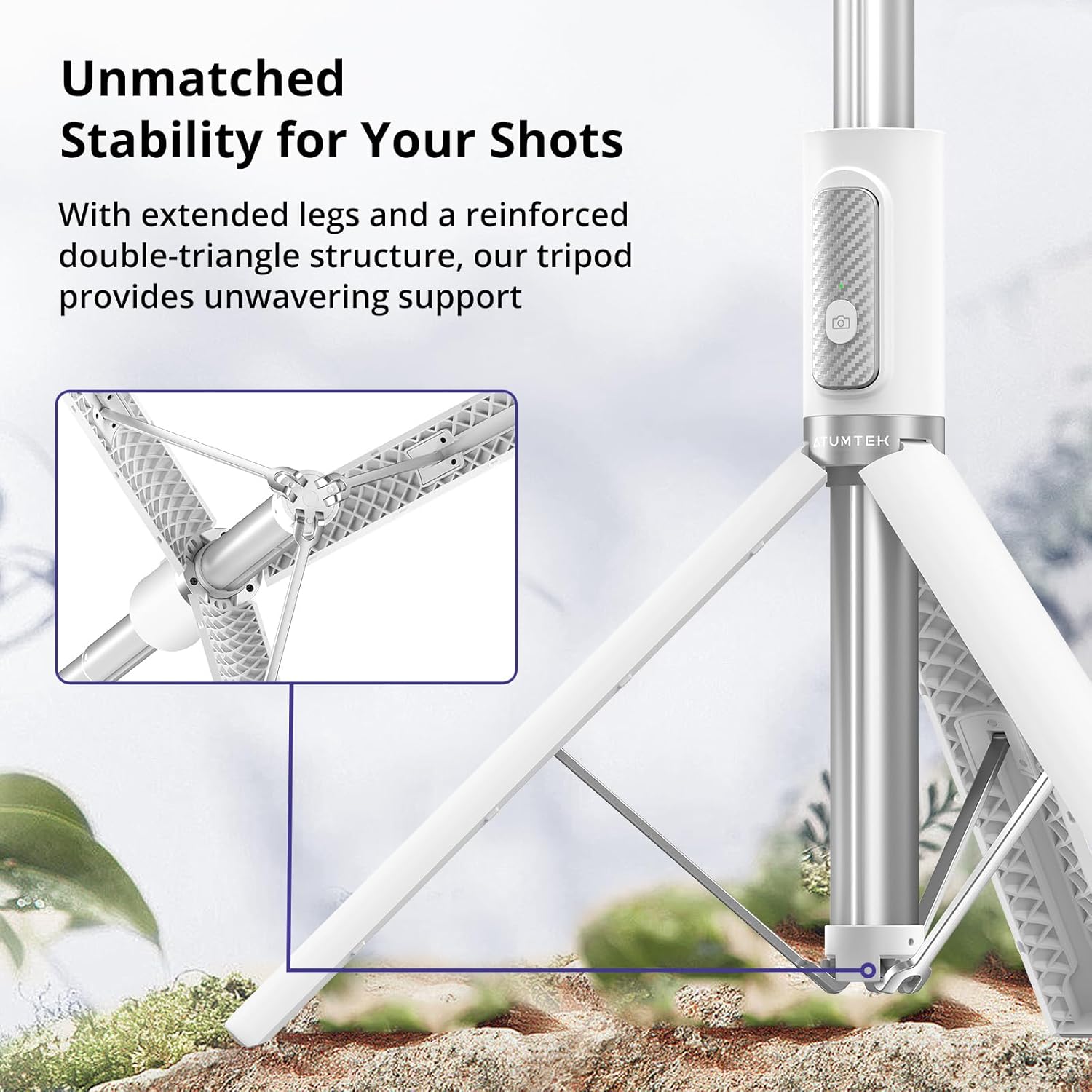
Figure 3.5: Enhanced Stability with Double Triangle Structure.

Figure 3.6: Premium Materials for Durability.
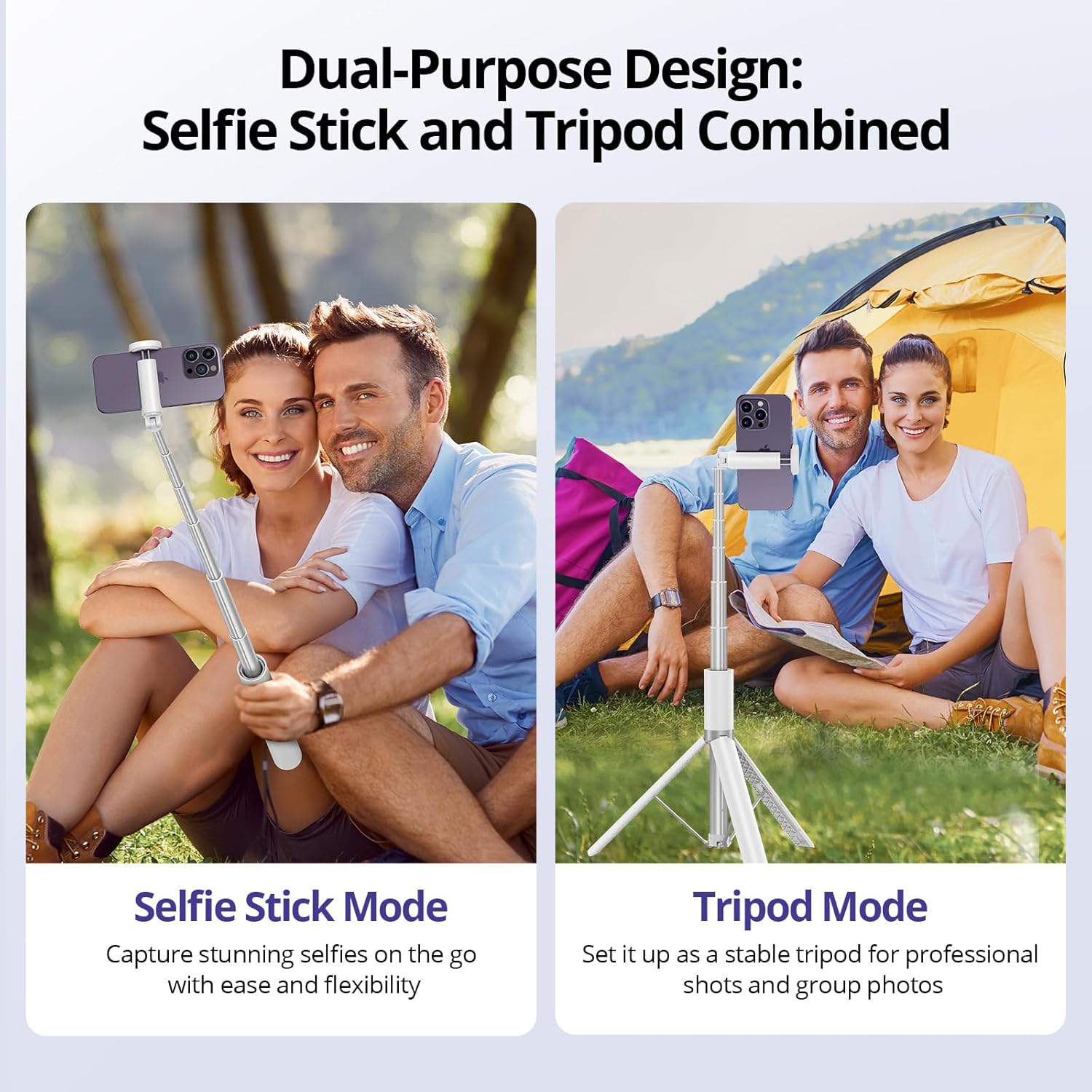
Figure 3.7: Dual-Purpose Design: Selfie Stick and Tripod.
4. Setup Instructions
Follow these steps for initial setup of your ATUMTEK Selfie Stick Tripod:
- Unfold the Tripod Legs: Gently pull the bottom part of the handle downwards to release and extend the tripod legs. Ensure they are fully spread for maximum stability.
- Extend the Rod: Pull the top section of the selfie stick upwards to extend the aluminum alloy rod to your desired height. The rod has 9 sections, allowing for significant extension.
- Adjust Phone Holder Angle: The phone holder can be rotated 360° and tilted 180°. Adjust it to the desired orientation (landscape or portrait) and angle for your shot.
- Insert Smartphone: Open the phone clamp and carefully insert your smartphone. Ensure it is securely gripped by the silicone pads to prevent slipping or scratching. The clamp accommodates phones from 2.1 to 3.6 inches wide.
- Pair Bluetooth Remote:
- Remove the Bluetooth remote from its slot on the handle.
- Turn on the remote by pressing and holding the button until the indicator light flashes.
- On your smartphone, go to Bluetooth settings and search for "ATUMTEK" or a similar device name.
- Select the device to pair. The indicator light on the remote will turn solid when successfully paired.
- Charge Remote (if needed): If the remote's battery is low, connect the included USB-C cable to the charging port on the remote and a power source. The indicator light will show charging status.

Figure 4.1: Simple Setup and Operation Steps.
5. Operating Instructions
Once set up, operating your ATUMTEK Selfie Stick Tripod is straightforward:
- Taking Photos/Videos: With your smartphone securely mounted and the Bluetooth remote paired, open your phone's camera app. Press the button on the Bluetooth remote to capture photos or start/stop video recording.
- Switching Modes:
- Selfie Stick Mode: Hold the handle firmly and extend the rod to your desired length for selfies or group shots.
- Tripod Mode: Fully extend the tripod legs and place the tripod on a stable, flat surface. Adjust the rod height and phone holder angle as needed for stable shots or hands-free viewing.
- Adjusting Height: Loosen the locking mechanism (if any) and extend or retract the telescopic rod sections to achieve the desired height. Secure the locking mechanism once adjusted.
- Adjusting Angle: Use the 360° rotation and 180° tilt features of the phone holder to fine-tune your camera angle.
Video 5.1: Demonstration of ATUMTEK Selfie Stick Tripod features, including extension, stability, remote control, and phone compatibility.
6. Maintenance
To ensure the longevity and optimal performance of your ATUMTEK Selfie Stick Tripod, follow these maintenance guidelines:
- Cleaning: Wipe the tripod with a soft, dry cloth to remove dust and dirt. For stubborn marks, a slightly damp cloth can be used, but ensure the device is completely dry before storage. Avoid using harsh chemicals or abrasive cleaners.
- Storage: When not in use, retract the rod fully and fold the tripod legs. Store the device in a cool, dry place away from direct sunlight and extreme temperatures.
- Battery Care: For the Bluetooth remote, avoid fully discharging the battery frequently. Recharge it regularly, even if not in constant use, to maintain battery health.
- Avoid Overloading: Do not exceed the maximum weight capacity of 15kg (33 lbs) on the central base. While the product is durable, excessive force or weight can cause damage.
- Handle with Care: Although resistant to drops, avoid unnecessary impacts or rough handling to preserve the integrity of the aluminum alloy and plastic components.
7. Troubleshooting
If you encounter any issues with your ATUMTEK Selfie Stick Tripod, please refer to the following common problems and solutions:
| Problem | Possible Cause | Solution |
|---|---|---|
| Bluetooth remote not pairing. | Remote battery low; Bluetooth not enabled on phone; remote not in pairing mode; interference. | Charge the remote; ensure phone's Bluetooth is on; press and hold remote button to enter pairing mode; move closer to phone; restart phone and remote. |
| Remote not taking photos/videos. | Not paired; camera app not open; phone settings issue. | Ensure remote is paired; open phone's camera app; check phone's camera settings (e.g., volume button for shutter). |
| Tripod unstable. | Legs not fully extended; uneven surface; excessive weight. | Fully extend all tripod legs; place on a flat, stable surface; ensure phone weight is within limits. |
| Rod difficult to extend/retract. | Dust/debris in sections; mechanism stuck. | Clean the rod sections gently; apply minimal force; do not force if resistance is high. |
If the problem persists, please contact ATUMTEK customer support for further assistance.
8. Specifications
| Attribute | Detail |
|---|---|
| Model Number | ATSS170 |
| Material | Aluminum Alloy, PC Plastic, Zinc Alloy |
| Maximum Extended Length | 68.5 inches (172 cm) |
| Folded Length | 12.2 inches (31 cm) |
| Item Weight | 12.3 ounces (350g) |
| Phone Clamp Width | 2.1 - 3.6 inches (5.3 - 9.15 cm) |
| Bluetooth Remote Range | Up to 33 feet (10 meters) |
| Remote Battery Type | 50mAh Rechargeable Lithium Ion |
| Color | White |
9. Warranty and Support
ATUMTEK products are designed and manufactured to the highest quality standards. For information regarding warranty coverage, technical support, or customer service, please refer to the warranty card included in your product packaging or visit the official ATUMTEK website. You can also contact ATUMTEK customer support directly via the contact information provided on their website or through your purchase platform.
Online Resources:
- ATUMTEK Store: Visit the ATUMTEK Store on Amazon
Related documentsATSS170

Ask a question about this manual
Ask about setup, troubleshooting, compatibility, parts, safety, or missing instructions. Manuals+ will review the question and use this page’s manual context to help answer it.