
Introduction
Thank you for choosing the GDOR Centrifugal Juicer. This appliance is designed to efficiently extract juice from a variety of fruits and vegetables, featuring a Titanium Enhanced Cut Disc, dual speed settings, a 2.5-inch wide feed chute, and an anti-drip function for convenient and mess-free operation. Its compact design and easy-to-clean components make it an ideal addition to any kitchen. Please read this manual thoroughly before first use to ensure safe and optimal performance.
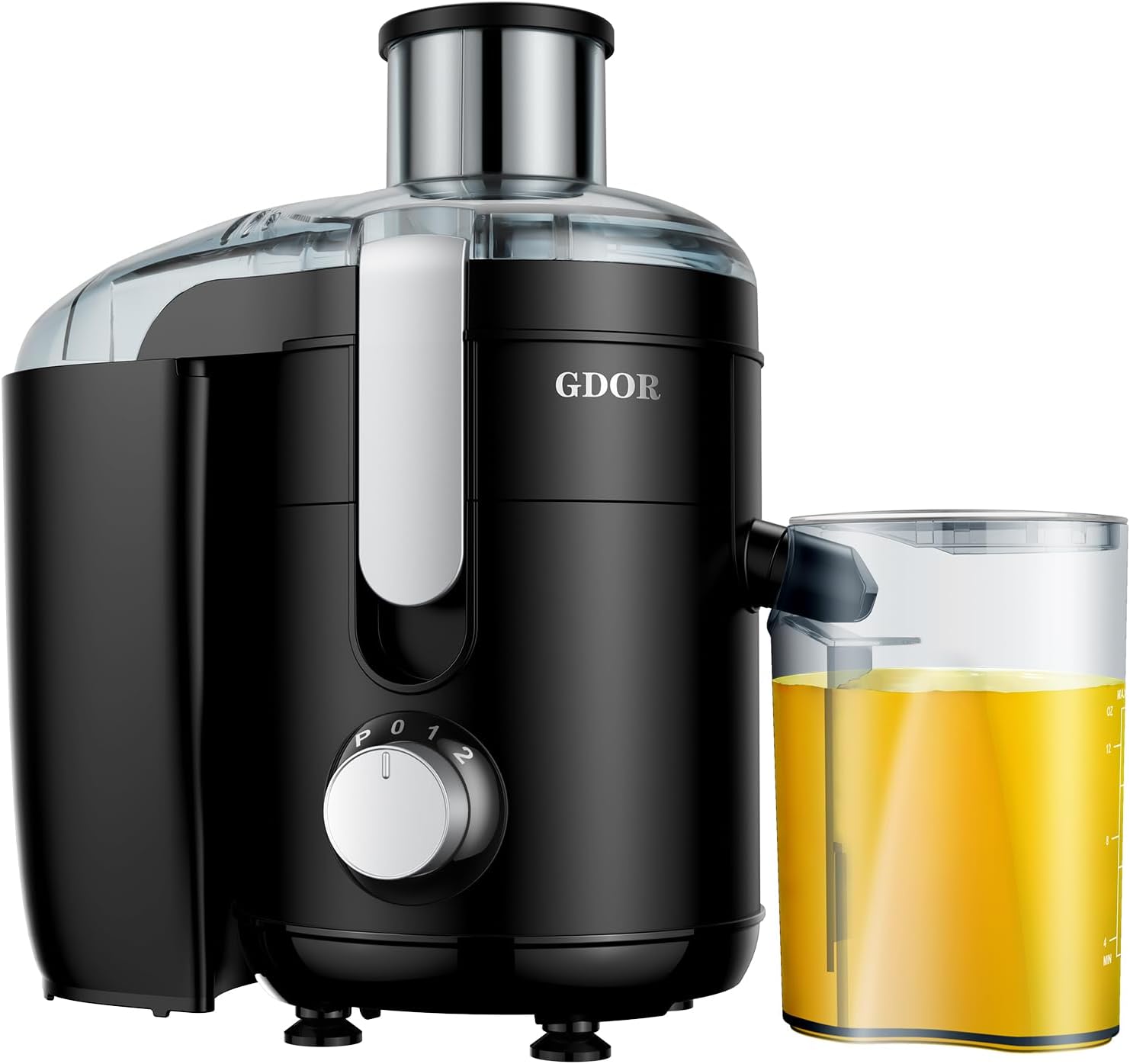
Image: GDOR Centrifugal Juicer, black model with juice jug.
Important Safety Instructions
- Read all instructions before operating the juicer.
- Always unplug the appliance from the outlet when not in use, before assembling or disassembling parts, and before cleaning.
- Do not operate any appliance with a damaged cord or plug, or after the appliance malfunctions or has been damaged in any manner.
- Do not let the cord hang over the edge of a table or counter, or touch hot surfaces.
- Do not immerse the motor base in water or other liquids.
- Ensure all parts are correctly assembled and the safety locking arm is securely in place before operating.
- Do not put fingers or other objects into the feed chute while the appliance is operating. Use the food pusher provided.
- Avoid contact with moving parts.
- This appliance is not intended for use by children. Close supervision is necessary when any appliance is used near children.
- Do not use attachments not recommended or sold by the manufacturer.
- Do not use the appliance for anything other than its intended use.
- Do not process frozen fruits or vegetables.
Product Components
- Motor Base with Control Knob
- Juicer Cover
- Micro-mesh Filter (with Titanium Enhanced Cut Disc)
- Filter Bowl
- Pulp Container
- Juice Jug (15 oz capacity)
- Food Pusher
- Anti-drip Spout
- Cleaning Brush

Image: Disassembled GDOR Juicer showing various components including the motor base, juicer cover, and pulp container.
Setup and Assembly
Step 1: Attach the anti-drip part to the filter bowl. Place the filter bowl on top of the motor base, ensuring it is seated correctly.

Image: Attaching the anti-drip part and placing the filter bowl on the motor base.
Step 2: Place the micro-mesh filter inside the filter holder until it "clicks" into place. Ensure it is firmly secured.

Image: Inserting the micro-mesh filter into the filter holder.
Step 3: Place the juicer cover over the filter bowl. Buckle the safety buckles on both sides to lock the cover securely in place. The juicer will not operate unless the safety buckles are engaged.

Image: Placing the juicer cover and engaging the safety buckles.
Step 4: Place the pulp container into position by tilting the motor base slightly and sliding the container into its designated slot at the back of the juicer.

Image: Positioning the pulp container at the back of the juicer.
Step 5: Insert the separator part into the juice jug. Place the juice jug under the juice spout at the front of the juicer.

Image: Placing the juice jug with separator under the juice spout.
Operating Instructions
- Preparation: Wash fruits and vegetables thoroughly. For larger items, cut them into pieces small enough to fit into the 2.5-inch feed chute. Remove any hard pits or large seeds.
- Power On: Plug the juicer into a 120V AC power outlet.
- Select Speed: Turn the control knob to the desired speed setting:
- "I" (Low Speed): Ideal for soft fruits and vegetables such as oranges, grapes, tomatoes, and leafy greens.
- "II" (High Speed): Suitable for harder fruits and vegetables like apples, carrots, celery, and beets.
- "P" (Pulse Control): Use for short bursts of power, particularly effective for dislodging pulp from the filter during operation or for quick cleaning.

Image: Close-up of the control knob with speed settings I, II, and P.
- Juicing: Gradually feed the prepared fruits and vegetables into the feed chute. Use the food pusher to gently guide them down. Do not force the food.
- Anti-Drip Function: The juicer features an anti-drip spout. After juicing, you can close the spout to prevent drips and maintain a clean countertop.
- Pulp and Foam Separation: The built-in pulp and foam separator in the juice jug helps ensure a smoother, clearer juice.
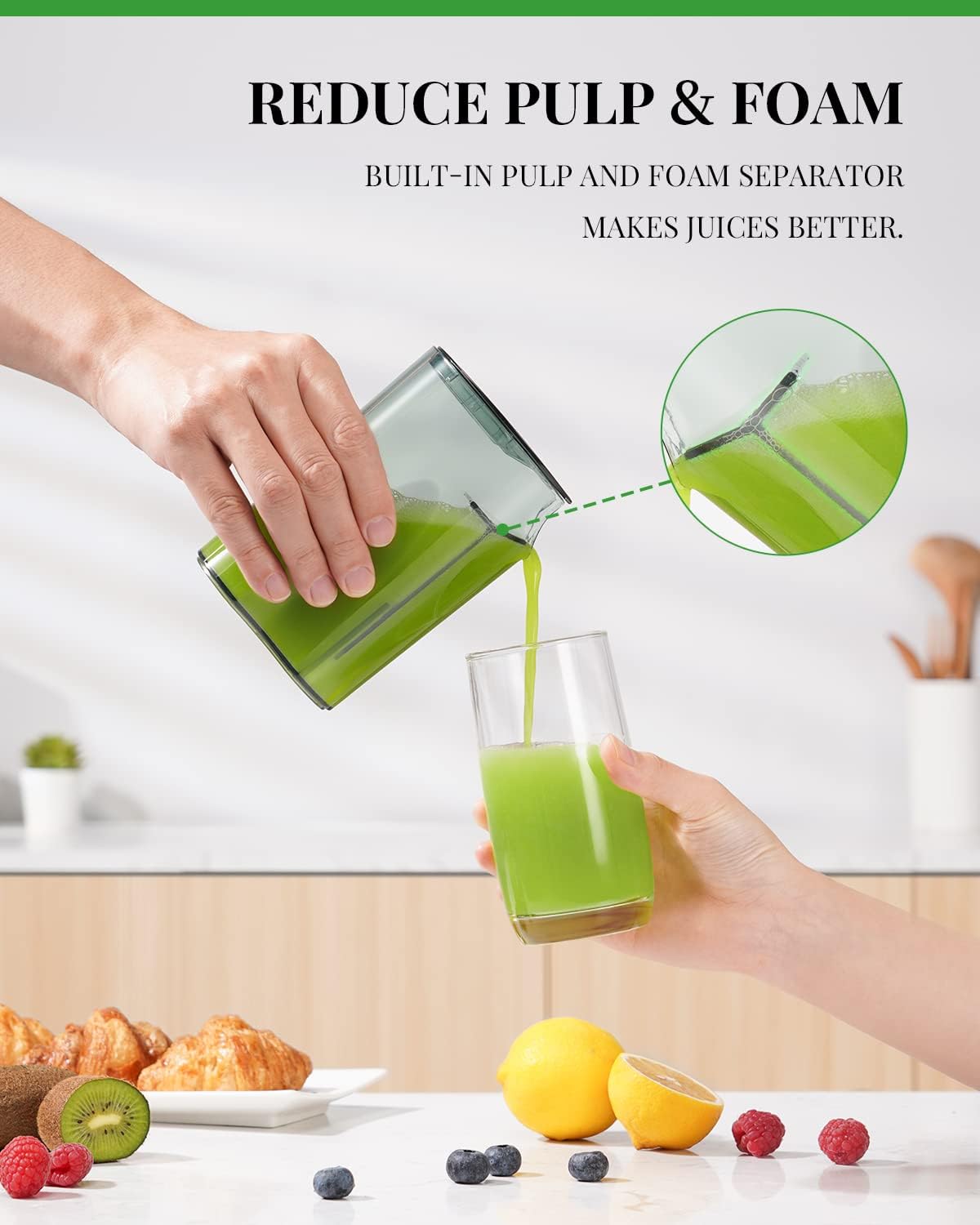
Image: Hand pouring freshly extracted juice from the juice jug, demonstrating the pulp and foam separation.

Image: Close-up showing the anti-drip spout and safety buckles.
Cleaning and Maintenance
Regular cleaning ensures the longevity and hygiene of your GDOR juicer. Always unplug the juicer before cleaning.
- Disassembly: Disassemble all removable parts: food pusher, juicer cover, micro-mesh filter, filter bowl, pulp container, and juice jug.
- Washing: Most removable parts are dishwasher safe for convenience. For parts that are not dishwasher safe or for thorough cleaning, hand wash them with warm, soapy water.
- Cleaning Brush: Use the included cleaning brush to remove pulp residue from the micro-mesh filter. This is crucial for maintaining juicing efficiency.
- Motor Base: Wipe the motor base with a damp cloth. Never immerse the motor base in water or any other liquid.
- Drying and Storage: Ensure all parts are completely dry before reassembling or storing the juicer. Store in a cool, dry place.

Image: Visual guide showing dishwasher safe parts and the use of the cleaning brush for the filter.
Troubleshooting
| Problem | Possible Cause | Solution |
|---|---|---|
| Juicer does not turn on. | Not plugged in; safety locking arm not engaged; motor overheated. | Ensure plug is securely in outlet. Check if safety locking arm is properly buckled. Unplug and let cool for 30 minutes if motor overheated. |
| Low juice yield or excessive pulp. | Filter clogged; incorrect speed setting; produce not fresh. | Clean the micro-mesh filter thoroughly. Use appropriate speed for produce type. Use fresh, firm fruits and vegetables. |
| Juicer vibrates excessively or is noisy. | Parts not assembled correctly; uneven surface. | Disassemble and reassemble all parts, ensuring they are securely in place. Place juicer on a stable, flat surface. |
| Juice leaks from sides. | Juicer cover not properly sealed; filter clogged. | Ensure juicer cover is correctly placed and safety buckles are fully engaged. Clean the micro-mesh filter. |
Specifications
- Brand: GDOR
- Model Number: JUICER 11
- Color: Black
- Special Feature: Titanium Enhanced Cut Disc
- Product Dimensions: 5"D x 10.55"W x 11.69"H
- Finish Type: Plastic
- Recommended Uses: Fruit, Vegetables
- Product Care Instructions: Hand Wash Only, Dishwasher Safe
- Capacity: 15 ounces (juice jug)
- Maximum Power: 650 Watts
- Power Source: AC
- Blade Material: Titanium
- Voltage: 120 Volts
- Controller Type: Button (Rotary Knob)
- Number of Speeds: 2 (plus Pulse)
- Item Weight: 5.9 pounds

Image: Juicer shown with key dimensions for compact size comparison.
Warranty and Support
This GDOR Juicer is covered by a limited manufacturer's warranty. Please refer to the warranty card included in your product packaging for specific terms and conditions. For technical support, troubleshooting assistance, or warranty claims, please contact GDOR customer service through the retailer's platform or the official GDOR website.
For further assistance, you may visit the GDOR Store online: GDOR Store.


