
Introduction
The QFX BT-403 is a versatile portable Bluetooth speaker designed for audio playback and entertainment. It features dual 2-inch speakers, built-in RGB LED party lights, and a BASS Radiator for enhanced sound. This manual provides essential information for setting up, operating, and maintaining your speaker.
Key features include Bluetooth connectivity for wireless streaming, FM radio, playback from USB drives and TF cards, and an AUX input for external audio devices. The BT-403 also supports True Wireless Stereo (TWS) for connecting two units for an immersive stereo experience.
What's Included
Please check the package contents to ensure all items are present:
- QFX BT-403 Portable Bluetooth Speaker
- Rechargeable Battery (typically pre-installed)
- AUX Input Cable
- USB Charging Cable
Product Overview
Front View with LED Lights
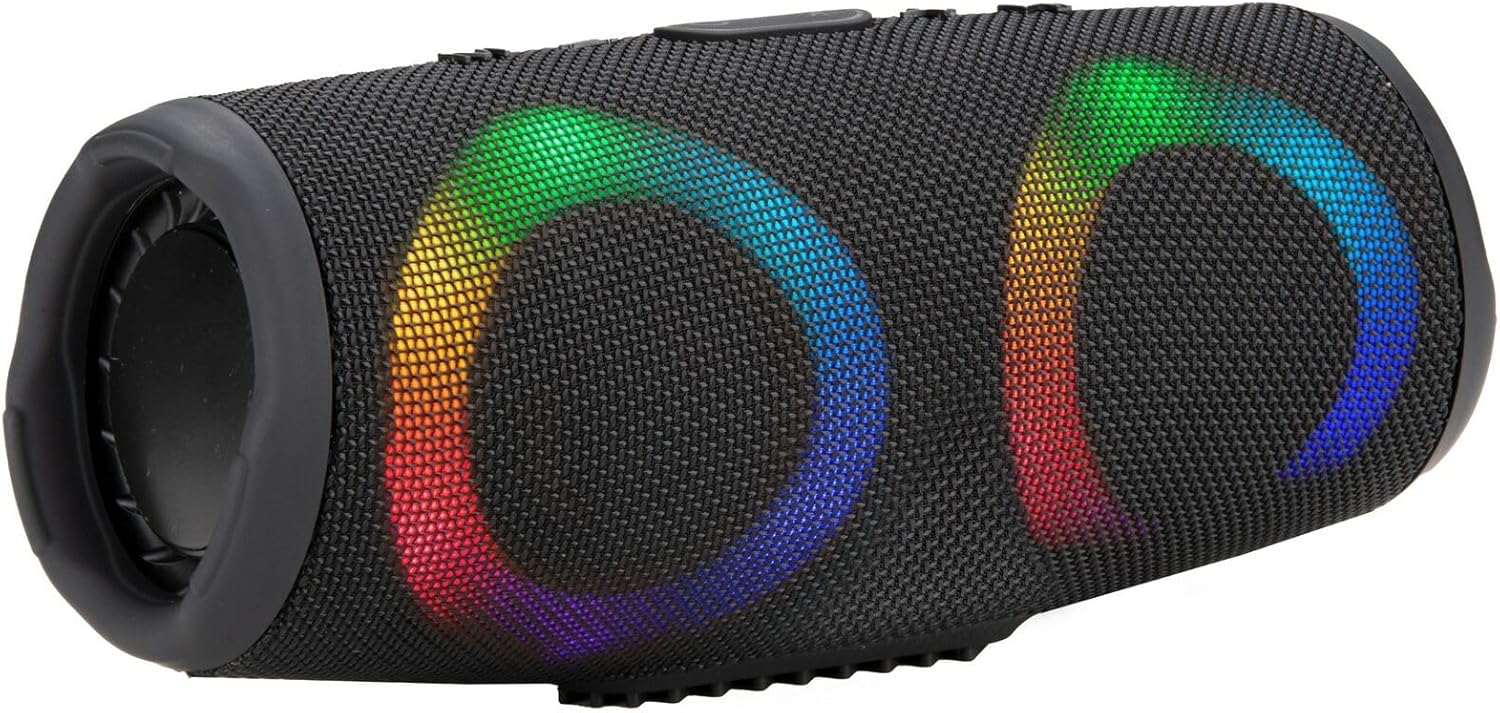
Figure 1: Front view of the QFX BT-403 speaker, showcasing the integrated RGB LED party lights illuminating the speaker grilles.
Rear Panel and Ports

Figure 2: Rear panel of the QFX BT-403, detailing the various input ports including the charging port, USB port, TF card slot, and AUX input.
Top Control Panel

Figure 3: Top control panel of the QFX BT-403, featuring buttons for mode selection, power, LED light control, volume adjustment, track navigation, and play/pause.
Setup Guide
Charging the Speaker
Before first use, fully charge the speaker. Connect the provided USB charging cable to the speaker's charging port (refer to Figure 2) and the other end to a standard USB power adapter (not included) or a computer USB port. The charging indicator light will illuminate during charging and turn off when fully charged.
Powering On/Off
To power on the speaker, press and hold the Power button (refer to Figure 3) for a few seconds until you hear an audible prompt or see the LED lights activate. To power off, press and hold the Power button again.
Operating Instructions
Bluetooth Mode
- Power on the speaker. It will automatically enter Bluetooth pairing mode, indicated by a flashing LED light or audible prompt.
- On your Bluetooth-enabled device (smartphone, tablet, laptop), enable Bluetooth and search for available devices.
- Select "QFX BT-403" from the list of devices. Once connected, you will hear a confirmation sound.
- You can now play audio wirelessly from your device. Use the speaker's Play/Pause, Volume Up/Next, and Volume Down/Previous buttons (refer to Figure 3) to control playback.
FM Radio Mode
- Press the Mode button (M) (refer to Figure 3) repeatedly until you enter FM Radio mode.
- Press and hold the Play/Pause button to automatically scan and save available FM stations.
- Use the Volume Up/Next and Volume Down/Previous buttons to navigate between saved stations.
USB/TF Card Playback
- Insert a USB drive or TF (microSD) card containing MP3 audio files into the respective port on the rear panel (refer to Figure 2).
- The speaker will automatically switch to USB or TF card mode and begin playing audio. If not, press the Mode button (M) to select the correct input.
- Use the Play/Pause, Volume Up/Next, and Volume Down/Previous buttons to control playback.
AUX Input Mode
- Connect one end of the provided AUX cable to the AUX input port on the speaker (refer to Figure 2).
- Connect the other end of the AUX cable to the audio output jack of your external device (e.g., MP3 player, computer).
- Press the Mode button (M) repeatedly until you enter AUX mode.
- Control audio playback directly from your external device.
True Wireless Stereo (TWS) Function
The TWS function allows you to pair two QFX BT-403 speakers together for a stereo sound experience.
- Ensure both BT-403 speakers are powered on and in Bluetooth mode, but not connected to any device.
- On one of the speakers (this will be the primary speaker), press and hold the Mode button (M) for a few seconds until you hear a pairing tone.
- The two speakers will automatically connect to each other. Once connected, you will hear a confirmation sound.
- Now, connect your Bluetooth device to the primary speaker as described in the "Bluetooth Mode" section. Audio will play through both speakers in stereo.
Controlling LED Party Lights
Press the LED Light button (refer to Figure 3) to cycle through different light modes or to turn the lights off.
Maintenance
Cleaning
Wipe the speaker's exterior with a soft, dry cloth. Do not use abrasive cleaners, waxes, or solvents. Avoid getting moisture into any openings.
Storage
When not in use for extended periods, store the speaker in a cool, dry place away from direct sunlight and extreme temperatures. It is recommended to charge the battery periodically to maintain its lifespan.
Troubleshooting
| Problem | Possible Cause | Solution |
|---|---|---|
| Speaker does not power on. | Battery is depleted. | Charge the speaker fully. |
| Cannot connect via Bluetooth. | Speaker is not in pairing mode; device Bluetooth is off; speaker is too far from device. | Ensure speaker is in Bluetooth pairing mode. Turn on Bluetooth on your device. Move speaker closer to device (within 30 feet/10 meters). Forget "QFX BT-403" on your device and try pairing again. |
| No sound from speaker. | Volume is too low; incorrect input mode selected; audio source issue. | Increase speaker volume and device volume. Press the Mode button to select the correct input (Bluetooth, FM, USB, TF, AUX). Check if the audio source is playing correctly. |
| FM radio reception is poor. | Weak signal; interference. | Relocate the speaker to an area with better reception. |
| TWS pairing fails. | Speakers are already connected to a device; incorrect pairing procedure. | Ensure both speakers are not connected to any Bluetooth device. Follow the TWS pairing steps precisely. |
Specifications
| Feature | Detail |
|---|---|
| Model Name | BT-403 |
| Speaker Type | Portable |
| Connectivity Technology | Wireless, Bluetooth, USB |
| Wireless Communication Technology | Bluetooth |
| Speaker Size | 2 Inches (Dual) |
| Power Source | Battery Powered |
| Audio Output Mode | Stereo |
| Special Feature | USB Port, LED Party Lights, BASS Radiator, FM Radio, TF Card Slot, AUX Input, TWS Function |
| Compatible Devices | Smartphone, Tablet, Laptop |
| Control Method | Touch |
| Color | Black |
| Material | Plastic |
| Item Weight | 1.43 pounds |
| Package Dimensions | 8.26 x 3.54 x 3.15 inches |
| Is Waterproof | FALSE |
Warranty Information
The QFX BT-403 Portable Bluetooth Recharge Speaker comes with a Limited Warranty. For specific terms, conditions, and duration of the warranty, please refer to the warranty card included with your product or contact QFX customer support. This warranty typically covers manufacturing defects and material flaws under normal use.
Please retain your proof of purchase for warranty claims.
Customer Support
For technical assistance, troubleshooting, or warranty inquiries, please contact QFX customer support. You can typically find contact information on the official QFX website.
- Website: www.qfxusa.com
- Email: Refer to the QFX website for contact email.
- Phone: Refer to the QFX website for contact phone number.
When contacting support, please have your product model number (BT-403) and proof of purchase readily available.