
ULTIMEA Nova S50
Contents
ULTIMEA Nova S50 Soundbar User Manual
Model: Nova S50 (U2120)
1. Introduction
Thank you for choosing the ULTIMEA Nova S50 Soundbar. This manual provides essential information for setting up, operating, and maintaining your new sound system. The Nova S50 is designed to deliver an immersive audio experience with Dolby Atmos, BassMAX technology, and versatile connectivity options.
Please read this manual thoroughly before using the product to ensure proper operation and to maximize your listening pleasure.
2. Package Contents
Verify that all items listed below are included in your package. If any items are missing or damaged, please contact ULTIMEA customer support.
- 1x ULTIMEA Nova S50 Soundbar
- 1x Wired Subwoofer
- 1x Remote Control
- 1x HDMI-eARC Cable
- 1x Optical Cable
- 1x 3.5mm to 3.5mm Audio Cable (AUX Cable)
- 1x Power Adapter
- 4x Wall Mount Kit (screws and anchors)
- 1x User Manual (this document)

Image: The ULTIMEA Nova S50 Soundbar and its accompanying wired subwoofer, positioned in front of a television screen, illustrating the main components of the system.
3. Product Overview
3.1 Soundbar Front and Top Panel
The soundbar features a sleek design with controls and indicators on the top panel for easy access.
3.2 Soundbar Rear Panel (Ports)
The rear panel provides various input and output ports for connecting to your devices.
- AUX (3.5mm): For connecting devices with a 3.5mm audio jack.
- Optical: For connecting to TVs or other devices via optical cable.
- HDMI (eARC): For connecting to TVs supporting HDMI eARC for high-quality audio and ARC functionality.
- USB: For firmware updates or playing audio from USB drives.
- SUB OUT: Dedicated port for connecting the wired subwoofer.
- DC IN: Power input port.
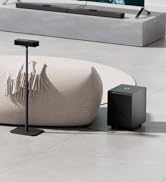
Image: A diagram illustrating the various input and output ports on the rear of the soundbar, including AUX, Optical, HDMI eARC, USB, SUB OUT, and DC IN.
3.3 Remote Control
The included remote control allows full command over your soundbar's functions.

Image: The remote control for the ULTIMEA Nova S50 Soundbar, showing buttons for power, input selection, volume, playback, and sound modes.
4. Setup
4.1 Placement
The Nova S50 soundbar can be placed on a tabletop or mounted on a wall.
- Tabletop Placement: Place the soundbar directly in front of your TV, ensuring it does not block the TV's remote sensor. Position the subwoofer on the floor near the soundbar, ideally in a corner for enhanced bass.
- Wall Mounting: Use the included wall mount kit. Refer to the detailed wall mounting template (if provided separately) for precise drilling and installation. Ensure the wall can support the weight of the soundbar.

Image: The ULTIMEA Nova S50 Soundbar and subwoofer integrated into a living room setup, demonstrating typical tabletop placement beneath a television.
4.2 Connecting the Subwoofer
Connect the wired subwoofer to the soundbar using the dedicated SUB OUT port on the soundbar's rear panel.

Image: The ULTIMEA Nova S50 subwoofer, highlighting its design and the BassMX technology, indicating its role in providing deep bass.
4.3 Connecting to Your TV/Devices
Choose one of the following connection methods based on your TV's available ports:
- HDMI eARC (Recommended):
Connect one end of the HDMI-eARC cable to the HDMI (eARC) port on the soundbar and the other end to the HDMI eARC/ARC port on your TV. This connection supports Dolby Atmos and allows TV remote control of the soundbar volume.
- Optical:
Connect one end of the optical cable to the Optical port on the soundbar and the other end to the Optical Digital Audio Out port on your TV. Ensure your TV's audio output is set to "PCM" or "Bitstream" if necessary.
- AUX (3.5mm):
Connect one end of the 3.5mm audio cable to the AUX port on the soundbar and the other end to the 3.5mm audio output (headphone jack) on your TV or other audio device.

Image: A close-up of the soundbar's rear panel, specifically highlighting the HDMI (eARC) port with a cable connected, demonstrating the primary audio connection method.
4.4 Power Connection
Connect the power adapter to the DC IN port on the soundbar, then plug the adapter into a wall outlet. The soundbar will enter standby mode.
5. Operating Instructions
5.1 Power On/Off
Press the Power button on the remote control or the soundbar's top panel to turn the unit on or off.
5.2 Input Selection
Press the Input button on the remote control or the soundbar to cycle through available input sources (HDMI eARC, Optical, AUX, Bluetooth, USB).
5.3 Volume Control
Use the Volume Up (+) and Volume Down (-) buttons on the remote control or soundbar to adjust the volume level.
5.4 Sound Modes (EQ)
The Nova S50 offers various sound modes optimized for different content types:
- Movie Mode: Enhances cinematic sound effects and dialogue for movies.
- Music Mode: Provides balanced audio for music playback.
- Dialogue Mode: Optimizes vocal clarity for news, talk shows, and dialogue-heavy content.
- Game Mode: Creates an immersive soundstage for gaming.
Press the corresponding mode button on the remote control to select your desired sound profile.

Image: A collage of images demonstrating the ULTIMEA Nova S50 Soundbar in different usage scenarios, including watching movies, playing games, listening to music, and enhancing dialogue, illustrating the versatility of its sound modes.
5.5 BassMAX Technology
The BassMAX technology allows for adjustable bass levels. Use the Bass+ and Bass- buttons on the remote control to fine-tune the subwoofer output to your preference.
6. Connectivity
6.1 Bluetooth Pairing
To connect your mobile device or computer via Bluetooth:
- Press the Bluetooth button on the remote control or cycle inputs until "BT" appears on the soundbar's display.
- Enable Bluetooth on your device and search for "ULTIMEA Nova S50".
- Select the soundbar from the list to pair. Once connected, the soundbar will indicate successful pairing.

Image: A smartphone displaying a music app, wirelessly connected via Bluetooth 5.3 to the ULTIMEA Nova S50 Soundbar and subwoofer setup, illustrating seamless audio streaming.
6.2 USB Playback
Insert a USB drive into the USB port on the soundbar's rear panel. The soundbar will automatically switch to USB input and begin playing compatible audio files.
7. Maintenance
To ensure the longevity and optimal performance of your ULTIMEA Nova S50 Soundbar, follow these maintenance guidelines:
- Cleaning: Use a soft, dry cloth to clean the surfaces of the soundbar and subwoofer. Do not use liquid cleaners or abrasive materials, as they may damage the finish.
- Ventilation: Ensure adequate ventilation around the soundbar and subwoofer. Do not block any ventilation openings.
- Environment: Avoid exposing the unit to extreme temperatures, humidity, direct sunlight, or dusty environments.
- Power: Disconnect the power adapter from the wall outlet if the unit will not be used for an extended period.
8. Troubleshooting
If you encounter any issues with your soundbar, refer to the following common problems and solutions. If the problem persists, contact ULTIMEA customer support.
| Problem | Possible Cause | Solution |
|---|---|---|
| No power | Power cable not connected; Power outlet not active. | Ensure power cable is securely connected. Try a different power outlet. |
| No sound | Incorrect input selected; Volume too low; Cables not connected properly; TV audio settings incorrect. | Select the correct input source. Increase volume. Check all audio cables. Adjust TV audio output to PCM or Bitstream. |
| Distorted sound | Volume too high; Source audio quality is poor. | Lower the volume. Try a different audio source. |
| Subwoofer not working | Subwoofer cable loose or disconnected. | Ensure the subwoofer cable is securely connected to the SUB OUT port on the soundbar. |
| Remote control not working | Batteries dead; Obstruction between remote and soundbar. | Replace batteries. Remove any obstructions. Ensure you are within range. |
| Bluetooth pairing issues | Soundbar not in pairing mode; Device too far; Interference. | Ensure soundbar is in Bluetooth pairing mode. Move device closer. Avoid strong interference sources. |
9. Specifications
| Feature | Detail |
|---|---|
| Model Name | Nova S50 |
| Model Number | U2120 |
| Speaker Type | 2.1 Soundbar with Dolby Atmos |
| Audio Output Mode | Dolby Atmos |
| Peak Power Output | 190 Watts |
| Connectivity Technology | HDMI eARC, Optical, AUX, USB, Bluetooth 5.3 |
| Subwoofer Connectivity | Wired |
| Soundbar Dimensions (Approx.) | 15.7 inches (Length) x 1.5 inches (Height) |
| Subwoofer Dimensions (Approx.) | 6.1 inches (Width) x 10.62 inches (Height) x 15.75 inches (Depth) |
| Item Weight | 7.05 Pounds |
| Mounting Type | Tabletop / Wall Mount |
| Included Components | Soundbar, Subwoofer, Remote Control, HDMI-eARC Cable, Optical Cable, 3.5mm Audio Cable, Power Adapter, Wall Mount Kit |
10. Warranty and Support
ULTIMEA products come with a limited warranty. For detailed warranty information, please refer to the warranty card included in your package or visit the official ULTIMEA website.
For technical support, troubleshooting assistance, or any inquiries regarding your Nova S50 Soundbar, please contact ULTIMEA customer service:
- Email: support@ultimea.com
- Website: www.ultimea.com
Please have your model number (Nova S50 / U2120) and purchase information ready when contacting support.
Ask a question about this manual
Ask about setup, troubleshooting, compatibility, parts, safety, or missing instructions. Manuals+ will review the question and use this page’s manual context to help answer it.