1. Introduction
Thank you for choosing the AIVOLT Portable Power Station VP1800. This device is designed to provide reliable power for various applications, from home backup to outdoor activities. It features a 1800W output with a 1602Wh capacity, multiple output ports, and versatile charging options. Please read this manual thoroughly before operating the device to ensure safe and optimal performance.
2. Safety Instructions
- Do not disassemble, repair, or modify the unit.
- Keep the unit away from fire, water, and extreme temperatures.
- Do not use or store the unit in direct sunlight or high-temperature environments.
- Ensure proper ventilation during use and charging.
- Keep out of reach of children and pets.
- Use only original or certified accessories.
- Avoid dropping or subjecting the unit to strong impacts.
- In case of fire, use a dry powder fire extinguisher.
3. Product Overview
The AIVOLT VP1800 is a versatile portable power station equipped with various ports and features for diverse power needs.
3.1 Key Features
- Clean Solar Power: Delivers up to 1601.5Wh/434016mAh clean power, reducing pollution and dangers associated with traditional generators.
- High Quality Battery: Features LG battery cells and a built-in Battery Management System (BMS) for over-voltage, over-current, and over-temperature protection.
- 13 Output Ports: Includes 3 AC outlets (120V/1800W/60Hz), 2 USB-C ports (65W), 4 USB-A ports (2x 24W fast charge, 2x 10.5W), 2 DC 5521 ports (13.6V, 5A), 1 cigarette socket (13.6V, 8A), and 1 wireless charging pad (15W).
- Easy to Carry: Compact size (13.4x9.3x8.5 inches) and lightweight (27.56lbs) with a foldable carry handle for portability.
- Four Ways to Recharge: Can be charged via AC wall charger, DC car charger, generators, or solar panel (not included). Supports pass-through charging.
- Parallel Connection: AIVOLT's exclusive technology allows connecting with other VP800/VP1800 power stations or AIVOLT 1600W gas generators to extend capacity and output wattage.
3.2 Front Panel and Ports

Figure 3.1: Front panel of the AIVOLT VP1800 showing various output ports and the display.
The front panel features a clear LCD display showing battery status, input/output wattage, and remaining runtime. It also houses all the primary output ports for convenient access.
3.3 Internal Components

Figure 3.2: Internal structure highlighting LG battery cells and the Battery Management System (BMS).
The VP1800 is built with high-quality LG battery cells and a robust Battery Management System (BMS) for enhanced safety and performance. The housing is made from V0 grade flame-retardant material.
3.4 Portability

Figure 3.3: The VP1800's compact design and foldable handle make it easy to carry.
4. Setup
4.1 Unpacking and Initial Inspection
Carefully remove the power station and all accessories from the packaging. Inspect the unit for any signs of damage. If any components are missing or damaged, contact customer support immediately.
4.2 Included Components

Figure 4.1: Standard accessories included with the AIVOLT VP1800.
- AIVOLT Portable Power Station VP1800
- Power Cable x1
- Adapter x1
- Car Charger Cable x1
- User Manual x1
4.3 Initial Charging
Before first use, fully charge the AIVOLT VP1800. Connect the provided AC adapter to a wall outlet and then to the power station's AC input port. The display will indicate charging status. It is recommended to fully charge the unit every 3 months if not in regular use to maintain battery health.
5. Operating Instructions
5.1 Turning On/Off
To turn on the power station, press and hold the main power button until the display illuminates. To turn off, press and hold the main power button again until the display turns off.
5.2 Recharging the Power Station
The AIVOLT VP1800 offers multiple recharging options:

Figure 5.1: Various methods for recharging the VP1800.
- AC Wall Charger: Connect the provided AC adapter to a standard wall outlet.
- DC Car Charger: Use the car charger cable to charge from your vehicle's 12V cigarette lighter port.
- Solar Panel (not included): Connect compatible solar panels to the DC input port for eco-friendly charging.
- AIVOLT Generator: Connect to a compatible AIVOLT gas generator for recharging.
The unit supports pass-through charging, allowing you to power devices while the power station itself is recharging.

Figure 5.2: Illustrating simultaneous charging and discharging (pass-through charging).
5.3 Powering Devices
The VP1800 can power a wide range of devices:
- AC Outlets: Press the AC button to activate the AC outlets. Plug in your AC-powered devices.
- USB Ports: Connect your USB devices to the USB-A or USB-C ports. These ports are typically always active when the unit is on.
- DC Output: Press the DC button to activate the DC 5521 ports and cigarette lighter socket.
- Wireless Charging: Place your Qi-compatible device on the wireless charging pad on top of the unit.

Figure 5.3: Charging a tablet and smartphone using the VP1800.
5.4 Parallel Connection
For increased power capacity and output, the AIVOLT VP1800 supports parallel connection with other compatible AIVOLT power stations (VP800/VP1800) or AIVOLT 1600W gas generators. Refer to the specific instructions for parallel connection provided with the parallel kit (sold separately).
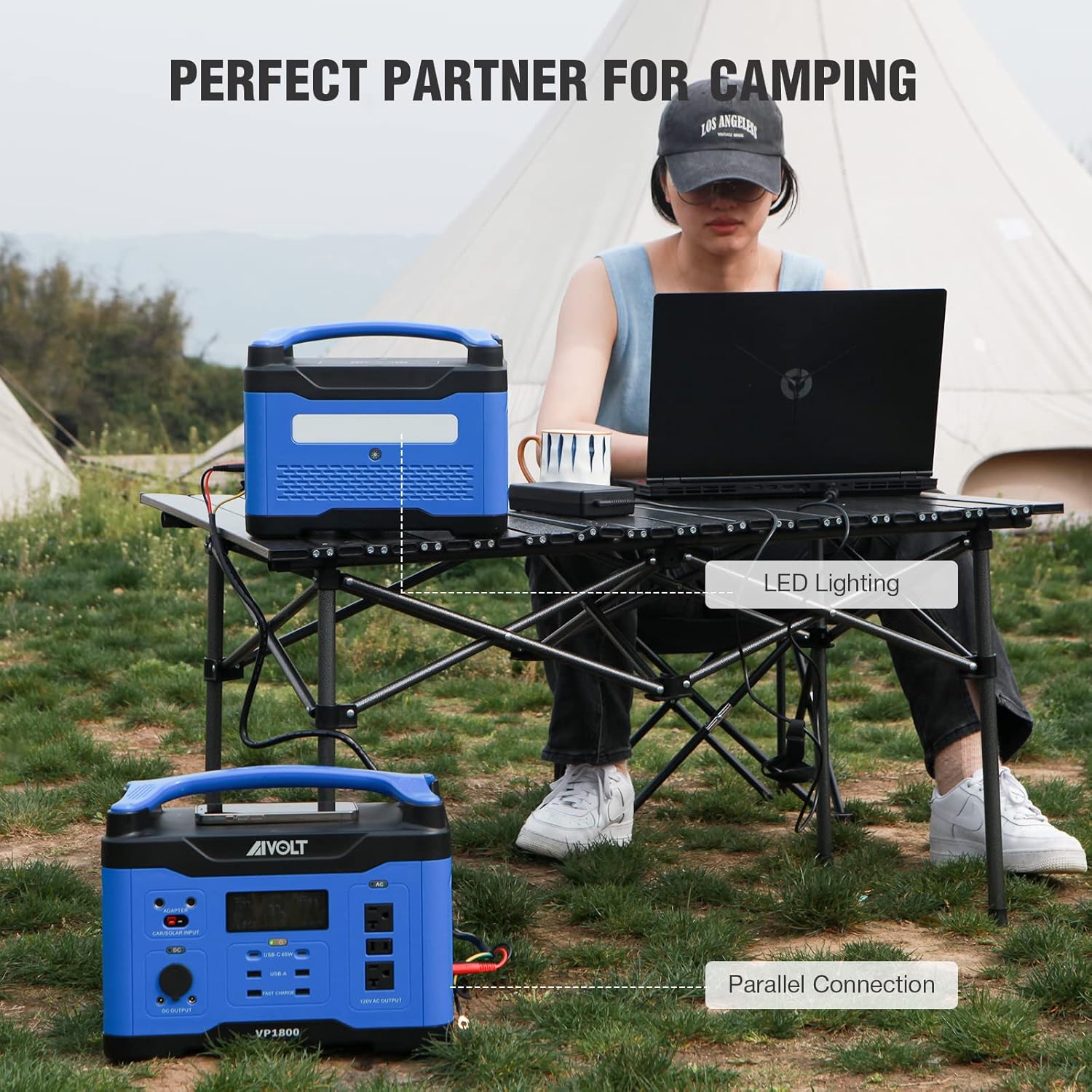
Figure 5.4: Parallel connection for extended power.
5.5 LED Lighting
The VP1800 includes an integrated LED light with multiple modes for various situations:

Figure 5.5: LED light with five modes (100%, 50%, 25%, Flash, SOS).
Press the light button to cycle through the different brightness levels and special modes (Flash, SOS). This feature is useful for emergencies or outdoor illumination.
5.6 Product Video
Video 5.1: An overview of the AIVOLT VP1800 Portable Power Station, demonstrating its features and capabilities.
6. Maintenance
- Cleaning: Use a dry, soft cloth to clean the exterior of the unit. Do not use abrasive cleaners or solvents.
- Storage: Store the unit in a cool, dry place, away from direct sunlight and moisture. Ensure the battery is charged to at least 50% before long-term storage. Recharge every 3 months to prevent deep discharge.
- Temperature: Operate and store the unit within the recommended temperature range (Discharging Temperature: 14 to 104°F (-10 to 40°C)).
- Ventilation: Ensure the ventilation vents are clear and unobstructed during operation to prevent overheating.
7. Troubleshooting
- Unit Not Turning On: Ensure the battery is charged. If not, connect to a power source and charge.
- No Output from Ports: Check if the specific output (AC, DC) is activated. Ensure the device connected is within the power station's wattage limits.
- Slow Charging: Verify that the charging adapter/cable is correctly connected and functioning. Ensure the power source is adequate. Solar charging efficiency can vary based on sunlight intensity.
- Overload Protection: If the unit shuts down due to overload, disconnect the high-power device, restart the power station, and connect devices within its rated output.
- Overheating: If the unit feels excessively hot, ensure ventilation is not blocked. Allow it to cool down in a well-ventilated area.
8. Specifications
| Feature | Specification |
|---|---|
| Brand | AIVOLT |
| Model Name | VP1800 |
| Wattage | 1800 watts |
| Output Wattage | 1800 |
| Running Wattage | 1800 Watts |
| Fuel Type | Battery |
| Power Source | Battery Powered |
| Voltage | 120 Volts |
| Product Dimensions | 13.4"L x 9.3"W x 10.6"H |
| Total Power Outlets | 3 AC Outlets + USB-C/USB-A/DC/Wireless |
| Special Feature | Super Quiet |
9. Warranty and Support
The AIVOLT Portable Power Station VP1800 comes with a 2-year manufacturer warranty. This warranty covers defects in materials and workmanship under normal use. It does not cover damage caused by misuse, accidents, unauthorized modifications, or natural disasters.
For technical support, warranty claims, or any questions regarding your product, please contact AIVOLT customer service through the retailer where you purchased the product or visit the official AIVOLT website for contact information.


