
1. Introduction
The Bose QuietComfort 45 SE headphones are designed to provide an immersive audio experience with proprietary noise cancelling technology. These over-the-ear headphones offer high-fidelity audio, adjustable EQ, and a strong wireless connection via Bluetooth 5.1, making them ideal for travel, music listening, and calls. Enjoy up to 24 hours of battery life on a single charge.
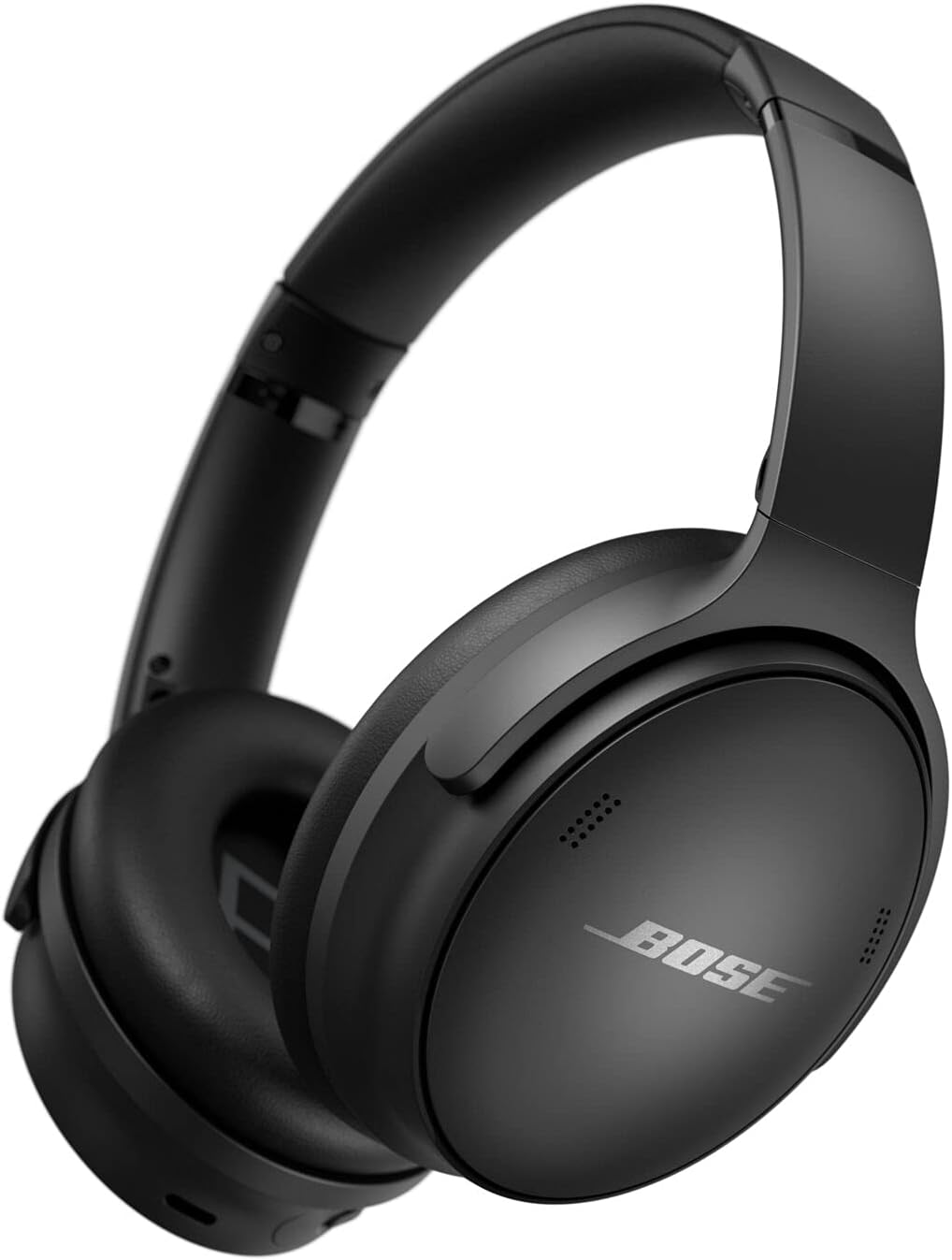
Image: Front view of the Bose QuietComfort 45 SE Noise Cancelling Over-the-Ear Headphones in black.
2. What's in the Box
Your Bose QuietComfort 45 SE package includes the following components:
- Bose QuietComfort 45 SE Headphones
- Soft Carrying Case
- Charging Cable (USB-C to USB-A)
- Audio Cable (2.5mm to 3.5mm)

Image: The Bose QuietComfort 45 SE headphones, soft carrying case, USB-C charging cable, and 2.5mm to 3.5mm audio cable, laid out.
3. Setup
3.1 Charging the Headphones
Before first use, fully charge your headphones. Connect the small end of the USB-C charging cable to the USB-C port on the right earcup and the other end to a USB-A wall charger (not included) or a computer's USB port. The battery indicator light will show charging status. A full charge provides up to 24 hours of listening time.
3.2 Powering On/Off
- To Power On: Slide the Power/Bluetooth switch on the right earcup to the 'On' position.
- To Power Off: Slide the Power/Bluetooth switch to the 'Off' position.
3.3 Bluetooth Pairing
To connect your headphones to a Bluetooth-enabled device:
- With the headphones powered on, slide the Power/Bluetooth switch to the Bluetooth symbol and hold for 3 seconds until you hear "Ready to connect" and the Bluetooth indicator blinks blue.
- On your device, enable Bluetooth and select "Bose QC45 SE" from the list of available devices.
- Once connected, you will hear "Connected to <device name>" and the Bluetooth indicator will glow solid white.
3.4 Bose Music App
For full control over your headphones, including adjustable EQ settings, noise cancellation modes, and firmware updates, download the Bose Music app from your device's app store. The app enhances your listening experience and provides additional features.
4. Operating the Headphones
4.1 Noise Cancellation Modes
The QuietComfort 45 SE headphones feature Active Noise Cancellation. You can switch between Quiet Mode (full noise cancellation) and Aware Mode (allows some ambient sound to pass through) using the button on the left earcup. This is particularly useful in environments like public transport or busy offices.

Image: A person wearing Bose QuietComfort 45 SE headphones on a subway platform, demonstrating their use in a noisy environment.
4.2 Audio Playback and Calls
Control your audio and calls using the buttons on the right earcup:
- Volume Up/Down: Use the '+' and '-' buttons.
- Play/Pause: Press the multi-function button once.
- Skip Forward: Press the multi-function button twice.
- Skip Backward: Press the multi-function button three times.
- Answer/End Call: Press the multi-function button once during an incoming call.
- Decline Call: Press and hold the multi-function button during an incoming call.

Image: A person wearing Bose QuietComfort 45 SE headphones outdoors, highlighting their portability and comfort.
5. Maintenance
5.1 Cleaning
Regular cleaning helps maintain the condition of your headphones. Use a soft, dry cloth to wipe the surfaces. Do not use abrasive cleaners or solvents. For ear cushions, gently wipe with a damp cloth and mild soap solution if necessary, then dry thoroughly.
5.2 Storage
When not in use, store your headphones in the provided soft carrying case. This protects them from dust, scratches, and minor impacts. Avoid storing them in extreme temperatures or high humidity.

Image: The black soft carrying case for the Bose QuietComfort 45 SE headphones, featuring the Bose logo.
5.3 Battery Care
To prolong battery life, avoid fully discharging the headphones frequently. If storing for an extended period, charge them to about 50% before storage.
6. Troubleshooting
| Problem | Possible Cause | Solution |
|---|---|---|
| Headphones do not power on. | Low battery. | Charge the headphones using the provided USB-C cable. |
| Cannot pair with device. | Bluetooth not enabled on device; headphones not in pairing mode; interference. | Ensure Bluetooth is on. Put headphones in pairing mode. Move closer to device. Turn off other Bluetooth devices. |
| No sound or poor audio quality. | Volume too low; incorrect audio source; weak Bluetooth connection. | Increase volume. Check device's audio output. Re-pair headphones. |
| Noise cancellation not working effectively. | Incorrect mode selected; improper fit. | Ensure Quiet Mode is active. Adjust headphones for a snug fit over your ears. |
For more detailed troubleshooting or persistent issues, refer to the Bose Music app or the official Bose support website.
7. Specifications
| Feature | Detail |
|---|---|
| Model Name | Bose QuietComfort 45 SE |
| Connectivity Technology | Wireless (Bluetooth 5.1) |
| Noise Control | Active Noise Cancellation |
| Ear Placement | Over Ear |
| Battery Life | Up to 24 Hours |
| Charging Time | (Not specified, but typically 2.5 hours for QC45) |
| Weight | 10.6 ounces (0.3 Kilograms) |
| Dimensions | 6 x 9 x 4 inches |
| Material | Plastic |
| Control Type | Media Control, Push Button |
| Frequency Range | 20 Hz - 20,000 Hz |
| Water Resistance Level | Not Water Resistant |
| UPC | 657768787898 |
8. Warranty & Support
As a renewed product, the warranty terms may differ from new products. Please refer to the specific warranty information provided by the seller or Amazon Renewed at the time of purchase. Typically, renewed products come with a limited warranty or return policy (e.g., 90-day return policy mentioned in buybox_winner).
For product support, technical assistance, or to access the latest user guides and software updates, please visit the official Bose support website or contact Bose customer service. You can also find helpful resources within the Bose Music app.
Online Resources:
- Bose Official Website: www.bose.com
- Bose Music App (available on iOS and Android app stores)