
1. Product Overview
The Lucande Tjado LED Smart Ceiling Light is a modern lighting fixture designed for indoor use, offering versatile illumination options. This ceiling light features integrated LED technology, allowing for adjustable light color (2700 K - 6500 K) and dimming capabilities. It can be controlled conveniently via an included remote control or through the Tuya smart home application, available for iOS and Android devices. The fixture provides both white light and RGB color-changing options to create various ambiances in your living or dining room.
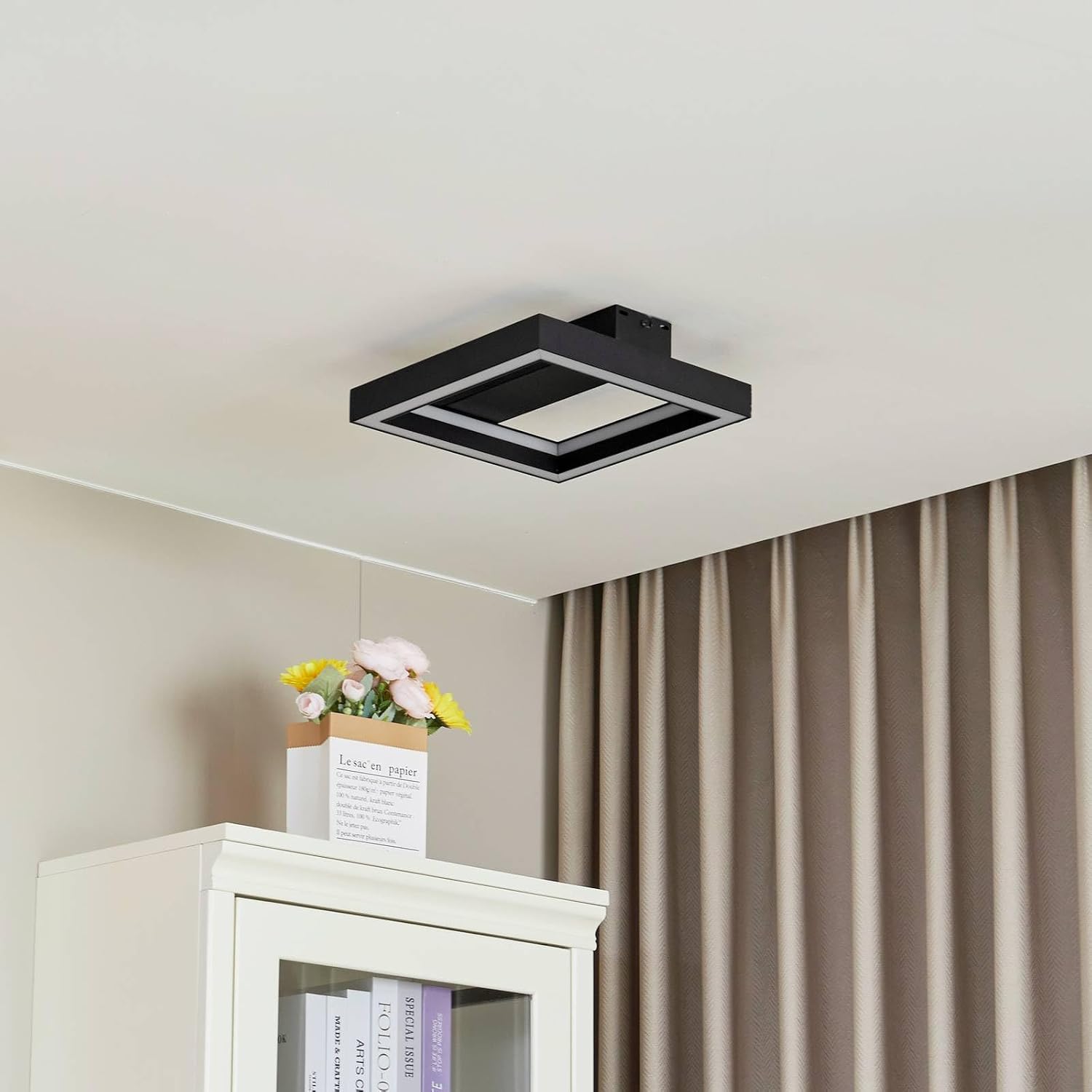
Image 1.1: The Lucande Tjado LED Smart Ceiling Light installed, providing bright white illumination.
2. Safety Instructions
- Electrical Safety: Always disconnect the main power supply before installation, maintenance, or cleaning to prevent electric shock.
- Qualified Installation: Installation should be performed by a qualified electrician in accordance with local wiring regulations.
- Indoor Use Only: This product has an IP20 rating, meaning it is protected against solid objects larger than 12.5mm but has no protection against water. Do not use in damp environments or outdoors.
- Voltage: Ensure the supply voltage matches the product's specified voltage (230V).
- Handling: Handle the light fixture with care to avoid damage. Do not modify the product in any way.
- Heat: Do not cover the light fixture with insulating material. Ensure adequate ventilation around the fixture.
3. Package Contents
Please check that all components are present and undamaged before proceeding with installation.
- Lucande Tjado LED Smart Ceiling Light Fixture
- Remote Control
- Mounting Hardware (screws, wall plugs)
- Instruction Manual (this document)
4. Setup and Installation
4.1 Pre-Installation
- Disconnect Power: Before starting any electrical work, ensure the main power supply to the installation area is switched off at the circuit breaker.
- Unpack: Carefully unpack all components and inspect them for any damage.
- Tools Required: You will need a screwdriver, drill, wire strippers, and potentially a voltage tester.
4.2 Mounting the Fixture
- Marking: Hold the mounting bracket (located on the back of the fixture) against the ceiling at the desired installation point. Mark the positions for drilling holes.
- Drilling: Drill holes at the marked positions. Insert appropriate wall plugs if necessary.
- Secure Bracket: Attach the mounting bracket securely to the ceiling using the provided screws.

Image 4.1: Internal view of the light fixture, showing the wiring compartment.
4.3 Wiring
- Connect Wires: Connect the household electrical wires to the terminal block on the light fixture. Typically, this involves connecting the Live (L), Neutral (N), and Earth (E) wires. Ensure correct polarity and secure connections.
- Secure Wiring: Ensure all wires are properly insulated and secured within the terminal block and wiring compartment.
4.4 Final Assembly
- Attach Fixture: Carefully align the light fixture with the mounting bracket and secure it in place, usually by twisting or screwing it onto the bracket.
- Restore Power: Once the fixture is securely installed and all connections are checked, restore power at the circuit breaker.
- Test: Test the light using the wall switch and the remote control.
5. Operating Instructions
5.1 Using the Remote Control
The included remote control allows for convenient operation of your Tjado ceiling light.
- Power On/Off: Press the power button to turn the light on or off.
- Dimming: Use the brightness adjustment buttons to increase or decrease the light intensity.
- Color Temperature Adjustment: Adjust the white light from warm white (2700 K) to cool white (6500 K) using the dedicated buttons.
- RGB Color Selection: Select various RGB colors to create different moods.
- Mode Selection: Some remotes may include preset scene modes.

Image 5.1: The Tjado light displaying an RGB color setting.

Image 5.2: The Tjado light providing standard white illumination.
5.2 Tuya App Control
The Tjado ceiling light can also be controlled via the free Tuya Smart app, available for iOS and Android devices. Follow the app's instructions to pair your device.
- Download App: Download and install the 'Tuya Smart' app from your device's app store.
- Register/Login: Create an account or log in to your existing Tuya account.
- Add Device: Follow the in-app instructions to add a new device. This typically involves putting the light into pairing mode (often by cycling power a few times) and connecting to your home Wi-Fi network.
- Control: Once paired, you can control dimming, color temperature, RGB colors, set schedules, and integrate with other smart home devices through the app.
6. Maintenance
- Cleaning: To clean the light fixture, ensure the power is off. Use a soft, dry, or slightly damp cloth. Do not use abrasive cleaners, solvents, or harsh chemicals, as these can damage the finish or electrical components.
- No User-Serviceable Parts: The LED light source is integrated and not replaceable by the user. Do not attempt to open or repair the fixture yourself.
- Remote Control Battery: Replace the remote control battery when its performance diminishes. Refer to the remote control's specific instructions for battery type and replacement.
7. Troubleshooting
| Problem | Possible Cause | Solution |
|---|---|---|
| Light does not turn on. | No power supply. Loose wiring connection. Remote control battery depleted. | Check circuit breaker and wall switch. Verify wiring connections (ensure power is off first). Replace remote control battery. |
| Remote control not working. | Battery depleted or incorrectly inserted. Remote not paired with light. Obstruction between remote and light. | Replace battery, ensure correct polarity. Refer to remote control instructions for pairing. Ensure clear line of sight. |
| Tuya App cannot connect to the light. | Incorrect Wi-Fi password. Light not in pairing mode. Router too far or signal weak. 2.4GHz vs. 5GHz Wi-Fi band issue. | Double-check Wi-Fi password. Cycle power to the light to enter pairing mode. Move router closer or use a Wi-Fi extender. Ensure your phone is connected to a 2.4GHz Wi-Fi network during pairing. |
| Light flickers or dims unexpectedly. | Unstable power supply. Faulty wiring. Product malfunction. | Consult an electrician to check power supply. Verify wiring connections (power off). Contact customer support if issues persist. |
8. Specifications
| Feature | Specification |
|---|---|
| Model Name | Tjado |
| Model Number | 10012990 |
| Dimensions (L x W x H) | 30 cm x 30 cm x 7.7 cm |
| Weight | 1.16 kg |
| Material | Metal, Plastic |
| Color | Black, White |
| Light Source | Integrated LED |
| Total Wattage | 18 W |
| Voltage | 230 V |
| Luminous Flux (Max) | 2750 Lumen |
| Color Temperature | 2700 K - 6500 K (adjustable) |
| Light Color | RGB + White (color changing) |
| Dimmable | Yes |
| Control Method | Remote Control, Tuya App |
| IP Rating | IP20 (Indoor use only) |
| Protection Class | II |
| Country of Origin | China |

Image 8.1: Product dimensions diagram.

Image 8.2: Technical data sheet (German).

Image 8.3: Energy efficiency label. For more details, visit the EPREL database.
9. Warranty and Support
This Lucande product is covered by a manufacturer's warranty. For specific warranty terms and conditions, please refer to the documentation provided with your purchase or contact your retailer. If you encounter any issues or require technical assistance, please contact the seller or Lucande customer support. When contacting support, please have your model number (10012990) and proof of purchase readily available.
