
EasyForce 2009001
EasyForce Digital Dynamometer Instruction Manual
Model: 2009001
Introduction
The EasyForce Digital Dynamometer is a precision instrument designed for accurate muscle strength assessment in rehabilitation, fitness, and clinical settings. This manual provides essential information for the safe and effective use of your device, ensuring reliable measurements and optimal performance.

Image: A user performing an arm strength test with the EasyForce Digital Dynamometer, assisted by a professional.
Product Overview
The EasyForce Digital Dynamometer is engineered for durability and precision, featuring high-strength aluminum and medical-grade plastic construction. It provides accurate muscle force measurements with a reliability of ±1%.
Key Features:
- Clinical-Grade Precision: ±1% accuracy for reliable muscle force measurements.
- Durable Materials: Constructed with high-strength aluminum and medical-grade plastic.
- Rehabilitation Progress Tracking: Facilitates precise baseline assessments and monitors progress over time.
- High-Contrast Display: Shows real-time data for enhanced readability.
- Data Capture: Records up to 4 muscle strength readings: Peak Force, Average Force, Time to Peak Force, and Time under Tension.
- User-Friendly Design: Customizable digital interface (black-on-white or white-on-black) and designed for hands-free muscle testing.
- Rechargeable Battery: 2-hour charge provides up to 2 weeks of regular use.
Included Components:
- EasyForce Sensor Unit
- USB Charger
- 2 Carabiners
- Carrying Case
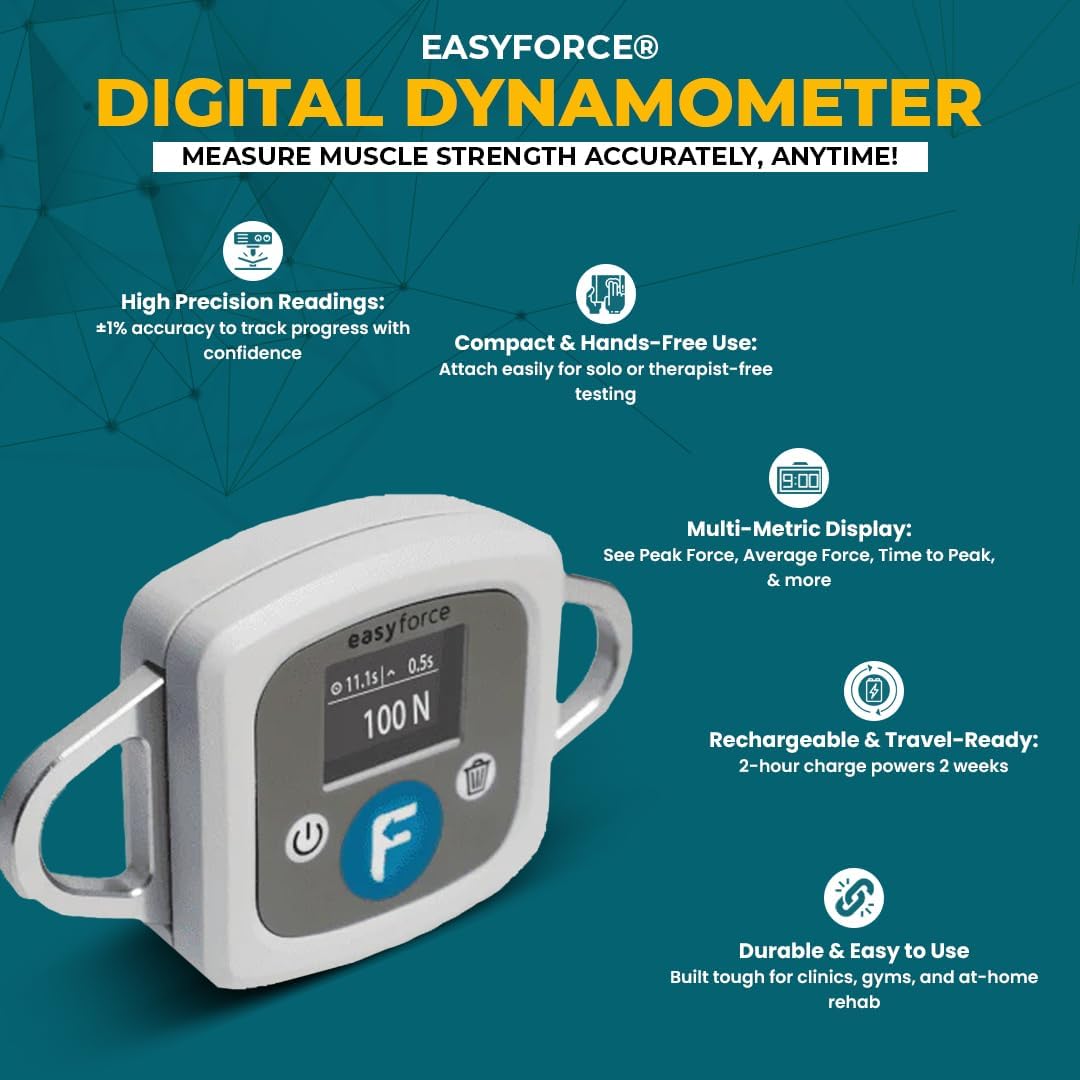
Image: An infographic highlighting the key features of the EasyForce Digital Dynamometer.
Setup
- Unpack the Device: Carefully remove the EasyForce Sensor Unit, USB charger, carabiners, and carrying case from the packaging.
- Initial Charge: Connect the EasyForce Sensor Unit to the USB charger and plug it into a power source. Allow the device to charge fully for approximately 2 hours before first use. A full charge provides up to 2 weeks of regular operation.
- Attach Carabiners: Securely attach the two provided carabiners to the designated attachment points on the EasyForce Sensor Unit. These carabiners are used to connect the dynamometer to straps or anchoring options for hands-free testing.
- Power On: Press and hold the power button on the device until the display illuminates.
- Display Settings: If desired, adjust the display settings (black-on-white or white-on-black) for optimal readability in your environment. Refer to the on-screen menu or quick start guide for specific instructions on changing display modes.

Image: A close-up view of the EasyForce Digital Dynamometer's display, showing a force reading in Newtons.
Operating Instructions
The EasyForce Digital Dynamometer is designed for straightforward operation to measure muscle strength accurately.
Performing a Measurement:
- Position the Device: Attach the EasyForce Dynamometer to the limb or body part to be tested using appropriate straps or anchoring options. Ensure the device is aligned correctly for the specific muscle group being assessed.
- Initiate Test: Once positioned, instruct the individual to apply force. The device will automatically detect and display real-time force data.
- Capture Results: Press the designated button on the device to capture and store the measurement. The EasyForce can store up to four key readings: Peak Force, Average Force, Time to Peak Force, and Time under Tension.
- Review Data: After capturing, review the displayed data. The high-contrast screen ensures clear visibility of results.
- Repeat as Needed: For comprehensive assessment, repeat measurements according to your testing protocol.

Image: A user performing a leg strength test with the EasyForce Digital Dynamometer, demonstrating hands-free operation with an ankle strap.
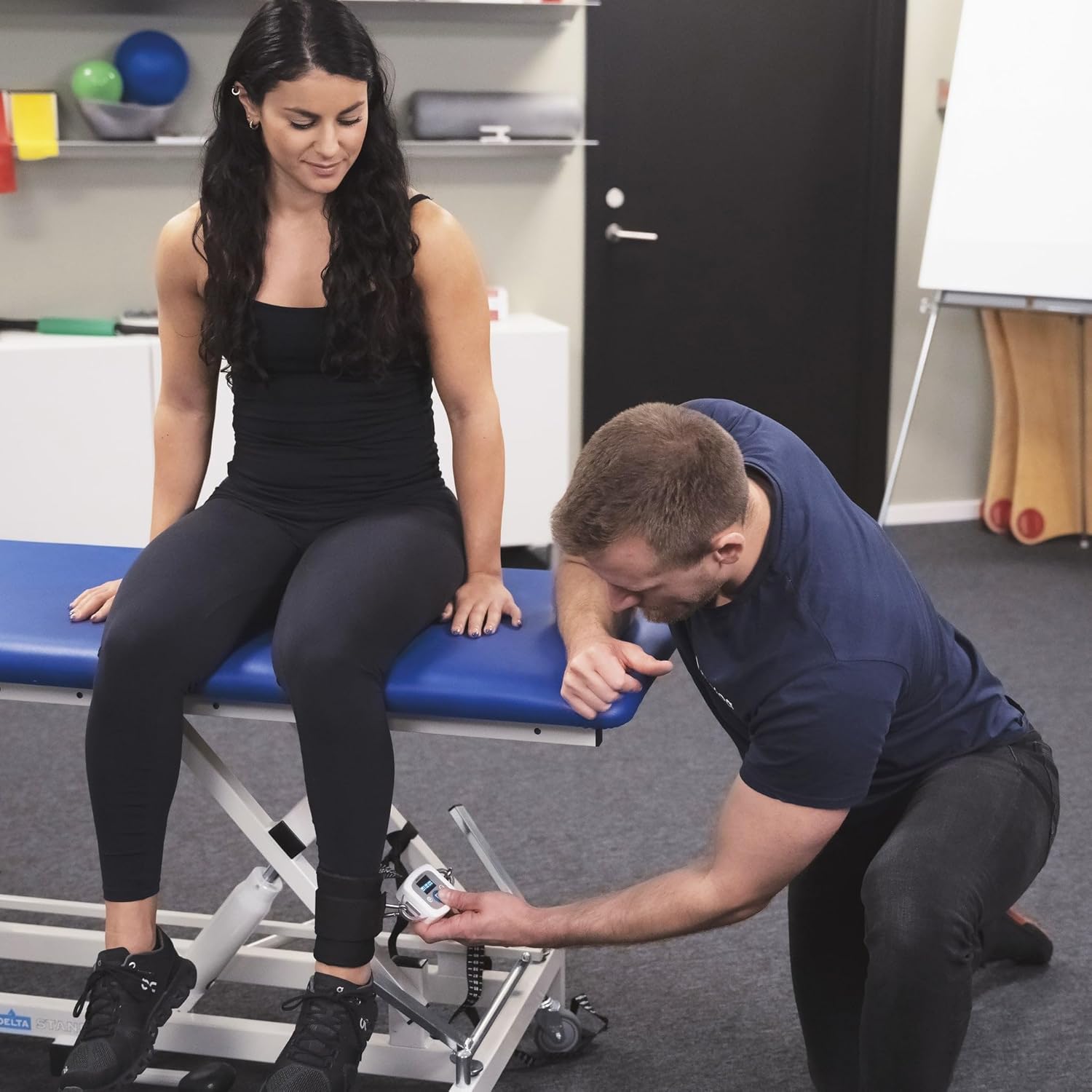
Image: A physical therapist or trainer assisting a client with a leg strength measurement using the EasyForce Digital Dynamometer.
Maintenance
- Cleaning: Wipe the device with a soft, damp cloth. Do not use abrasive cleaners or immerse the device in water.
- Storage: Store the EasyForce Digital Dynamometer in its carrying case in a cool, dry place when not in use. Avoid extreme temperatures and direct sunlight.
- Battery Care: To prolong battery life, avoid fully discharging the device frequently. Recharge as needed.
- Inspection: Periodically inspect the device and carabiners for any signs of wear or damage. Discontinue use if damage is observed and contact support.
Troubleshooting
| Problem | Possible Cause | Solution |
|---|---|---|
| Device does not power on. | Low or depleted battery. | Charge the device fully using the provided USB charger. |
| Inaccurate readings. | Improper alignment or technique; device malfunction. | Ensure correct alignment and consistent technique. If issues persist, contact customer support. |
| Display is unreadable. | Incorrect display settings or environmental lighting. | Adjust display contrast/mode (black-on-white or white-on-black). Ensure adequate lighting. |
| Device not responding. | Temporary software glitch. | Perform a soft reset by holding the power button for 10 seconds. If unresponsive, allow battery to fully deplete and then recharge. |
Specifications
- Model Number: 2009001
- Accuracy: ±1%
- Materials: Aluminum, Plastic
- Item Package Dimensions (L x W x H): 11.81 x 5.91 x 1.97 inches
- Package Weight: 0.88 Pounds
- Manufacturer: Meloq
- First Available: November 10, 2023
Warranty Information
The EasyForce Digital Dynamometer comes with a 2-year warranty from the date of purchase. This warranty covers manufacturing defects and malfunctions under normal use. Please retain your proof of purchase for warranty claims. For detailed warranty terms and conditions, please refer to the official EasyForce website or contact customer support.
Support
For technical assistance, troubleshooting, or any questions regarding your EasyForce Digital Dynamometer, please contact Meloq customer support:
- Manufacturer: Meloq
- Website: Visit the EasyForce Store on Amazon
- Refer to the packaging or included documentation for additional contact methods.
Related documents2009001


Ask a question about this manual
Ask about setup, troubleshooting, compatibility, parts, safety, or missing instructions. Manuals+ will review the question and use this page’s manual context to help answer it.