
Introduction
Thank you for choosing the Xmenha MD558B Invisible Earbuds. These earbuds are designed for comfort and discretion, especially for side sleepers, offering a stable Bluetooth 5.3 connection and clear audio. This manual provides essential instructions for setup, operation, maintenance, and troubleshooting to ensure optimal performance and longevity of your device.
Package Contents
Please verify that all items are present in your package:
- 1 Pair of Xmenha MD558B Invisible Earbuds
- 1 Charging Case
- 1 USB Type-C Charging Cable
- 1 User Manual
Setup
1. Initial Charging
Before first use, fully charge the earbuds and the charging case. Connect the provided USB Type-C cable to the charging port on the case and to a compatible USB power source. The charging indicator on the case will show the charging status.
Video: This video demonstrates the charging case and earbuds, including how to place earbuds for charging and the battery display. It also showcases the different color options and the compact size of the earbuds.
2. Bluetooth Pairing
- Ensure both earbuds are charged.
- Open the charging case. The earbuds will automatically power on and enter pairing mode.
- On your device (smartphone, tablet, etc.), enable Bluetooth and search for available devices.
- Select "Xmenha MD558B" (or similar name) from the list to connect.
- Once connected, you will hear a confirmation tone, and the earbuds will be ready for use.
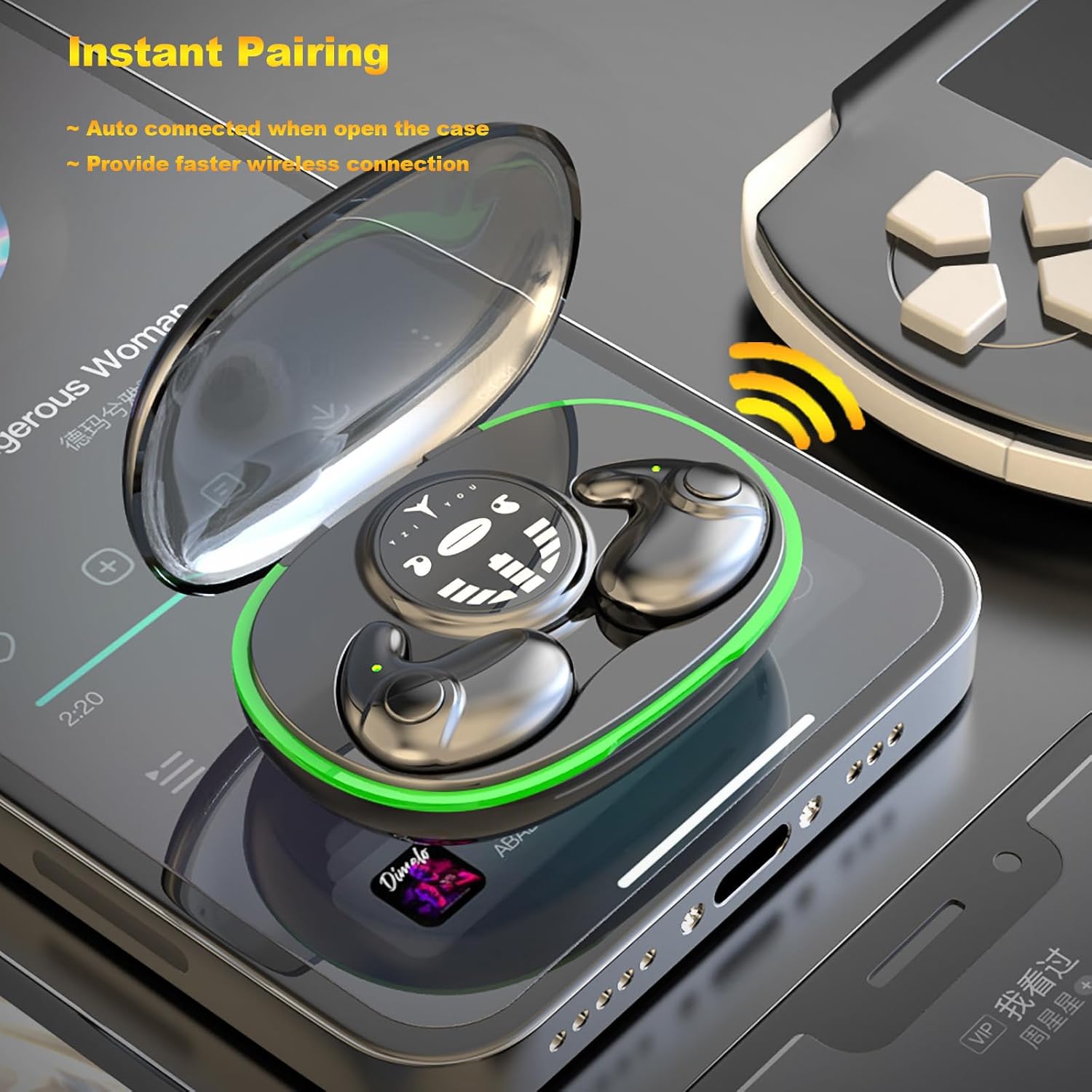
Image: The Xmenha MD558B earbuds in their charging case, illustrating the automatic pairing feature that activates when the case is opened, providing a fast wireless connection.
3. Wearing the Earbuds
The MD558B earbuds feature an ergonomic, semi-in-ear design for a secure and comfortable fit, especially for side sleepers. Gently insert each earbud into your ear canal until it feels snug and stable. Adjust as needed for optimal comfort and sound quality.

Image: A woman sleeping on her side with the Xmenha invisible earbuds, demonstrating their ultra-thin and comfortable design for sleep wear, allowing for comfortable lying on the side.

Image: A hand holding one of the Xmenha earbuds, highlighting its ultra-thin, lightweight, and invisible design, making it feel like not wearing anything.
Video: This short video demonstrates the flexibility and small size of the earbud, showing how it can be comfortably worn without protruding, making it ideal for side sleepers.
Operating Instructions
Power On/Off
- Power On: Open the charging case, and the earbuds will automatically power on.
- Power Off: Place the earbuds back into the charging case and close the lid. They will automatically power off and begin charging.
Music Playback
The MD558B earbuds feature touch controls for managing music playback. Specific touch gestures for play, pause, skip track, and volume adjustment are detailed in the quick start guide included in your package. The 14.2mm dynamic driver ensures clear and balanced audio with triple frequency equalization.

Image: An exploded view diagram highlighting the 14.2mm large dynamic speaker unit within the earbud, emphasizing its role in delivering crystal clear sound and balanced frequencies.
Call Management
The earbuds are equipped with an intelligent noise reduction system, ensuring clear voice calls even in noisy environments. Use the touch controls to answer, end, or reject calls. Refer to the quick start guide for specific touch commands.

Image: A woman wearing the Xmenha earbuds, with a graphic overlay indicating the intelligent noise reduction system for clearer voice calls, even in noisy surroundings.
Maintenance
Cleaning
Regularly clean your earbuds and charging case to maintain optimal performance and hygiene. Use a soft, dry, lint-free cloth. Do not use abrasive cleaners or immerse the earbuds or case in water, despite their water-resistant properties, to prevent damage to internal components.
Storage
When not in use, always store the earbuds in their charging case to protect them from dust, damage, and to ensure they remain charged.
Water Resistance
The Xmenha MD558B earbuds are designed with a waterproof rating. This means they can withstand sweat and light splashes, making them suitable for exercise. However, they are not designed for swimming or prolonged submersion in water.
Troubleshooting
Earbuds Not Pairing
- Ensure both earbuds are fully charged.
- Place earbuds back in the case, close the lid, then open it again to re-initiate pairing mode.
- Turn off and on your device's Bluetooth.
- If issues persist, try forgetting the device from your Bluetooth list and re-pairing.
No Sound or Low Volume
- Check the volume levels on both your connected device and the earbuds.
- Ensure the earbuds are properly seated in your ears.
- Verify that the earbuds are connected to the correct device.
Charging Issues
- Ensure the USB Type-C cable is securely connected to both the charging case and the power source.
- Try a different charging cable or power adapter.
- Clean the charging contacts on both the earbuds and inside the case with a dry cotton swab.
Specifications
Below are the detailed technical specifications for the Xmenha MD558B Invisible Earbuds:

Image: A transparent view of an Xmenha earbud, highlighting the integrated Bluetooth 5.3 chip for faster and more stable transmission with stronger anti-interference capabilities.
| Feature | Detail |
|---|---|
| Model Name | MD558B |
| Bluetooth Version | 5.3 |
| Wireless Technology | Bluetooth |
| Ear Placement | In Ear |
| Noise Control | Sound Isolation |
| Audio Driver Size | 14.2 Millimeters |
| Battery Life (Earbuds) | Approximately 3.5 Hours |
| Total Battery Life (with Case) | Up to 24 Hours |
| Control Method | Touch |
| Water Resistance Level | Waterproof |
| Compatible Devices | Smartphones, Tablets, Laptops, Desktops, Smart TVs, Cars, Telephones |
| Material | Plastic |
Warranty and Support
For warranty information and technical support, please refer to the documentation included with your purchase or contact Xmenha customer service through the retailer where the product was purchased. Keep your proof of purchase for warranty claims.