
1. Introduction
This manual provides essential information for the safe and efficient installation, operation, and maintenance of your HEXEH AC/DC Solar Hybrid Deep Well Submersible Water Pump. Please read this manual thoroughly before installation and operation to ensure proper use and to prevent damage or injury.
2. Product Features
The HEXEH 3DPC3.5-95-110-750-A/D pump is designed for reliable water supply in various applications, featuring a hybrid AC/DC power system for flexibility.
Pump Features:
- Motor: Permanent magnet DC brushless synchronous motor, optimized for solar power with 15-20% improved efficiency.
- Construction: Brass outlet, connector, and oil cylinder.
- Durability: Double bearing motor base for enhanced axial pressure resistance.
- Seal: Alloy mechanical seal for extended working life and high reliability.
- Protection: Intelligent water shortage protection; the pump automatically stops when dry and restarts after 15-30 minutes.
Controller Features:
- Waterproof Rating: IP65, with double seal effect for waterproof and leak-proof performance.
- Soft Start: Soft start technology to prevent impulse current and extend motor life.
- Protection: High voltage, low voltage, over-current, and high-temperature protection.
- Hybrid Operation: AC/DC auto-switching controller allows the pump to operate using solar power or AC electricity.
3. Package Contents
Verify that all items listed below are included in your package:
- 1 x DC Brushless motor stainless steel solar pump with 2m cable
- 1 x AC/DC Pump controller with MPPT function
- 1 x Stainless steel float switch (sensor for the tank)
- 1 x Pump outlet joint connector
- 1 x Splice kit for cable join
- 1 x Splice kit for waterproof connections
4. Items Not Included (Required for Operation)
The following items are necessary for the complete setup and operation of your pump system and are not included in the package:
- Solar Panels: Suitable solar panels (refer to the "Technical Data" section for suggestions).
- Safety Cable: A stainless steel wire (safety cable) to secure the pump in the bore. For dam or river pumping, a float setup is required.
- Piping: Poly pipes from the pump to the water tank (recommended 40mm or over diameter).
- Power Cable: Wire power cable (3 wires plus earth). Recommended cable size should be thicker than the original cable supplied with the pump.
5. Setup and Installation
Proper installation is crucial for the pump's performance and longevity. It is recommended that installation be performed by a qualified professional.
5.1 Pre-Installation Checks
- Confirm your technical requirements: well depth, distance to tank, and desired flow rate.
- Ensure the well casing is clear of obstructions.
- Verify that the pump's diameter is suitable for your well.
- Gather all necessary additional components (solar panels, safety cable, piping, power cable).
5.2 Component Overview

Image 1: The HEXEH submersible water pump and its accompanying MPPT controller. The pump is a cylindrical stainless steel unit, and the controller is a blue rectangular box with a digital display and control buttons.
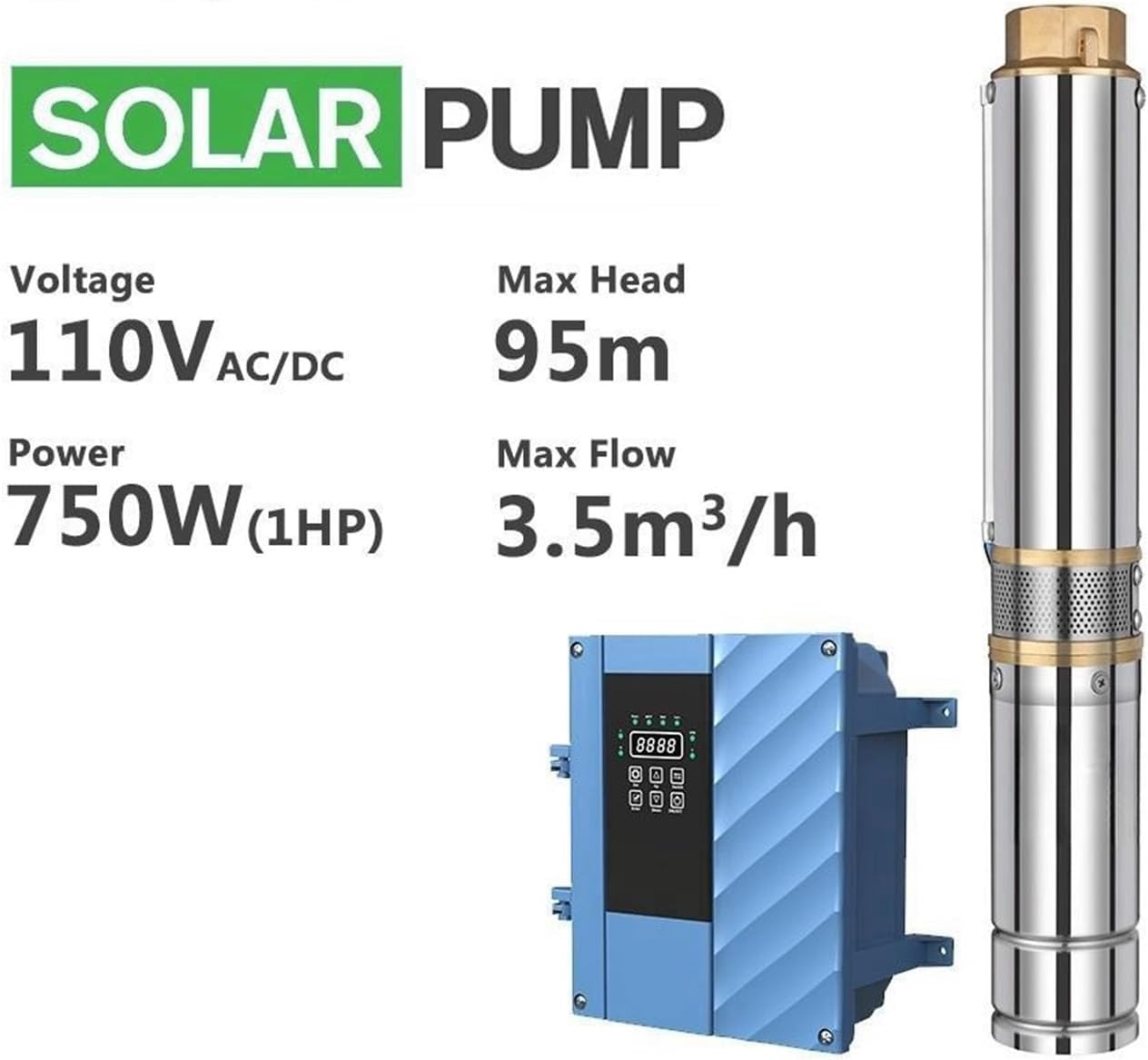
Image 2: Key specifications of the HEXEH solar pump, including Voltage (110V AC/DC), Power (750W/1HP), Max Head (95m), and Max Flow (3.5m³/h). The image also shows the pump and controller.
5.3 Electrical Connections
The controller supports both AC and DC input. Ensure all connections are secure and waterproof using the provided splice kits.

Image 3: Wiring diagram for the AC/DC controller. It illustrates connections for solar panels, AC power (110V-240V), the solar pump, and a water tank with a float switch. The diagram highlights the AC/DC auto-switching capability and electricity backup options.
- Connect solar panels to the DC input terminals (P+, P-).
- Connect AC power (110V-240V) to the AC input terminals (N, L).
- Connect the pump to the OUT terminals (U, V, W).
- Connect the float switch to the TANK terminals (TH, TL) or WELL terminals (COM, WEL) as appropriate for water level sensing.
- Ensure all wiring is properly insulated and protected from water ingress.
5.4 Pump Placement
- Attach the poly pipe to the pump's brass outlet joint connector.
- Secure the safety cable to the pump and the wellhead.
- Lower the pump into the well, ensuring it is fully submerged. The pump must always be submerged during operation.
- For newly drilled wells, consider adding a gauze layer in front of the filtration inlet to prevent excessive granular sediment from entering the pump.
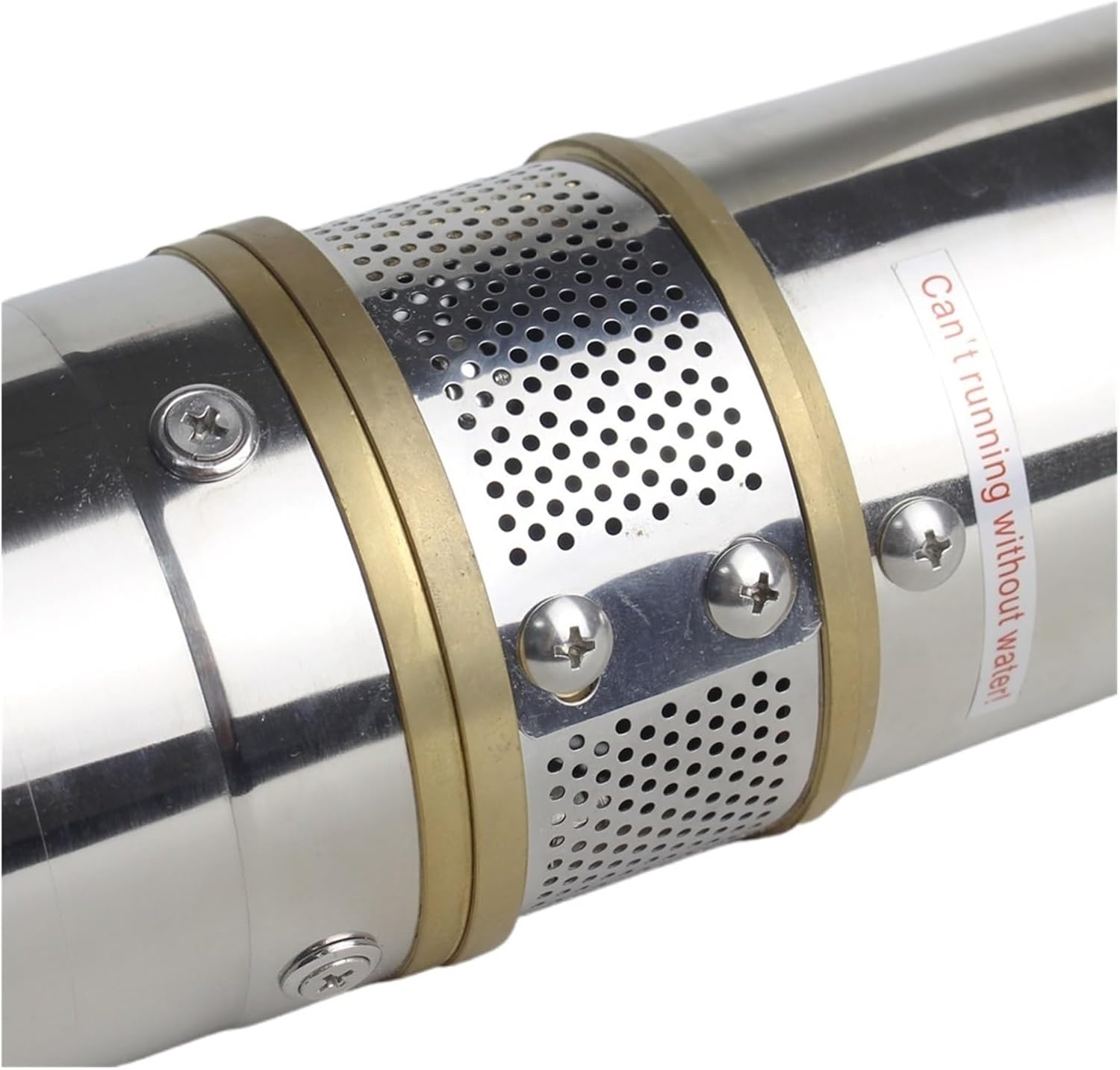
Image 4: Close-up view of the pump's inlet screen, showing the perforated stainless steel casing and brass rings. A warning label is visible, stating "Can't running without water!", emphasizing the importance of submerged operation.
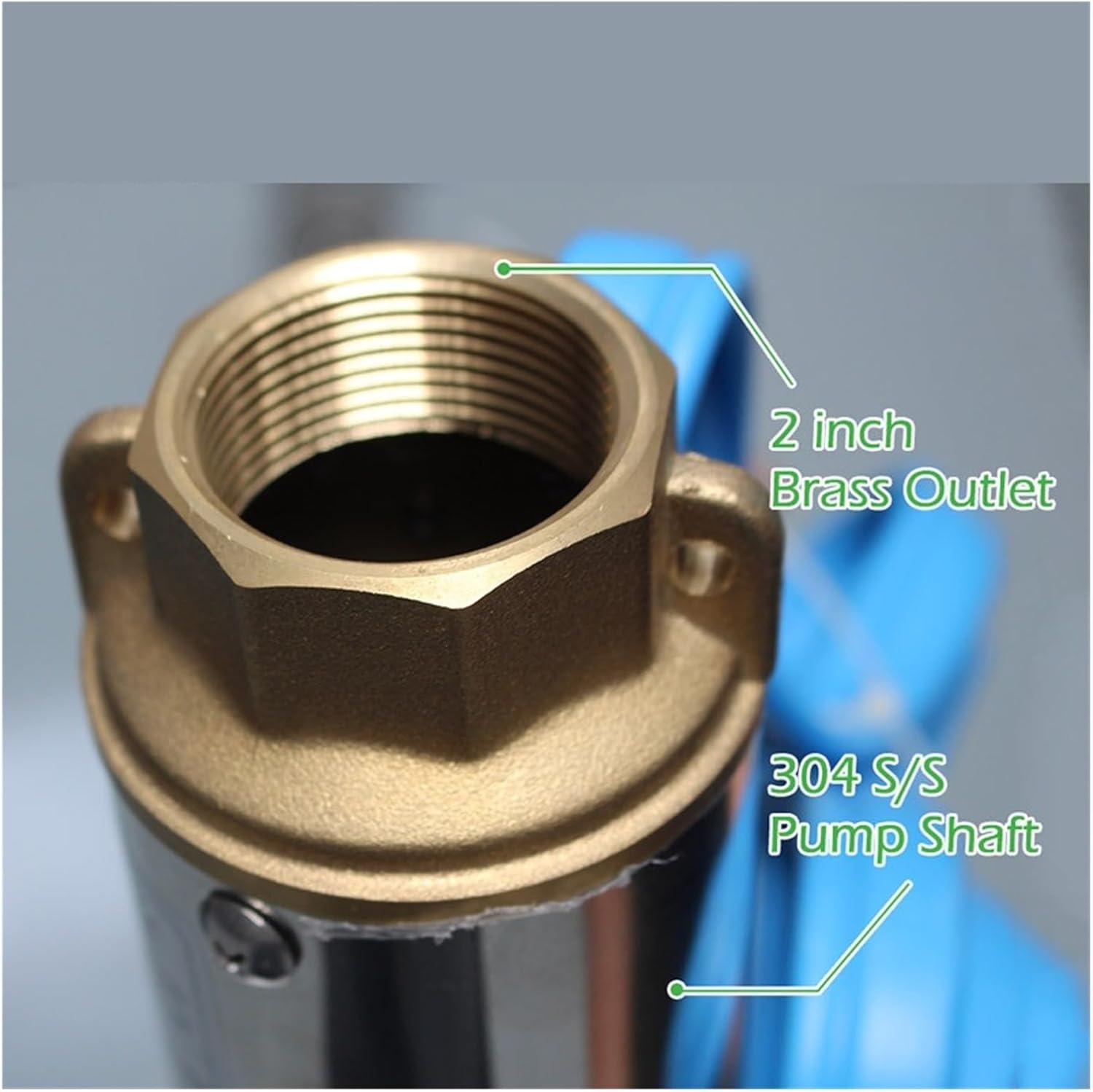
Image 5: Detail of the pump's 2-inch brass outlet and the 304 stainless steel pump shaft. This image highlights the robust construction of the pump's critical components.
6. Operating Instructions
Once installed, the HEXEH pump system operates largely automatically.
6.1 Initial Start-up
- Ensure the pump is fully submerged in water.
- Turn on the power supply to the controller (both solar and/or AC).
- The controller's soft start technology will gradually increase pump speed.
- Monitor the water flow and check for any leaks in the piping system.
6.2 Automatic Operation
- The AC/DC auto-switching controller will prioritize solar power when sufficient. If solar power is insufficient (e.g., at night, cloudy days, or damaged panels), it will automatically switch to AC electricity if connected.
- The intelligent water shortage protection will stop the pump if the water level in the well drops too low. It will automatically restart after 15-30 minutes once water levels recover.
- The float switch connected to the tank will stop the pump when the tank is full and restart it when the water level drops.
6.3 Important Operating Notes
- DO NOT RUN DRY: Never operate the pump without it being fully submerged in water. Dry running can cause severe damage to the pump and void the warranty.
- Ensure adequate ventilation for the controller, especially if operating in high temperatures.
- Regularly check the system for any unusual noises or reduced performance.
7. Maintenance
Regular maintenance ensures the longevity and optimal performance of your HEXEH pump system.
- Annual Inspection: Annually inspect the pump, cables, and piping for wear, corrosion, or damage.
- Clean Inlet Screen: Periodically check and clean the pump's inlet screen to prevent clogging from sediment or debris.
- Controller Check: Ensure the controller is free from dust and moisture. Check all electrical connections for tightness.
- Water Quality: If pumping from a source with high sediment, more frequent cleaning of the inlet screen may be required.
- Winterization (if applicable): In freezing climates, if the pump is not in continuous use, consider removing it from the well or ensuring the water level is below the frost line to prevent freezing damage.
8. Troubleshooting
This section provides solutions to common issues. For problems not listed here, contact customer support.
| Problem | Possible Cause | Solution |
|---|---|---|
| Pump does not start | No power to controller; Low water level in well; Controller fault; Motor fault. | Check power supply (solar/AC); Wait for water level to rise (intelligent protection); Check controller display for error codes; Contact support. |
| Low water flow | Clogged inlet screen; Low water level; Pipe obstruction; Insufficient power. | Clean inlet screen; Check well water level; Inspect piping for blockages; Ensure adequate solar input or AC power. |
| Pump runs intermittently | Fluctuating water level (water shortage protection); Intermittent power supply; Float switch issue. | Monitor well water level; Check solar panel output or AC connection; Inspect float switch wiring and operation. |
| Unusual noise from pump | Dry running; Debris in pump; Worn bearings. | Ensure pump is fully submerged; Remove pump and inspect for debris (professional recommended); Contact support for bearing issues. |
9. Specifications
Detailed technical specifications for the HEXEH 3DPC3.5-95-110-750-A/D pump system.
| Parameter | Value |
|---|---|
| Model | 3DPC3.5-95-110-750-A/D |
| Voltage | 110V AC/DC |
| Power | 750W (1HP) |
| Max Head | 95m |
| Max Flow | 3.5 m³/h |
| Pump Diameter | 3 inches (approximate, based on model name) |
| Motor Type | Permanent magnet DC brushless synchronous |
| Controller Waterproof Grade | IP65 |
| Pump Material | Stainless Steel (housing), Brass (outlet/connector/oil cylinder) |
| Item Weight | 8.82 pounds |
| Manufacturer | HEXEH |

Image 6: A table displaying technical data for various pump models, including AC/DC voltage ranges, power, max flow, max head, outlet size, cable length, open circuit voltage, and recommended solar panel power. Below the table are performance curves illustrating total head versus flow for different pump models.
10. Safety Information
- Always disconnect power before performing any maintenance or inspection.
- Ensure proper grounding for all electrical components.
- Do not operate the pump if the power cable or controller is damaged.
- Installation should comply with all local electrical and plumbing codes.
- Keep children and unauthorized personnel away from the pump system during operation.
- Wear appropriate personal protective equipment (PPE) during installation and maintenance.
11. Warranty and Support
For warranty information, technical support, or service inquiries, please refer to the contact details provided at the point of purchase or visit the official HEXEH website. Keep your purchase receipt as proof of purchase for warranty claims.