
Introduction
Thank you for choosing the USTELLAR Dusk to Dawn Security Light. This manual provides essential information for the safe and efficient operation of your new floodlight. Please read it thoroughly before installation and use, and retain it for future reference.

Image: The USTELLAR Dusk to Dawn Security Light, showing the main light unit, attached power cord, and the included remote control.
Safety Information
- Always disconnect power before installation or servicing.
- Ensure the power source voltage matches the light's requirements.
- Do not look directly into the LED light source when illuminated, as it may cause eye strain.
- This product is designed for outdoor use with an IP66 waterproof rating. However, avoid submerging it in water.
- Installation should be performed by a qualified electrician if you are unsure about electrical wiring.
- Keep the remote control away from water and extreme temperatures.
Package Contents
- USTELLAR 100W LED Flood Light (x1)
- Remote Control (x1)
- User Manual (x1)
- Mounting Screws (x4)
Product Overview
The USTELLAR UT88868 is a 100W LED floodlight designed for outdoor security and area illumination. It features a built-in photocell for dusk-to-dawn operation and comes with a remote control for convenient adjustments.
Components:
- LED Light Panel: High-brightness LED array.
- Photocell Sensor: Detects ambient light for automatic operation.
- Adjustable Mounting Bracket: Allows for flexible positioning.
- Power Cord with Plug: For direct connection to an AC outlet.
- Infrared (IR) Remote Control: For adjusting modes, brightness, and timers.
Setup and Installation
Follow these steps to properly install your USTELLAR floodlight.
1. Choose a Location:
Select a suitable outdoor location that provides the desired illumination area. Ensure the photocell sensor is not obstructed and receives adequate ambient light for accurate dusk-to-dawn detection. The light is designed to cover up to 2500 sq.ft.

Image: A diagram illustrating the wide 120-degree beam angle and 2500 sq.ft coverage area of the 100W USTELLAR floodlight.
2. Mounting the Light:
- Position the mounting bracket against the desired surface (wall, eave, etc.).
- Mark the drilling points through the holes on the bracket.
- Drill pilot holes if necessary.
- Secure the bracket using the provided mounting screws.
- Adjust the angle of the floodlight by loosening the screws on the side of the bracket, tilting the light to the desired position, and then tightening the screws firmly.
3. Power Connection:
The floodlight comes with a 4.92ft (1.5m) power cord and plug. Simply plug it into a standard outdoor-rated AC power outlet. Ensure the outlet is protected from direct water exposure.
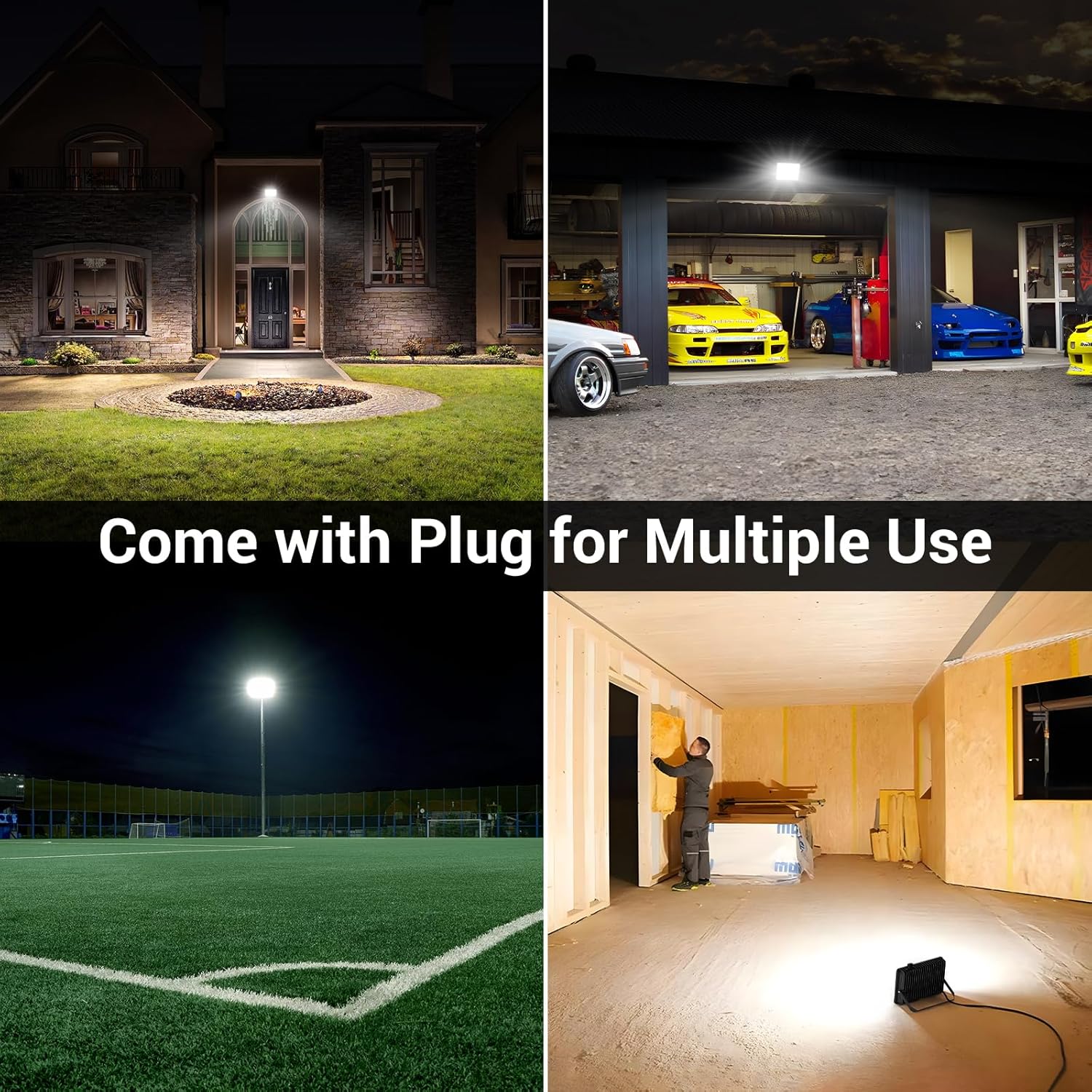
Image: Examples of the USTELLAR floodlight in use, demonstrating its versatility for illuminating outdoor areas like yards, garages, and courts, as well as temporary indoor spaces.
Operating Instructions
The USTELLAR floodlight offers two primary working modes and remote control functionality for easy operation.

Image: A visual comparison of the two operating modes: "Always On Mode" for manual control and "Dusk to Dawn Mode" for automatic light sensing with timer options.
Remote Control Functions:

Image: An illustration highlighting the convenience of the remote control, allowing users to adjust the light settings from the ground without needing to reach the mounted fixture.
| Button | Function |
|---|---|
| ON | Turns the light ON. |
| OFF | Turns the light OFF. |
| D2D (Dusk to Dawn) | Activates Dusk to Dawn mode. The light will automatically turn on at dusk and off at dawn. |
| 2H / 4H / 6H / 8H | Sets a timer for the light to stay on for 2, 4, 6, or 8 hours in Dusk to Dawn mode. The cycle repeats daily. |
| 10% / 50% / 80% / 100% | Adjusts the brightness level of the light. Available in both Always-On and Dusk to Dawn modes. |
Working Modes:
- Always-On Mode:
In this mode, the light is controlled manually using the ON/OFF buttons on the remote. The light will remain on until manually turned off, regardless of ambient light conditions. Brightness levels (10%, 50%, 80%, 100%) can be adjusted.
- Dusk to Dawn Mode (D2D):
Press the "D2D" button on the remote to activate this mode. The built-in photocell sensor will automatically turn the light on when it gets dark (dusk) and turn it off when it gets bright (dawn).
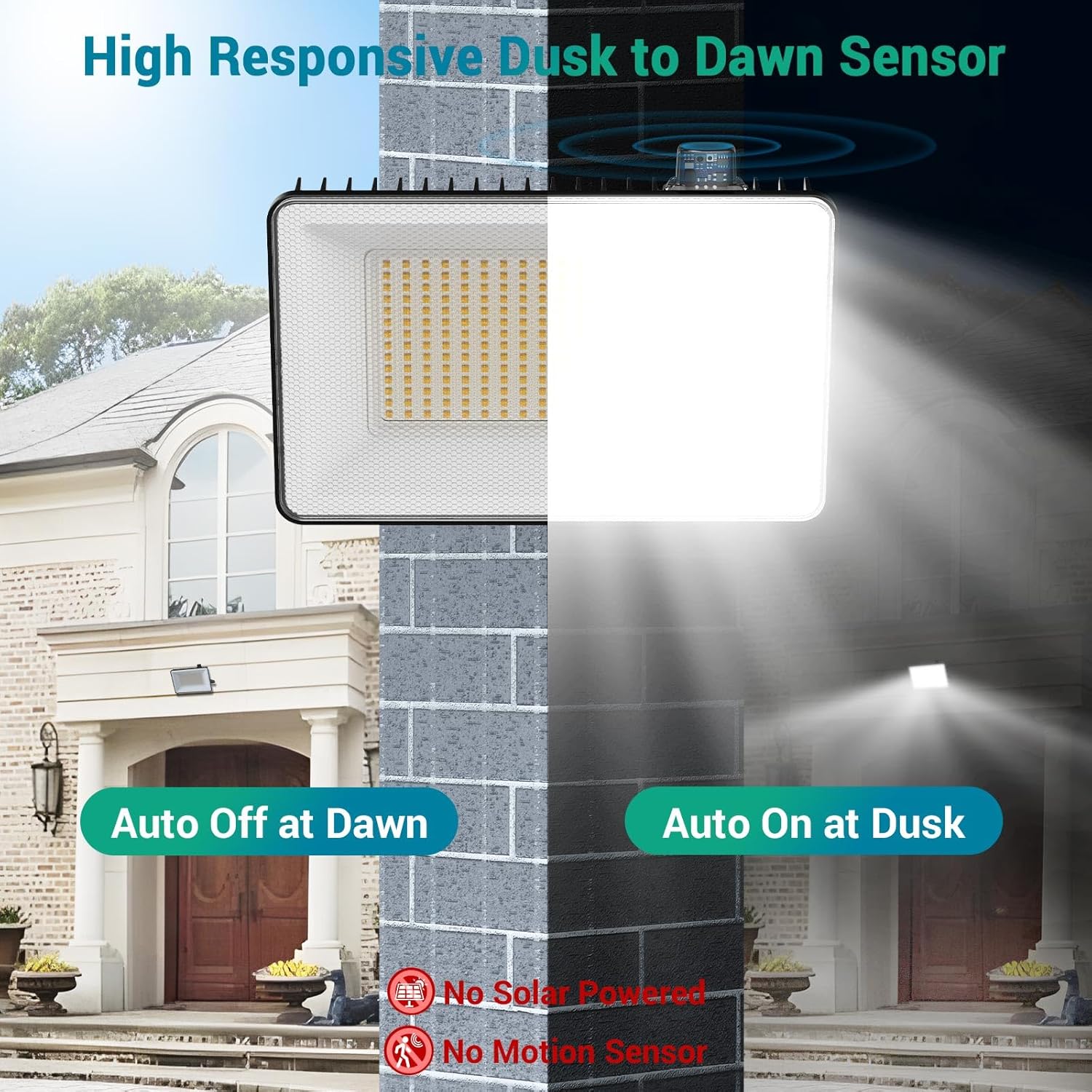
Image: A visual representation of the floodlight's photocell sensor in action, demonstrating its automatic operation at dusk and dawn. It also notes that the light is not solar-powered and does not have a motion sensor.
Timer Function in D2D Mode: While in Dusk to Dawn mode, you can set a timer for 2, 4, 6, or 8 hours. If you select a timer (e.g., 4H), the light will turn on at dusk and automatically turn off after 4 hours. This timer cycle will repeat daily. Brightness levels can also be adjusted in D2D mode.
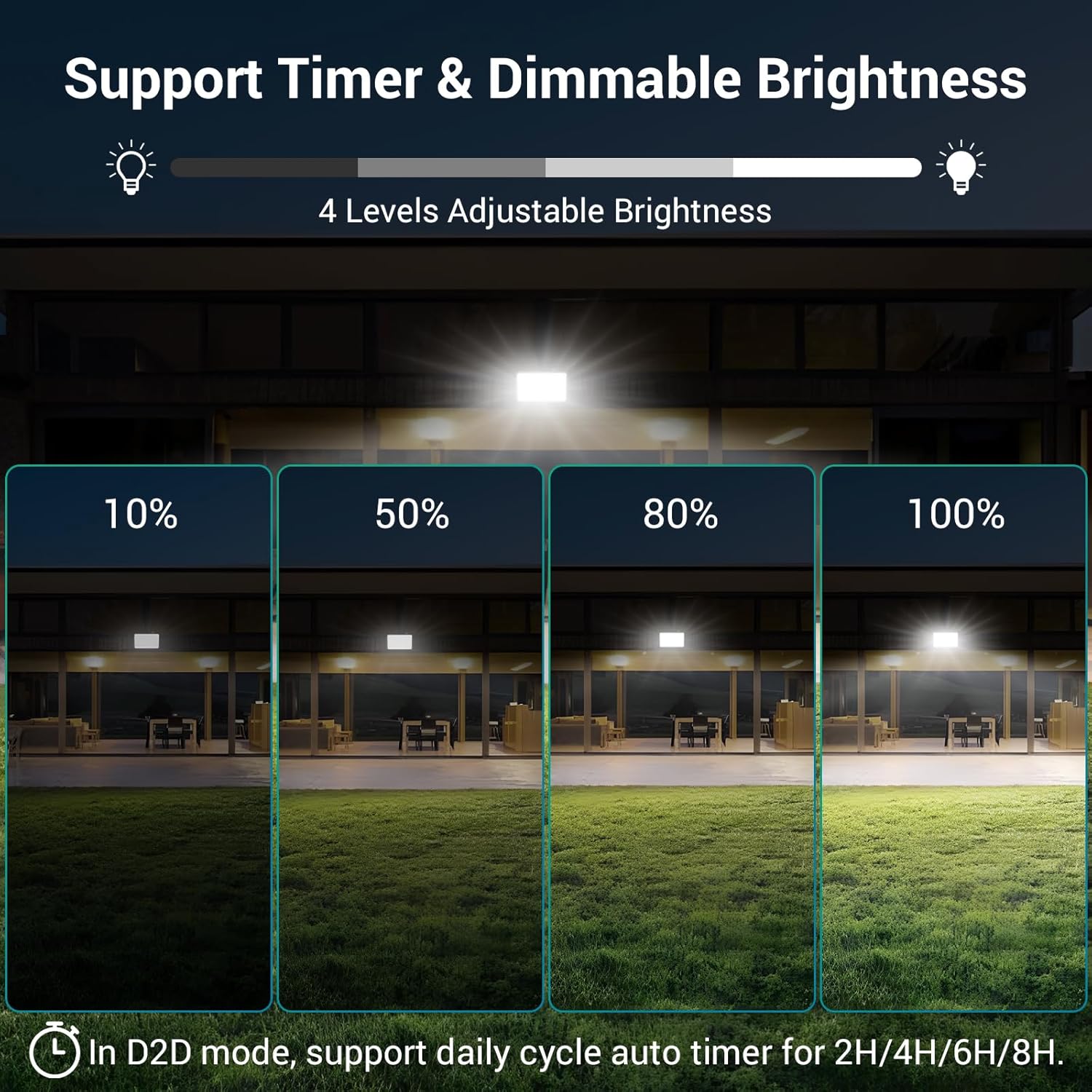
Image: A demonstration of the four adjustable brightness levels (10%, 50%, 80%, 100%) and the daily cycle auto timer options (2H/4H/6H/8H) available in Dusk to Dawn mode.
Maintenance
- Cleaning: Periodically clean the light's surface and photocell sensor with a soft, damp cloth to ensure optimal performance. Do not use abrasive cleaners or solvents.
- Inspection: Regularly check the power cord and plug for any signs of damage. Ensure mounting screws remain tight.
- Weather Resistance: The light has an IP66 waterproof rating, designed to withstand various outdoor conditions including rain, frost, and snow.
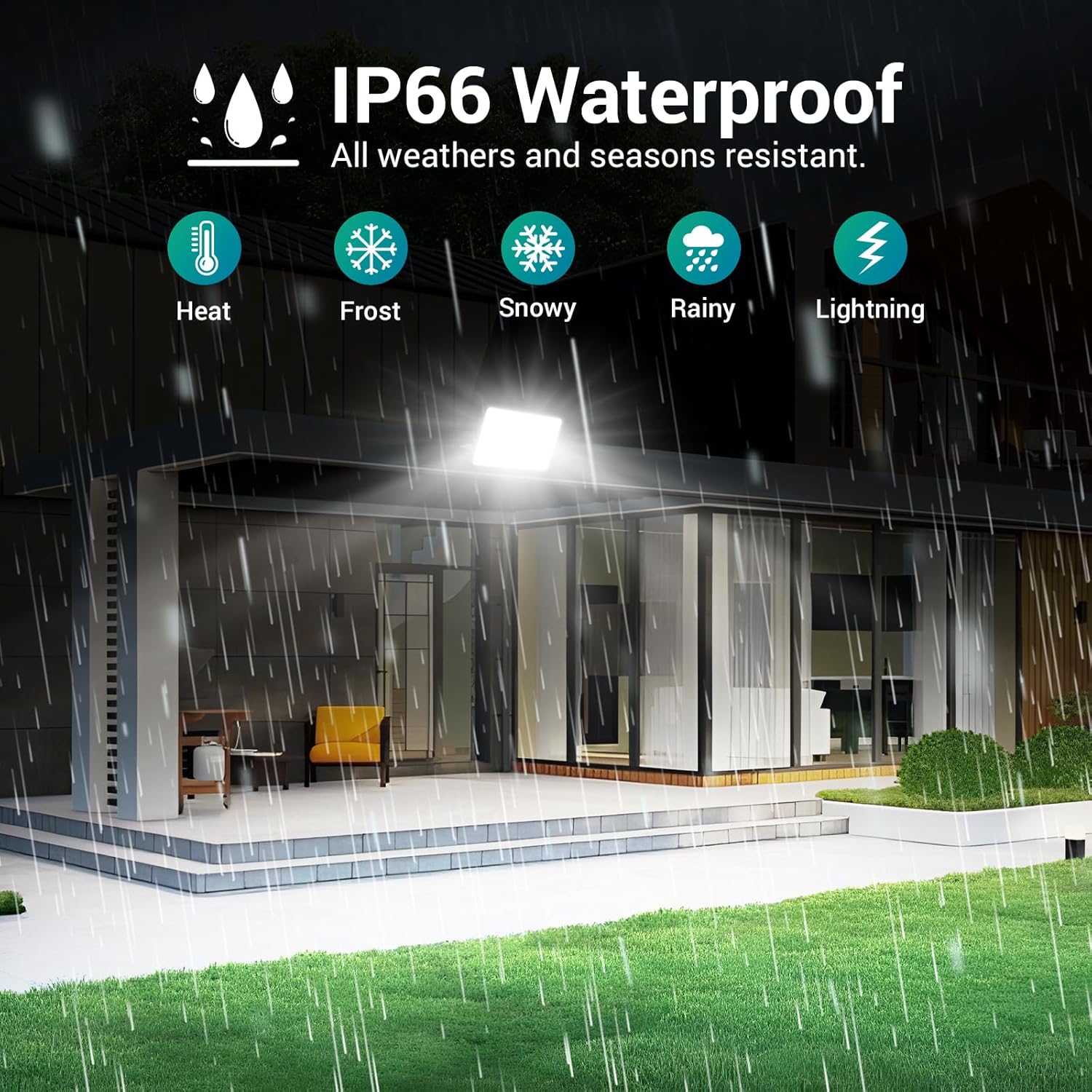
Image: A graphic depicting the IP66 waterproof rating of the USTELLAR floodlight, indicating its resistance to various weather conditions such as heat, frost, snow, rain, and lightning.
Troubleshooting
| Problem | Possible Cause | Solution |
|---|---|---|
| Light does not turn on. | No power; Remote battery low; Light in D2D mode during daytime; Faulty unit. | Check power connection; Replace remote battery; Wait until dusk or switch to Always-On mode; Contact customer support. |
| Light stays on during the day. | Photocell sensor obstructed; Light not in D2D mode. | Clear any obstructions from the sensor; Ensure D2D mode is activated. |
| Remote control not working. | Remote battery low/dead; Obstruction between remote and light; Remote too far from light. | Replace remote battery; Ensure clear line of sight; Operate remote within 8 meters (26 feet) of the light. |
| Light flickers or dims unexpectedly. | Unstable power supply; Internal fault. | Check power source stability; Contact customer support. |
Specifications
| Feature | Detail |
|---|---|
| Model Number | UT88868 |
| Power Consumption | 100W |
| Luminous Flux | 10000 Lumens |
| Color Temperature | 5000K Daylight White |
| Coverage Area | Up to 2500 sq.ft |
| Waterproof Rating | IP66 |
| Power Source | Corded Electric (Plug-in) |
| Material | Aluminum |
| Product Dimensions | 30.48 x 8.38 x 26.42 cm (1.44 kg) |
| Remote Control Range | Up to 8 meters (26 feet) |
| Battery (Remote) | 1 Lithium Ion battery (included) |
Warranty and Support
USTELLAR products are designed for reliability and performance. For warranty information, technical support, or any questions regarding your product, please refer to the contact information provided with your purchase or visit the official USTELLAR website.
Please retain your proof of purchase for warranty claims.
