
1. Introduction
Thank you for choosing the JONR VC10 Pro Cordless Vacuum Cleaner. This manual provides essential information for the safe and efficient use, maintenance, and troubleshooting of your new appliance. Please read this manual thoroughly before first use and keep it for future reference.
The JONR VC10 Pro is designed for versatile cleaning, featuring powerful suction, an automatic cleaning station, and a long-lasting battery for a convenient cleaning experience.

Image 1.1: JONR VC10 Pro Cordless Vacuum Cleaner with its automatic cleaning station.
2. Safety Instructions
To reduce the risk of fire, electric shock, or injury, always follow basic safety precautions when using an electrical appliance.
- Read all instructions before using the appliance.
- Do not use outdoors or on wet surfaces.
- Do not allow to be used as a toy. Close attention is necessary when used by or near children.
- Use only as described in this manual. Use only manufacturer's recommended attachments.
- Do not use with damaged cord or plug. If appliance is not working as it should, has been dropped, damaged, left outdoors, or dropped into water, return it to a service center.
- Do not pull or carry by cord, use cord as a handle, close a door on cord, or pull cord around sharp edges or corners. Do not run appliance over cord. Keep cord away from heated surfaces.
- Do not unplug by pulling on cord. To unplug, grasp the plug, not the cord.
- Do not handle plug or appliance with wet hands.
- Do not put any object into openings. Do not use with any opening blocked; keep free of dust, lint, hair, and anything that may reduce airflow.
- Keep hair, loose clothing, fingers, and all parts of body away from openings and moving parts.
- Do not pick up anything that is burning or smoking, such as cigarettes, matches, or hot ashes.
- Do not use to pick up flammable or combustible liquids, such as gasoline, or use in areas where they may be present.
- Do not pick up toxic material (e.g., chlorine bleach, ammonia cleaner, drain cleaner).
- Do not use without dust cup and/or filters in place.
- Turn off all controls before unplugging.
- Use extra care when cleaning on stairs.
- Do not use to pick up hard or sharp objects such as glass, nails, screws, coins, etc.
- Prevent unintentional starting. Ensure the switch is in the OFF position before connecting to battery pack, picking up or carrying the appliance.
- Recharge only with the charger specified by the manufacturer.
3. Product Overview
Familiarize yourself with the components of your JONR VC10 Pro Cordless Vacuum Cleaner.
Main Components:
- Main Vacuum Unit (with motor and dustbin)
- Extension Wand
- V-shaped Floor Brush
- Automatic Cleaning Station
- Power Adapter
4. Setup and Assembly
4.1 Assembling the Vacuum Cleaner
- Insert the extension wand into the main vacuum unit until it clicks into place.
- Attach the V-shaped floor brush to the other end of the extension wand until it clicks securely.
- Ensure all connections are firm before use.
4.2 Setting up the Automatic Cleaning Station
- Place the cleaning station on a flat, stable surface near a power outlet.
- Connect the power adapter to the cleaning station and plug it into a wall outlet.
- The station is now ready for charging and automatic dustbin emptying.
4.3 Initial Charging
Before first use, fully charge the vacuum cleaner. Place the main vacuum unit onto the automatic cleaning station. The charging indicator will illuminate. A full charge takes approximately 4-5 hours.
5. Operating Instructions
5.1 Powering On/Off and Suction Modes
Press the power button on the main unit to turn the vacuum cleaner on or off. The vacuum features 3 suction speed settings. Press the mode button to cycle through the different suction levels (Low, Medium, High) to suit your cleaning needs.

Image 5.1: The JONR VC10 Pro offers up to 27,000 Pa of suction power for effective cleaning.
5.2 Cleaning Different Surfaces
The V-shaped floor brush is designed for effective cleaning on various floor types.
- Hard Floors: Use any suction mode. The soft bristles effectively capture dust and debris without scratching.
- Carpets: For optimal cleaning on carpets, especially for pet hair, use Medium or High suction mode. The V-shaped brush helps prevent hair tangles.
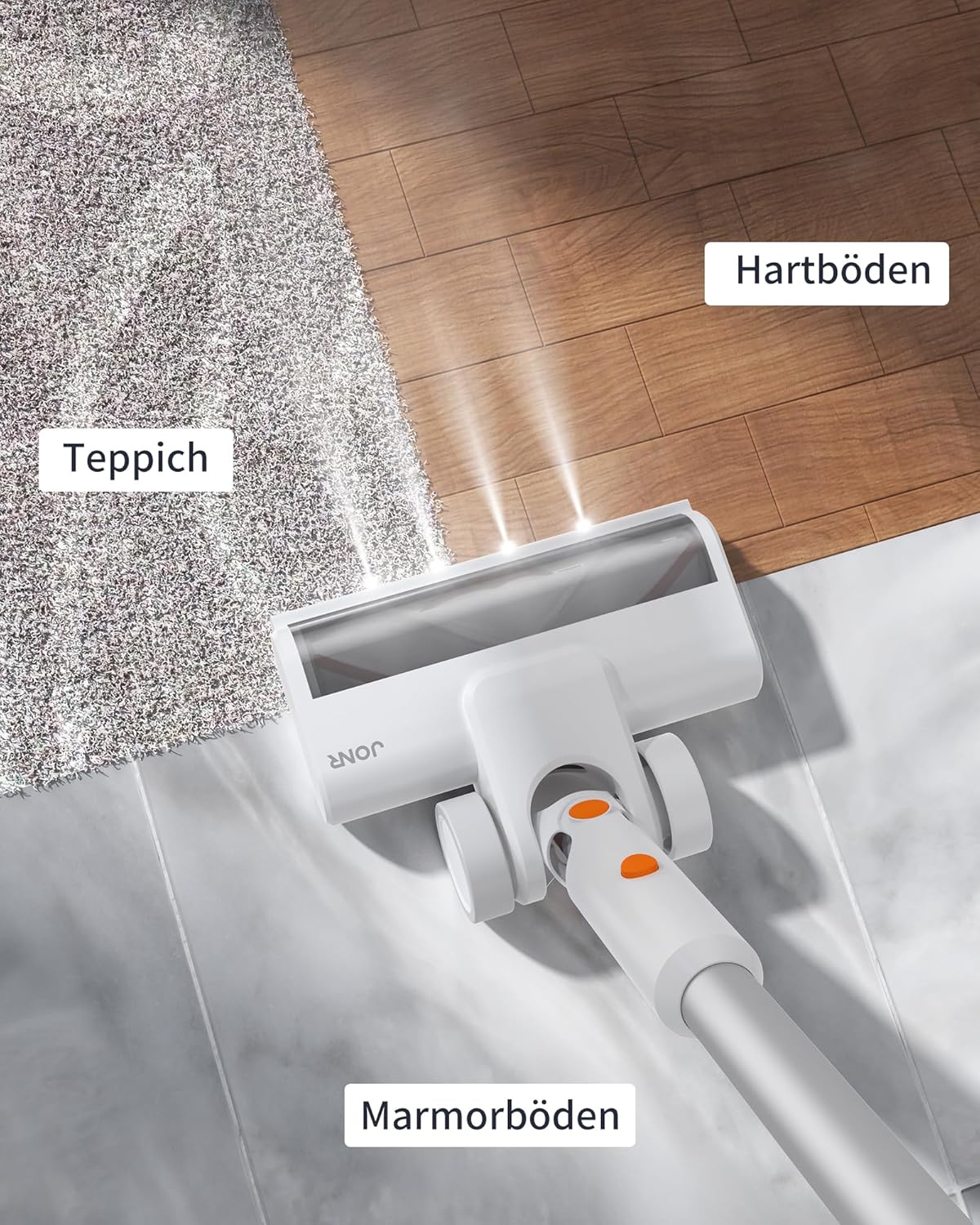
Image 5.2: The floor brush is suitable for various surfaces including carpet, hard floors, and marble.
5.3 Using the Automatic Cleaning Station
After cleaning, place the main vacuum unit onto the automatic cleaning station. The station will automatically empty the vacuum's dustbin into a disposable dust bag within the station. This feature minimizes contact with dust and debris.

Image 5.3: The automatic cleaning station empties the vacuum's dustbin, providing a hands-free experience.
5.4 Battery Runtime
The JONR VC10 Pro is equipped with a 2500 mAh battery, providing up to 60 minutes of runtime on a single charge, depending on the selected suction mode and usage conditions.
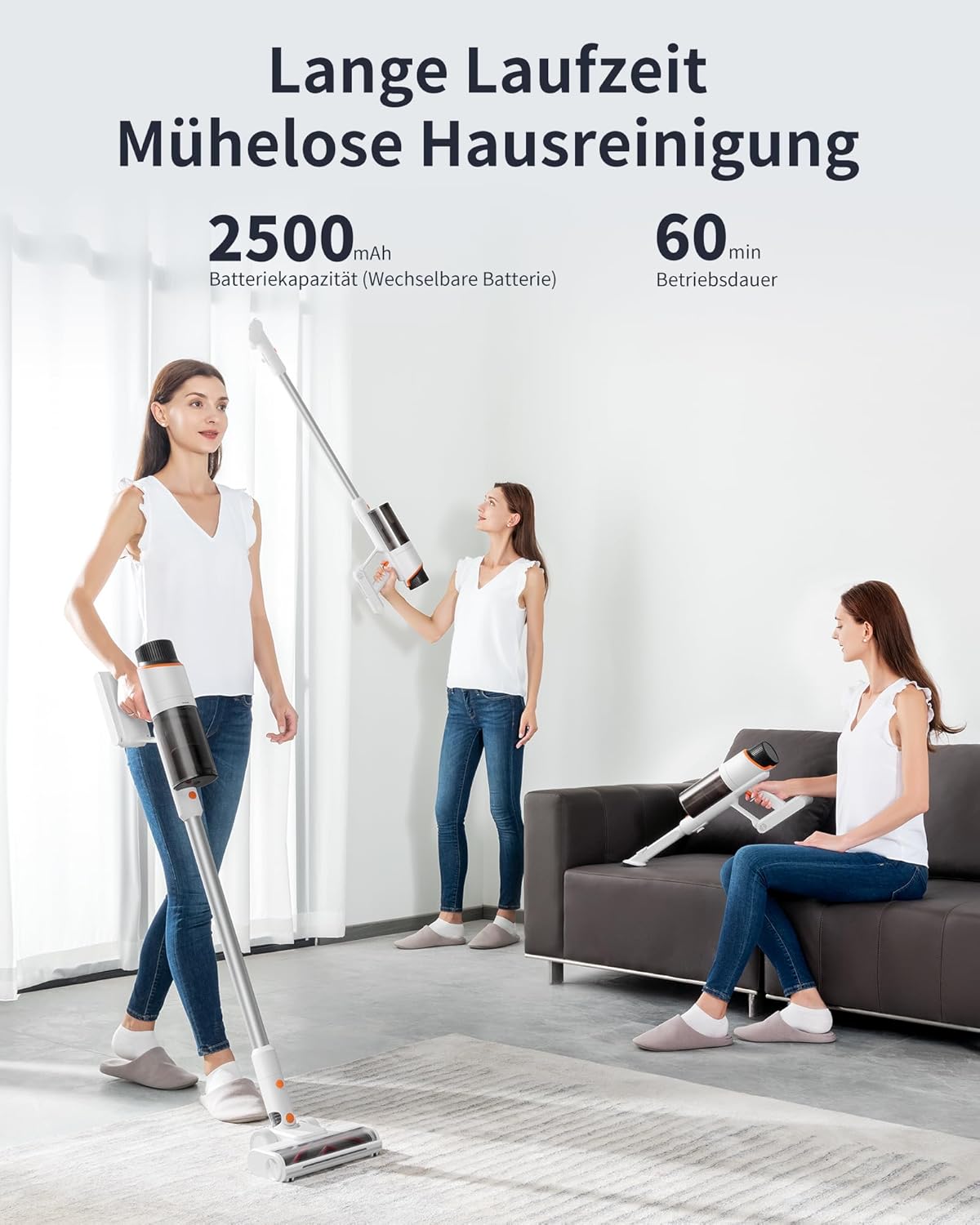
Image 5.4: The 2500 mAh battery provides up to 60 minutes of continuous operation.
6. Maintenance
Regular maintenance ensures optimal performance and extends the lifespan of your vacuum cleaner.
6.1 Emptying the Dustbin (Manual)
While the automatic cleaning station handles most emptying, you can manually empty the dustbin if needed. Detach the dustbin from the main unit, open the bottom flap, and empty contents into a waste bin. Close the flap securely.
6.2 Cleaning the Filter
The dustbin and filter are washable. Regularly remove the filter from the dustbin and rinse both under running water. Ensure they are completely dry before reassembling and using the vacuum cleaner. Do not use the vacuum with a wet filter.
6.3 Cleaning the Floor Brush
The V-shaped floor brush is designed to minimize hair tangles. However, occasional cleaning may be required. Detach the brush from the extension wand. Use scissors or a cleaning tool to remove any tangled hair or debris from the brush roll. Reattach the brush securely.

Image 6.1: The unique V-shaped floor brush design helps prevent hair tangles.
6.4 Replacing the Dust Bag in the Cleaning Station
The automatic cleaning station uses disposable dust bags. When the indicator light on the station signals that the dust bag is full, open the compartment, carefully remove the full bag, and replace it with a new one. Dispose of the full bag responsibly.

Image 6.2: The automatic cleaning station utilizes disposable dust bags for hygienic disposal of collected debris.
7. Troubleshooting
If you encounter issues with your JONR VC10 Pro, refer to the following common problems and solutions.
| Problem | Possible Cause | Solution |
|---|---|---|
| Vacuum does not turn on | Battery is depleted Power button not pressed correctly | Charge the battery fully Ensure the power button is pressed firmly |
| Low suction power | Dustbin is full Filter is clogged Brush roll or wand is blocked | Empty the dustbin Clean or replace the filter Check and clear any blockages in the brush roll or wand |
| Brush roll not rotating | Hair or debris tangled in brush Brush roll is detached | Clean the brush roll Ensure the brush roll is correctly installed |
| Automatic emptying not working | Dust bag in station is full Vacuum not correctly docked Blockage in station's suction path | Replace the dust bag Ensure vacuum is fully seated on the station Check for and clear any blockages in the station |
If the problem persists after attempting these solutions, please contact customer support.
8. Specifications
| Feature | Specification |
|---|---|
| Model | VC10 Pro |
| Brand | JONR |
| Suction Power | Up to 27,000 Pa |
| Battery Capacity | 2500 mAh |
| Runtime | Up to 60 minutes |
| Dustbin Capacity | 2.5 Liters |
| Number of Speeds | 3 |
| Special Features | Automatic cord rewind (Note: This feature is listed in product specs but typically applies to corded vacuums. For a cordless model, it likely refers to the automatic emptying function or a mislabeling in source data.) |
| Filter Type | Cyclone |
| Dimensions (Package) | 73.5 x 37 x 29 cm |
| Weight (Package) | 9.38 kg |
9. Warranty and Support
Your JONR VC10 Pro Cordless Vacuum Cleaner comes with a standard manufacturer's warranty. Please refer to the warranty card included in your product packaging for specific terms and conditions, including warranty period and coverage.
For technical support, troubleshooting assistance, or to inquire about replacement parts, please contact JONR customer service through the retailer where the product was purchased or visit the official JONR website for contact information.


