
1. Introduction and Overview
This manual provides essential information for the safe and efficient operation of your STORCUBE 1000W Solar Generator and accompanying 100W Portable Solar Panel. This powerful and versatile system is designed to provide reliable electricity for various applications, including outdoor camping, RV travel, off-grid living, and emergency home backup. Please read this manual thoroughly before using the product to ensure proper function and longevity.
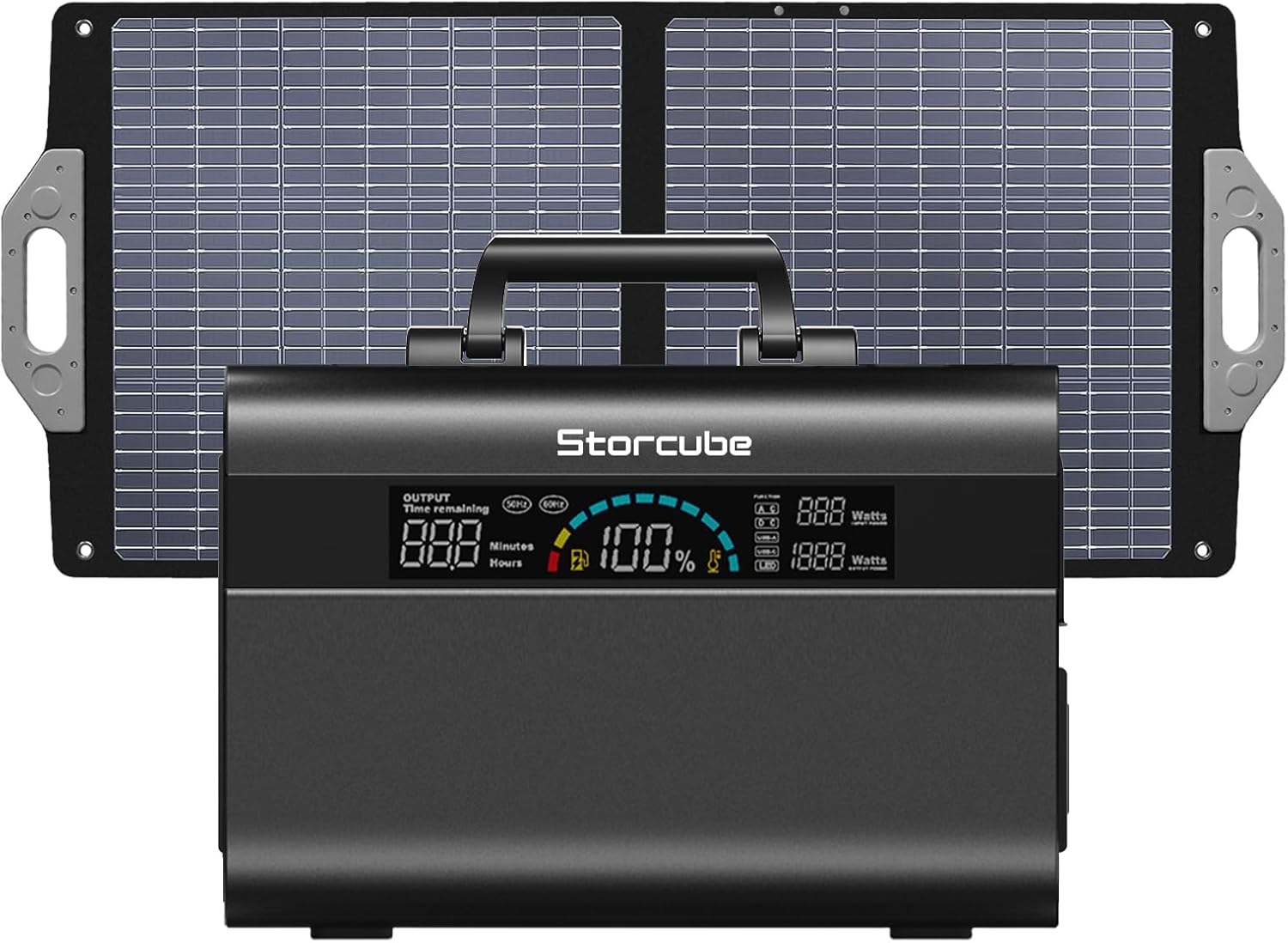
Figure 1.1: The STORCUBE 1000W Portable Power Station with the 100W Portable Solar Panel.
2. Product Features
- High Capacity & Output: Equipped with an 896Wh capacity and 1000W AC output (peak 2000W), capable of powering a wide range of devices.
- LiFePO4 Long-Life Battery: Utilizes durable LiFePO4 cells, offering over 3000 cycles to 80% capacity, ensuring a reliable 10-year lifespan with advanced BMS technology.
- Versatile Output Ports: Features 3 AC outlets, 1 super-fast USB-C PD 100W port, 1 USB-A QC3.0 port, 2 standard USB-A ports, 1 car port, and 4 DC outputs. Each output can be controlled independently.
- Multiple Recharging Methods: Supports 4 charging methods: AC wall outlet, car charger, solar panel, and simultaneous AC/USB-C charging. Includes a built-in MPPT controller for efficient solar charging.
- High Solar Conversion Efficiency: The included 100W portable solar panel features high-efficiency monocrystalline solar cells (up to 23.5% efficiency) for optimal power generation.
- Comprehensive Package: Includes the 1000W portable power station, 100W solar panel, AC power adapter, AC power cable, car charging cable, and user manual.

Figure 2.1: The power station can power a variety of appliances, from phones to blenders, with its 896Wh capacity and 1000W output.

Figure 2.2: The power station offers 12 versatile outlets, allowing multiple devices to be powered simultaneously, ideal for outdoor activities.
3. Setup Guide
3.1 Unboxing and Initial Inspection
Upon receiving your STORCUBE Solar Generator kit, carefully unpack all components and inspect them for any signs of damage. The package should contain:
- 1x STORCUBE 1000W Portable Power Station
- 1x 100W Portable Solar Panel
- 1x AC Power Adapter
- 1x AC Power Cable
- 1x Car Charging Cable
- 1x User Manual (this document)
3.2 Initial Charging
Before first use, it is recommended to fully charge the power station. You can use the included AC power adapter and cable to charge it from a standard wall outlet. The LCD display will indicate the charging status and battery percentage.
3.3 Connecting the Solar Panel
To charge using the solar panel:
- Unfold the 100W Portable Solar Panel and position it in direct sunlight for maximum efficiency.
- Connect the solar panel's output cable to the designated solar charging input port on the STORCUBE power station. Ensure a secure connection.
- The power station's LCD display will show the input wattage from the solar panel, confirming it is charging.

Figure 3.1: Overview of the components included with the STORCUBE 1000W Portable Power Station and 100W Portable Solar Panel.

Figure 3.2: The power station supports various recharging methods, including AC adapter, car charger, solar panel, and combined AC/USB-C charging.
4. Operating Instructions
4.1 Powering On/Off
To power on the unit, press and hold the main power button until the LCD screen illuminates. To power off, press and hold the same button until the screen turns off.
4.2 Using Output Ports
The STORCUBE power station features multiple output sections. Each section (AC, DC, USB) has its own power button to activate or deactivate the ports within that section. This allows for efficient power management.
- AC Outlets: Press the 'AC ON/OFF' button to activate the three AC outlets. Plug in your AC-powered devices.
- USB Ports: The USB-C PD 100W, USB-A QC3.0, and standard USB-A ports are typically always active when the unit is on, or can be activated via a dedicated USB-OUT button if present.
- DC Outputs & Car Port: Activate these ports using their respective buttons or by ensuring the main DC output is enabled.
Always ensure the total power draw of your connected devices does not exceed the power station's rated output (1000W continuous, 2000W peak).
4.3 LCD Display Information
The clear LCD display provides real-time information:
- Battery capacity (percentage and graphical indicator)
- Input power (watts)
- Output power (watts) for each section (AC, DC, USB)
- Remaining usage time (hours/minutes)
- Output frequency
- Low battery notification
- Thermometer icon (for temperature warnings)

Figure 4.1: Detailed view of the 12 versatile output ports and 1 input port on the STORCUBE power station.

Figure 4.2: The clear LCD display provides comprehensive information about the power station's status at a glance.
4.4 Integrated Lighting
The power station includes integrated LED lights with 4 lighting modes: Common brightness, High brightness, Slow blinking, and Fast blinking. Press the 'LIGHT ON/OFF' button to cycle through the modes or turn the light off.
5. Maintenance
Proper maintenance ensures the longevity and optimal performance of your STORCUBE Solar Generator system.
- Cleaning: Use a soft, dry cloth to wipe the exterior of the power station and solar panel. Do not use abrasive cleaners or immerse the unit in water.
- Storage: When not in use for extended periods, store the power station in a cool, dry place away from direct sunlight and extreme temperatures. It is recommended to fully charge the unit every 3-6 months to maintain battery health.
- Ventilation: Ensure the power station's ventilation openings are clear and unobstructed during operation to prevent overheating.
- Solar Panel Care: Keep the solar panel surface clean from dust, dirt, and debris to maximize charging efficiency.
6. Troubleshooting
If you encounter issues with your STORCUBE Solar Generator, refer to the following common problems and solutions:
| Problem | Possible Cause | Solution |
|---|---|---|
| Power station not turning on. | Battery is completely depleted. | Connect to AC power for initial charge. Ensure the power button is pressed and held for a few seconds. |
| No output from AC/DC/USB ports. | Output section not activated. Overload protection triggered. | Ensure the specific AC/DC/USB output button is pressed. Reduce the load if an overload indicator is present on the display. Restart the unit. |
| Solar panel not charging the unit. | Insufficient sunlight. Incorrect connection. Damaged panel/cable. | Ensure the solar panel is in direct sunlight and angled correctly. Check all cable connections. Verify the solar panel is not damaged. |
| Unit overheating. | Blocked ventilation. Excessive load. | Ensure ventilation ports are clear. Reduce the connected load. Move the unit to a cooler environment. |
If the problem persists after attempting these solutions, please contact customer support.
7. Specifications
| Attribute | Value |
|---|---|
| Brand | STORCUBE |
| Model Name | (UPGRADED) STORCUBE S1000 PRO |
| Item Model Number | STC 03/1000B |
| Wattage (Capacity) | 896 Watt-hours |
| Running Wattage | 1000 Watts |
| Starting/Peak Wattage | 2000 Watts |
| Voltage | 110 Volts |
| Frequency | 60 Hz |
| Fuel Type | Electric |
| Power Source | Solar Powered |
| Battery Type | LiFePO4 |
| Product Dimensions | 12.99"L x 7.48"W x 10.04"H |
| Item Weight | 30.4 pounds |
| Material | Aluminum |
| Total Power Outlets | 3 AC outlets + 1 USB-C + 3 USB-A + 1 Car + 4 DC |

Figure 7.1: Physical specifications for the STORCUBE 1000W Portable Power Station and 100W Solar Panel.
8. Warranty and Support
Your STORCUBE 1000W Portable Power Station comes with an extended 5-year warranty, and the 100W Portable Solar Panel includes a 2-year warranty. These warranties cover defects in materials and workmanship under normal use.
For technical support, warranty claims, or any questions not covered in this manual, please contact STORCUBE customer service through the retailer's platform or the official STORCUBE website. Please have your product model number (STC 03/1000B) and purchase information ready when contacting support.


