
Introduction
The FEELWORLD FW568 V3 is a compact and versatile 6-inch field monitor designed for DSLR and mirrorless cameras. It features a Full HD 1920x1080 IPS display with Rec.709 color calibration, ensuring accurate and detailed visual monitoring. This manual provides essential information for the proper setup, operation, and maintenance of your FW568 V3 monitor.
Package Contents
Verify that all items are present in your package:
- 1 × FEELWORLD Monitor FW568 V3
- 1 × Micro HDMI Cable
- 1 × Sunshade
- 1 × Tilt Arm
- 1 × User Manual
- 1 × F550 Battery (2200mAh)
- 1 × Type-C to USB Adapter
- 1 × Carrying Case
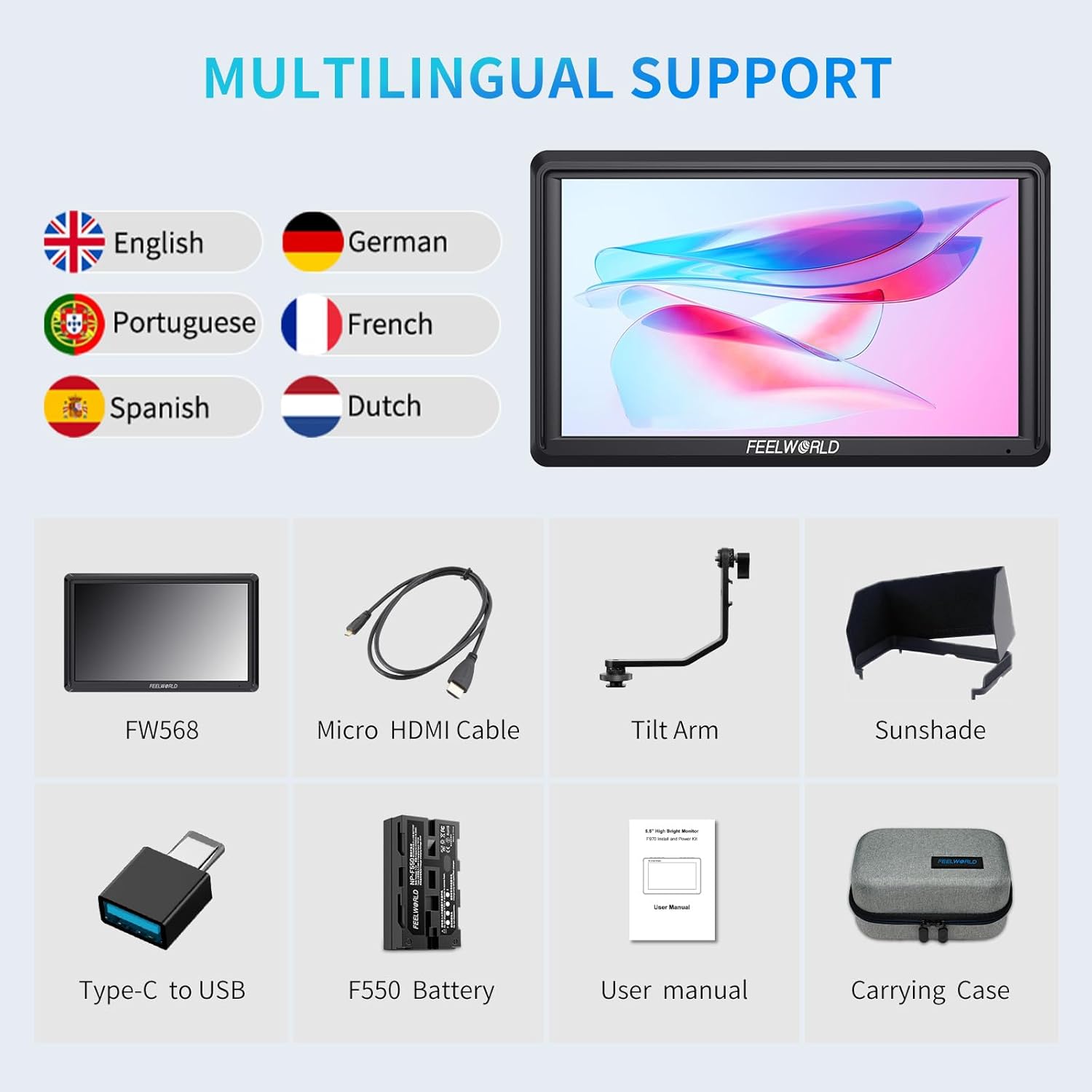
This image displays the monitor, micro HDMI cable, sunshade, tilt arm, user manual, F550 battery, Type-C to USB adapter, and carrying case, ensuring users can confirm all parts are present.
Setup
- Battery Installation: Insert the provided F550 battery into the battery plate on the rear of the monitor. Ensure it clicks securely into place. The monitor also supports other NP-F series batteries.
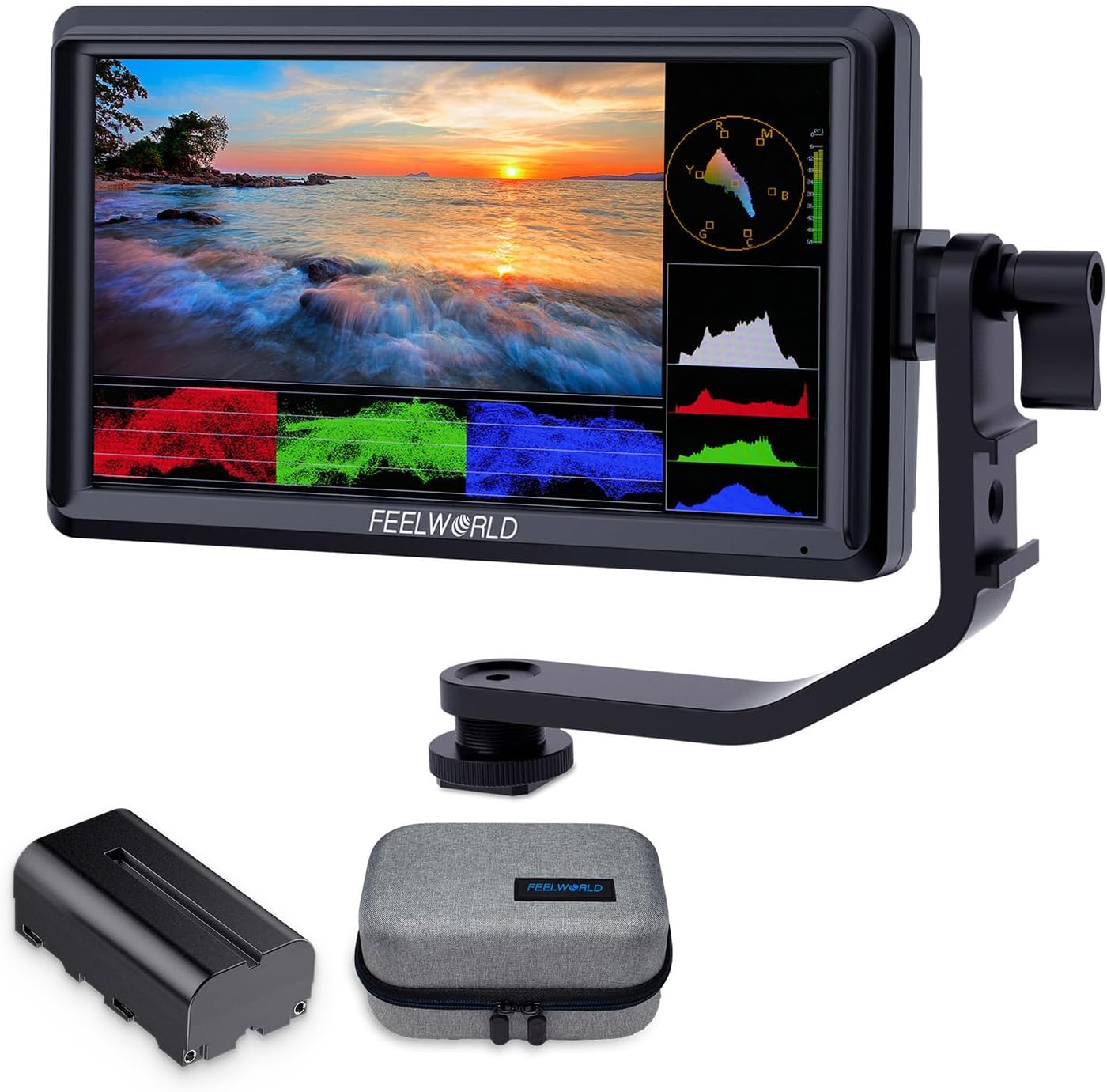
Image: The FEELWORLD FW568 V3 monitor shown with the F550 battery and other accessories. This image highlights the monitor's compact design and the included F550 battery, which powers the device for portable use.
- Mounting the Monitor: Attach the tilt arm to the 1/4"-20 screw hole on the bottom or side of the monitor. Secure the tilt arm to your camera's hot shoe or a compatible rig. The tilt arm allows for 360° rotation and tilt adjustment.
- Connecting to Camera: Use the Micro HDMI cable to connect your DSLR or camcorder's HDMI output to the HDMI IN port on the monitor. The monitor supports 4K HDMI input/output.

Image: Close-up of the FEELWORLD FW568 V3 showing HDMI IN/OUT, DC IN/OUT, and Type-C ports. This image details the various connectivity options on the monitor, including the 4K HDMI input and output for seamless integration with cameras and other monitors.
- Powering the Camera (Optional): The monitor features an 8.4V DC OUT port, allowing you to power your camera directly from the monitor's battery using an optional dummy battery adapter power cable.

Image: Diagram illustrating the FEELWORLD FW568 V3 powering a DSLR camera via its DC output. This visual demonstrates how the monitor can extend camera runtimes by providing power through its 8.4V DC output, connected via a dummy battery adapter.
- Attaching the Sunshade: For outdoor use or bright conditions, attach the sunshade to the monitor to improve screen visibility.
Operating Instructions
The FW568 V3 offers a range of advanced video assist functions to enhance your shooting experience.
- Power On/Off: Press and hold the power button located on the side of the monitor to turn it on or off.
- Menu Navigation: Use the menu buttons (MENU, F1/V, F2/A, F3) to navigate through the monitor's settings and functions.
- Advanced Monitoring Tools: Access features like Waveform, Vectorscope, Histogram, Peaking Filter, Anamorphic Mode, False Colors, and Zebra Exposure to accurately assess exposure, focus, and color.

Image: Display of various video assist functions on the FEELWORLD FW568 V3, including Vectorscope, Histogram, and False Colors. This image demonstrates the monitor's capability to display multiple analytical tools simultaneously, aiding in precise exposure and focus adjustments during filming.
- Custom LUTs: The monitor supports up to 32 custom LUTs, which can be loaded via the USB port. This allows for real-time preview of filming looks.

Image: The FEELWORLD FW568 V3 displaying a scene with and without a custom LUT applied. This visual highlights the monitor's ability to apply custom Look-Up Tables (LUTs) for real-time color grading previews, ensuring consistent visual style from capture to post-production.
- Display Settings: Adjust brightness, contrast, saturation, and other display parameters to suit your viewing preferences and shooting environment.
Maintenance
- Cleaning: Use a soft, dry cloth to clean the monitor screen and body. Avoid using harsh chemicals or abrasive materials.
- Storage: When not in use, store the monitor in its provided carrying case to protect it from dust, scratches, and impacts.
- Battery Care: Charge the F550 battery using the Type-C to USB adapter or a compatible charger. Store batteries in a cool, dry place.
Troubleshooting
| Problem | Possible Solution |
|---|---|
| Monitor does not power on. | Ensure the battery is fully charged and correctly installed, or connect to an external DC power source. |
| No signal displayed. | Check HDMI cable connections. Verify camera's HDMI output settings. Ensure the monitor's input source is correctly selected. |
| Screen is too dim/bright. | Adjust brightness settings in the monitor menu. Use the sunshade in bright outdoor conditions. |
| Image is blurry or out of focus. | Utilize the Focus Assist (Peaking) function in the monitor's video assist tools. Adjust camera lens focus. |
Specifications
- Model: AU-FW568 (FW568 V3)
- Display Size: 6 inches
- Resolution: Full HD 1920x1080
- Pixel Density: 400 PPI
- Contrast Ratio: 1000:1
- Color Calibration: Rec.709
- HDMI Support: 4K UHD 3840x2160p (30/29.97/25/24/23.98Hz), 4096x2160p (24Hz)
- DC Input: 8.4V
- DC Output: 8.4V (for camera power)
- Weight: 175g (monitor only)
- Battery Type: NP-F series (F550 included)
- Dimensions: 8.15 x 6.1 x 4.21 inches (Package)

This image visually confirms the monitor's key display characteristics, emphasizing its Full HD resolution and color accuracy for professional use.
Official Product Videos
FEELWORLD S55 V3 Camera Field Monitor
Video: An official overview of the FEELWORLD S55 V3 Camera Field Monitor, demonstrating its features and use cases. This video is provided by the seller, ANDYCINE Official Store-US.
Why do you need a camera external monitor?
Video: A short official video from FEELWORLD Official Store-US explaining the benefits and necessity of using an external camera monitor for improved filming.
Warranty and Support
The FEELWORLD FW568 V3 monitor comes with a 1-year official warranty. For technical support, troubleshooting, or warranty claims, please contact FEELWORLD customer service. Refer to the contact information provided in the product packaging or on the official FEELWORLD website.