
WLIVE PET017KF
WLIVE PET017KF End Table with Charging Station User Manual
Model: PET017KF | Brand: WLIVE
1. Introduction
This manual provides detailed instructions for the assembly, operation, maintenance, and troubleshooting of your WLIVE PET017KF End Table with Charging Station. Please read this manual thoroughly before assembly and use to ensure proper function and safety.

Figure 1: WLIVE PET017KF End Table with Charging Station
2. Important Safety Information
For safe use of your end table, observe the following guidelines:
- Do not exceed the table's maximum weight recommendation of 44 pounds (20 kg).
- Ensure stable placement on a flat, level surface to prevent tipping.
- Exercise caution when opening and closing the flip-top cover to avoid pinching fingers.
- Keep liquids away from the charging station when the flip-top is open to prevent electrical hazards.
- Do not attempt to modify the electrical components of the charging station.
3. Setup and Assembly
Your WLIVE End Table requires assembly. An assembly guide is included with your product. Each component is marked with a number for easy identification during the assembly process. A screwdriver is recommended for assembly.
3.1 Assembly Steps Overview
- Unpack all components and verify against the parts list in the included assembly guide.
- Follow the step-by-step instructions provided in the assembly guide.
- Ensure all screws and fasteners are securely tightened for stability.
3.2 Assembly Tips
- Assemble on a soft, clean surface to prevent scratches.
- Do not overtighten screws during initial assembly; tighten fully once all components are aligned.
Video 1: Overview of the WLIVE Farmhouse End Table, demonstrating its features and assembly process.
4. Operating Instructions
4.1 Charging Station
The end table features a built-in charging station for convenient power access. To use the charging station:
- Lift the flip-top cover located on the tabletop.
- Plug the table's main power cord (5-foot length) into a wall outlet.
- Utilize the two (2) 120V/12A AC outlets and two (2) 5V/2A USB ports to charge your electronic devices.
- For cable management, route charging cables through the designated opening at the back of the table.
- Close the flip-top cover once devices are connected to maintain a tidy appearance and protect the outlets.

Figure 2: Integrated Charging Station
Video 2: Demonstration of the flip-top charging station and its functionality.
4.2 Storage Features
The end table offers both open and concealed storage options:
- Open Shelf: A convenient open shelf is located below the tabletop, ideal for books, magazines, or decorative items.
- Cabinet with Door: A lower cabinet with a magnetic-closure door provides hidden storage for personal items, helping to keep your space tidy.

Figure 3: Spacious Storage Options
5. Maintenance and Care
To maintain the appearance and longevity of your WLIVE End Table:
- Cleaning: Wipe surfaces with a soft, damp cloth. Avoid harsh chemicals or abrasive cleaners that may damage the finish. Promptly wipe up any spills.
- Protection: Use coasters under beverages to prevent water rings and heat damage.
- Inspection: Periodically check all fasteners and re-tighten if necessary to ensure stability.
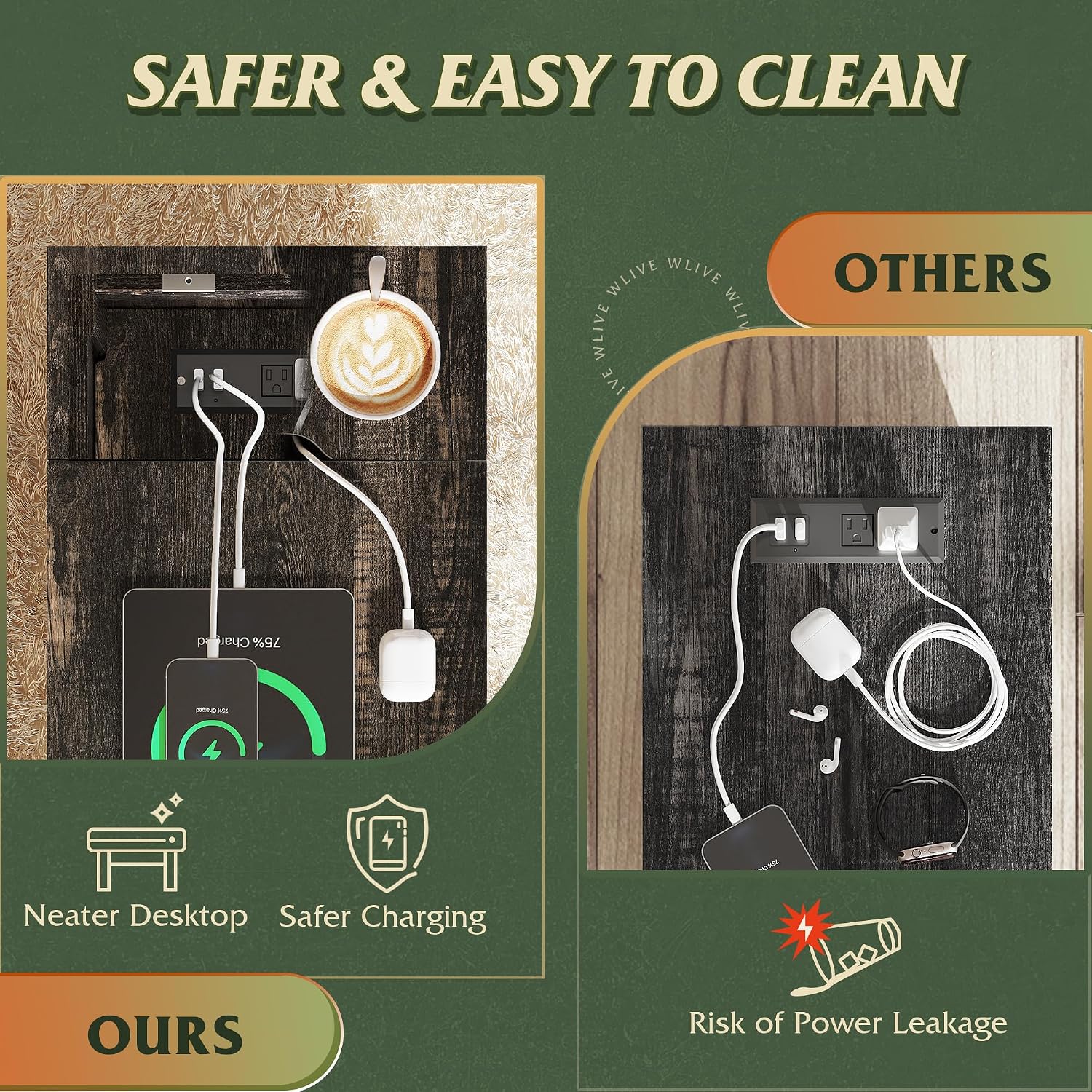
Figure 4: Easy to Clean Surface
6. Troubleshooting
If you encounter issues with your end table, refer to the following common solutions:
- Power Outlets Not Working: Ensure the table's main power cord is securely plugged into a functional wall outlet. Check if the wall outlet itself is receiving power by testing with another device.
- Table Instability: Verify that all assembly screws are tightened. Ensure the table is placed on a flat, even surface.
- Damaged Parts: If any parts are damaged during shipping or assembly, do not proceed with assembly. Contact customer support for assistance.
7. Product Specifications
| Feature | Specification |
|---|---|
| Brand | WLIVE |
| Model Name | PET017KF |
| Product Dimensions (D x W x H) | 23.5"D x 13.39"W x 23.66"H |
| Item Weight | 22.9 Pounds (10.39 kg) |
| Maximum Weight Recommendation | 44 Pounds (20 kg) |
| Color | Brown |
| Material Type | Engineered Wood, Particleboard, Steel |
| Charging Station | 2 AC Outlets, 2 USB Ports |
| Power Cord Length | 5 feet |
| Included Components | Assembly Guide |
| Tools Recommended For Assembly | Screw Driver |

Figure 5: Product Dimensions and Load Capacity
8. Warranty and Support
WLIVE is committed to providing satisfactory service. If you have any questions about your end table, its assembly, or require support, please feel free to contact WLIVE customer service. Refer to your purchase documentation for specific warranty details and contact information.
For additional information or to explore other WLIVE products, visit the official WLIVE Store.
Related documentsPET017KF

Ask a question about this manual
Ask about setup, troubleshooting, compatibility, parts, safety, or missing instructions. Manuals+ will review the question and use this page’s manual context to help answer it.