1. Introduction
Thank you for choosing the Diyeeni 7-Inch Portable Digital TV. This device is designed to provide entertainment on the go, featuring ATSC compliance for digital and analog TV reception, USB and memory card playback, and a rechargeable battery for portable use. This manual provides essential information for the safe and efficient operation of your new portable television.

Image: The Diyeeni portable TV is suitable for various applications, including camping, travel, and hiking, offering entertainment wherever you go.
2. Safety Information
- Read all instructions before operating the device.
- Do not expose the device to rain or moisture to prevent fire or electric shock.
- Avoid placing the device near heat sources such as radiators, heat registers, stoves, or other heat-producing appliances.
- Use only attachments/accessories specified by the manufacturer.
- Protect the power cord from being walked on or pinched, particularly at plugs, convenience receptacles, and the point where they exit from the device.
- Unplug this device during lightning storms or when unused for long periods.
- Refer all servicing to qualified service personnel.
3. Package Contents
Please check the package for the following items:
- Diyeeni 7-Inch Portable Digital TV
- Remote Control
- User Manual
- Batteries (for remote control)
- Power Adapter
- Car Charger
- AV Cable
- Antenna

Image: The complete set of accessories, including the remote control, power adapter, car charger, AV cable, and antenna.

Image: A closer look at the included antenna, AV cable, and car charger for versatile power and connectivity options.
4. Product Overview
The Diyeeni portable TV features a 7-inch LCD display with a 16:9 widescreen ratio, supporting 1080P video playback. It is equipped with various ports for connectivity and media functions.

Image: The 7-inch LCD monitor supports 1080P video and offers a 16:9 widescreen experience.
Key Features:
- ATSC Compliant: Capable of receiving analog TV, digital TV, and ATV signals.
- Multi-function Ports: Includes USB port and a small memory card slot for playing content from external drives.
- 1080P Video Support: Enjoy high-definition video playback.
- Rechargeable Battery: Built-in 1500mAh lithium battery for portable use.
- Sound/Video Input: Supports external audio and video sources.

Image: The multi-functionality of the TV, including USB, storage card, TV function, and sound/video input, enhances the viewing experience.
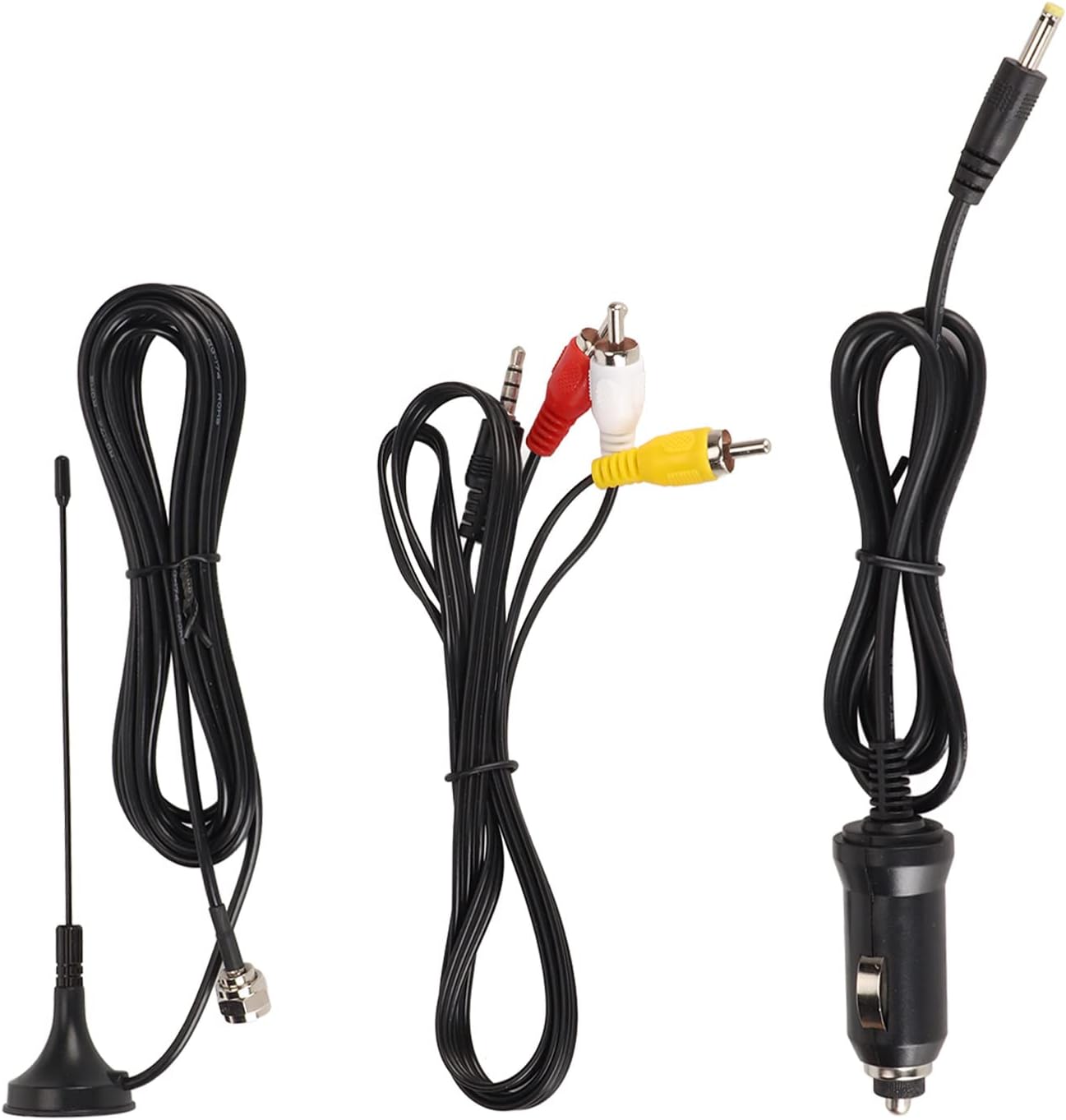
Image: The back panel of the TV, featuring DC IN, TF card slot, AV IN, headphone jack, OFF/ON switch, USB port, and antenna input.
5. Setup
5.1 Initial Charging
- Connect the provided power adapter to the "DC IN" port on the TV.
- Plug the power adapter into a standard wall outlet.
- Charge the TV fully before first use. The charging indicator will typically change color or turn off when charging is complete.
5.2 Antenna Connection
- Locate the antenna input port on the side or back of the TV.
- Connect the included antenna to this port.
- Extend the antenna fully and position it for optimal signal reception.
5.3 Powering On/Off
- To power on, slide the "OFF/ON" switch to the "ON" position.
- To power off, slide the "OFF/ON" switch to the "OFF" position.
6. Operating Instructions
6.1 Initial Channel Scan
- After powering on, navigate to the "Channel" menu using the remote control or the buttons on the TV.
- Select "Auto Scan" or "Auto Tuning" to search for available digital and analog channels.
- Wait for the scan to complete. This may take several minutes.
- Once complete, the TV will save the found channels.

Image: The TV is ATSC compliant, allowing reception of analog, digital, and ATV signals, easily controlled with the included remote.
6.2 Basic TV Functions
- Channel Up/Down: Use the CH+/CH- buttons on the TV or remote to change channels.
- Volume Up/Down: Use the VOL+/VOL- buttons on the TV or remote to adjust volume.
- Menu: Press the MENU button to access settings such as Picture, Sound, Time, Option, Lock, and Channel.
- Source: Press the SOURCE/ENTER button to switch between TV, AV, USB, and Card inputs.

Image: The TV's menu system allows adjustment of picture mode, contrast, brightness, color, sharpness, tint, color temperature, aspect ratio, and noise reduction.
7. Media Playback (USB/SD Card)
- Insert a USB drive into the USB port or a memory card into the TF card slot.
- Press the "SOURCE" button on the remote or TV until "USB" or "Card" is selected.
- The TV will display the media browser. Navigate through your files using the directional buttons on the remote.
- Select the desired video, audio, or image file to play.
- Supported video formats include MKV, MOV, AVI, WMV, MP4, FLV, MPEG1-4. Supported audio format is MP3.

Image: The portable TV can be easily set up in various environments, such as a car, providing entertainment for passengers.
8. Maintenance
- Cleaning: Use a soft, dry cloth to clean the screen and exterior of the TV. Do not use liquid cleaners or abrasive materials.
- Battery Care: To prolong battery life, avoid fully discharging the battery frequently. Recharge the TV regularly, even if not in use for extended periods.
- Storage: Store the TV in a cool, dry place away from direct sunlight and extreme temperatures.
9. Troubleshooting
| Problem | Possible Cause | Solution |
|---|---|---|
| No power | Battery discharged; Power switch off; Power adapter not connected. | Charge the battery; Ensure power switch is ON; Connect power adapter securely. |
| No signal/Poor picture quality | Antenna not connected; Poor antenna position; No channels scanned. | Connect antenna; Adjust antenna position; Perform an auto channel scan. |
| Remote control not working | Batteries dead or incorrectly inserted; Obstruction between remote and TV. | Replace batteries; Ensure correct polarity; Remove obstructions. |
| USB/SD card not recognized | Card/drive not inserted correctly; Unsupported file system; Corrupted files. | Reinsert card/drive; Ensure FAT32 format; Check files for corruption. |
10. Specifications
| Feature | Detail |
|---|---|
| Model Number | Diyeenizht6cr5f0q |
| Display Size | 7 inches |
| Display Type | LCD |
| Aspect Ratio | 16:9 |
| Video Resolution Support | 1080P |
| TV System | ATSC (Analog TV, Digital TV, ATV) |
| Connectivity | USB, Memory Card Slot (TF card), AV Input |
| Battery | 1500mAh Lithium Battery (Rechargeable) |
| Item Weight | 1.79 pounds |
| Package Dimensions | 9.84 x 6.3 x 3.94 inches |
11. Warranty Information
Diyeeni products are manufactured to the highest quality standards. This product is covered by a limited warranty from the date of purchase. Please refer to the specific warranty terms provided with your purchase documentation or contact customer support for details. The warranty typically covers defects in materials and workmanship under normal use.
12. Customer Support
If you encounter any issues or have questions regarding your Diyeeni 7-Inch Portable Digital TV, please contact our customer support team. For the most up-to-date support information, including contact methods and FAQs, please visit the official Diyeeni website or refer to your purchase platform for seller contact details.
Online Support: Visit the Diyeeni Store on Amazon