Introduction
The Volkano Fit Soul Series Smartwatch is designed to assist users in tracking fitness goals and maintaining connectivity. This device features a 1.7-inch full-touch display and integrates various health monitoring functions, including heart rate, pedometer, calorie tracking, sleep analysis, and blood pressure monitoring. It also supports multi-sport tracking, call and message notifications, and music control. The smartwatch is constructed with IP68 water and dust resistance for enhanced durability.
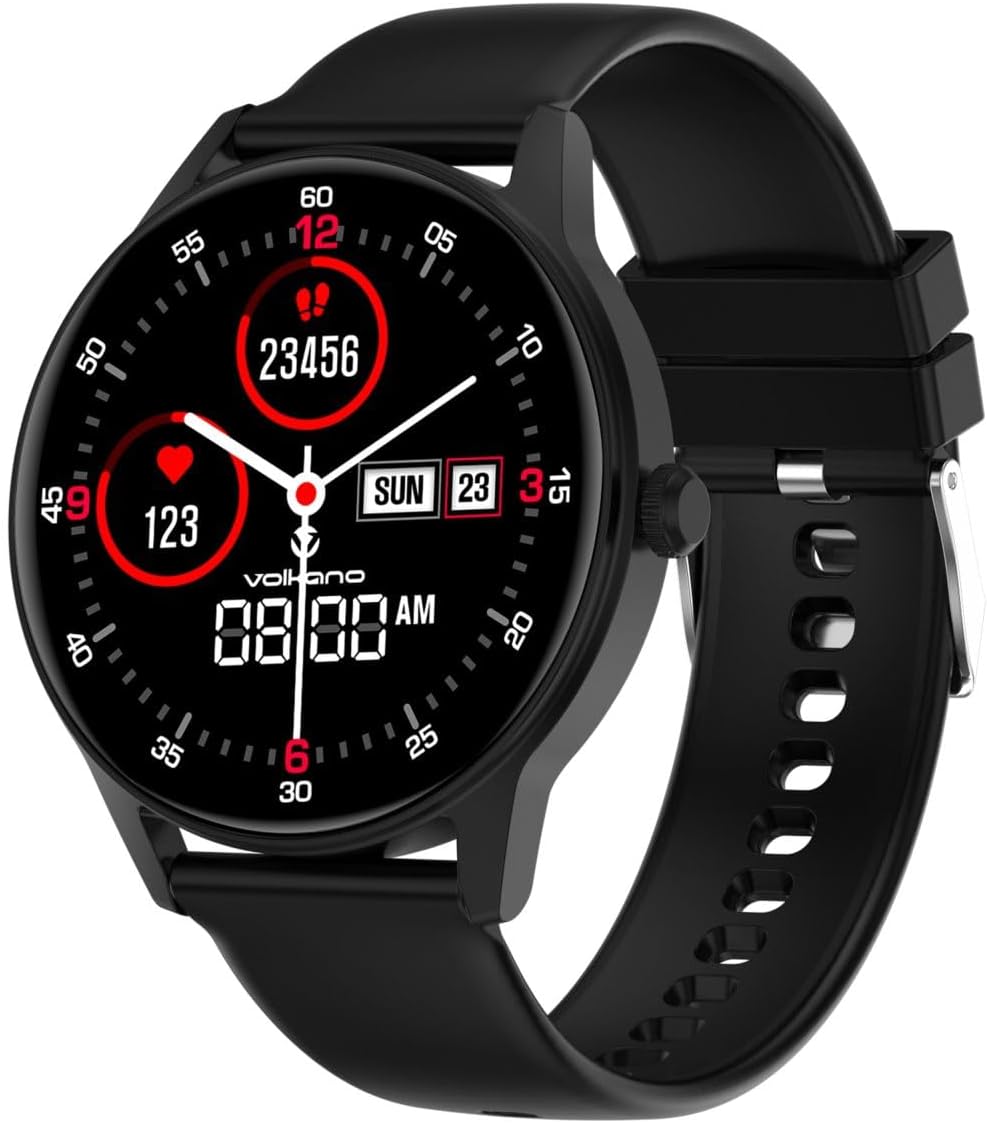
Image: The Volkano Fit Soul Series Smartwatch, black, worn on a wrist, showing its digital display with time, step count, and heart rate.
Package Contents
Please verify that all items are present in the package:
- Volkano Fit Soul Series Smartwatch (VK-5085-BK)
- Charging Cable
- User Manual

Image: The retail packaging for the Volkano Fit Soul Series Smartwatch, highlighting its features and design.
Setup
1. Charging the Smartwatch
- Connect the charging cable to the charging port on the back of the smartwatch.
- Plug the USB end of the cable into a standard USB power adapter (not included) or a computer's USB port.
- Allow the smartwatch to charge fully before initial use. The charging indicator will typically show progress on the screen.
2. App Installation and Pairing
To utilize all features, download the companion application on your smartphone.
- Search for the 'Volkano Fit' or similar companion app in your smartphone's app store (Google Play Store for Android, Apple App Store for iOS).
- Install the application.
- Ensure Bluetooth is enabled on your smartphone.
- Open the app and follow the on-screen instructions to create an account and pair your Volkano Fit Soul Smartwatch.
- During pairing, the app will guide you through connecting the smartwatch via Bluetooth. Confirm any pairing requests on both your phone and the smartwatch.

Image: A Volkano smartwatch displayed next to a smartphone screen showing the companion application interface, illustrating connectivity and customization options.
Operating the Smartwatch
Basic Navigation
- Touch Screen: Swipe left, right, up, or down to navigate through menus and features. Tap to select an option.
- Side Button: Typically used to return to the home screen, power on/off, or access the app list. Refer to the in-app guide for specific button functions.
Key Features
- Heart Rate Monitor: Provides real-time heart rate data. Ensure the watch is snug on your wrist for accurate readings.
- Pedometer & Calorie Tracker: Automatically counts steps taken and estimates calories burned throughout the day.
- Sleep Monitor: Tracks sleep patterns, including deep sleep, light sleep, and awake times. Data is viewable in the companion app.
- Blood Pressure Monitor: Measures blood pressure. This feature is for reference only and should not be used for medical diagnosis.
- Multi-Sport Tracking: Select from various sports modes (e.g., running, cycling) to track specific workout data.
- Call & Message Notifications: Receive alerts for incoming calls and messages directly on your smartwatch when connected to your phone.
- Music Control: Control music playback on your paired smartphone (play, pause, skip tracks).

Image: A user wearing the smartwatch, with graphical overlays indicating the Heart Rate Monitor, Multi-Sport Monitoring, and Built-In Pedometer and Calorie Usage features.
Customizing Watch Faces
The smartwatch allows for customization of watch faces to suit personal preference.
- Access watch face settings through the smartwatch menu or the companion app.
- Select from pre-installed designs or upload custom images via the app.

Image: A close-up of the smartwatch screen showcasing various customizable watch face designs.
Maintenance
Water and Dust Resistance
The Volkano Fit Soul Smartwatch is IP68 rated, meaning it is resistant to dust and can withstand immersion in water up to 1.5 meters for up to 30 minutes. This makes it suitable for daily use, including hand washing and light rain exposure. However, it is not recommended for swimming, diving, or exposure to high-pressure water jets.

Image: The Volkano smartwatch with water droplets on its surface, demonstrating its IP67 waterproof feature.
Cleaning Instructions
- Wipe the smartwatch and strap regularly with a soft, damp cloth.
- Avoid using harsh chemicals or abrasive materials, as these can damage the device.
- Ensure the charging contacts are clean and dry before charging to prevent corrosion.
Troubleshooting
- Device not turning on: Ensure the smartwatch is fully charged. Connect it to the charger for at least 30 minutes.
- Cannot pair with smartphone:
- Verify Bluetooth is enabled on your phone and the smartwatch.
- Ensure the smartwatch is within range of your phone.
- Restart both the smartwatch and your phone, then attempt pairing again.
- Check if the companion app is updated to the latest version.
- Inaccurate health data: Ensure the smartwatch is worn snugly on your wrist, not too tight or too loose. Clean the sensor on the back of the watch.
- Notifications not appearing: Check notification settings within the companion app and your phone's system settings to ensure permissions are granted for the app to display notifications.
Specifications
| Feature | Specification |
|---|---|
| Brand | Volkano |
| Model Number | VK-5085-BK |
| Colour | Black |
| Display Size | 1.7 Inches |
| Operating System | Android Wear 1.0 (compatible) |
| Connectivity | Bluetooth |
| Battery Capacity | 300 mAh (Lithium Ion) |
| Water Resistance | IP68 (Water and Dust Resistant) |
| Special Features | Heart Rate Monitor, Pedometer, Calorie Tracker, Sleep Monitor, Blood Pressure Monitor, Multi-Sport Tracking, Message & Call Notifications, Music Control |
| Shape | Round |
| GPS | No |
Warranty and Support
The Volkano Fit Soul Series Smartwatch is covered by a 1-Year Limited Warranty from the manufacturer. This warranty covers defects in materials and workmanship under normal use.
For warranty claims, technical assistance, or customer support, please refer to the contact information provided with your product packaging or visit the official Volkano website. You may also register your product for an additional 12-month extension, totaling 24 months of coverage.
For further assistance, you can message Volkano via their official page. Your satisfaction is important, and support is available for products and services.


