
Introduction
Thank you for purchasing the Volkano Griffin Series Dual Party Speaker. This manual provides essential information for the safe and optimal use of your speaker. Please read these instructions thoroughly before operating the device and retain them for future reference.
Safety Instructions
- Do not expose the speaker to water, moisture, or extreme temperatures.
- Avoid placing the speaker near heat sources or in direct sunlight.
- Do not attempt to disassemble or repair the unit yourself. Refer all servicing to qualified personnel.
- Ensure proper ventilation around the speaker to prevent overheating.
- Keep the speaker away from children and pets.
- Use only the provided power adapter and accessories.
Package Contents
Verify that all items are present in the package:
- Volkano Griffin Series Dual Party Speaker
- Power Adapter
- Instruction Manual
- Auxiliary Cable (3.5mm)
- Remote Control (if included)
- Wired Microphone (if included)

Image: The Volkano Griffin Series Dual Party Speaker shown with its instruction manual and auxiliary cable, illustrating the typical package contents.
Speaker Overview
Top Panel Controls
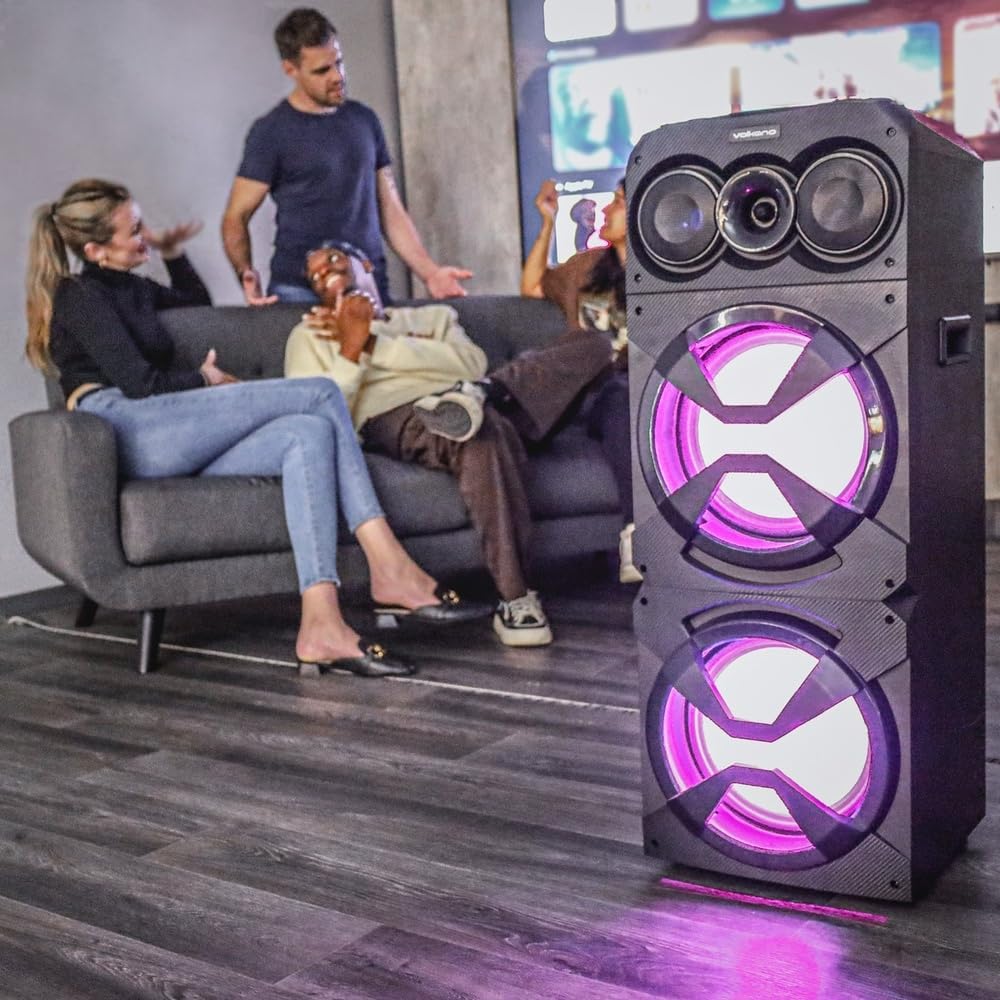
Image: A detailed view of the speaker's top control panel, featuring various buttons, knobs, and sliders for audio adjustments and mode selection.
- Power Button: Turns the speaker on/off.
- Mode Button: Switches between Bluetooth, FM Radio, USB, SD, and AUX modes.
- Volume Control: Adjusts the master volume.
- Bass/Treble Controls: Adjusts bass and treble levels.
- Microphone Volume/Echo: Controls microphone input volume and echo effect.
- USB Port: For USB flash drive playback.
- SD Card Slot: For SD card playback.
- Play/Pause Button: Controls media playback.
- Previous/Next Track Buttons: Navigates through tracks.
- LED Light Mode Button: Changes or turns off the LED lighting effects.
Rear Panel Connections

Image: The back panel of the speaker, displaying the power input, auxiliary input, and other connection ports.
- DC Power Input: Connect the power adapter here.
- AUX Input: Connect external audio devices using a 3.5mm auxiliary cable.
- Microphone Input (6.35mm): Connect a wired microphone.
Setup
Powering On the Speaker
- Connect the provided power adapter to the DC Power Input port on the rear of the speaker.
- Plug the power adapter into a standard wall outlet.
- Press and hold the Power Button on the top panel for a few seconds until the speaker powers on and the LED lights illuminate.
Initial Bluetooth Pairing
- Ensure the speaker is powered on.
- Press the Mode Button until "Bluetooth" mode is announced or displayed. The speaker will enter pairing mode, indicated by a flashing Bluetooth indicator light.
- On your mobile device (smartphone, tablet, etc.), enable Bluetooth and search for available devices.
- Select "Volkano Griffin" (or similar name) from the list of found devices.
- Once paired, the speaker will confirm with an audible prompt, and the Bluetooth indicator light will become solid.
- You can now play audio from your device through the speaker.
Operating Instructions
Changing Playback Modes
Press the Mode Button repeatedly to cycle through available input sources: Bluetooth, FM Radio, USB, SD Card, and AUX Input.
Adjusting Volume and Audio
- Master Volume: Rotate the main Volume Control knob to increase or decrease the overall sound level.
- Bass/Treble: Use the dedicated Bass and Treble knobs to fine-tune the audio equalization.
USB/SD Card Playback
- Insert a USB flash drive or SD card (with MP3 audio files) into the respective port/slot on the top panel.
- The speaker will automatically switch to USB or SD mode and begin playing the first compatible track. If not, press the Mode Button to select the correct source.
- Use the Play/Pause, Previous Track, and Next Track buttons to control playback.
FM Radio Operation
- Press the Mode Button to select FM Radio mode.
- Press and hold the Play/Pause Button to initiate an automatic scan for available FM stations. The speaker will save all found stations.
- Use the Previous Track and Next Track buttons to navigate between saved stations.
AUX Input
- Connect one end of the 3.5mm auxiliary cable to the AUX Input port on the rear of the speaker.
- Connect the other end to the headphone jack or audio output of your external device.
- Press the Mode Button to select AUX mode.
- Control playback and volume from your external device.
Microphone Usage
- Plug a wired microphone into the 6.35mm Microphone Input port on the rear panel.
- Adjust the microphone volume using the dedicated Microphone Volume knob on the top panel.
- Use the Echo knob to add an echo effect to your voice.
LED Lighting Effects

Image: The Volkano Griffin Series Dual Party Speaker in a social setting, showcasing its dynamic LED lighting effects in purple.

Image: The front of the speaker with its woofers illuminated by vibrant red LED lights, demonstrating another lighting option.
Press the LED Light Mode Button to cycle through different lighting patterns or to turn the lights off.
Maintenance
- Cleaning: Use a soft, dry cloth to wipe the exterior of the speaker. Do not use abrasive cleaners, waxes, or solvents.
- Storage: When not in use for extended periods, store the speaker in a cool, dry place, away from direct sunlight and extreme temperatures.
- Ventilation: Ensure that the speaker's ventilation openings are not blocked to prevent overheating.
Troubleshooting
| Problem | Possible Cause | Solution |
|---|---|---|
| Speaker does not power on. | No power connection or faulty power adapter. | Ensure the power adapter is securely connected to both the speaker and a working power outlet. Try a different outlet. |
| No sound from the speaker. | Volume too low, incorrect input mode, or device not connected properly. | Increase the master volume. Press the Mode Button to select the correct input source. Re-pair Bluetooth or re-connect AUX cable. Check volume on the connected device. |
| Bluetooth device cannot pair. | Speaker not in pairing mode, device too far, or interference. | Ensure the speaker is in Bluetooth pairing mode (flashing indicator). Move your device closer to the speaker. Turn off other Bluetooth devices to reduce interference. Try restarting both the speaker and your device. |
| USB/SD card not playing. | Incorrect file format, card/drive not inserted correctly, or corrupted media. | Ensure audio files are in a compatible format (e.g., MP3). Re-insert the USB drive or SD card. Try a different USB drive or SD card. |
Specifications
| Model Name: | Griffin Series Dual Party Speaker |
| Brand: | Volkano |
| Speaker Size: | Dual 12-inch woofers |
| Connectivity: | Bluetooth, USB, SD Card, AUX Input, FM Radio, Microphone Input |
| Power Output: | (Typical for similar speakers, e.g., 80W RMS) |
| Frequency Response: | (Typical for similar speakers, e.g., 40Hz - 20kHz) |
| Power Supply: | AC 100-240V, 50/60Hz |
| Dimensions: | (Approximate, based on dual 12-inch design) |
| Weight: | (Approximate) |
Note: Specifications are subject to change without prior notice. Values marked with (Typical...) are estimates for general guidance.
Warranty Information
Volkano products are backed by a 1-year limited coverage from the date of purchase, reflecting our commitment to quality and dependable performance.
You may be eligible for an additional 12-month extension, for a total of 24 months coverage, by registering your product. Please visit the official Volkano website for registration details and terms and conditions.
This warranty covers manufacturing defects and workmanship under normal use. It does not cover damage caused by misuse, accidents, unauthorized modifications, or normal wear and tear.
Customer Support
Your satisfaction is important to us. If you have any questions, require assistance with your Volkano Griffin Series Dual Party Speaker, or need to claim warranty service, please contact us:
- Online: Message us via the official Volkano Page on Amazon or visit the Volkano website.
- Website: Visit the Volkano Store on Amazon
Please have your product model name (Griffin Series Dual Party Speaker) and purchase details ready when contacting support.