Introduction
Thank you for purchasing the Volkano X VKX-3003-BK Portable Bluetooth Speaker. This manual provides important information regarding the setup, operation, maintenance, and troubleshooting of your device. Please read it carefully to ensure optimal performance and longevity of your speaker.

Image: Front view of the Volkano X VKX-3003-BK Portable Bluetooth Speaker, showcasing its black finish and integrated handle.
Setup
1. Unboxing and Initial Inspection
Carefully remove all components from the packaging. Verify that all items listed in the "Included Components" section are present and undamaged. If any items are missing or damaged, please contact customer support.
2. Charging the Speaker
Before first use, fully charge the speaker. Connect the provided charging cable to the speaker's charging port and the other end to a compatible USB power source (e.g., a 5V DC USB adapter or computer USB port). The charging indicator light will illuminate during charging and turn off or change color once fully charged. A full charge provides up to 6 hours of playtime.
3. Attaching the Shoulder Strap
For enhanced portability, attach the removable shoulder strap to the designated attachment points on the speaker. Ensure the strap is securely fastened before carrying the speaker.

Image: Angled view of the Volkano X VKX-3003-BK Portable Bluetooth Speaker, showing the side profile and strap attachment points.
Operation
1. Power On/Off
Press and hold the Power button for approximately 3 seconds to turn the speaker on or off. A sound indicator will confirm the action.
2. Bluetooth Pairing
- Ensure the speaker is powered on and in Bluetooth pairing mode. The Bluetooth indicator light will typically flash.
- On your device (smartphone, tablet, etc.), enable Bluetooth and search for available devices.
- Select "VKX-3003-BK" from the list of found devices.
- Once paired, the Bluetooth indicator light will become solid, and a confirmation sound may play.
The speaker has a maximum Bluetooth range of 10 meters (33 feet).
3. Audio Playback
After successful pairing, you can play audio from your connected device. Use your device's controls to manage playback (play, pause, skip tracks). The speaker delivers stereo audio output.
4. True Wireless Pairing (TWS)
If you have two Volkano X VKX-3003-BK speakers, you can pair them together for a true wireless stereo experience. Refer to the specific TWS pairing instructions provided with your speaker for detailed steps. This feature allows both speakers to play audio simultaneously from a single source.
5. Volume Control
Adjust the volume using the dedicated volume buttons on the speaker or directly from your connected device.
6. Call Handling
If your speaker has an integrated microphone, you can answer or end calls by pressing the Play/Pause button. Press and hold to reject an incoming call.
7. Water Resistance (IPX5)
The speaker is IPX5 water-resistant, meaning it can withstand splashes and light rain. It is not designed to be submerged in water. Ensure all port covers are securely closed before exposure to moisture.
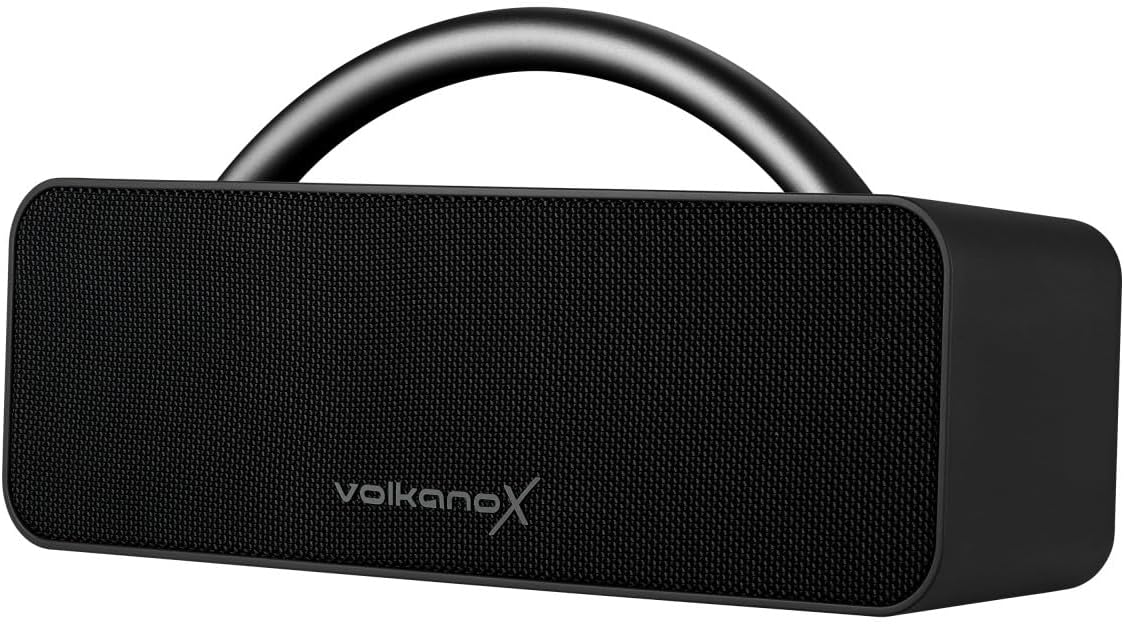
Image: Side view of the Volkano X VKX-3003-BK Portable Bluetooth Speaker, highlighting its compact design and control panel.
Maintenance
1. Cleaning
Wipe the speaker with a soft, dry cloth. Do not use abrasive cleaners, solvents, or harsh chemicals, as these may damage the surface or internal components. Ensure the speaker is powered off and disconnected from any power source before cleaning.
2. Storage
When not in use for extended periods, store the speaker in a cool, dry place away from direct sunlight and extreme temperatures. It is recommended to charge the battery periodically (e.g., every 3-6 months) to maintain battery health.
3. Battery Care
To maximize battery lifespan, avoid fully discharging the speaker frequently. Charge the speaker using only the provided cable and a compatible 5V DC power source. Do not attempt to replace the battery yourself.
Troubleshooting
| Problem | Possible Cause | Solution |
|---|---|---|
| Speaker does not power on. | Battery is depleted. | Charge the speaker fully using the provided cable. |
| Cannot pair with Bluetooth device. | Speaker is not in pairing mode; device Bluetooth is off; speaker is already paired to another device; device is out of range. | Ensure speaker is in pairing mode. Turn Bluetooth on your device. Disconnect from other devices. Move device closer to speaker (within 10 meters). |
| No sound or low volume. | Volume on speaker or device is too low; speaker is not properly paired; audio source issue. | Increase volume on both speaker and device. Re-pair the speaker. Check audio source on your device. |
| Sound distortion. | Volume too high; device too far from speaker; interference. | Reduce volume. Move device closer to speaker. Avoid sources of strong electromagnetic interference. |
Specifications
| Model Number | VKX-3003-BK |
| Brand | Volkano |
| Connectivity Technology | Bluetooth 5.1 |
| Maximum Range | 10 Meters |
| Speaker Maximum Output Power | 24 Watts |
| Audio Output Mode | Stereo |
| Frequency Response | 4 KHz |
| Power Source | Battery Powered |
| Input Voltage | 5 Volts (DC) |
| Playtime | Up to 6 hours |
| Water Resistance | IPX5 |
| Product Dimensions | 18D x 5W x 13H centimetres |
| Item Weight | 350 Grams |
| Material | Plastic |
| Included Components | 1 x Volkano X VXS200 Portable Bluetooth Speaker, Black (Note: Model number in description may vary from primary model VKX-3003-BK) |
Warranty and Support
Manufacturer's Warranty
This Volkano product is covered by a 1-year limited warranty from the date of purchase. Volkano also offers lifetime customer support for its products.
Warranty Extension
You can register your product to receive an additional 12-month warranty extension, totaling 24 months of coverage. Please visit the official Volkano website for registration details.
Customer Support
For any questions, assistance, or support regarding your Volkano X VKX-3003-BK speaker, please contact Volkano customer service. You can message us via the official Volkano Page or refer to the contact information provided in your product packaging.


