
EDJO C231S
EDJO Wireless Keyboard and Mouse Combo User Manual
Model: C231S
Product Overview
The EDJO Wireless Keyboard and Mouse Combo offers a seamless and comfortable computing experience. The ergonomic keyboard features a generous wrist rest and adjustable tilt legs to reduce strain, while the full-sized layout with 109 keys, including shortcuts and a number pad, streamlines data entry. The silent, soft-elastic keystrokes ensure a quiet working environment. The wireless mouse provides total comfort with its contoured grips, silent click design, and 3 adjustable DPI settings (800/1200/1600) for precise navigation. Both devices are rechargeable via Type-C and connect wirelessly via a single 2.4GHz USB receiver, offering lag-free operation up to 33 feet.

Image: The EDJO Wireless Keyboard and Mouse Combo, showcasing its sleek black design and included USB receiver and charging cable.
Package Contents
- 1 x Wireless Keyboard
- 1 x Wireless Mouse
- 1 x USB Receiver (Stored on the back of the mouse)
- 1 x User Manual
- 1 x Type-C Charging Cable

Image: All items included in the package: the wireless keyboard, wireless mouse, USB receiver, user manual, and Type-C charging cable.
Setup Guide
1. Connecting the USB Receiver
Locate the USB receiver stored on the back of the mouse. Gently pull it out. Insert the USB receiver into an available USB port on your computer (desktop or laptop). The keyboard and mouse are designed to share this single receiver for convenience.

Image: A close-up of the USB receiver being inserted into a laptop, illustrating the plug-and-play connection for both devices.
2. Powering On
For the mouse, locate the ON/OFF switch on its underside and slide it to the "ON" position. For the keyboard, locate the ON/OFF switch on its back and slide it to the "ON" position. Both devices should automatically connect to your computer via the USB receiver.

Image: The underside of the wireless mouse, highlighting the ON/OFF switch and the storage slot for the USB receiver.
3. Initial Charging
Both the keyboard and mouse are equipped with rechargeable lithium batteries. Use the included Type-C charging cable to charge them. The keyboard has a 350mAh battery, and the mouse has a 300mAh battery. A full charge provides up to 20 days of usage. It is recommended to fully charge both devices before first use.

Image: The keyboard and mouse connected via Type-C cables for charging, indicating their rechargeable nature.
Operating Instructions
Keyboard Features
The full-sized keyboard features 109 keys, including 12 convenient shortcuts and a dedicated number pad, streamlining data entry and navigation. It is designed with a generous wrist rest for ergonomic comfort, reducing strain and fatigue during prolonged use. Adjustable 7° tilt legs on the underside allow for a more relaxed typing position. The keyboard features silent and soft-elastic feel keystrokes, reducing typing noise by more than 95% for a quiet working environment.
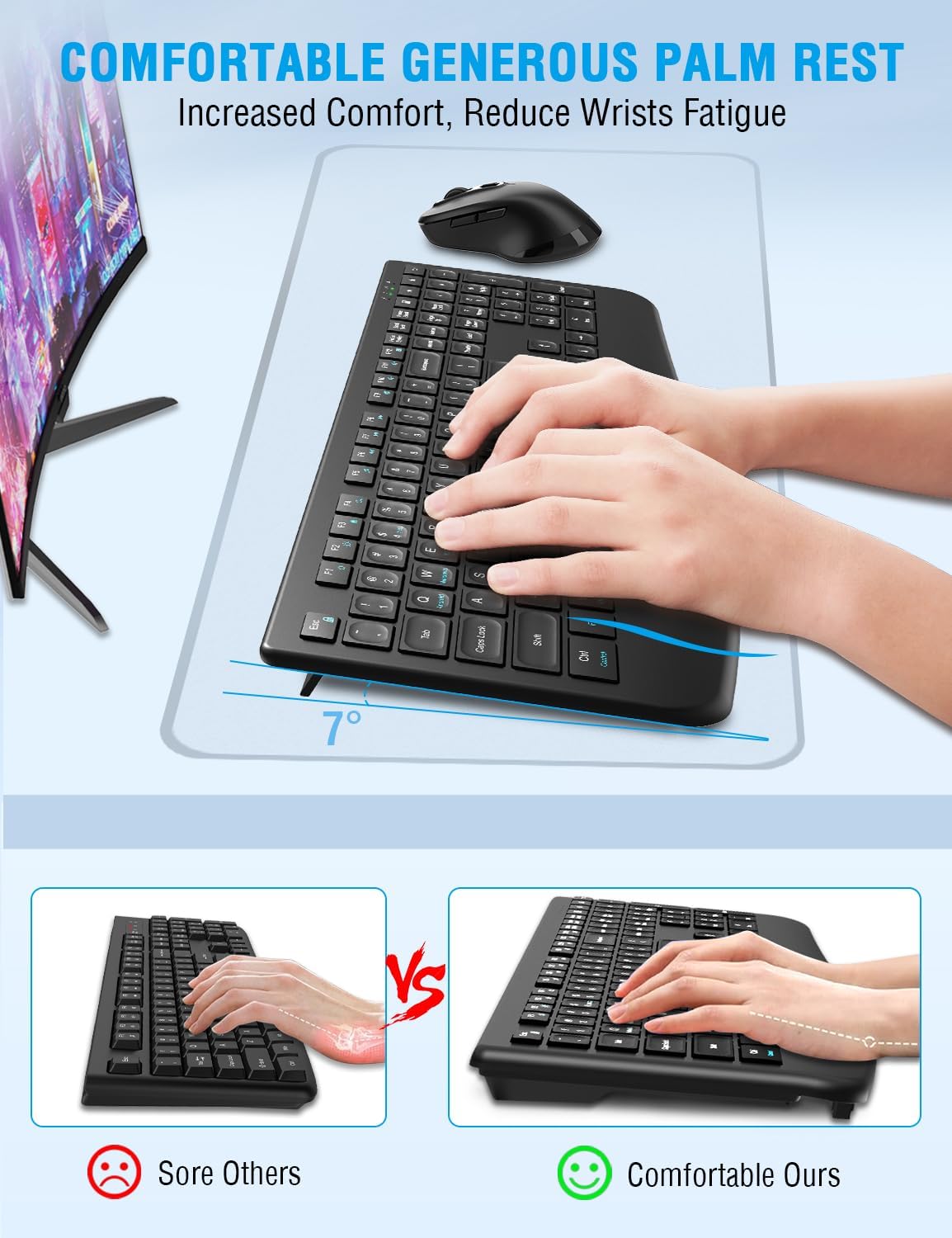
Image: A user's hands resting comfortably on the keyboard's integrated wrist rest, demonstrating its ergonomic design.
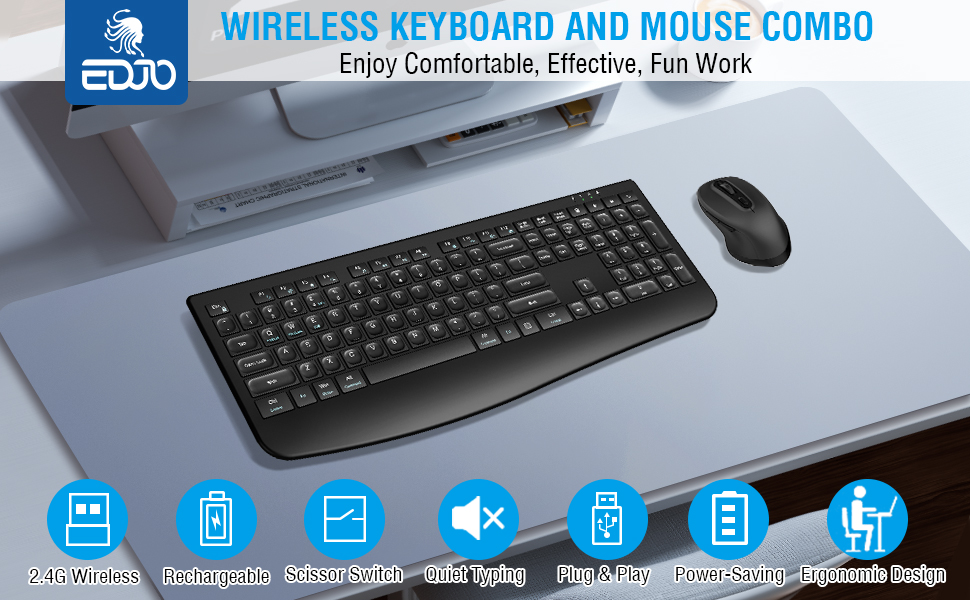
Image: Visual comparison showing the ergonomic palm rest design of the keyboard providing comfortable support for wrists.
Mouse Features
The wireless mouse provides total comfort with a contoured grip and premium matte finish. It features a 6-button design with 3 adjustable DPI settings (800/1200/1600) to help you navigate the web faster and easier. The DPI can be adjusted via a dedicated button on the mouse. The mouse also has a silent click design, ensuring quiet operation that won't disturb others.
Image: The wireless mouse highlighting its 3 DPI settings (800, 1200, 1600) and 6 button layout for improved work efficiency.

Image: A visual representation of the mouse's adjustable DPI settings, showing the DPI switch button.
Compatibility
The EDJO Wireless Keyboard and Mouse Combo offers wide compatibility, supporting various operating systems and devices including Windows, Mac, Android, PC, Laptops, Televisions, and Chromebooks.

Image: Various devices including a laptop, tablet, and smartphone, illustrating the wide compatibility of the keyboard and mouse combo.
Maintenance
Smart Energy Saving
To maximize battery life, the keyboard and mouse feature a smart energy-saving mode and independent ON/OFF switches. If left idle for 3 minutes, the devices will automatically enter a sleep mode. To wake them up, simply press any key on the keyboard or move/click any button on the mouse.

Image: Visual representation of the auto power saving feature, showing how pressing keys or moving the mouse wakes the devices from sleep mode.
Troubleshooting
Connectivity Issues
- If experiencing lag or connectivity issues, ensure the USB receiver is securely plugged into your device's USB port.
- Check the battery levels of both the keyboard and mouse. Recharge them using the provided Type-C cable if the battery is low.
- Ensure the ON/OFF switches on both the keyboard (on the back) and the mouse (on the underside) are in the "ON" position.
- Try plugging the USB receiver into a different USB port on your computer.
Product Specifications
| Feature | Detail |
|---|---|
| Product Dimensions | 17.1 x 6.9 x 0.63 inches |
| Item Weight | 2.01 pounds |
| Item Model Number | C231S |
| Batteries | 1 Lithium Ion batteries required. |
| Brand | EDJO |
| Color | Black |
| Connectivity Technology | 2.4GHz USB Wireless |
| Special Feature | Full Size, Ergonomic Design, Wrist Rest, Rechargeable, Slim, Quiet |
| Compatible Devices | Laptop, Television, Personal Computer, Chromebook |
Warranty and Support
The EDJO wireless keyboard and mouse set provides 12 months warranty service. Even after the Amazon return period, if you have any questions or require assistance, please contact our after-sales support team via email. We are committed to replying within 24 hours and helping you resolve all questions.
Ask a question about this manual
Ask about setup, troubleshooting, compatibility, parts, safety, or missing instructions. Manuals+ will review the question and use this page’s manual context to help answer it.