
Introduction
Thank you for choosing the FIFINE T669PRO1 USB Podcast Microphone. This manual provides detailed instructions for setting up, operating, maintaining, and troubleshooting your microphone kit to ensure optimal performance for recording, vocal, and streaming applications.
The FIFINE T669PRO1 features a cardioid condenser mic with a 16mm large diaphragm, a mute button, a gain knob, a pop filter, and a durable metal boom arm, making it ideal for content creation and streaming.
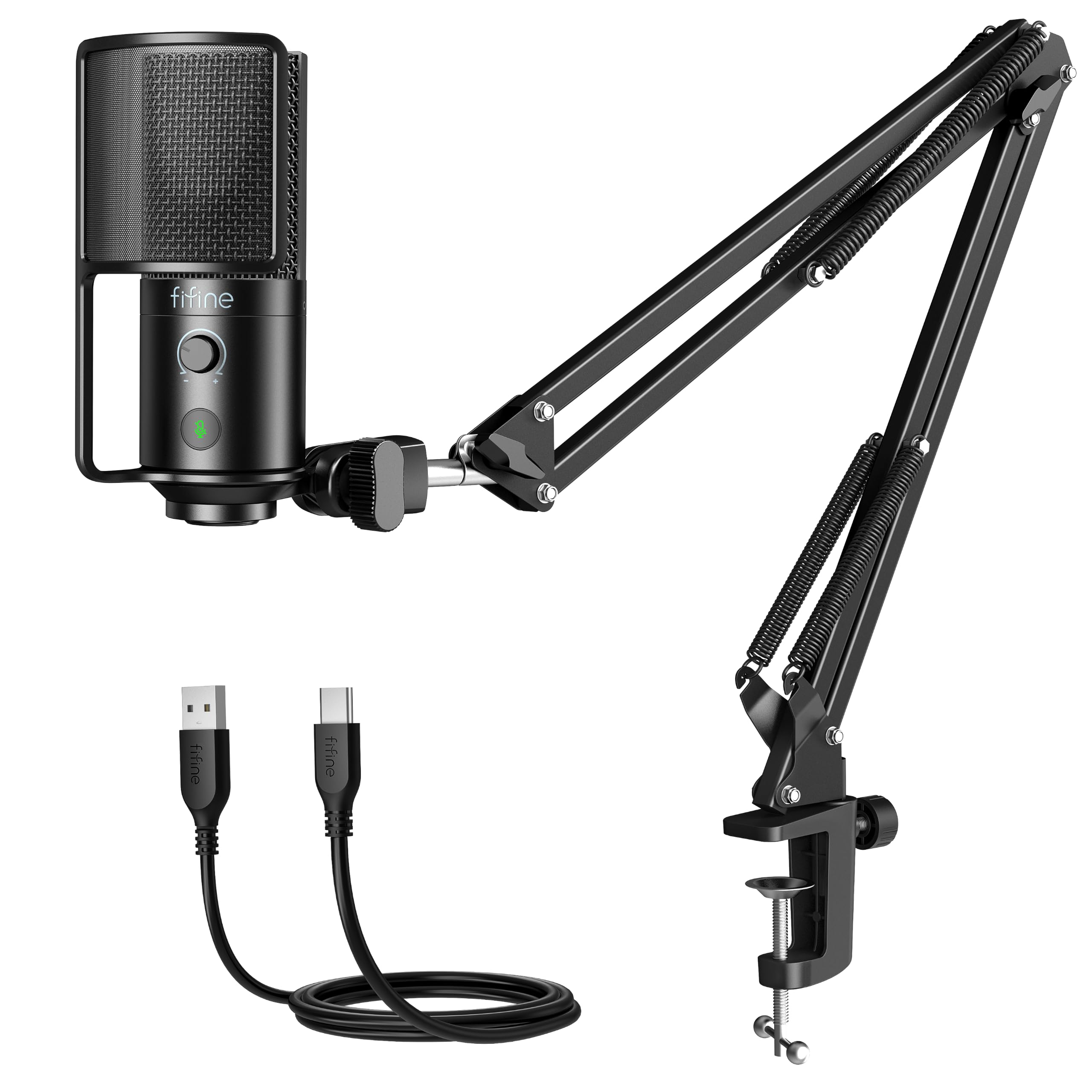
Image: The FIFINE T669PRO1 USB Podcast Microphone with its boom arm and pop filter, ready for use.
1. Setup
1.1 Unboxing and Components
Carefully unpack all components from the box. Ensure all items listed below are present:
- Condenser Microphone (1)
- Boom Arm Stand with Screw Adapter (1)
- C-Clamp (1)
- 8.2ft USB-C to USB Cable (1)
- User's Manual (1)

Image: A visual representation of all components included in the FIFINE T669PRO1 package.
1.2 Assembling the Boom Arm Stand
- Attach the C-Clamp to the edge of your desk or table. Ensure the table thickness is less than 2 inches for secure mounting.
- Insert the boom arm stand into the C-Clamp. Tighten the screw on the C-Clamp to secure the boom arm.
- Attach the microphone to the boom arm stand using the provided screw adapter.
- Adjust the boom arm to your desired position. The arm is designed to be highly adjustable for optimal microphone placement.

Image: The FIFINE T669PRO1 microphone mounted on its sturdy boom arm, clamped to a desk.

Image: Illustration showing the adjustable nature of the boom arm stand, with measurements indicating its reach.
1.3 Connecting the Microphone
The FIFINE T669PRO1 is a plug-and-play device. Connect the USB-C end of the provided cable to the microphone and the USB-A end to an available USB port on your desktop, laptop, or Mac. No additional drivers or software are typically required for basic functionality.
The microphone is compatible with PC, Laptop, PS4/PS5. It is not compatible with Xbox.

Image: The microphone connected via USB to a computer, illustrating the plug-and-play setup.

Image: The FIFINE T669PRO1 microphone connected to a laptop, with icons indicating compatibility with PC, Laptop, PS4/PS5, and incompatibility with Xbox.
2. Operating Instructions
2.1 Mute Function
The microphone features a convenient tap-to-mute button. Press the button once to mute the microphone. The indicator light will change to show the mute status. Press again to unmute.

Image: The microphone with its mute button highlighted, showing active (green) and muted (red) states.
Video: Demonstration of the mute button functionality on the FIFINE T669PRO1 microphone.
2.2 Gain Knob
Adjust the gain knob on the microphone to control the input volume. Turn the knob right to increase the volume and left to decrease it. This allows you to fine-tune the sound level for optimal recording quality.

Image: The microphone's gain knob, illustrating how to turn it right for volume up and left for volume down.
2.3 Optimal Microphone Placement
For the best sound quality, position the microphone approximately 6-8 inches from your mouth. The cardioid polar pattern is designed to pick up sound primarily from the front, minimizing background noise.

Image: A user speaking into the microphone, demonstrating the suggested distance of 6-8 inches for optimal recording.
3. Maintenance
To ensure the longevity and optimal performance of your FIFINE T669PRO1 microphone, follow these maintenance guidelines:
- Cleaning: Use a soft, dry cloth to wipe the microphone body and boom arm. Avoid using liquid cleaners or abrasive materials, as they can damage the finish or internal components.
- Storage: When not in use, store the microphone in a clean, dry place away from extreme temperatures and humidity.
- Handling: Handle the microphone and boom arm carefully. Avoid dropping or subjecting them to strong impacts, which can affect performance.
- Cable Care: Do not bend or crimp the USB cable excessively. Store it neatly to prevent tangles and damage.
4. Troubleshooting
If you encounter issues with your FIFINE T669PRO1 microphone, refer to the following common troubleshooting steps:
| Problem | Possible Cause | Solution |
|---|---|---|
| No sound output from microphone |
|
|
| Sound is distorted or too loud |
|
|
| Background noise is prominent |
|
|
5. Specifications
| Feature | Detail |
|---|---|
| Brand | FIFINE |
| Model Name | T669PRO1 |
| Connectivity Technology | USB |
| Connector Type | USB |
| Special Features | 16mm Large Diaphragm, Adjustable Boom Arm Stand, Mute Function, Plug And Play, Volume Control |
| Compatible Devices | Desktop, Laptop, PS4/PS5, Personal Computer |
| Color | Solid Black |
| Polar Pattern | Unidirectional (Cardioid) |
| Audio Sensitivity | 70 dB |
| Microphone Form Factor | Large Diaphragm |
| Power Source | Corded Electric (USB) |
| Signal-to-Noise Ratio | 70 dB |
| Hardware Platform | Laptop, PC |
| Frequency Response | 80Hz-20KHz |
| Enclosure Material | Metal |
| Item Weight | 1 kg |
| Item Dimensions | 16.5 x 9.61 x 2.99 inches |
6. Warranty Information
The FIFINE T669PRO1 USB Podcast Microphone comes with a 1-year warranty from the date of purchase. This warranty covers manufacturing defects and issues arising from normal use. It does not cover damage caused by misuse, accidents, unauthorized modifications, or improper storage.
Please retain your proof of purchase for warranty claims. For detailed terms and conditions, refer to the official FIFINE website or contact customer support.
7. Customer Support
For further assistance, technical support, or warranty inquiries, please visit the official FIFINE website or contact their customer service team. You can typically find contact information on the product packaging or the official brand website.
FIFINE Official Website: www.fifinemic.com
When contacting support, please have your product model (T669PRO1) and proof of purchase readily available.