
Introduction
The SYMYNELEC P6-5G/2.4GHz Light Bulb Security Camera is a versatile and easy-to-install surveillance solution designed for both indoor and outdoor use. This camera features dual-band Wi-Fi connectivity (5GHz and 2.4GHz), 2K 4MP video resolution, color night vision, and human motion detection with a 355° pan and 90° tilt for comprehensive coverage. Its IP65 waterproof rating ensures reliable performance in various weather conditions. This manual provides essential information for setting up, operating, and maintaining your security camera.
What's in the Box
Please verify that all items are present and in good condition upon opening the package:
- 1x SYMYNELEC 5G/2.4GHz Light Bulb Camera Outdoor
- 1x E26/E27 Socket Adapter (For WiFi Setup ONLY)
- 1x Light Bulb Socket Extender
- 1x Quick Start Guide
- 1x User Manual
Specifications
| Feature | Specification |
|---|---|
| Brand | SYMYNELEC |
| Model Name | P6-5G/2.4GHz |
| Connectivity Technology | Wireless (5GHz/2.4GHz Wi-Fi) |
| Indoor/Outdoor Usage | Indoor, Outdoor |
| Effective Still Resolution | 4 MP |
| Video Capture Resolution | 3 MP |
| Waterproof Rating | IP65 |
| Viewing Angle | 360 Degrees (355° Pan, 90° Tilt) |
| Night Vision | Starlight Color Night Vision, 15 Meters Range |
| Motion Detection | Human Auto Motion Detection, Motion Only Alert Type |
| Storage | Max 128 GB TF Card (SD Card Not Included), Cloud Storage (Optional) |
| Power Source | E26/E27 Light Bulb Socket (110V~240V) |
| Control Method | App (Symynelec App) |
| Compatible Devices | Smartphone (Works with Alexa and Google Assistant) |
| Item Dimensions | 5.91 x 3.94 x 3.94 inches |
| Item Weight | 0.3 Kilograms |
Setup & Installation
1. Initial Setup
Installation of the SYMYNELEC Light Bulb Security Camera is designed to be straightforward, similar to replacing a standard light bulb. No complex wiring or drilling is required.
- Download the App: Download the "Symynelec" app from your device's App Store (iOS) or Google Play Store (Android).
- Power On: Screw the camera into a standard E26/E27 light bulb socket (110V~240V). Ensure the power is on.
- Connect to Wi-Fi: Follow the in-app instructions to connect the camera to your Wi-Fi network using the QR code mode. The camera supports both 5GHz and 2.4GHz dual-band Wi-Fi routers.
The setup process typically takes less than 3 minutes.

Figure 1: Easy Installation - The camera installs like a standard light bulb.
2. Mounting Options
The camera can be installed in various locations where a standard E26/E27 light bulb socket is available. This includes front doors, back gates, eaves, and other light fixtures. The included light bulb socket extender can be used if additional clearance is needed.

Figure 2: Versatile Mounting - Examples of suitable installation points for the camera.
3. Installation Video Guide
Video 1: SYMYNELEC Light Bulb Security Camera Overview. This video demonstrates the camera's features and ease of installation.
Operating Instructions
1. App Control
Once connected, use the "Symynelec" app to control your camera. You can pan (355° horizontally) and tilt (90° vertically) the camera remotely to view different areas. The app also allows for digital zoom, light control, two-way talk, and playback of recorded footage.
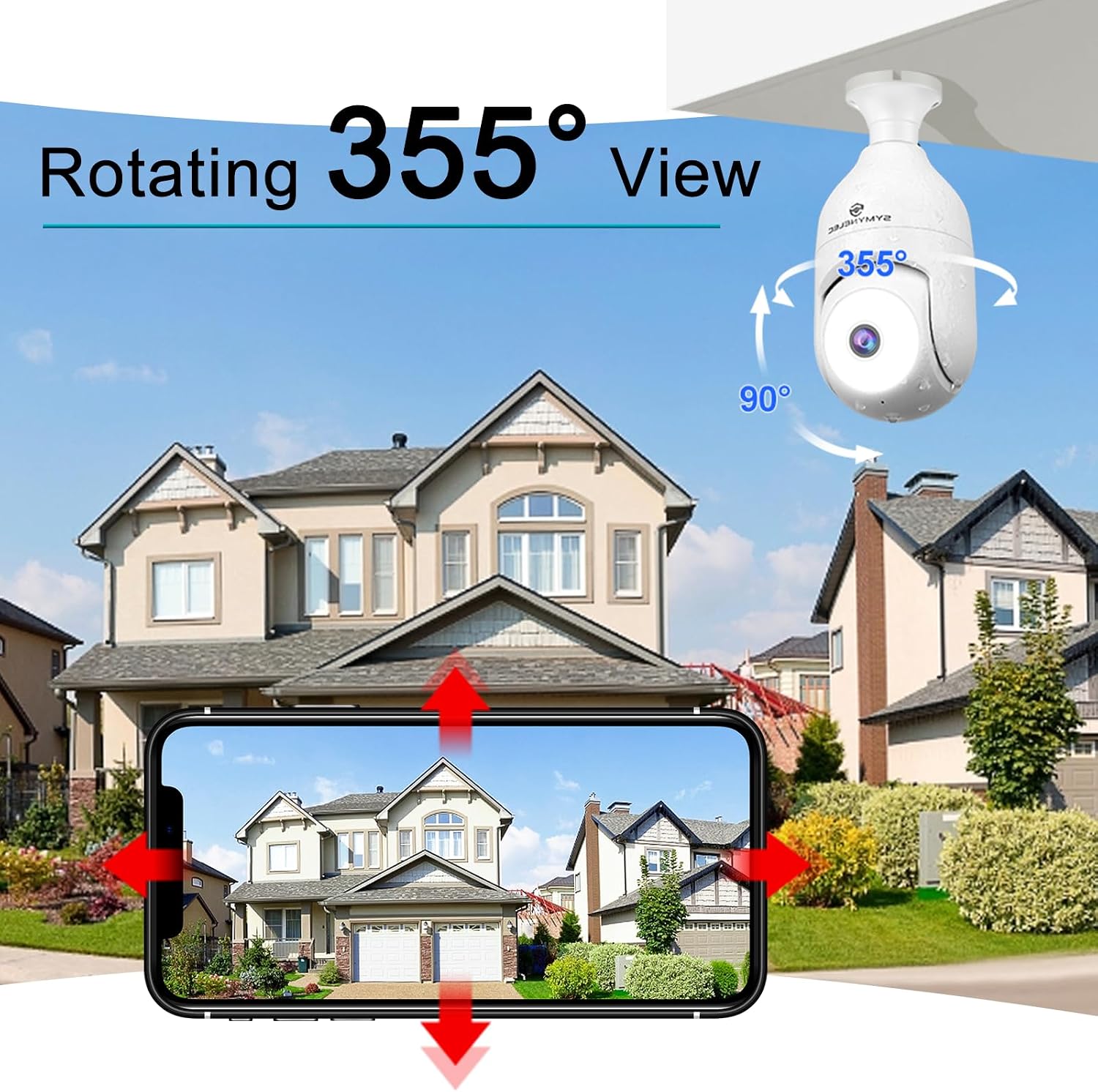
Figure 3: Remote Pan & Tilt - Control the camera's viewing angle from your smartphone.
2. Two-Way Audio
The camera features a built-in microphone and speaker, enabling two-way communication through the app. This allows you to speak to visitors or deter unwanted guests directly from your smartphone.

Figure 4: Two-Way Talk - Communicate with people near your camera.
3. Multi-User and Multi-Platform Access
The Symynelec app supports viewing up to 9 cameras and allows up to 20 users to view live feeds simultaneously. The system is compatible with iOS, Android, and Windows devices, providing flexible access for your family members.

Figure 5: Multi-User & Multi-Platform Support - Share access with family across different devices.
4. Smart Home Integration
The SYMYNELEC camera is compatible with Amazon Alexa and Google Assistant, allowing for voice control and integration into your existing smart home ecosystem. This enables convenient monitoring and management of your security system.

Figure 6: Smart Home Compatibility - Integrate with Alexa and Google Assistant.
5. Recording and Storage
The camera supports 24/7 recording. Footage can be stored locally on a Micro SD card (up to 128GB, not included) or via optional cloud storage services. A free 7-day AWS Cloud trial may be available.

Figure 7: Flexible Storage Options - Local SD card and cloud storage available.
Key Features
1. Dual-Band Wi-Fi Connectivity
The camera supports both 5GHz and 2.4GHz Wi-Fi networks, providing a stronger and more stable signal for smoother live viewing and improved connectivity, especially in areas with high network traffic.

Figure 8: Dual-Band Wi-Fi - Enhanced signal stability and performance.
2. IP65 Weatherproof Design
With an IP65 rating, the camera is designed to withstand various outdoor elements, including rain, snow, and dust. This ensures continuous protection for your property year-round, whether installed indoors or outdoors.

Figure 9: IP65 Weather Resistance - Reliable performance in extreme weather.
3. Advanced Human Motion Detection & Alarm
The camera features intelligent human recognition that automatically senses and tracks motion within its 355° field of view. It can filter out up to 95% of false alarms using built-in AI. Motion-activated 120-lumen spotlights and an 80-decibel user-activated alarm provide strong deterrence against unwelcome visitors.
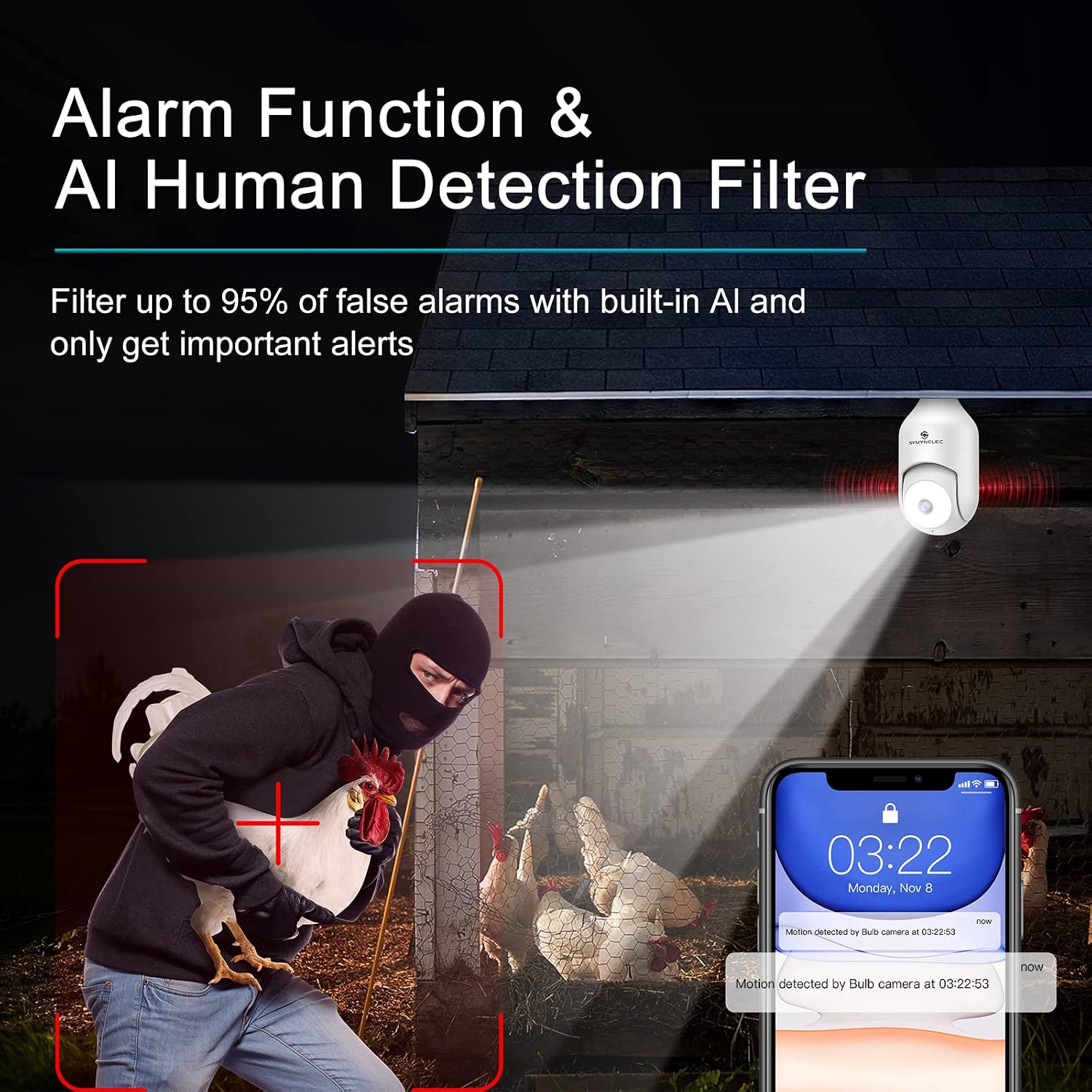
Figure 10: AI Human Detection & Alarm - Smart alerts and active deterrence.
4. Color Night Vision
Equipped with an advanced starlight sensor, the camera provides excellent nighttime visibility with vivid, full-color detail, even in low-light conditions. This offers a clearer and more informative view compared to traditional black-and-white infrared night vision.

Figure 11: Color Night Vision - See vivid details even in the dark.
5. 2K 4MP Ultra-Clear Video
The camera captures video in 2K (4MP effective still resolution), providing sharp and detailed images both day and night. This high resolution ensures that important details are clearly visible in your surveillance footage.

Figure 12: 2K 4MP Video Quality - Capture clearer details.
Maintenance
To ensure optimal performance and longevity of your SYMYNELEC Light Bulb Security Camera, follow these maintenance guidelines:
- Clean the Lens: Periodically wipe the camera lens with a soft, dry cloth to remove dust, dirt, or smudges that may affect image clarity.
- Check for Obstructions: Ensure there are no physical obstructions (e.g., tree branches, spiderwebs) blocking the camera's field of view.
- Firmware Updates: Regularly check the Symynelec app for available firmware updates. Keeping your camera's firmware updated ensures you have the latest features and security enhancements.
- Wi-Fi Signal Strength: Monitor the Wi-Fi signal strength in the app to ensure a stable connection. If the signal is weak, consider repositioning your router or using a Wi-Fi extender.
- Power Supply: Ensure the camera is securely screwed into the light socket and receiving consistent power.
Troubleshooting
If you encounter issues with your camera, refer to the following common troubleshooting steps:
- Camera Offline:
- Check if the camera is powered on and the light socket is active.
- Verify your Wi-Fi network is operational and the signal strength is adequate.
- Restart the camera by unscrewing it from the socket, waiting 10 seconds, and screwing it back in.
- Ensure the camera is within range of your Wi-Fi router.
- Unable to Connect to Wi-Fi:
- Confirm you are connecting to a 2.4GHz or 5GHz network (both are supported).
- Ensure your Wi-Fi password is entered correctly.
- Reset the camera (refer to the Quick Start Guide for specific reset instructions) and try the setup process again.
- Poor Video Quality:
- Check your internet connection speed. A stable and fast connection is crucial for high-resolution streaming.
- Clean the camera lens.
- Ensure the camera is not facing direct strong light sources at night, which can cause overexposure.
- Motion Detection Not Working:
- Verify that motion detection is enabled in the Symynelec app settings.
- Adjust the motion detection sensitivity settings in the app.
- Ensure there are no constant movements (e.g., swaying trees) in the detection zone that might be ignored if sensitivity is too low.
- Two-Way Audio Issues:
- Check the volume settings on your smartphone and in the app.
- Ensure your phone has microphone permissions enabled for the Symynelec app.
- Minimize background noise near both the camera and your phone during communication.
Warranty & Support
SYMYNELEC is committed to providing high-quality products and customer satisfaction. We offer lifelong technical support and service for your security camera.
If you have any questions regarding connection, installation, functions, or any other aspect of your SYMYNELEC P6-5G/2.4GHz Light Bulb Security Camera, please do not hesitate to contact our support team. Our team is ready to provide step-by-step assistance to ensure you have the best possible experience with your home security partner.
For support, please refer to the contact information provided in your Quick Start Guide or visit the official SYMYNELEC website.

Figure 13: Professional Support - SYMYNELEC offers comprehensive customer service.


