1. Introduction
Thank you for choosing the VONLUCE 52-inch Ceiling Fan with Lights. This manual provides detailed instructions for the safe installation, operation, and maintenance of your new ceiling fan. Please read this manual thoroughly before installation and keep it for future reference.

Image 1: VONLUCE 52-inch Ceiling Fan and included accessories.
2. Safety Information
To reduce the risk of electric shock, fire, or personal injury, always follow these basic safety precautions:
- Read all instructions before installing the fan.
- Ensure the installation site is suitable for supporting the fan's weight (minimum 35 lbs).
- All wiring must be in accordance with national and local electrical codes. If you are unfamiliar with wiring, consult a qualified electrician.
- Disconnect power at the circuit breaker or fuse box before beginning installation or performing any maintenance.
- Do not operate the fan with damaged parts. Replace any damaged components before use.
- Keep hands, clothing, and other objects clear of the fan blades when the fan is operating.
- Do not use the fan in areas exposed to direct water spray or excessive moisture. This fan is suitable for covered damp locations.
3. Package Contents
Verify that all components listed below are included in your package. If any parts are missing or damaged, contact customer support before proceeding with installation.
- Ceiling Fan Motor Housing
- Fan Blades (3)
- LED Light Kit
- Remote Control
- Remote Control Wall Mount Bracket
- Downrods (5-inch and 10-inch options)
- Mounting Bracket
- Hardware Pack (screws, wire nuts, washers)
- Instruction Manual
4. Specifications
| Feature | Specification |
|---|---|
| Model Name | VONLUCE 52 18W LED Ceiling Fan |
| Fan Size | 52 inches |
| Motor Type | DC Motor |
| Number of Blades | 3 |
| Fan Speeds | 6 Levels |
| Light Type | Integrated LED |
| Wattage (Light) | 22W |
| Luminous Flux | 2200 Lumens |
| Color Temperature | 3000K - 6500K (Stepless Adjustment) |
| Dimming | 10% - 100% (Stepless Adjustment) |
| Voltage | 110 Volts |
| Control Method | Remote Control |
| Timer Function | 2, 4, or 8 hours |
| Noise Level | Below 35dB |
| Installation Type | Semi Flush Mount |
| Indoor/Outdoor Usage | Covered Outdoor (Damp Rated) |

Image 2: Fan dimensions, mounting options, and room suitability.
5. Setup and Installation
Professional installation is recommended. Ensure power is disconnected before starting.
5.1 Pre-Installation Checklist
- Turn off power at the main circuit breaker.
- Ensure the electrical box is securely mounted and capable of supporting the fan's weight.
- Gather all necessary tools: screwdriver, wire strippers, electrical tape, ladder.
5.2 Mounting Bracket Installation
- Attach the mounting bracket to the ceiling electrical box using the screws provided. Ensure it is firmly secured.
5.3 Downrod Assembly
- Select either the 5-inch or 10-inch downrod based on your ceiling height and preference.
- Feed the fan wires through the chosen downrod.
- Secure the downrod to the fan motor housing with the provided pin and clip.
5.4 Wiring Connections
- Carefully lift the fan assembly and hang it on the mounting bracket hook (if available) or have someone assist in holding it.
- Connect the fan's electrical wires to the household wiring according to the wiring diagram in the full instruction manual. Typically:
- Black (Live) to Black (Live)
- White (Neutral) to White (Neutral)
- Green/Bare Copper (Ground) to Green/Bare Copper (Ground)
- Secure all connections with wire nuts and electrical tape.
5.5 Blade Attachment
- Attach each fan blade to the motor housing using the screws provided. Ensure all screws are tightened securely.
5.6 Light Kit Installation
- Connect the light kit wires to the corresponding wires from the fan motor.
- Secure the light kit to the bottom of the fan motor housing.
5.7 Canopy Installation
- Slide the canopy up against the ceiling and secure it to the mounting bracket with the provided screws.
6. Operating Instructions
Your VONLUCE ceiling fan is operated via the included remote control.

Image 3: Remote Control Functions.
6.1 Remote Control Functions
- Power On/Off: Turns the fan and light on or off.
- Fan Speed (1-6): Adjusts the fan speed from level 1 (lowest) to level 6 (highest).
- Auto Speed Mode: Activates a natural breeze simulation mode.
- Reversible Fan Direction (F/R): Changes the direction of blade rotation for summer (downward airflow) or winter (upward airflow).
- Light On/Off: Turns the LED light on or off independently of the fan.
- Brightness Adjustment: Increases or decreases the light brightness (10% to 100%).
- Color Temperature Adjustment: Adjusts the light color from warm white (3000K) to cool white (6500K).
- Timer (1H, 4H, 8H): Sets the fan to turn off automatically after 1, 4, or 8 hours.
6.2 Fan Operation
Use the speed buttons (1-6) on the remote to select your desired airflow. The fan operates quietly, ensuring a peaceful environment.

Image 4: Six adjustable fan speeds for customized comfort.
6.3 Light Operation
The integrated LED light offers stepless dimming and color temperature adjustment. Use the dedicated buttons on the remote to customize your lighting.

Image 5: Stepless dimming and color temperature adjustment.
6.4 Reversible DC Motor
The reversible DC motor allows you to change the direction of airflow for year-round comfort. In summer, downward airflow creates a cooling effect. In winter, upward airflow helps circulate warm air trapped near the ceiling.
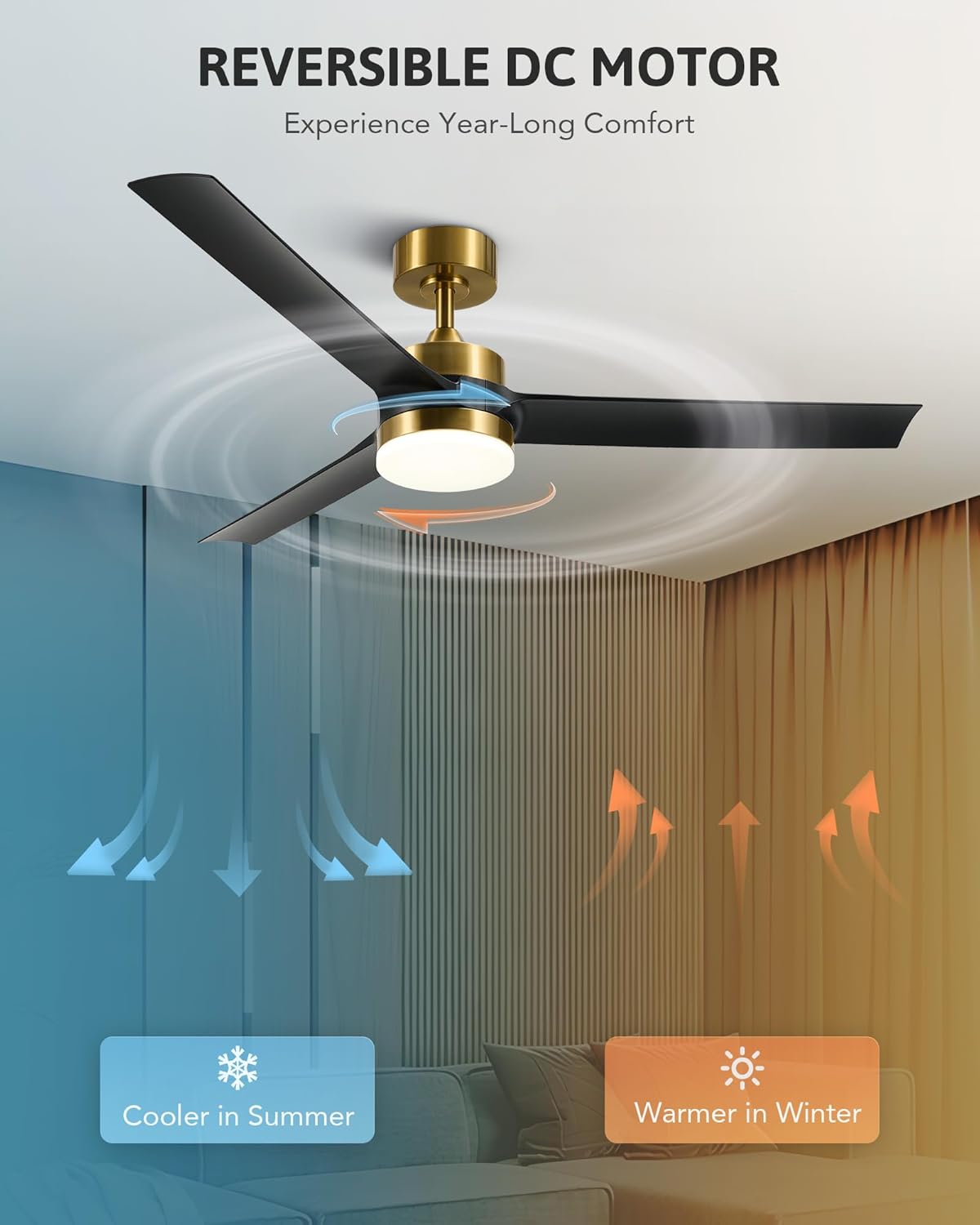
Image 6: Reversible DC motor for seasonal comfort.
6.5 Memory Function
The fan features a memory function. If the fan and light operate for more than 10 seconds before being turned off via the remote, they will resume their last settings (light brightness, color temperature, and fan speed) when turned on again.
7. Maintenance
Regular maintenance ensures optimal performance and extends the life of your fan.
- Cleaning: To clean the fan, wipe with a soft, damp cloth. Do not use abrasive cleaners or solvents, as these may damage the finish or electrical components.
- Blade Cleaning: Dust the fan blades regularly to prevent dust buildup, which can affect fan balance and performance.
- Tightening Screws: Periodically check all screws on the fan and mounting hardware to ensure they are tight. Loose screws can cause noise or wobbling.
- LED Light: The LED light is integrated and not user-replaceable. If the light fails, contact customer support.
Always ensure the power is turned off at the circuit breaker before performing any cleaning or maintenance.
8. Troubleshooting
If you experience issues with your fan, refer to the following common problems and solutions. If the problem persists, contact customer support.
| Problem | Possible Cause | Solution |
|---|---|---|
| Fan does not start | No power to the fan; Loose wire connections; Remote control battery low or not paired. | Check circuit breaker; Verify all wire connections are secure; Replace remote battery or re-pair remote. |
| Light does not work | Loose wire connection to light kit; Integrated LED failure. | Check light kit wiring; If LED fails, contact customer support. |
| Fan wobbles | Loose blade screws; Unbalanced blades; Loose mounting bracket. | Tighten all blade screws; Ensure blades are installed correctly; Check mounting bracket for secure attachment. |
| Noisy operation | Loose screws; Motor noise; Blades hitting an obstruction. | Check and tighten all screws; Ensure no obstructions are near blades. If motor noise persists, contact support. |
| Remote not responding | Low or dead battery; Remote not paired; Interference. | Replace remote battery; Re-pair remote control (refer to full manual for pairing instructions); Ensure no strong interference sources are nearby. |
9. Warranty and Support
VONLUCE products are designed for quality and reliability. For warranty information or technical support, please refer to the warranty card included with your product or visit the official VONLUCE website. Please have your model number (43959460233438) and purchase date available when contacting support.
For further assistance, you may contact VONLUCE customer service through their official channels.


